
1. Introduction
The LawMate RD-10 is a professional-grade portable counter-surveillance device designed to detect various hidden threats. It enables users to perform fast sweeps for RF bugs transmitting in the 20MHz to 6GHz frequency range, including transmitting cell phones, GPS tracking devices, video/audio bugs, and digital Wi-Fi signals. Additionally, it features a blink scanner and viewfinder for detecting hidden cameras, whether they are on or off, wired or wireless. The device also includes sensitivity adjustment for precise location pinpointing.
2. Safety Information
- Do not expose the device to extreme temperatures or direct sunlight.
- Keep the device dry; avoid contact with water or other liquids.
- Do not attempt to disassemble or modify the device, as this will void the warranty and may cause damage.
- Use only the provided charging cable to prevent damage to the device.
- Keep out of reach of children.
3. Package Contents
- LawMate RD-10 Detector Unit
- USB-C Charging Cable
- RF Antenna
- Magnetic Field Detection Probe
- User Manual
4. Product Overview
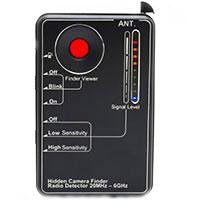
Image: LawMate RD-10 Detector with accessories.
Controls and Indicators:
- Power On/Off: Button to activate/deactivate the device.
- Mode Button: Cycles through different detection modes (RF, Vibration, Camera Lens Detection).
- Sensitivity Adjustment: Controls the detection range and precision.
- Flashlight: Provides illumination for dark areas.
- Charging Port: USB-C port for recharging the internal battery.
- LED Indicators: Visual display of signal strength and mode status.
5. Setup
5.1. Charging the Device
Before first use, fully charge the RD-10 detector. Connect the provided USB-C charging cable to the device's charging port and plug the other end into a compatible USB power source. The charging indicator will show the charging status.
5.2. Attaching Accessories
- RF Antenna: For optimal RF signal detection, screw the RF antenna securely into its designated port on the device.
- Magnetic Field Detection Probe: For magnetic field detection, attach the flexible probe to its port. This probe is useful for reaching confined spaces.
6. Operating Instructions
6.1. Powering On/Off
Press and hold the Power On/Off button on the side of the device until the LED indicators light up. To power off, press and hold the same button again.
6.2. RF Signal Detection (Wireless Devices)

Image: LawMate RD-10 detecting RF signals with the antenna attached.
- Ensure the RF antenna is attached.
- Press the Mode button until the RF detection mode is active (indicated by specific LEDs).
- Adjust the Sensitivity knob to an appropriate level. Start with a lower sensitivity and gradually increase it.
- Slowly scan the area where you suspect wireless devices. The device will emit beeps and/or vibrate, and LED indicators will light up, increasing in intensity as you approach a signal source (20MHz to 6GHz frequency range).
Video: Demonstration of RF signal detection using the K68+ detector, showing how it reacts to wireless signals.
6.3. Hidden Camera Lens Detection
Image: LawMate RD-10 with infrared lights activated for hidden camera detection.
- Press the Mode button until the camera lens detection mode is active (infrared lights on the back will illuminate).
- Look through the device's viewfinder while slowly scanning the area. Hidden camera lenses will appear as bright red reflective dots.
- Adjust the intensity of the infrared lights if needed for better visibility.
6.4. Magnetic Field Detection (GPS Trackers)
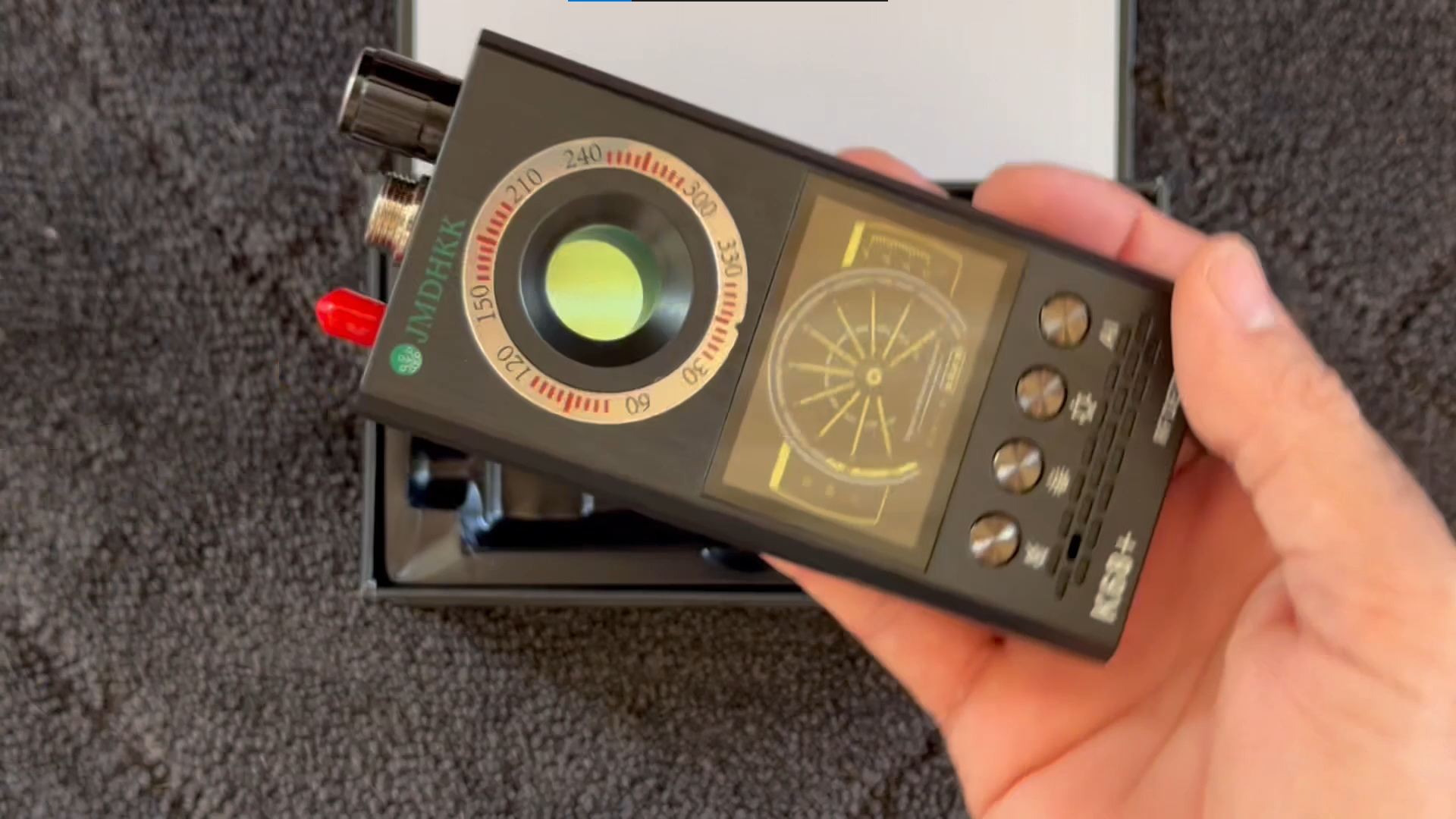
Image: LawMate RD-10 with the flexible magnetic field detection probe attached.
- Attach the magnetic field detection probe to the device.
- Press the Mode button to activate the magnetic field detection mode.
- Slowly move the probe along surfaces, under furniture, or inside vehicles where GPS trackers or other magnetic devices might be hidden. The device will alert you upon detecting a magnetic field.
6.5. Alert Modes
The RD-10 offers multiple alert modes to suit your environment:
- Audible Alarm: The device will emit beeping sounds when a signal is detected.
- Vibration Mode: For discreet detection, the device will vibrate when a signal is found.
- LED Indicators: Visual bars on the device indicate signal strength, allowing for precise localization.
7. Maintenance
- Cleaning: Use a soft, dry cloth to clean the device. Do not use abrasive cleaners or solvents.
- Storage: Store the device in a cool, dry place away from direct sunlight and extreme temperatures when not in use.
- Battery Care: For optimal battery life, avoid fully discharging the device frequently. Recharge it regularly.
8. Troubleshooting
- Device not turning on: Ensure the device is fully charged. If the issue persists, contact support.
- False alarms in RF mode: Reduce the sensitivity level. Many common electronic devices emit RF signals, so adjust sensitivity to pinpoint suspicious sources.
- Difficulty detecting wired cameras: The RF detection mode is primarily for wireless signals. For wired cameras, use the hidden camera lens detection mode (infrared lights) to visually identify the lens.
- No detection of known devices: Ensure the correct mode is selected and sensitivity is adjusted appropriately. Check for obstructions or interference.
9. Specifications
| Feature | Detail |
|---|---|
| Product Dimensions | 3"L x 1.75"W x 0.5"H |
| Item Weight | 4.8 ounces |
| Frequency Bands Supported | 20 MHz to 6 GHz |
| Power Source | Battery Powered (2 AAA batteries included) |
| Display Type | LCD |
| Charging Time | 2.5 hours |
| Working Hours | 25 hours |
10. Warranty and Support
The LawMate RD-10 Portable RF and Hidden Camera Detector comes with a standard manufacturer's warranty. For specific warranty details and to register your product, please refer to the documentation included in your package or visit the official Lawmate website.
For technical support, troubleshooting assistance, or any product-related inquiries, please contact Lawmate customer service. Contact information can typically be found in your user manual or on the product packaging.


