
1. Introduction
Thank you for choosing the IDANCE FDJ200 Full-Sized Wired Over-Ear Headphones. These headphones are designed for a comfortable listening experience with a focus on clear audio and convenient control. This manual provides essential information for setting up, operating, and maintaining your headphones.
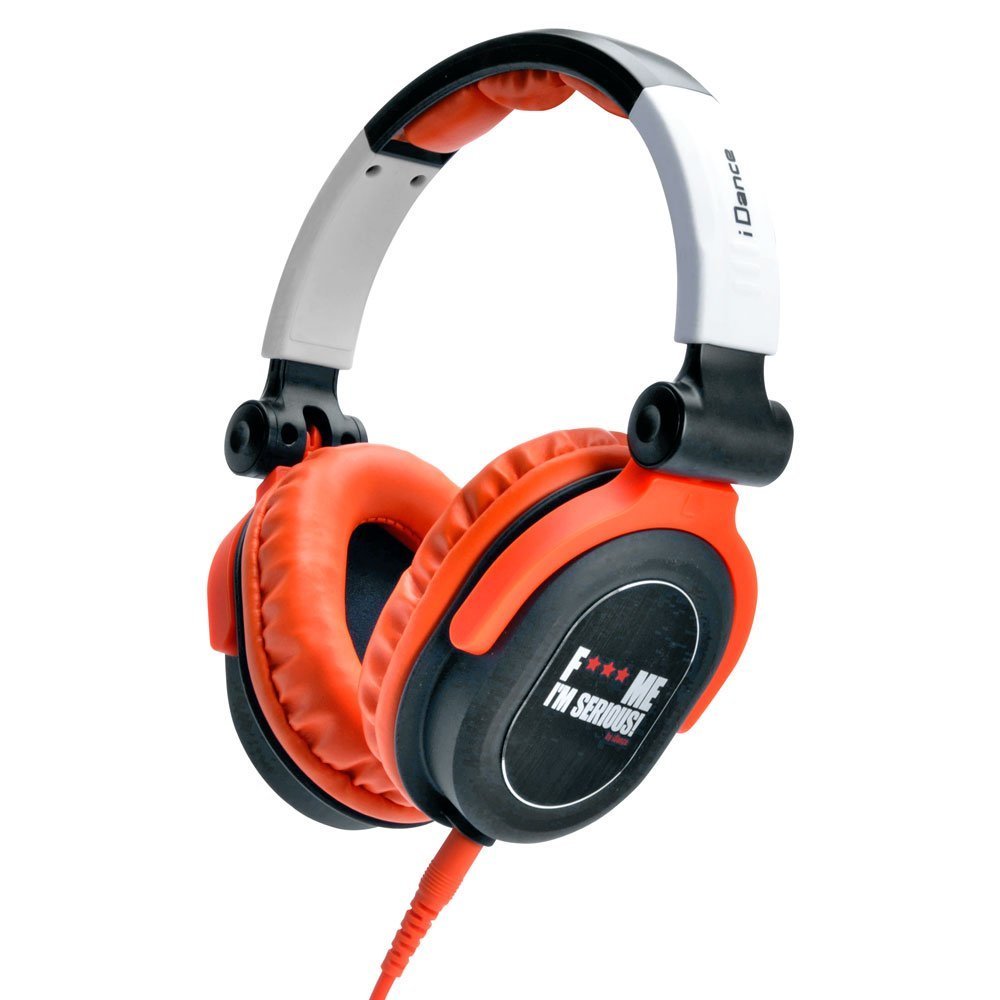
Image of the IDANCE FDJ200 headphones, showcasing the orange and black design with over-ear cups and an adjustable headband.
2. Package Contents
Please check the package for the following items:
- IDANCE FDJ200 Over-Ear Headphones
- Integrated Audio Cable with In-line Microphone and Controls
3. Product Overview
Key Features:
- In-line Microphone: Integrated microphone for clear voice pickup during calls.
- In-line Controls: Convenient controls for adjusting volume, answering/ending calls, muting audio, and skipping tracks.
- Device Compatibility: Designed for use with iPhone, iPad, iPod, Tablets, and Android devices.
- Durable Design: Features aluminum brackets and contoured ear cups for enhanced durability and comfort.
- Adjustable Headband: Ensures a comfortable and secure fit for various head sizes.
- Closed-Back Ear Cups: Provides sound isolation for an immersive listening experience.
Components:
- Adjustable Headband: Connects the ear cups and allows for size adjustment.
- Over-Ear Cups: Padded ear cups designed to fit comfortably over the ears.
- Audio Cable: Permanently attached cable with a 3.5 mm jack for connection.
- In-line Control Unit: Located on the audio cable, housing the microphone and control buttons.
4. Setup
To begin using your IDANCE FDJ200 headphones:
- Adjust the Headband: Gently extend or retract the headband slides until the ear cups fit comfortably over your ears.
- Connect to Device: Insert the 3.5 mm audio jack at the end of the cable into the headphone port of your smartphone, tablet, computer, or other compatible audio device.
- Verify Connection: Ensure the jack is fully inserted into the port for proper audio transmission.
5. Operating Instructions
The in-line control unit on your headphone cable allows for easy management of audio and calls.
Audio Playback:
- Play/Pause: Press the central button once to play or pause audio.
- Next Track: Press the central button twice quickly to skip to the next track.
- Previous Track: Press the central button three times quickly to go to the previous track.
- Volume Control: Use the dedicated volume buttons (if present) or your device's volume controls to adjust the listening level.
Call Management:
- Answer/End Call: Press the central button once to answer an incoming call or end an active call.
- Reject Call: Press and hold the central button for approximately two seconds to reject an incoming call.
- Mute Microphone: Some models may have a dedicated mute switch on the in-line control. Refer to your device's settings if a physical switch is not present.
6. Maintenance
Proper care will extend the life of your headphones:
- Cleaning: Use a soft, dry cloth to clean the ear cups and headband. Do not use liquid cleaners or solvents.
- Storage: Store headphones in a clean, dry place away from extreme temperatures and direct sunlight.
- Cable Care: Avoid sharp bends or excessive pulling on the cable to prevent damage.
- Avoid Moisture: Do not expose headphones to water or high humidity.
7. Troubleshooting
If you encounter issues with your headphones, try the following solutions:
| Problem | Possible Solution |
|---|---|
| No sound or low volume |
|
| Microphone not working |
|
| Sound distortion |
|
8. Specifications
| Feature | Detail |
|---|---|
| Model Name | FDJ200 |
| Connectivity Technology | Wired |
| Headphones Jack | 3.5 mm Jack |
| Ear Placement | Over Ear |
| Form Factor | Over Ear |
| Material | Aluminum |
| Cable Feature | Retractable (Note: Refers to the cable's flexibility, not a physical retraction mechanism) |
| Special Feature | Lightweight |
| Color | Orange and Black |
| Product Dimensions | 2 x 6 x 6 inches |
| Item Weight | 0.046 ounces (approx. 1.3 grams) |
| Hardware Platform | MP3 Player, Smartphone |
| UPC | 886898001523 |
9. Warranty and Support
For warranty information or technical support, please refer to the documentation provided with your purchase or contact the manufacturer directly. Keep your proof of purchase for warranty claims.