
1. Introduction
The IDANCE CRAZY301 headphones are designed to deliver a unique audio experience with a focus on comfort and portability. These over-ear headphones feature an in-line microphone for smartphone compatibility and a foldable design for easy transport. This manual provides essential information for the proper setup, operation, and maintenance of your CRAZY301 headphones.
Package Contents:
- IDANCE CRAZY301 Over-Ear Headphones
- Software voucher for PCDJ 3DEX LE and Magix Mufin (where applicable)
2. Safety Information
Please read and follow these safety guidelines to ensure safe and optimal use of your headphones:
- Hearing Protection: Avoid listening at high volume levels for extended periods to prevent hearing damage.
- Environmental Awareness: Do not use headphones in situations where the inability to hear ambient sounds could be dangerous, such as while driving, cycling, or walking in traffic.
- Cleaning: Use a soft, dry cloth for cleaning. Avoid using harsh chemicals or abrasive materials.
- Water Exposure: These headphones are not waterproof. Avoid exposure to water or excessive moisture.
- Disassembly: Do not attempt to disassemble or modify the headphones. This will void the warranty and may cause damage.
3. Setup
Follow these steps to set up your IDANCE CRAZY301 headphones:
- Unfold Headphones: Gently unfold the headphones from their compact position until the earcups are fully extended and comfortable for wear.
- Connect Audio Cable: Locate the 3.5mm audio jack on your headphones and the corresponding port on your audio device (smartphone, tablet, computer, etc.). Insert the 3.5mm plug firmly into the device's audio output port.
- Adjust Fit: Place the headphones over your ears and adjust the headband for a secure and comfortable fit. The earcups are designed to provide a comfortable seal.
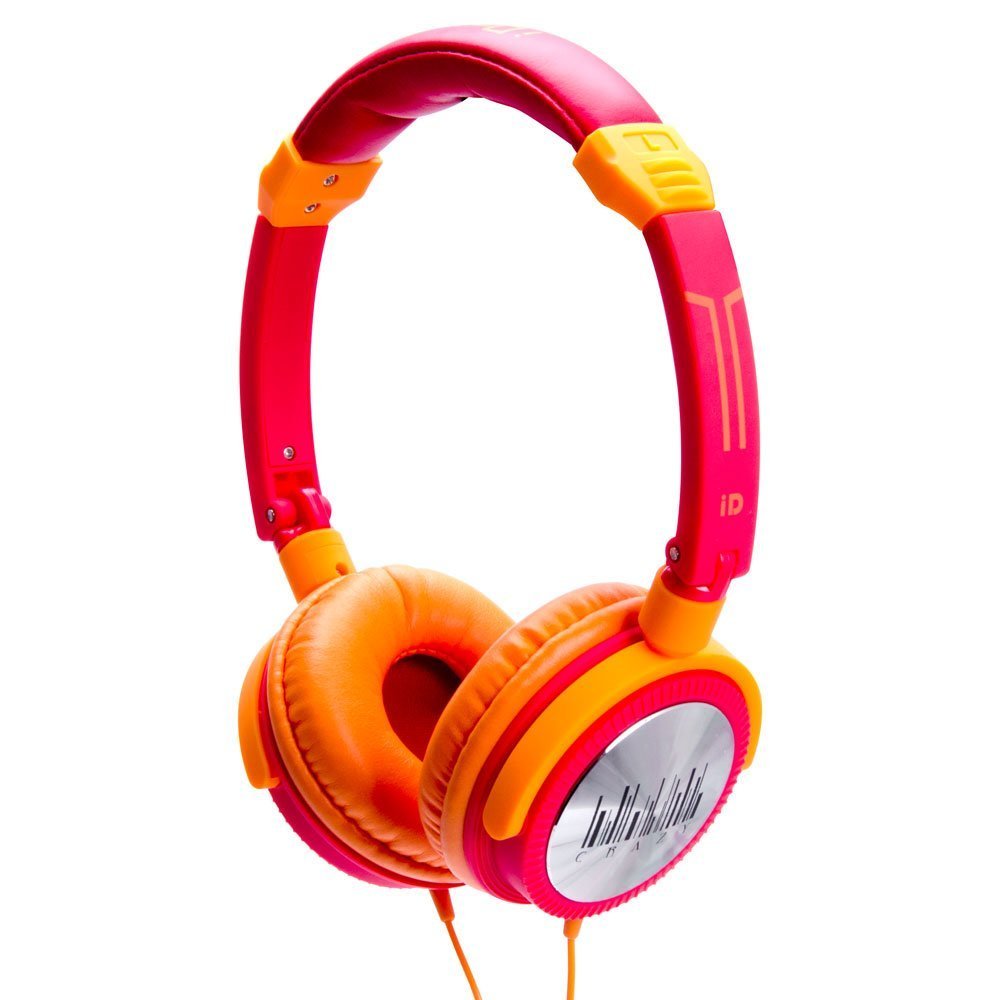
Image 1: IDANCE CRAZY301 Over-Ear Headphones. This image shows the headphones in their orange color, highlighting the over-ear design and the attached cable.
4. Operating Instructions
The IDANCE CRAZY301 headphones are designed for straightforward operation:
- Audio Playback: Once connected to your audio device, simply start playing audio. Adjust the volume using your device's controls.
- In-line Microphone: The integrated in-line microphone allows for hands-free communication when connected to a compatible smartphone. For calls, ensure your device recognizes the headphone's microphone as the input source.
- Portability: The headphones feature a foldable design, allowing for compact storage and easy transport. Gently fold the earcups inward towards the headband when not in use.
- Software Voucher: If included, redeem your software voucher for PCDJ 3DEX LE and Magix Mufin by following the instructions provided with the voucher. This software can be used for creating DJ mixes.
5. Maintenance
Proper maintenance will extend the life and performance of your headphones:
- Cleaning: Wipe the earcups and headband with a soft, slightly damp cloth. Do not use liquid cleaners directly on the headphones.
- Storage: When not in use, fold the headphones and store them in a clean, dry place away from extreme temperatures and direct sunlight.
- Cable Care: Avoid sharply bending or twisting the audio cable. Do not pull the cable to disconnect; always grasp the plug.
6. Troubleshooting
If you encounter issues with your IDANCE CRAZY301 headphones, refer to the following common solutions:
- No Sound:
- Ensure the 3.5mm audio plug is fully inserted into your device's audio jack.
- Check the volume level on your audio device and ensure it is not muted.
- Test the headphones with a different audio device to rule out a device-specific issue.
- Microphone Not Working:
- Ensure the 3.5mm plug is fully inserted.
- Verify that your device's settings are configured to use the external microphone.
- Test the microphone functionality with another compatible device or application.
- Distorted Sound:
- Lower the volume on your audio device.
- Ensure the audio cable is not damaged or kinked.
- Test with a different audio source or device.
7. Specifications
| Feature | Detail |
|---|---|
| Model Number | CRAZY301 |
| Driver Unit | 44mm |
| Driver Type | Neodymium |
| Impedance | 32 Ohms |
| Sensitivity | 108dB+/-3dB |
| Frequency Response | 15Hz~20KHz |
| Cord Length | Approx. 1.5m |
| Cable Type | PVC |
| Plug Type | 3.5mm, gold chrome |
| Connectivity Technology | Wired |
| Special Features | Foldable, Microphone Included |
| Item Weight | 0.8 ounces (22.68 g) |
| Product Dimensions | 2 x 6 x 6 inches |
| Material | PVC |
| Hardware Platform | Smartphone |
8. Warranty and Support
IDANCE products are manufactured to high-quality standards. For specific warranty information, please refer to the warranty card included with your purchase or visit the official IDANCE website. For technical support or further assistance, please contact IDANCE customer service through the contact information provided on the official website or product packaging.