
1. Introduction
This manual provides detailed instructions for the installation, operation, and maintenance of your Hormann EcoStar Portronic D2500 Swing Gate Opener. Please read this manual thoroughly before beginning installation or operation to ensure safe and correct use of the product. Keep this manual for future reference.
2. Safety Instructions
WARNING: Improper installation or use can lead to serious injury or property damage.
- Ensure all electrical connections are made by a qualified electrician and comply with local regulations.
- Disconnect power before performing any maintenance or repairs.
- Keep children and pets away from the gate area during operation.
- Do not attempt to operate the gate if any part of the opener is damaged or malfunctioning.
- Install safety devices such as photocells or safety edges to prevent entrapment.
- Ensure the gate operates smoothly and without obstruction before installing the opener.
- Only use original spare parts and accessories.
3. Package Contents
Verify that all components are present and undamaged before proceeding with installation.
- Hormann EcoStar Portronic D2500 Swing Gate Opener Motor Unit
- Control Box
- 2 x Remote Controls
- Mounting Brackets and Hardware
- Instruction Manual (this document)
4. Setup and Installation
Installation should be performed by a competent person, following all local electrical and safety codes.
4.1 Mounting the Motor Unit
Securely attach the motor unit to the gate post and gate leaf using the provided mounting brackets and hardware. Ensure the unit is level and aligned correctly for smooth gate operation.

Image 1: Hormann EcoStar Portronic D2500 Swing Gate Opener Motor Unit. This image shows the elongated motor unit with its black housing and silver arm, along with electrical wiring.

Image 2: Close-up view of the black housing of the Hormann EcoStar Portronic D2500 motor unit, featuring the "EcoStar made by Hormann" label.
4.2 Installing the Control Box
Mount the control box in a dry, protected location near the gate opener, ensuring it is easily accessible for wiring and programming.

Image 3: The black rectangular control box for the Hormann EcoStar Portronic D2500, showing the "EcoStar made by Hormann" label and cable glands at the bottom.
4.3 Electrical Connections
Connect the motor unit to the control box and then connect the control box to the main power supply. Refer to the wiring diagram provided in the full manufacturer's manual for specific connection points. Ensure all connections are secure and insulated.
4.4 Programming Remote Controls
Follow the instructions in the control box manual to program the included remote controls. Typically, this involves pressing a programming button on the control board and then activating the remote control.
5. Operating Instructions
5.1 Using the Remote Control
Press the designated button on your remote control to open or close the gate. A single press typically initiates the gate movement. Pressing again during movement may stop or reverse the gate, depending on the programming.
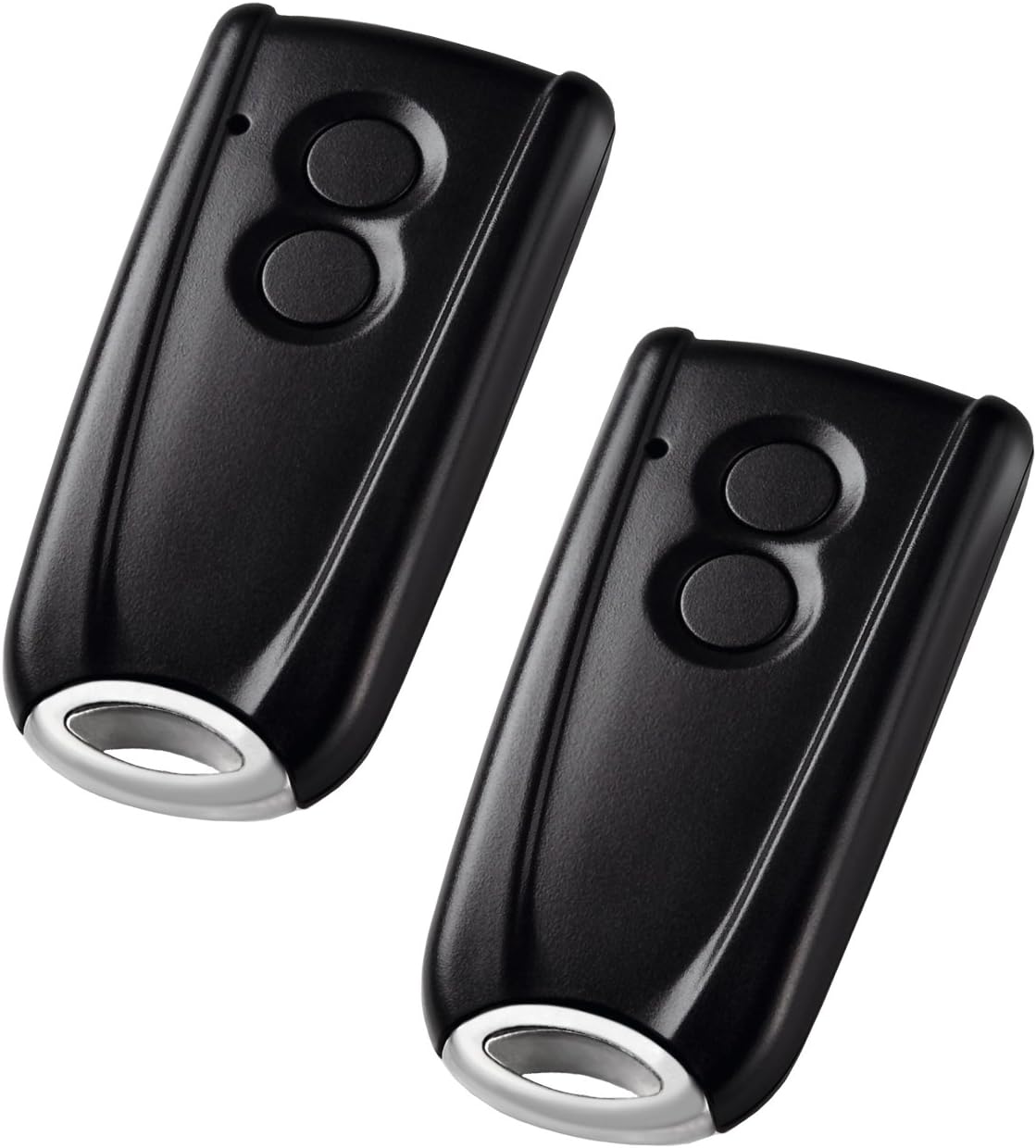
Image 4: Two black remote controls for the Hormann EcoStar Portronic D2500, each with two circular buttons and a silver key ring attachment.
5.2 Manual Override
In case of power failure or malfunction, the gate opener can be disengaged for manual operation. Locate the manual release mechanism on the motor unit (often a key-operated lever) and follow the instructions to unlock the gate. Re-engage the mechanism for automatic operation once power is restored or the issue is resolved.
6. Maintenance
Regular maintenance ensures optimal performance and extends the lifespan of your gate opener.
- Monthly: Check the gate's movement for any obstructions or unusual noises. Ensure all mounting hardware is tight.
- Quarterly: Inspect electrical connections for corrosion or damage. Clean the motor unit and control box exterior.
- Annually: Have a qualified technician inspect the entire system, including safety devices, for wear and proper function.
Do not lubricate any parts unless specifically instructed by the manufacturer.
7. Troubleshooting
| Problem | Possible Cause | Solution |
|---|---|---|
| Gate does not respond to remote. |
|
|
| Gate opens partially or stops. |
|
|
| Gate reverses unexpectedly. |
|
|
If problems persist after attempting these solutions, contact a qualified technician or Hormann customer support.
8. Specifications
| Feature | Detail |
|---|---|
| Brand | Hormann |
| Model | EcoStar Portronic D2500 |
| Number of Items | 1 (Opener Unit) |
| Batteries Included | No |
| Batteries Required | No (for main unit operation) |
| Manufacturer | Hormann |
| ASIN | B007V1R2FC |
9. Warranty and Support
For warranty information, please refer to the documentation provided with your purchase or contact Hormann directly.
For technical support, spare parts, or service inquiries, please contact your authorized Hormann dealer or visit the official Hormann website.
Note: Information regarding spare parts availability was not provided in the product details.

