
Norton NOR31481
Product Instruction Manual
Norton 6" Blank A275 PSA Disc Roll Sanding Sheets P80B Grit (Model: NOR31481)
1. Introduction
This manual provides essential information for the proper use, installation, and maintenance of your Norton 6" Blank A275 PSA Disc Roll Sanding Sheets, P80B Grit (Model NOR31481). Please read these instructions carefully before using the product to ensure safe and effective operation. Retain this manual for future reference.
2. Safety Information
Always observe general safety precautions when working with power tools and abrasive products. Failure to follow these guidelines may result in injury or damage to property.
- Eye Protection: Always wear safety glasses or goggles to protect your eyes from flying debris and dust.
- Respiratory Protection: Use a dust mask or respirator, especially when sanding wood, metal, or other materials that produce fine dust.
- Hand Protection: Wear appropriate gloves to protect your hands.
- Work Area: Ensure your work area is well-ventilated and clear of obstructions.
- Tool Compatibility: Ensure the sanding disc is compatible with your sanding tool's size and speed specifications.
- Secure Workpiece: Always secure the workpiece firmly to prevent movement during sanding.
- Inspect Discs: Before use, inspect discs for any damage, tears, or imperfections. Do not use damaged discs.
3. Product Overview
The Norton 6" Blank A275 PSA Disc Roll Sanding Sheets are designed for efficient material removal and finishing applications. These discs feature a pressure-sensitive adhesive (PSA) backing for easy attachment to compatible sanding pads.
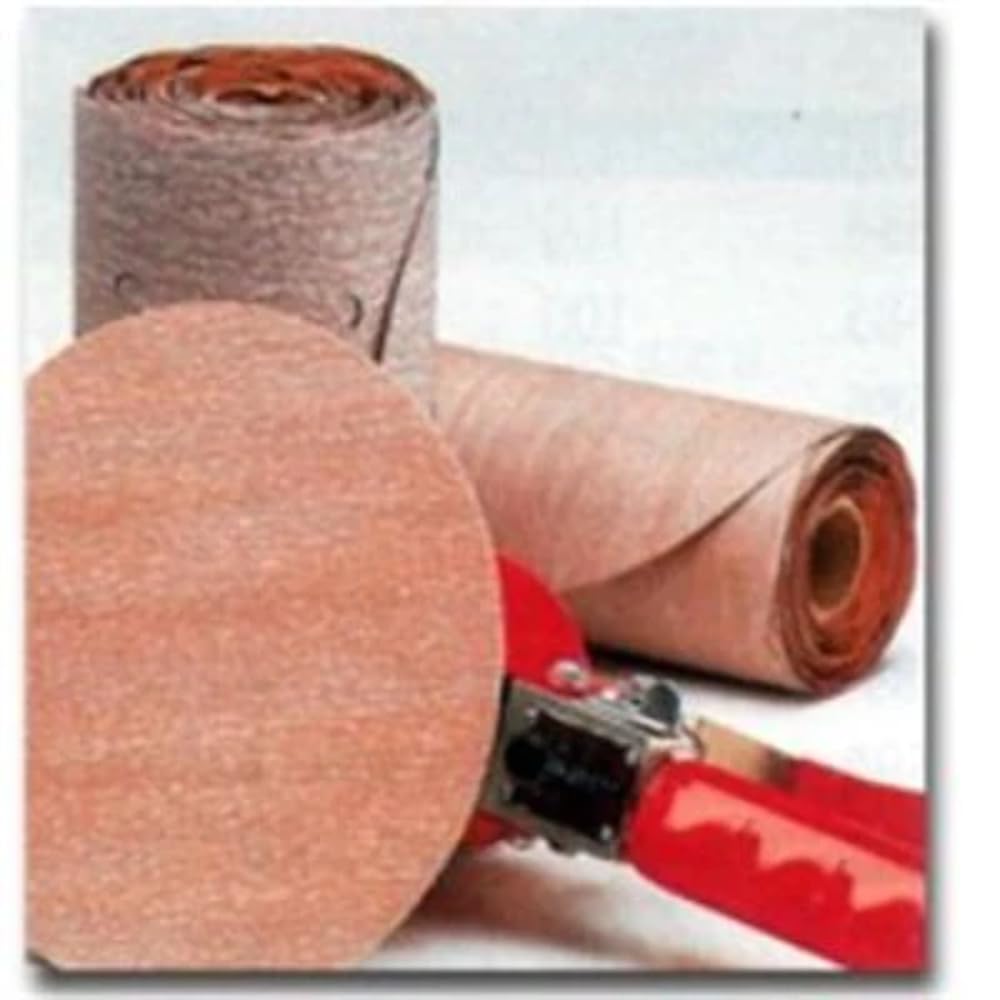
Image: Norton 6 inch Blank A275 PSA Disc Roll Sanding Sheets. This image shows a roll of sanding discs, highlighting their circular shape and adhesive backing.
Key features of the A275 sanding discs include:
- Premium Heat-Treated Grain: Designed for extended lifespan and efficient material removal.
- B-Weight Latex Paper Backing: Offers flexibility for improved performance and easier removal from the sanding tool.
- FEPA P-Graded Grain: Ensures a consistent and uniform scratch pattern for a smooth finish.
- Optimized Bond System: Enhances grain adhesion, contributing to a longer cutting life.
- Water-Based Stearate 'No-Fill' Coating: Improves resistance to loading, preventing premature clogging.
- Pigment-Free Coating and Bond: Eliminates the risk of color transfer to the workpiece and ensures a strong bond.
4. Setup and Installation
Follow these steps to properly attach the PSA sanding disc to your sanding tool:
- Prepare the Sander Pad: Ensure the sanding pad on your tool is clean, dry, and free of dust or debris. Any residue can compromise the adhesive bond.
- Peel the Backing: Carefully peel off the protective liner from the back of the PSA sanding disc, exposing the adhesive surface. Avoid touching the adhesive with your fingers to maintain its stickiness.
- Align the Disc: Align the sanding disc precisely with the sanding pad. For optimal performance, ensure the disc is centered.
- Apply Firmly: Once aligned, press the disc firmly onto the sanding pad, working from the center outwards to remove any air bubbles and ensure full adhesion.
5. Operating Instructions
Proper operating techniques will maximize the life of your sanding discs and achieve desired results.
- Select Appropriate Grit: Choose the grit size suitable for your application. P80B grit is considered medium and is effective for general material removal and preparing surfaces for finer grits.
- Secure Workpiece: Always ensure the material you are sanding is securely clamped or held to prevent movement.
- Start Sander Off Workpiece: Turn on your sanding tool before making contact with the workpiece.
- Apply Even Pressure: Apply light, even pressure to the sander. Excessive pressure can reduce disc life, cause uneven sanding, and potentially damage the workpiece or tool.
- Move Consistently: Move the sander in a consistent pattern across the surface. Avoid holding the sander in one spot for too long, as this can create gouges or uneven finishes.
- Monitor Disc Condition: Periodically check the sanding disc for signs of wear or loading (clogging with sanding dust). Replace the disc when it becomes dull or clogged to maintain efficiency and finish quality.
- Finish Sander Off Workpiece: Lift the sander from the workpiece before turning it off.
6. Maintenance and Storage
Proper maintenance and storage will help preserve the quality and effectiveness of your sanding discs.
- Clean Sander Pad: After each use, clean the sanding pad to remove any adhesive residue or dust that could affect the next disc's adhesion.
- Store Discs Flat: Store unused sanding discs flat in their original packaging or a clean, dry container. This prevents warping and damage to the adhesive or abrasive surface.
- Avoid Extreme Conditions: Do not expose discs to extreme temperatures, high humidity, or direct sunlight, as these can degrade the adhesive and abrasive properties.
- Keep Dry: Ensure discs remain dry. Moisture can weaken the adhesive and affect sanding performance.
7. Troubleshooting
Refer to the table below for common issues and their potential solutions.
| Problem | Possible Cause | Solution |
|---|---|---|
| Disc not adhering well to pad | Dirty or oily sander pad; adhesive liner not fully removed; disc stored improperly. | Clean sander pad thoroughly; ensure liner is completely removed; store discs flat in a dry environment. |
| Poor sanding performance / Slow material removal | Disc is worn out or clogged (loaded); incorrect grit for the task; insufficient pressure. | Replace the disc; use a coarser grit if more aggressive removal is needed; apply light, even pressure. |
| Disc tearing or premature wear | Excessive pressure; sanding uneven surfaces; disc is old or improperly stored. | Reduce pressure; ensure workpiece is flat; replace old discs; store properly. |
| Uneven scratch pattern | Disc not properly centered; inconsistent sanding motion; worn sander pad. | Re-center the disc; maintain consistent movement; inspect and replace sander pad if worn. |
8. Specifications
Detailed specifications for the Norton 6" Blank A275 PSA Disc Roll Sanding Sheets (NOR31481):
- Model Number: NOR31481
- Disc Diameter: 6 inches
- Grit Size: P80B (Medium)
- Grit Material: Aluminum Oxide
- Backing Type: B-Weight Latex Paper
- Adhesive Type: Pressure Sensitive Adhesive (PSA)
- Product Dimensions: 6"L x 6"W
- Item Weight: Approximately 1.6 ounces (per disc, varies by roll quantity)
- Brand: Norton
9. Warranty and Support
For information regarding product warranty, returns, or technical support, please contact Norton customer service directly or refer to the official Norton website. Keep your purchase receipt as proof of purchase.
Related documentsNOR31481


Ask a question about this manual
Ask about setup, troubleshooting, compatibility, parts, safety, or missing instructions. Manuals+ will review the question and use this page’s manual context to help answer it.