
1. Introduction
The goobay 95171 is an advanced motion detector designed for indoor flush mounting. It combines Passive Infrared (PIR) and acoustic sensing technologies to provide reliable detection of movement and sound. This device is ideal for automatically switching lights in hallways, stairwells, and other areas within your home, enhancing both convenience and energy efficiency. It features a 160° detection zone and a range of up to 9 meters, and is compatible with LED lighting.
2. Safety Instructions
- Installation must be performed by a qualified electrician in accordance with local wiring regulations.
- Ensure the power supply is disconnected before installation or maintenance to prevent electric shock.
- This device is designed for indoor use only (IP20). Do not expose it to moisture or extreme temperatures.
- Do not attempt to disassemble or modify the device. This will void the warranty and may cause damage or injury.
- Keep out of reach of children.
3. Product Overview
The goobay 95171 motion detector integrates a PIR sensor for detecting body heat and an acoustic sensor for sound detection. It features adjustable settings for optimal performance in various environments.

Figure 1: Front view of the goobay 95171 motion detector, showing the PIR lens and the ON/OFF/PIR/+MIC switch.
Key Features:
- PIR motion detector with sound function for flush mounting.
- Reacts to movement, light, and sound.
- Acoustic sensor allows activation by sound. Lights can be easily switched, replacing traditional switches.
- Detection of people and animals in darkness, twilight, or bright light.
- Ideal for switching lamps, luminaires, and LEDs in hallways and homes.
- Adjustable sensitivity, light duration, and light sensitivity.
4. Setup and Installation
This motion detector is designed for flush wall mounting. Follow these steps for proper installation:
- Prepare the Installation Site: Ensure the power supply to the circuit is turned off at the main breaker.
- Mounting Location: Choose a location where the sensor can cover the desired detection area effectively. The recommended mounting height is between 1.0 and 1.8 meters. Avoid placing it near heat sources, air conditioning vents, or direct sunlight, which can cause false triggers.
- Dimensions: The device has compact dimensions for flush mounting. The visible part extends approximately 20 mm from the wall, with 37 mm recessed into the wall. The overall faceplate dimensions are 79 mm x 79 mm.

Figure 2: Dimensions of the goobay 95171 motion detector for flush mounting.
- Wiring: Connect the electrical wires according to the wiring diagram provided with the product packaging. Ensure all connections are secure.
- Secure the Device: Insert the detector into the wall box and secure it using the provided mounting clips or screws.
- Restore Power: Once installation is complete and all connections are secure, restore power to the circuit.

Figure 3: Optimal detection area and recommended mounting height for the goobay 95171 motion detector.
5. Operating Instructions
The goobay 95171 motion detector offers several adjustable settings to customize its operation.
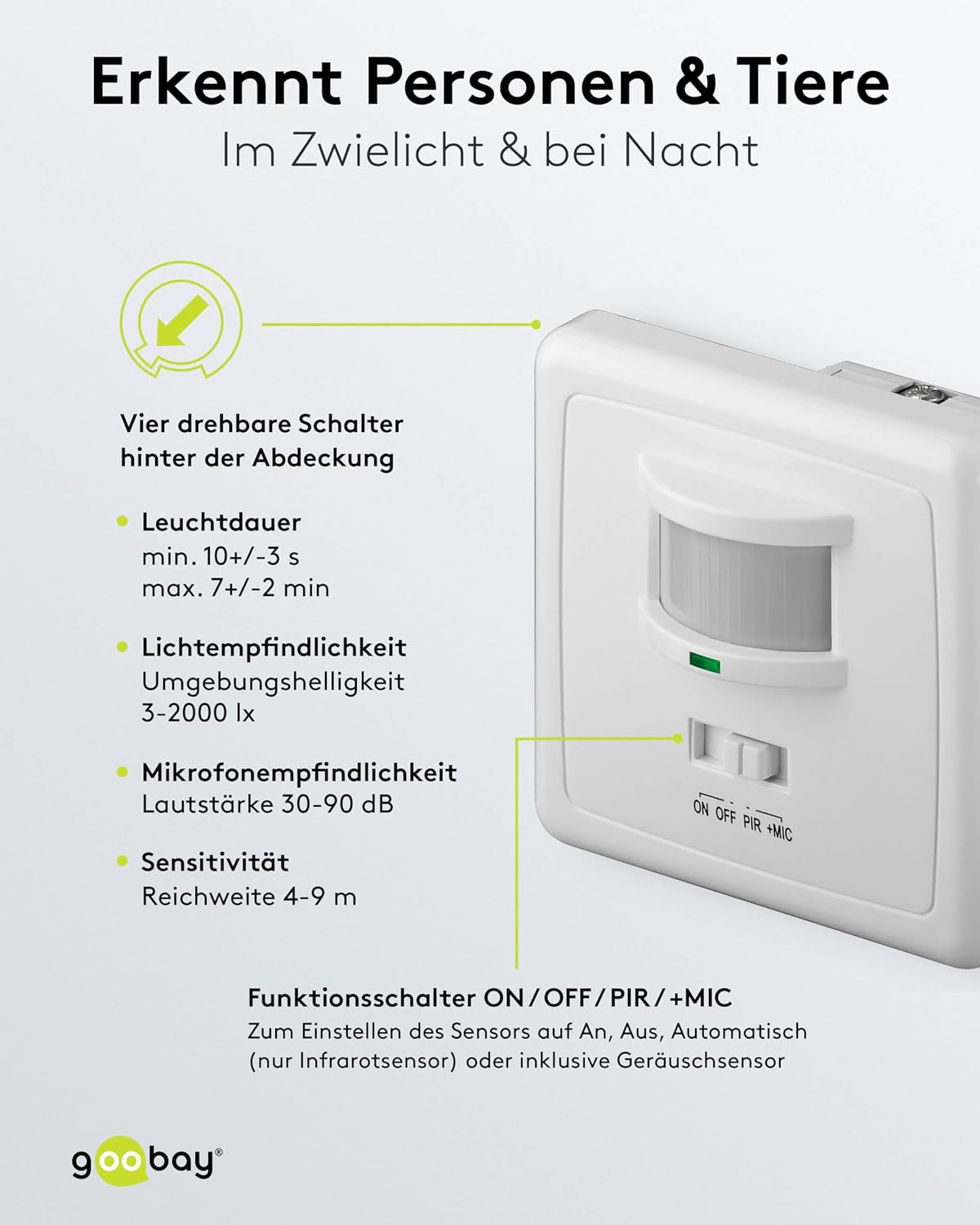
Figure 4: Location of the four rotary switches for adjusting settings behind the cover.
Function Switch (ON/OFF/PIR/+MIC):
- ON: The light remains continuously on.
- OFF: The light remains continuously off.
- PIR: Activates the infrared motion sensor only. The light will turn on when movement is detected.
- +MIC: Activates both the infrared motion sensor and the acoustic sensor. The light will turn on when movement or sound is detected.
Adjustable Settings (via rotary switches behind the cover):
- Light Duration: Adjusts how long the light stays on after detection. Minimum: 10 +/- 3 seconds. Maximum: 7 +/- 2 minutes.
- Light Sensitivity (Ambient Brightness): Sets the ambient light level at which the sensor becomes active. Range: 3-2000 Lux.
- Microphone Sensitivity: Adjusts the sound level required to trigger the acoustic sensor. Range: 30-90 dB.
- PIR Sensitivity (Range): Adjusts the detection range of the PIR sensor. Range: 4-9 meters.
The goobay 95171 is suitable for automatic switching of various lighting types, including energy-saving lamps and LEDs.

Figure 5: Examples of typical applications for the goobay 95171 motion detector, such as hallways and staircases.
6. Maintenance
The goobay 95171 motion detector requires minimal maintenance.
- Cleaning: Gently wipe the surface of the sensor with a soft, dry cloth. Do not use abrasive cleaners, solvents, or excessive moisture, as these can damage the device.
- Inspection: Periodically check for any visible damage or loose connections. If any issues are found, disconnect power and consult a qualified electrician.
7. Troubleshooting
If you encounter issues with your goobay 95171 motion detector, refer to the following common problems and solutions:
| Problem | Possible Cause | Solution |
|---|---|---|
| Light does not turn on with movement/sound. |
|
|
| Light stays on continuously. |
|
|
| Light turns on too frequently (false triggers). |
|
|
| Light turns off too quickly/slowly. | Light duration setting incorrect. | Adjust the light duration setting to the desired time. |
8. Specifications
| Feature | Specification |
|---|---|
| Model Number | 95171 |
| Brand | goobay |
| Manufacturer | Wentronic GmbH |
| Product Dimensions (L x W x H) | 13 x 2 x 13 cm |
| Weight | 109.5 grams |
| Color | White |
| Power Source | Wired Electric |
| Switching Power | 100 - 500 W |
| Input Voltage | 220-240 V AC / 50 Hz |
| Detection Zone | 160° |
| Maximum Range | 9 meters |
| Mounting Type | Flush Wall Mount |
| Recommended Installation Height | 1.0 - 1.8 meters |
| Battery Description | Battery-less |
| Temperature Range | -20°C to +40°C (interpreted from -2E+1 Degrés Celsius) |
| Compatible Devices | Lights (including LEDs) |
| Recommended Uses | Residential security, automation, energy management |
| IP Rating | IP20 (Indoor use) |
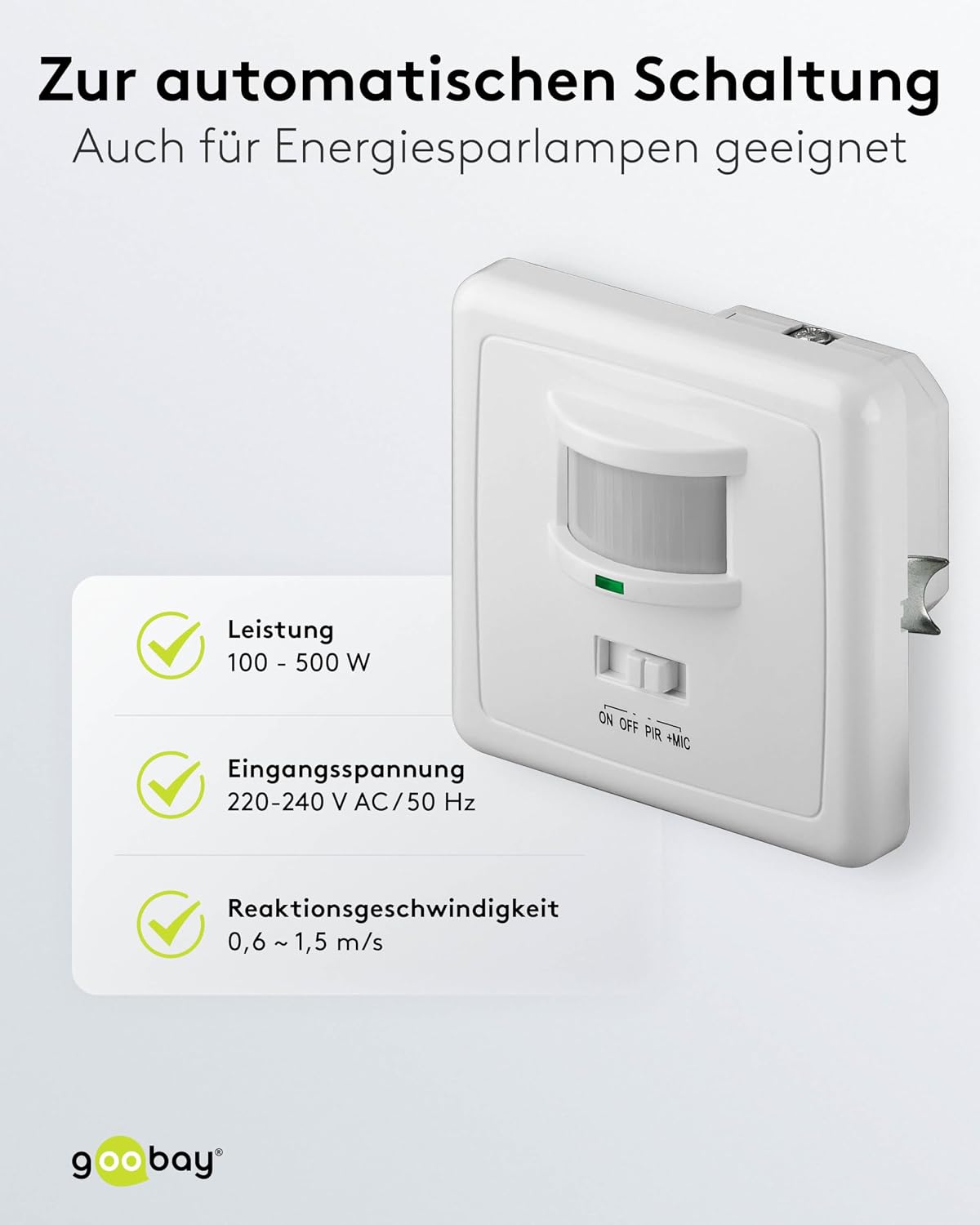
Figure 6: Power specifications for the goobay 95171 motion detector, including wattage, input voltage, and reaction speed.
9. Warranty and Support
For warranty information and technical support, please refer to the documentation included with your purchase or visit the official goobay website. Keep your proof of purchase for any warranty claims.


