
1. Introduction
This manual provides essential instructions for the setup, operation, maintenance, and troubleshooting of your TIMEX Intelligent Quartz T2N611 Analog Men's Watch. Please read this guide thoroughly to ensure proper use and care of your timepiece.
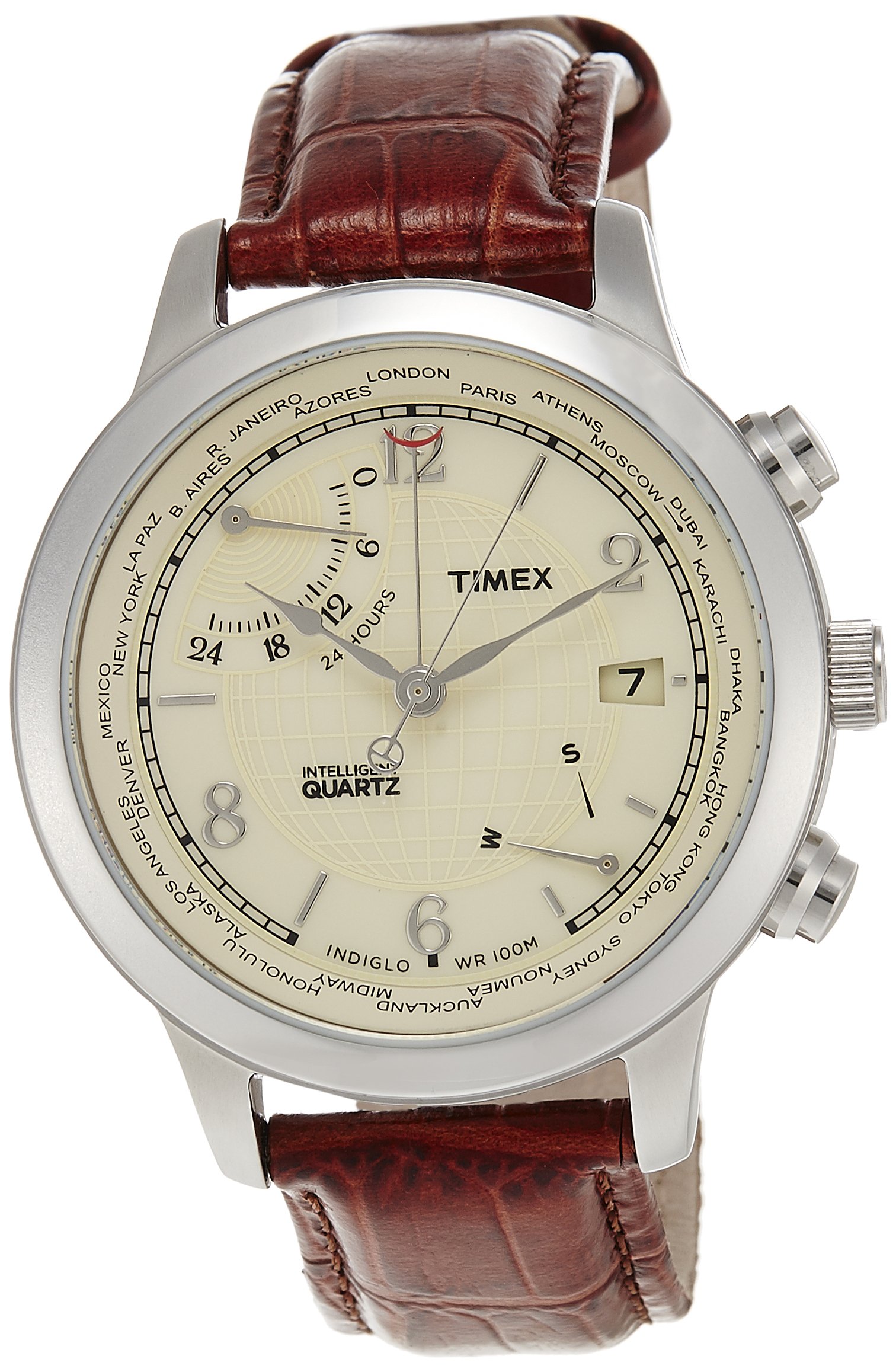
Figure 1: Front view of the TIMEX Intelligent Quartz T2N611 watch.
2. Setup
2.1 Setting the Time
- Gently pull out the crown (the knob on the side of the watch) to the outermost position.
- Rotate the crown clockwise or counter-clockwise to set the hour and minute hands to the desired time.
- Once the time is set, push the crown back into its original position to start the watch.
2.2 Setting the Date (if applicable)
If your watch features a date display, pull the crown out to the first click position. Rotate the crown to adjust the date. Push the crown back in when finished.
2.3 Strap Adjustment
The watch features an Ardillon buckle for easy adjustment. Open the buckle and slide the strap through until it fits comfortably on your wrist. Secure the buckle by inserting the pin into the appropriate hole.
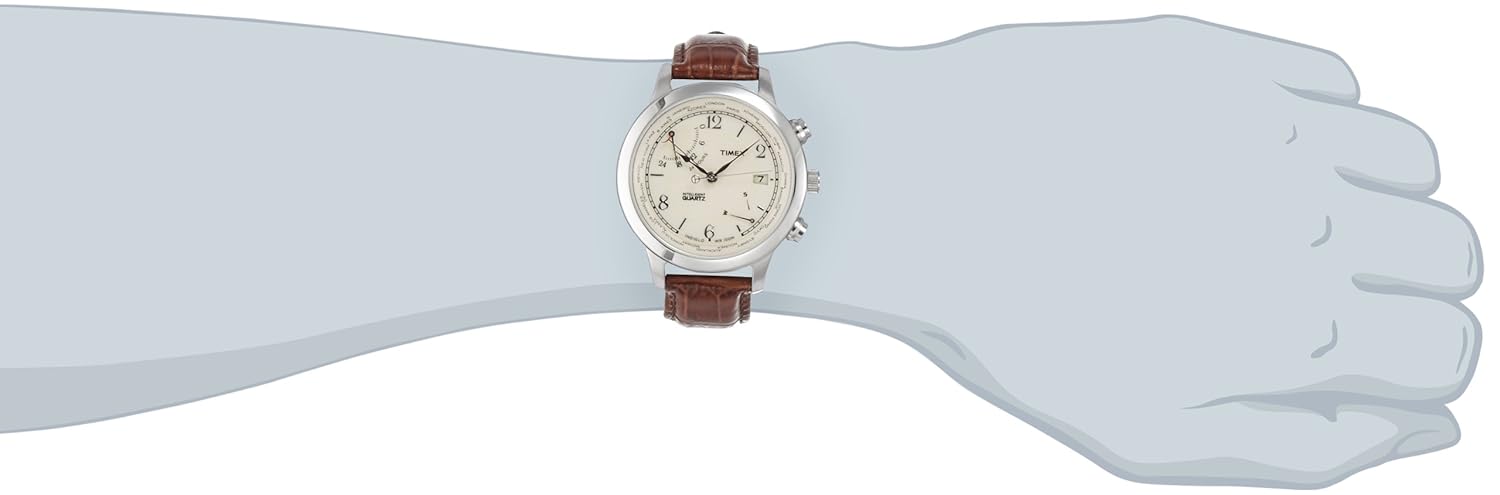
Figure 2: Watch on wrist, demonstrating strap fit.
3. Operating the Watch
3.1 Basic Timekeeping
Your TIMEX Intelligent Quartz watch is designed for accurate timekeeping. Ensure the crown is fully pushed in for the watch to operate correctly.
3.2 Intelligent Quartz Features
This model may include advanced features such as a north-south direction indicator, day indicator, and world time display, powered by the Intelligent Quartz movement. Refer to the detailed instructions provided with your watch packaging for specific operation of these functions, typically involving the use of the pushers located on the side of the watch case.

Figure 3: Side view showing crown and pushers for advanced functions.
3.3 Water Resistance
Your watch is water-resistant up to 100 meters (330 feet). This means it is suitable for showering, swimming, and snorkeling. Do not operate the crown or pushers while the watch is wet or submerged in water, as this can compromise the water resistance.
4. Maintenance
4.1 Cleaning
To clean your watch, wipe the case and crystal with a soft, damp cloth. For the leather strap, avoid excessive moisture and harsh chemicals. Allow the strap to air dry if it gets wet.
4.2 Battery Replacement
The watch operates on a quartz movement, powered by a battery. When the watch stops or the second hand begins to jump erratically (indicating a low battery), it is time for a battery replacement. It is recommended to have the battery replaced by a qualified watch technician to ensure proper sealing and maintain water resistance.

Figure 4: Case back of the watch, indicating battery type (CR2016 CELL) and water resistance.
4.3 General Care
- Avoid exposing your watch to extreme temperatures or sudden temperature changes.
- Keep your watch away from strong magnetic fields.
- Avoid impacts or dropping the watch.
5. Troubleshooting
5.1 Watch Not Running
If the watch is not running, ensure the crown is fully pushed in. If it still does not run, the battery may need replacement. Refer to section 4.2.
5.2 Incorrect Time or Date
If the time or date is incorrect, follow the instructions in section 2.1 and 2.2 to reset them.
5.3 Condensation Inside Crystal
If you notice condensation inside the watch crystal, it may indicate a loss of water resistance. Seek professional service immediately to prevent damage to the movement.
6. Specifications
| Feature | Specification |
|---|---|
| Model Number | T2N611 |
| Dial Color | Beige |
| Case Shape | Round |
| Band Color | Red |
| Band Material | Leather |
| Movement Type | Quartz (Intelligent Quartz) |
| Display Type | Analog |
| Water Resistance Depth | 100 meters |
| Case Diameter | 43 Millimetres |
| Item Weight | 100 Grams |
| Product Dimensions (LxWxH) | 10 x 10 x 10 Centimeters |
7. Warranty and Support
7.1 Manufacturer's Warranty
Your TIMEX Intelligent Quartz T2N611 watch comes with a 1-year manufacturer's warranty from the date of purchase. This warranty covers manufacturing defects under normal use. It does not cover damage resulting from improper handling, accidents, unauthorized repairs, or normal wear and tear.
7.2 Customer Support
For warranty claims, service, or any questions regarding your watch, please contact TIMEX customer service. Keep your proof of purchase for warranty validation.


