
SPC 3602B
SPC Original Corded Telephone User Manual
Model: 3602B
1. Introduction
The SPC Original fixed telephone is a corded desk or wall phone designed for simplicity and ease of use. It features large buttons, direct memory dialing, and adjustable volume settings, making it suitable for various users. This manual will guide you through the installation, operation, and maintenance of your new telephone.
This model allows for storing 3 direct numbers and 10 indirect numbers, includes a redial function for the last dialed number, and offers adjustable ringer and earpiece volume. The SPC Original aims to provide a straightforward and reliable communication experience.
2. Package Contents
Please check the package contents carefully. If any items are missing or damaged, contact your retailer.
- SPC Original Corded Telephone
- RJ11 Telephone Cable
- User Manual
3. Product Overview
Familiarize yourself with the components and controls of your SPC Original telephone.
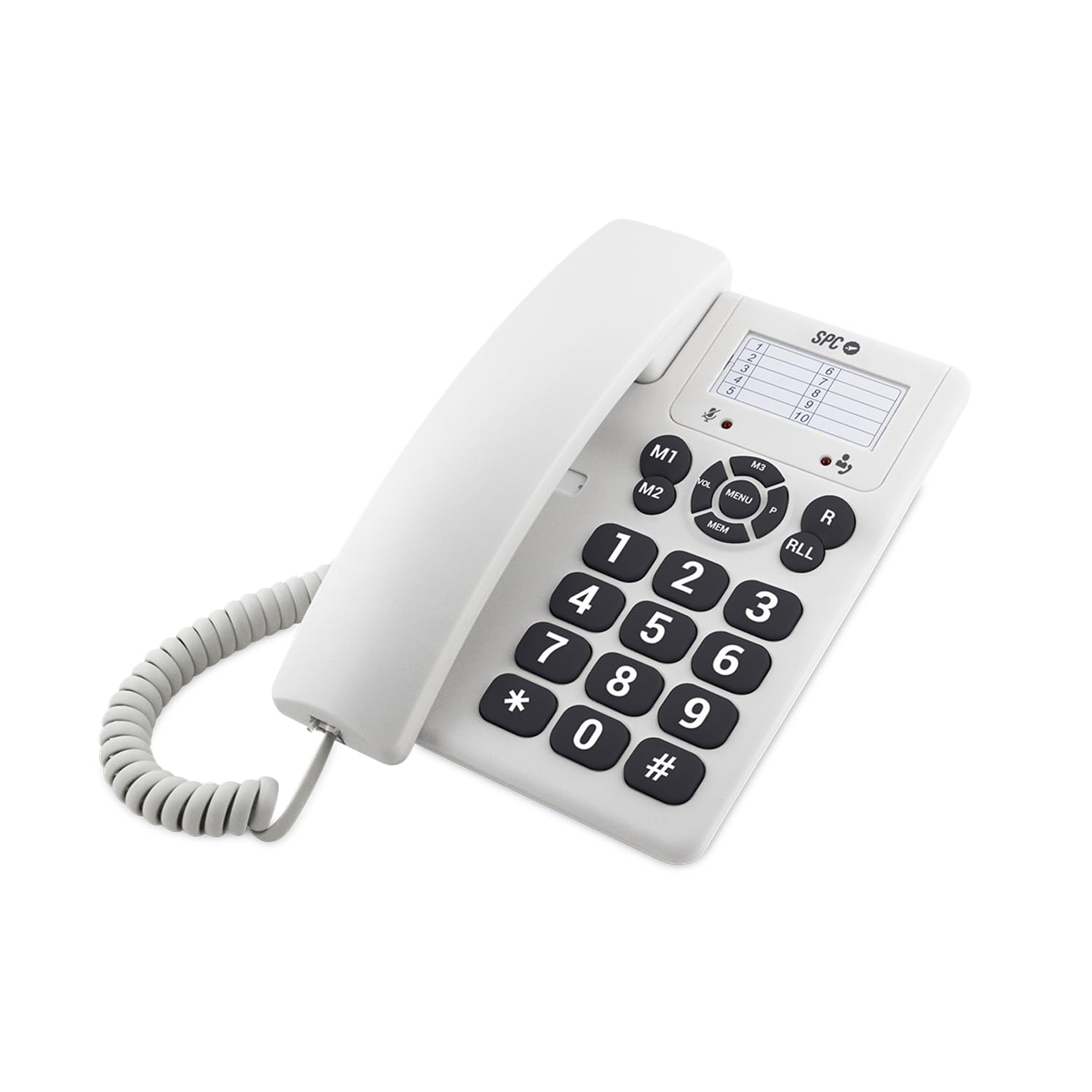
Figure 3.1: Front view of the SPC Original Corded Telephone.
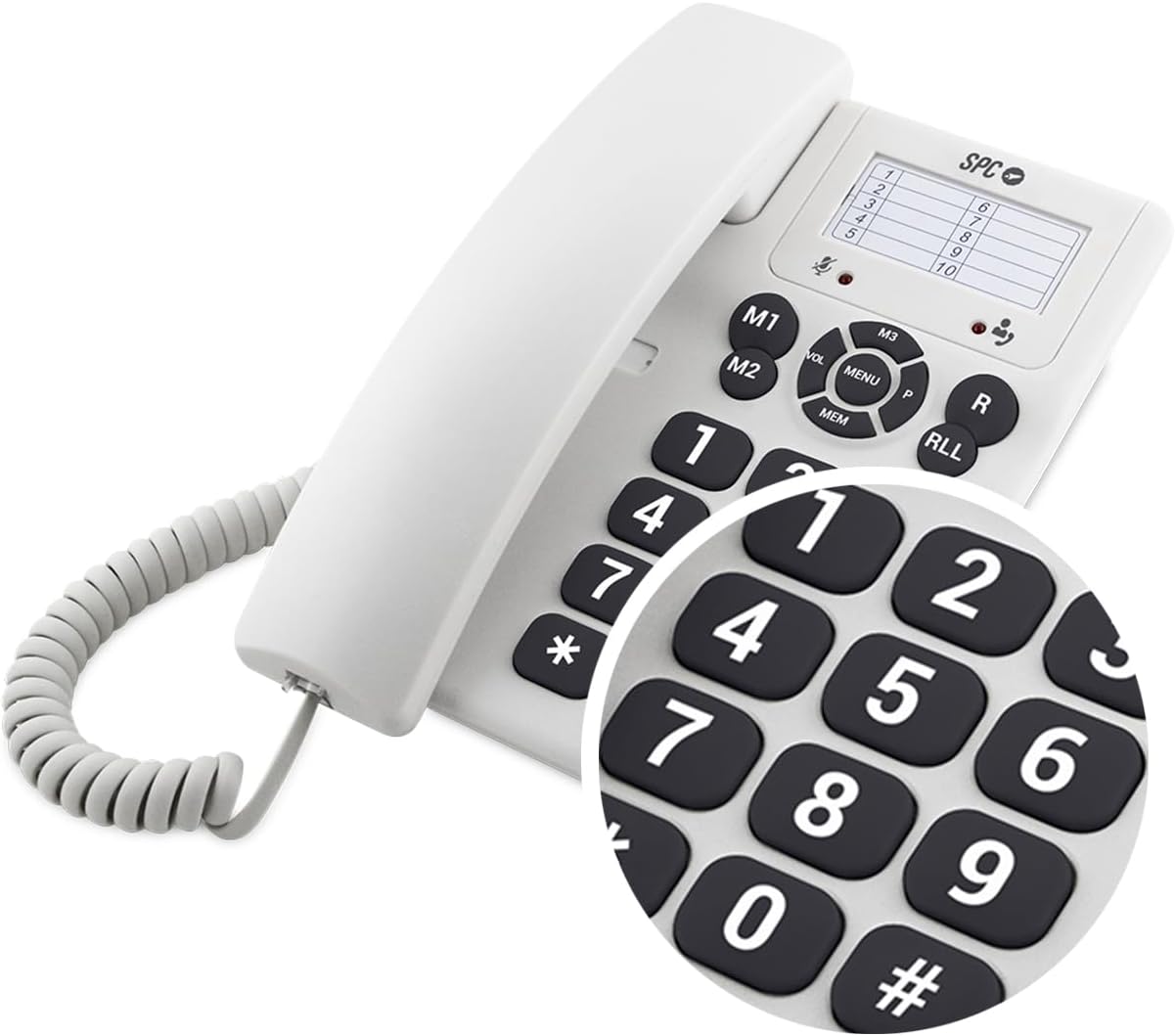
Figure 3.2: Close-up of the large, easy-to-read buttons and memory keys.
Key Features:
- Large Buttons: For easy dialing and visibility.
- Direct Memory Buttons (M1, M2, M3): Store and dial frequently called numbers with a single press.
- Volume Control (VOL): Adjust ringer and earpiece volume.
- Mute Function (MENU/MUTE): Temporarily silence your microphone during a call.
- Redial Function (RLL/R): Call the last dialed number.
- Wall Mountable: Can be used as a desk phone or mounted on a wall.
4. Setup
4.1 Connecting the Telephone
- Locate the telephone jack (RJ11) on your wall or base unit.
- Connect one end of the provided RJ11 telephone cable to the port labeled 'LINE' on the back or side of your SPC Original telephone.
- Connect the other end of the RJ11 cable to your telephone wall jack.
- Your telephone is now ready for use. No external power supply or batteries are required for basic operation.
4.2 Desk or Wall Mounting
The SPC Original can be placed on a desk or mounted on a wall.
- Desk Use: Simply place the telephone on a flat surface.
- Wall Mounting: Remove the small plastic piece from the base of the telephone that allows it to sit flat. Rotate this piece 180 degrees and reinsert it to secure the handset when wall-mounted. Use appropriate screws (not included) to mount the telephone to a wall using the designated keyhole slots on the back.
5. Operating Instructions
5.1 Making a Call
- Lift the handset.
- Listen for a dial tone.
- Dial the desired telephone number using the keypad.
- Once the call is complete, replace the handset.
5.2 Receiving a Call
- When the telephone rings, lift the handset to answer the call.
- Once the call is complete, replace the handset.
5.3 Using Direct Memory Dialing (M1, M2, M3)
To Store a Number:
- Lift the handset.
- Press the MEM button.
- Dial the telephone number you wish to store.
- Press the MEM button again.
- Press one of the direct memory buttons (M1, M2, or M3) to save the number.
- Replace the handset.
To Dial a Stored Number:
- Lift the handset.
- Press the desired direct memory button (M1, M2, or M3). The telephone will automatically dial the stored number.
- Once the call is complete, replace the handset.
5.4 Adjusting Volume
Ringer Volume:
The ringer volume can be set to High, Medium, or Low using the switch located on the side or back of the telephone (refer to Figure 3.1 for location). The high setting provides an 84 dB ring to ensure calls are not missed.
Earpiece Volume:
During a call, use the VOL button to cycle through 2 levels of earpiece volume for clear audio.
5.5 Mute Function
During a call, press the MENU/MUTE button to mute your microphone. The other party will not be able to hear you. Press the button again to unmute.
5.6 Redial Function
To redial the last number called, lift the handset and press the RLL/R button.
6. Maintenance
- Clean the telephone with a soft, damp cloth. Do not use abrasive cleaners or solvents.
- Keep the telephone away from direct sunlight, heat sources, and moisture.
- Do not attempt to open or repair the telephone yourself. Refer all servicing to qualified personnel.
7. Troubleshooting
| Problem | Possible Cause | Solution |
|---|---|---|
| No dial tone | Telephone cable not connected properly. | Ensure the RJ11 cable is securely connected to both the telephone and the wall jack. |
| Cannot hear caller / Caller cannot hear me | Earpiece volume too low; Microphone muted. | Adjust earpiece volume using the VOL button. Check if the MUTE function is active. |
| Telephone does not ring | Ringer volume set to low or off. | Adjust the ringer volume switch to Medium or High. |
8. Specifications
| Feature | Detail |
|---|---|
| Brand | SPC |
| Model Number | 3602B |
| Color | White |
| Telephone Type | Corded |
| Material | Plastic |
| Power Source | Electric Cable (no batteries required for basic operation) |
| Dialer Type | Single Keypad |
| Item Dimensions (LxWxH) | 19.1 x 13.7 x 8.1 cm |
| Compatible Devices | Traditional telephone networks |
| Direct Memory Slots | 3 |
| Ringer Volume | 3 levels (High, Medium, Low) up to 84 dB |
| Earpiece Volume | 2 levels |
9. Warranty and Support
9.1 Product Warranty
The SPC Original Corded Telephone comes with a three-year warranty against manufacturing defects from the date of purchase. This warranty covers defects in materials and workmanship under normal use. It does not cover damage caused by misuse, accidents, unauthorized modifications, or external causes.
Please retain your proof of purchase for warranty claims.
9.2 Customer Support
For technical assistance, troubleshooting, or warranty inquiries, please contact your retailer or visit the official SPC website for support information.
For more information, please visit: www.spc.es
Ask a question about this manual
Ask about setup, troubleshooting, compatibility, parts, safety, or missing instructions. Manuals+ will review the question and use this page’s manual context to help answer it.