
Taurus 947245000
Taurus Alpatec Babel RC Tower Fan User Manual
Model: 947245000
1. Introduction
Thank you for purchasing the Taurus Alpatec Babel RC Tower Fan. This manual provides important information regarding the safe operation, installation, maintenance, and troubleshooting of your new appliance. Please read this manual thoroughly before use and retain it for future reference.
The Taurus Alpatec Babel RC is a 45W tower fan designed for efficient air circulation, featuring 3 speed settings, 3 operating modes (Normal, Breeze, Night), a 7.5-hour timer, oscillation function, and convenient remote control. Its compact design and integrated handle make it easy to move and store.
2. Important Safety Instructions
Always follow basic safety precautions when using electrical appliances to reduce the risk of fire, electric shock, and injury.
- Read all instructions before using the fan.
- Ensure the voltage indicated on the rating label corresponds to your mains voltage.
- Do not immerse the fan, plug, or cord in water or other liquids.
- Unplug from the outlet when not in use, before cleaning, or before moving.
- Do not operate any appliance with a damaged cord or plug, or after the appliance malfunctions or has been damaged in any manner.
- Keep the fan out of reach of children and pets.
- Do not insert fingers or foreign objects into any openings of the fan.
- Do not use outdoors.
- Place the fan on a stable, flat surface.
- Ensure the fan grilles are not blocked.
3. Product Components
Familiarize yourself with the main parts of your Taurus Alpatec Babel RC Tower Fan:
- Control Panel with LED display
- Air Outlet Grille
- Base
- Power Cord
- Remote Control (with dedicated storage slot)
- Integrated Carry Handle

Figure 3.1: Front view of the Taurus Alpatec Babel RC Tower Fan, showing its sleek design and control panel.

Figure 3.2: Side view of the tower fan, highlighting its slim profile and stable base.
4. Setup and Assembly
The Taurus Alpatec Babel RC Tower Fan comes largely pre-assembled. Follow these steps for initial setup:
- Unpacking: Carefully remove the fan from its packaging. Retain the packaging for future storage or transport.
- Base Assembly (if required): Some models may require attaching the base. Align the base with the bottom of the fan body and secure it using the provided screws. Ensure it is firmly attached for stability.
- Placement: Place the fan on a firm, level surface, away from curtains or other objects that could obstruct airflow. Ensure there is adequate space around the fan for optimal performance and oscillation.
- Power Connection: Plug the power cord into a standard electrical outlet (240V).

Figure 4.1: Rear view of the fan, showing the integrated carry handle for easy portability.
5. Operating Instructions
Your Taurus Alpatec Babel RC Tower Fan can be operated using the control panel on top of the unit or the included remote control.
5.1 Control Panel and Remote Control

Figure 5.1: Close-up of the fan's control panel, showing buttons for power, speed, mode, timer, and oscillation.

Figure 5.2: A hand holding the remote control, which can be stored in a dedicated slot on the fan's top panel.
The remote control offers the same functionalities as the control panel for convenient operation from a distance. Ensure the remote control is pointed towards the fan's control panel for effective communication.
5.2 Functions
- Power On/Off: Press the Power button (
 ) to turn the fan on or off.
 - Speed Settings: Press the Speed button to cycle through 3 speed settings: Low, Medium, High. The current speed will be indicated on the LED display.
- Operating Modes: Press the Mode button to select from 3 modes:
- Normal: Constant airflow at the selected speed.
- Breeze: Simulates natural wind with varying fan speeds.
- Night (Sleep): Operates at a lower, quieter speed for undisturbed sleep.
- Oscillation: Press the Oscillation button to activate or deactivate the automatic oscillation function, which distributes air across a wider area.
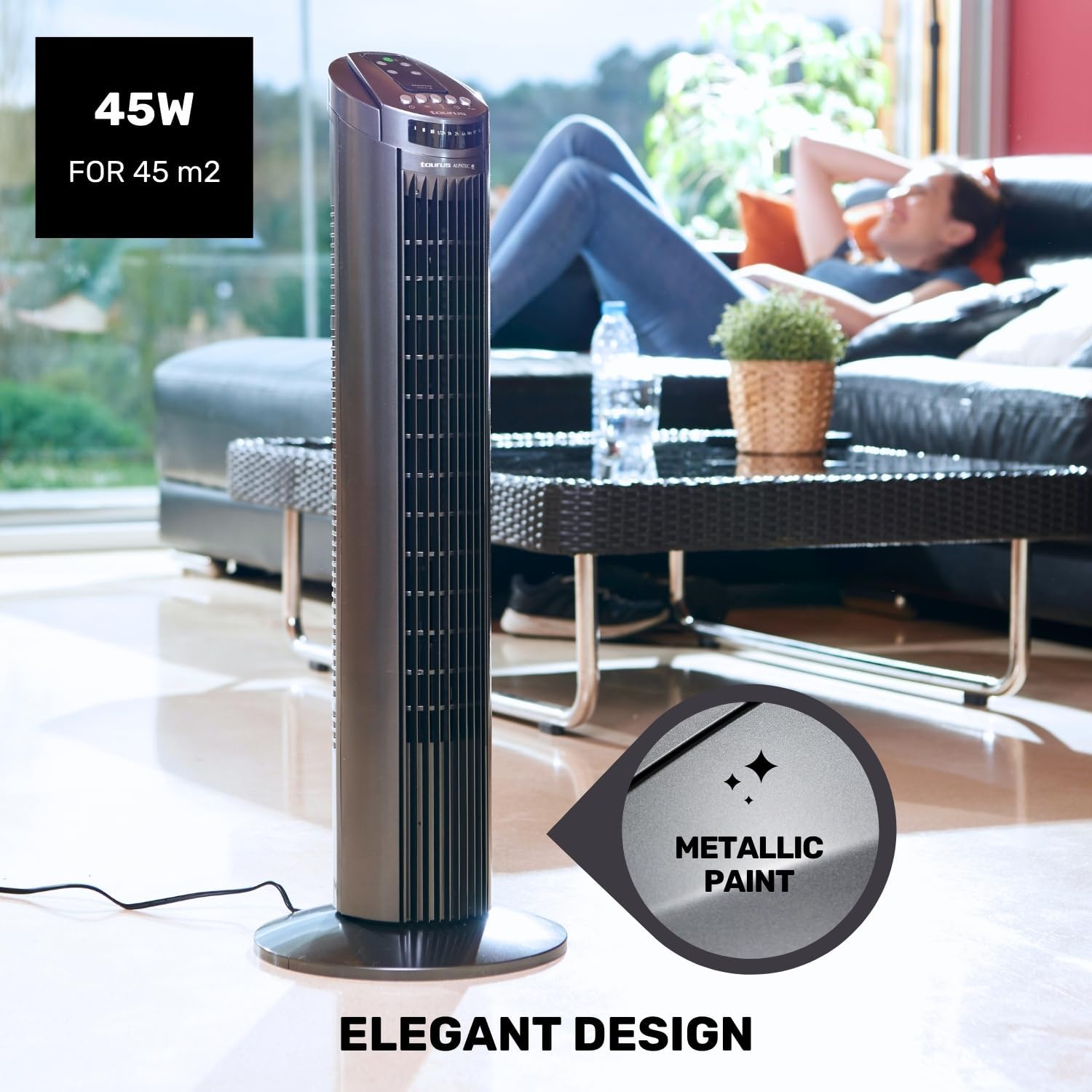
Figure 5.3: The fan in oscillation mode, showing the wide air distribution.
- Timer: Press the Timer button to set the fan to automatically turn off after a specified period. The timer can be set up to 7.5 hours. Each press typically adds 0.5 hours or 1 hour, depending on the model's increment.

Figure 5.4: The fan operating in Night mode, designed for quiet performance during sleep.

Figure 5.5: Illustration of the different airflow modes: Normal, Breeze, and Night.
6. Maintenance and Cleaning
Regular cleaning and maintenance will help prolong the life of your fan and ensure optimal performance.
- Before Cleaning: Always unplug the fan from the power outlet before cleaning.
- Exterior Cleaning: Wipe the exterior surfaces of the fan with a soft, damp cloth. Do not use abrasive cleaners or solvents, as these may damage the surface.
- Grille Cleaning: Use a vacuum cleaner with a brush attachment to remove dust from the air inlet and outlet grilles. This helps maintain efficient airflow.
- Storage: When not in use for extended periods, store the fan in its original packaging in a cool, dry place.
7. Troubleshooting
If you experience issues with your fan, please refer to the following common problems and solutions:
| Problem | Possible Cause | Solution |
|---|---|---|
| Fan does not turn on. | No power supply. Power button not pressed. | Ensure the fan is plugged into a working outlet. Press the Power button on the control panel or remote. |
| Weak airflow. | Grilles are blocked by dust. Fan is on a low speed setting. | Clean the air inlet and outlet grilles. Increase the fan speed. |
| Oscillation not working. | Oscillation function is off. | Press the Oscillation button to activate. |
| Remote control not working. | Batteries are dead or incorrectly inserted. Obstruction between remote and fan. | Replace batteries and ensure correct polarity. Ensure a clear line of sight to the fan's control panel. |
If the problem persists after trying these solutions, please contact Taurus customer support.
8. Product Specifications
| Feature | Specification |
|---|---|
| Model Number | 947245000 (Babel RC) |
| Brand | Taurus |
| Power | 45 Watts |
| Voltage | 240V |
| Number of Speeds | 3 |
| Operating Modes | Normal, Breeze, Night |
| Timer | Up to 7.5 Hours |
| Oscillation | Yes |
| Dimensions (L x W x H) | 26 x 26 x 75.5 cm (10.2 x 10.2 x 29.7 inches) |
| Net Weight | 2.6 kg (5.7 lbs) |
| Material | Plastic |
| Color | Grey |
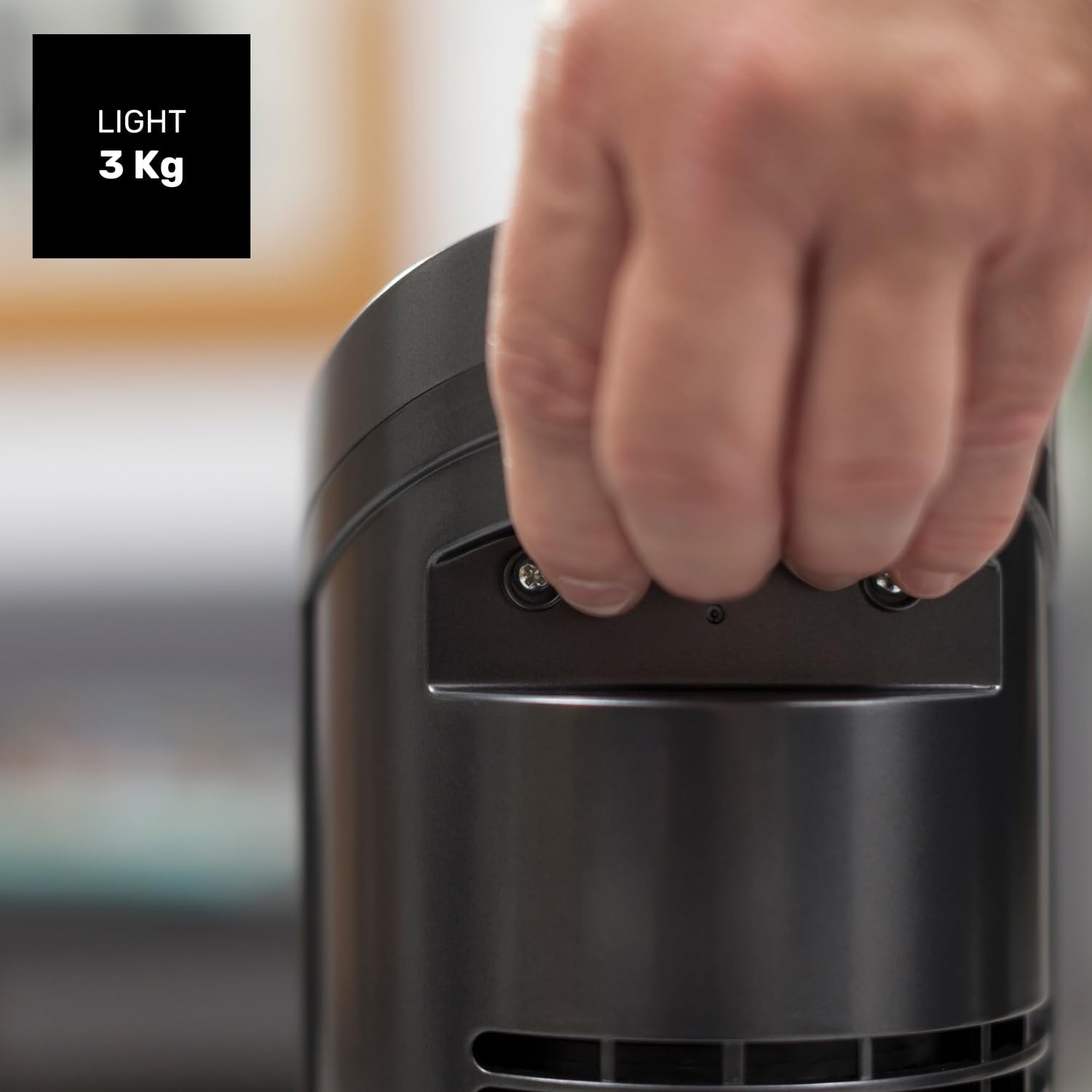
Figure 8.1: Diagram showing the dimensions of the Taurus Alpatec Babel RC Tower Fan.
9. Warranty and Support
Taurus products are manufactured to high-quality standards. For information regarding warranty coverage, please refer to the warranty card included with your purchase or visit the official Taurus website. Keep your proof of purchase for warranty claims.
For technical support, spare parts, or service inquiries, please contact Taurus customer service through their official channels. You can find contact information on the Taurus website or on your product packaging.
Online Resources: For additional information and product registration, visit the official Taurus website: www.taurus-home.com
10. Environmentally Friendly Disposal
This symbol on the product or its packaging indicates that this product shall not be treated as household waste. Instead, it shall be handed over to the applicable collection point for the recycling of electrical and electronic equipment. By ensuring this product is disposed of correctly, you will help prevent potential negative consequences for the environment and human health, which could otherwise be caused by inappropriate waste handling of this product. For more detailed information about recycling of this product, please contact your local city office, your household waste disposal service or the shop where you purchased the product.
Related documents947245000


Ask a question about this manual
Ask about setup, troubleshooting, compatibility, parts, safety, or missing instructions. Manuals+ will review the question and use this page’s manual context to help answer it.