
1. Introduction
The I TECH MioSonic is a compact and powerful 1MHz ultrasound therapy device. It is designed for both home and professional use to help alleviate pain, muscle contractures, and joint stiffness. This device delivers a maximum power of 6.4W with an intensity up to 1.6 W/cm2, featuring a collimated ultrasonic beam for optimal tissue penetration. It is a CE0068 certified Class IIa medical device.
Please read this manual thoroughly before operating the device to ensure safe and effective use.
2. Safety Information
Important Safety Warnings:
- Always read all instructions carefully before using the device.
- Do not immerse the device in water or any other liquid. The device is designed for surface use only.
- Use the device only as directed in this instruction manual.
- Keep the device out of reach of children.
- Do not use the device on broken skin, open wounds, or areas with active infections.
- Consult a healthcare professional before use if you have any medical conditions, are pregnant, or have implanted electronic devices.
- Use only the provided medical power supply.
- If you experience any discomfort or adverse reactions during use, discontinue treatment immediately and consult a healthcare professional.
3. Package Contents
Verify that all items are present in the package:
- I TECH MioSonic Ultrasound Device
- Medical Power Supply
- Ultrasound Gel
- User Manual
- Storage Case (may vary by package)

Image: Complete I TECH MioSonic kit, showing the device, power supply, ultrasound gel, user manual, and a protective storage case.
4. Device Overview
Familiarize yourself with the components of your MioSonic device.

Image: Close-up view of the ultrasound device head, indicating 1MHz frequency, 4.0 cm² treatment area, lot number, and serial number.

Image: The I TECH MioSonic device, highlighting its ergonomic design and control panel for operation.

Image: The medical power supply unit and its connecting cable, essential for powering the MioSonic device.
5. Setup
- Unpack the Device: Carefully remove the MioSonic device and all accessories from its packaging.
- Connect Power: Connect the medical power supply to the device and then plug the power supply into a suitable electrical outlet. Ensure the connection is secure.
- Prepare for Treatment: Have your ultrasound gel ready for application.
6. Operating Instructions
Follow these steps for effective ultrasound therapy:
- Power On: Once connected to power, turn on the device using the designated power button.
- Select Intensity Level: Choose the desired intensity level (Low: 0.08 W/cm2, Medium: 0.8 W/cm2, High: 1.6 W/cm2) using the control buttons on the device. Start with a lower intensity and gradually increase if comfortable.
- Apply Ultrasound Gel: Apply a generous amount of ultrasound gel directly to the skin over the treatment area. The gel is crucial for effective transmission of ultrasound waves.
- Begin Treatment: Place the head of the device firmly but gently on the gel-covered skin. Move the device head in slow, continuous circular motions over the treatment area. Do not hold the device stationary on one spot.
- Monitor Treatment: Continue treatment for the recommended duration (refer to your healthcare professional's advice or the device's program settings if applicable).
- Power Off: After completing the treatment, turn off the device.
- Disconnect Power: Disconnect the device from the power supply and then unplug the power supply from the electrical outlet.
- Clean Device: Wipe any remaining gel from the device head immediately after use.
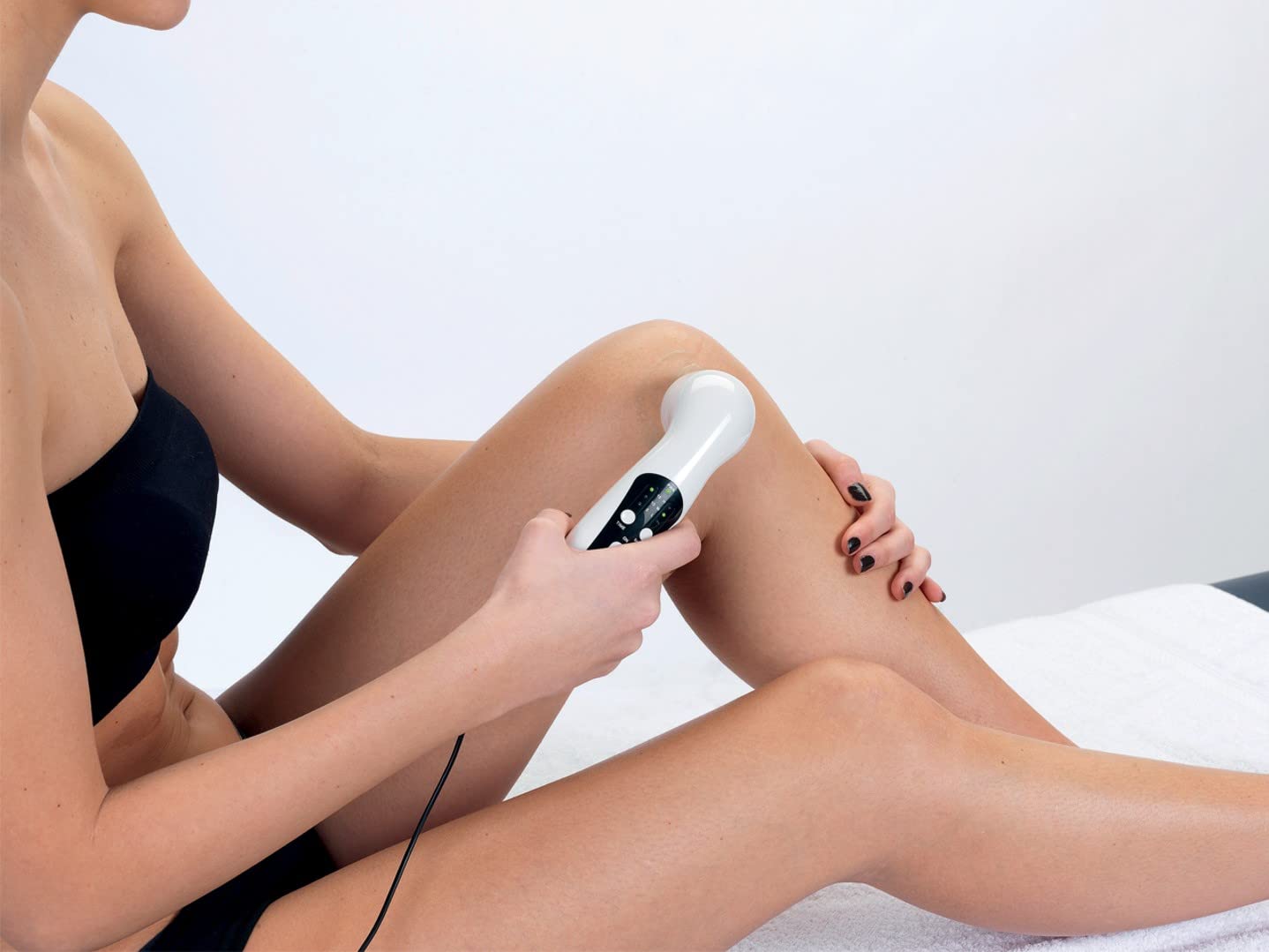
Image: A user demonstrating the application of the MioSonic device to the leg, emphasizing the circular motion and use of gel.

Image: A user applying the MioSonic device to the arm or shoulder area, illustrating typical usage.
7. Maintenance and Care
- Cleaning: After each use, wipe the device head and body with a soft, damp cloth to remove any residual ultrasound gel. Do not use abrasive cleaners or immerse the device in water.
- Storage: Store the device in its original case or a clean, dry place away from direct sunlight and extreme temperatures.
- Inspection: Periodically inspect the device and power supply for any signs of damage. Do not use if damaged.
8. Troubleshooting
If you encounter issues with your MioSonic device, refer to the following common solutions:
- Device not turning on:
- Ensure the power supply is securely connected to both the device and the electrical outlet.
- Check if the electrical outlet is functional.
- No sensation during treatment:
- Ultrasound therapy is often not felt. Ensure sufficient ultrasound gel is applied to the skin.
- Verify that the device head is in full contact with the skin and moved continuously.
- Check the selected intensity level.
- Device overheating:
- Discontinue use immediately. Allow the device to cool down.
- Ensure proper ventilation around the device during use.
If problems persist, contact customer support.
9. Technical Specifications
| Model Name | MioSonic |
| Model Number | 28309 |
| Ultrasound Frequency | 1 MHz |
| Maximum Power | 6.4 W |
| Maximum Intensity (on surface) | 1.6 W/cm2 |
| Intensity Levels | 3 levels: 0.08 W/cm2 (Low), 0.8 W/cm2 (Medium), 1.6 W/cm2 (High) |
| Dimensions (L x W x H) | 200 x 47 x 69 mm (device), 21.5 x 29 x 9 cm (package) |
| Weight | 190 grams (device) |
| Power Supply | Dedicated Medical Power Supply |
| Material | Silicone (latex-free, rubber-free, plastic-free) |
| Color | White |
| Manufacturer | IACER |
| Country of Origin | China |
| Medical Device Class | Class IIa (CE0068 certified) |
10. Warranty and Support
For warranty information, technical support, or service inquiries, please refer to the documentation included with your purchase or contact the manufacturer, I TECH, directly. Keep your proof of purchase for warranty claims.