
Introduction
This manual provides essential information for the proper setup, operation, maintenance, and troubleshooting of your iBall i333 On-Ear Headset. Please read these instructions carefully before using the product to ensure optimal performance and longevity.
The iBall i333 is a wired on-ear headset designed to deliver clear stereo sound. It is compatible with various devices including PCs, laptops, DVD players, music systems, FM radios, and MP3/MP4 players.
Package Contents
Verify that all items are present in the package:
- iBall i333 On-Ear Headset
- Ear Cushions (pre-installed or separate)
- Headband (integrated)
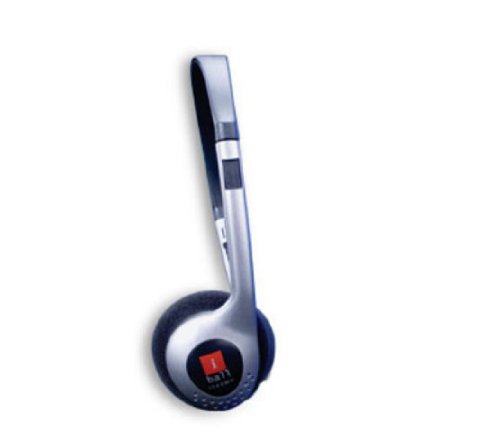
Image: The iBall i333 On-Ear Headset, showcasing its compact design and 3.5mm audio jack. This image illustrates the product as it appears out of the box.
Setup Instructions
- Unpack the Headset: Carefully remove the iBall i333 headset from its packaging.
- Inspect for Damage: Check the headset for any visible damage that may have occurred during shipping. If damaged, do not use and contact customer support.
- Adjust the Headband: Gently extend or retract the headband to fit comfortably over your head. The earcups should rest fully on your ears.
- Connect to Audio Source: Locate the 3.5mm audio jack on your device (PC, laptop, MP3 player, etc.). Insert the 3.5mm connector from the iBall i333 headset firmly into the device's audio output port.
- Volume Control: Adjust the volume on your audio source device to a low level before playing any audio.
Operating Instructions
Once connected, the iBall i333 headset is ready for use.
- Audio Playback: Start playing audio from your connected device.
- Volume Adjustment: Gradually increase the volume on your device to a comfortable listening level. Avoid excessively high volumes to prevent hearing damage.
- Comfort: Ensure the earcups are positioned correctly over your ears for optimal sound quality and comfort.
Compatibility
The iBall i333 headset is designed for broad compatibility with devices featuring a standard 3.5mm audio output jack. This includes:
- Personal Computers (PCs)
- Laptops
- DVD Players
- Music Systems
- FM Radios
- MP3/MP4 Players
Maintenance and Care
Proper care will extend the life of your iBall i333 headset.
- Cleaning: Use a soft, dry cloth to wipe the headset. Do not use liquid cleaners or abrasive materials.
- Storage: Store the headset in a clean, dry place away from extreme temperatures and direct sunlight.
- Cable Care: Avoid pulling the cable forcefully or wrapping it too tightly, as this can damage the internal wiring.
- Moisture: Keep the headset away from water and moisture.
Troubleshooting
If you encounter issues with your iBall i333 headset, refer to the following common problems and solutions:
| Problem | Possible Cause | Solution |
|---|---|---|
| No sound or low sound |
|
|
| Distorted sound |
|
|
| Headset uncomfortable |
|
|
If the problem persists after trying these solutions, please contact iBall customer support.
Specifications
| Model Name | i333 - Headset w.o. MIC |
| Brand | iBall |
| Connectivity Technology | Wired |
| Connector Type | 3.5 mm Jack |
| Ear Placement | On Ear |
| Form Factor | On Ear |
| Item Weight | 61 Grams |
| Product Dimensions (LxWxH) | 16.2 x 13.5 x 5 cm |
| Included Components | Ear Cushions, Headband |
| Compatible Platforms | Laptop, PC, DVD, Music System, FM Radio, MP3/MP4 Players |
| Manufacturer | BEST IT WORLD INDIA PVT.LTD. |
| Date First Available | 30 October 2012 |
Warranty and Support
The iBall i333 On-Ear Headset comes with a 1 Year Warranty from the date of purchase. This warranty covers manufacturing defects under normal use conditions.
For warranty claims, technical support, or further assistance, please contact iBall customer service. Keep your purchase receipt as proof of purchase.
Manufacturer: BEST IT WORLD INDIA PVT.LTD.
For more information, you may visit the official iBall website or contact their support channels.