
1. Introduction
This manual provides instructions for the safe and efficient operation of your Larson Electronics 110V Handheld Infrared LED Spotlight, Model 1218OXN0MFS. This device is designed for applications requiring a powerful infrared light source, such as security, hunting, and military operations. It features a durable construction and operates on 110VAC power, with an option for 12Vdc operation.
Please read this manual thoroughly before using the spotlight to ensure proper function and to prevent injury or damage.
2. Safety Information
WARNING: Infrared light is not visible to the naked eye. Direct exposure to the infrared LED beam may cause eye damage. Always use appropriate night vision equipment when operating this device and avoid pointing the beam directly at people or animals.
- Do not disassemble or modify the spotlight. Unauthorized modifications can lead to electric shock, fire, or product damage.
- Ensure the power source matches the device's voltage requirements (110VAC or 12Vdc).
- Keep the spotlight away from water and other liquids unless specifically rated for submersible use (this product is not).
- Do not operate the spotlight in explosive atmospheres, such as in the presence of flammable liquids, gases, or dust.
- Always unplug the device from the power source before cleaning or performing any maintenance.
- Store the spotlight in a cool, dry place when not in use.
3. Package Contents
Verify that all items are present in the package:
- Larson Electronics Handheld Infrared LED Spotlight (Model: 1218OXN0MFS)
- 25-foot power cord
- 110VAC/12Vdc step-down transformer
- User Manual (this document)

Figure 1: The Larson Electronics Handheld Infrared LED Spotlight with its attached power cord. This image shows the overall design of the spotlight, including the pistol grip handle and the LED head.
4. Setup
4.1 Power Connection (110VAC)
- Ensure the spotlight's power switch is in the "OFF" position.
- Connect the 25-foot power cord to the 110VAC/12Vdc step-down transformer.
- Plug the step-down transformer into a standard 110VAC wall outlet.
- The spotlight is now ready for operation.
4.2 Power Connection (12Vdc - Optional)
The step-down transformer can be removed to allow direct connection to a 12Vdc system. This requires a compatible 12Vdc plug-in cord (not included). Consult a qualified electrician if you are unsure about this connection.
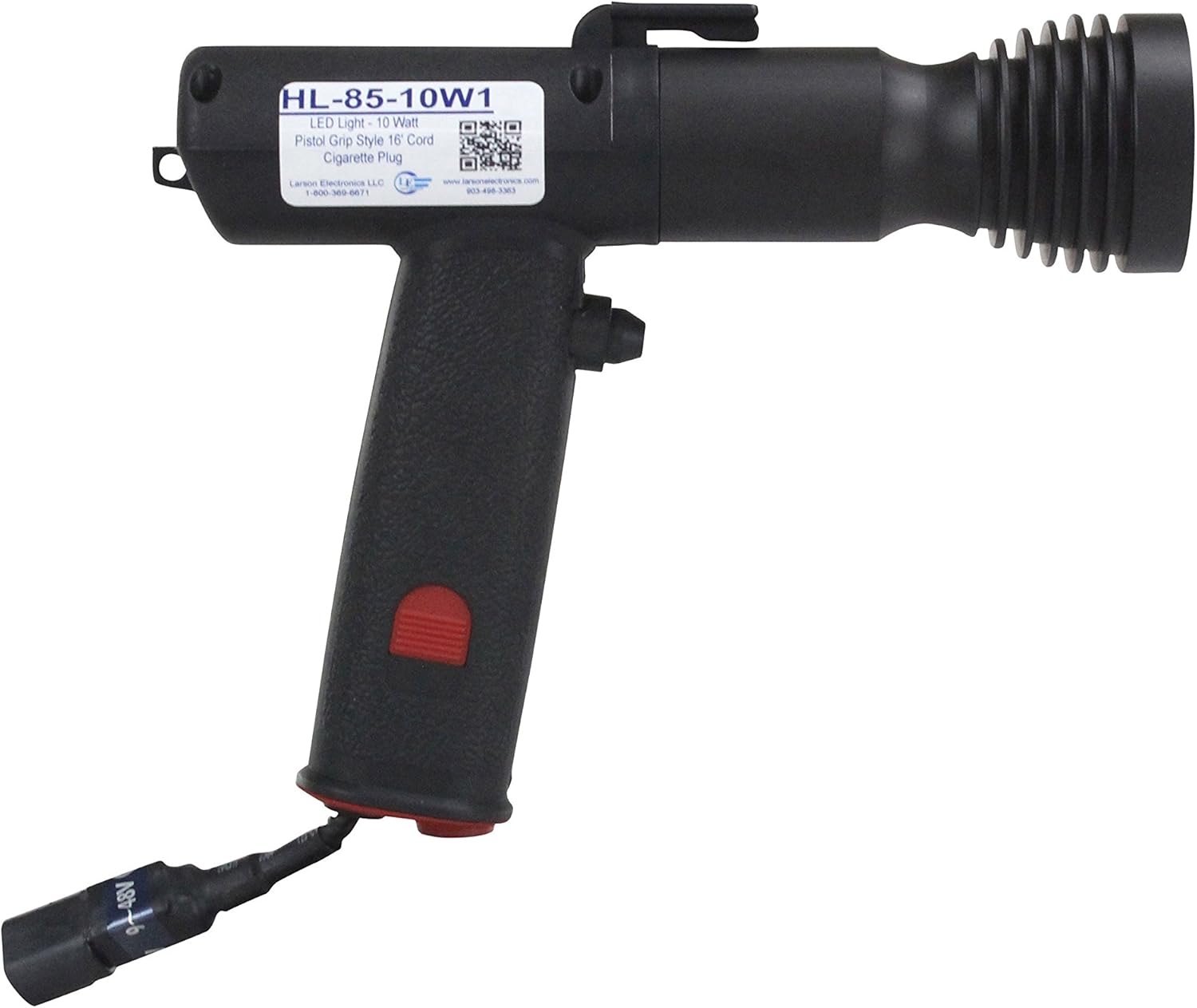
Figure 2: A side profile view of the spotlight, highlighting the pistol grip and the main body. This view helps in understanding the ergonomic design.
5. Operating Instructions
5.1 Turning On/Off
- To turn on the spotlight, press the red power button located on the handle.
- To turn off the spotlight, press the red power button again.
5.2 Wavelength Selection (if applicable)
This spotlight is available in either 850nm or 940nm infrared wavelengths. The specific wavelength of your unit is indicated on the product label. No user adjustment is required or possible for wavelength selection on this model.
- 850nm: Visible through most consumer-grade IR cameras and night vision devices. A faint red glow may be visible from the LED emitter.
- 940nm: Requires more advanced, Generation 4, military-grade night vision optics for viewing. The LED emitter produces almost no visible red glow.

Figure 3: A front-facing view of the spotlight, clearly showing the LED lens and reflector assembly. This image helps identify the light-emitting component.
5.3 Beam Characteristics
The unique reflector and lens configuration produces a wide spot pattern, capable of illuminating an area up to 700 feet long and 150 feet wide.
6. Maintenance
6.1 Cleaning
- Ensure the spotlight is unplugged and cool before cleaning.
- Wipe the exterior surfaces with a soft, damp cloth. Do not use abrasive cleaners or solvents.
- Gently clean the LED lens with a soft, lint-free cloth to maintain optimal light output.
6.2 Storage
When not in use, store the spotlight in a dry, protected environment, away from extreme temperatures and direct sunlight.
7. Troubleshooting
| Problem | Possible Cause | Solution |
|---|---|---|
| Spotlight does not turn on. | No power supply. Faulty power cord/transformer. Power button not pressed. | Check if the unit is properly plugged into a live 110VAC outlet. Inspect the power cord and transformer for damage. Replace if necessary. Ensure the red power button is fully pressed. |
| Infrared light is not visible. | Infrared light is invisible to the naked eye. Incorrect night vision equipment for 940nm unit. | Use appropriate night vision equipment to view the beam. If using a 940nm unit, ensure your night vision device is Generation 4 or military-grade. |
| Reduced beam intensity. | Dirty LED lens. Power supply issue. | Clean the LED lens as described in the Maintenance section. Verify stable power supply. |
8. Specifications
| Model Number: | 1218OXN0MFS |
| Brand: | Larson Electronics |
| Power Source: | Corded Electric (110VAC via transformer, or 12Vdc direct) |
| Voltage: | 110 Volts (AC) / 12 Volts (DC) |
| Wattage: | 3 Watts |
| Light Source: | Infrared LED |
| Wavelength: | 850nm or 940nm (model dependent) |
| Beam Length: | 700 feet |
| Beam Width: | 150 feet |
| Cord Length: | 25 feet |
| Material: | High-impact nylon handle, machined aluminum LED housing |
| LED Lifespan: | 120,000 hours |
| Item Weight: | 5 Pounds |

Figure 4: Another view of the spotlight, showing the product label on the side of the housing. This label typically contains model information and specifications.
9. Warranty Information
This Larson Electronics handheld spotlight is backed by a 3-year warranty. This warranty covers defects in materials and workmanship under normal use. For specific terms and conditions, please refer to the warranty card included with your product or visit the official Larson Electronics website.
Note: The LED head is rated for 120,000 hours of operation, which is approximately 15 years of non-stop use.
10. Customer Support
For technical assistance, troubleshooting beyond this manual, or warranty claims, please contact Larson Electronics customer support:
- Website: www.larsonelectronics.com
- Phone: 1-800-369-6671 (as seen on product label in images)
- Email: Refer to the website for contact forms or email addresses.
When contacting support, please have your product model number (1218OXN0MFS) and purchase date available.


