
Introduction
Thank you for choosing the QFX S15 Universal PA Tripod Speaker Stand. This stand is designed to provide stable and adjustable support for your PA speakers, enhancing sound projection and optimizing your audio setup. Constructed from aluminum, it offers durability and portability. Please read this manual thoroughly before assembly and use to ensure proper operation and safety.
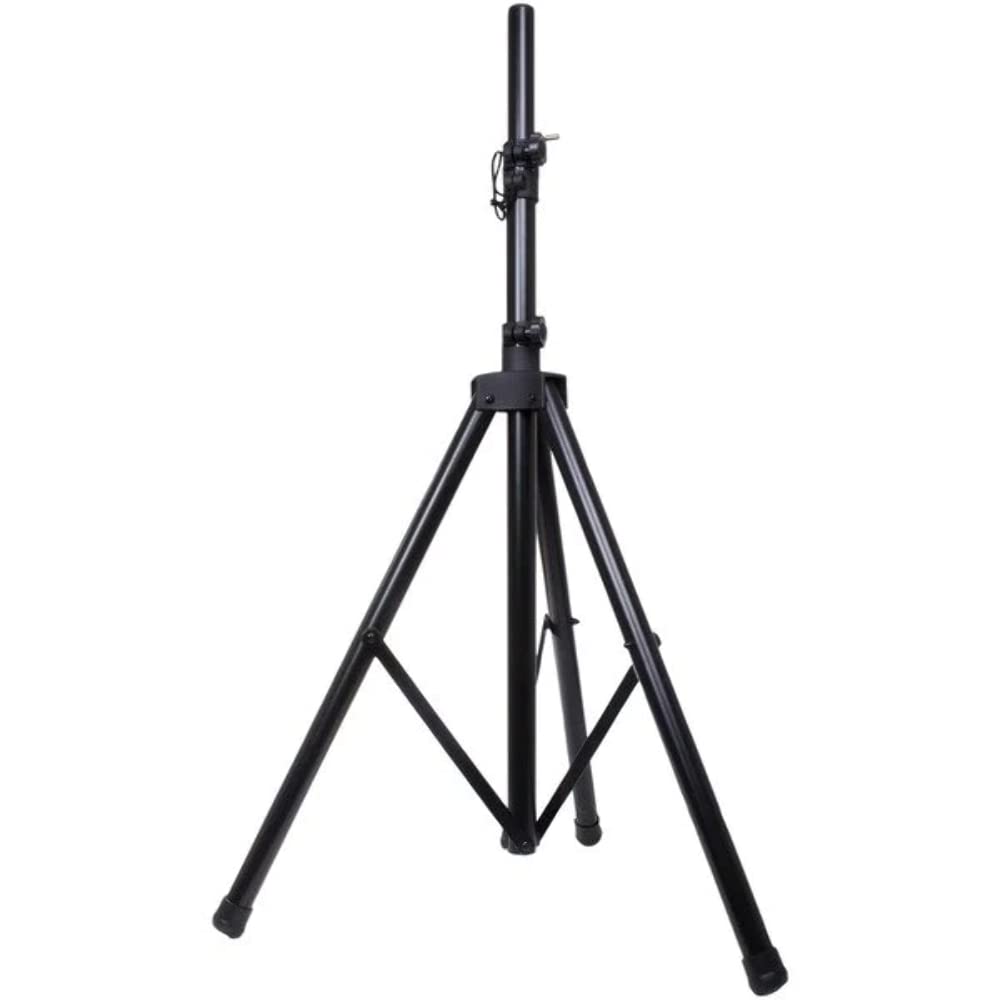
Image: The QFX S15 Universal PA Tripod Speaker Stand, shown fully extended with its black finish and sturdy tripod base.
Safety Information
To prevent injury or damage to your equipment, observe the following safety precautions:
- Load Capacity: Do not exceed the maximum load capacity of 80 lbs (36.2 kg). Overloading can cause instability and collapse.
- Stable Surface: Always place the stand on a flat, level, and stable surface. Uneven surfaces can lead to tipping.
- Leg Spread: Ensure the tripod legs are fully extended and locked into position to maximize stability.
- Speaker Mounting: Securely mount the speaker onto the stand's pole. Ensure it is centered and balanced.
- Adjustments: Make height adjustments carefully. Always loosen adjustment knobs before moving the pole and tighten them securely afterward.
- Obstructions: Keep the area around the stand clear to prevent accidental bumps or trips.
- Children and Pets: Keep children and pets away from the stand, especially during setup and adjustment.
- Inspection: Regularly inspect the stand for any signs of wear, damage, or loose components. Do not use if damaged.
Package Contents
Verify that all components are present in the package:
- 1 x QFX S15 Universal PA Tripod Speaker Stand
If any parts are missing or damaged, please contact QFX customer support.
Setup Instructions
Follow these steps to set up your QFX S15 Speaker Stand:
- Unfold the Legs: Place the stand on a flat, stable surface. Gently pull the tripod legs outwards until they are fully extended and form a wide, stable base. Ensure the leg brace is locked into position.
- Adjust Height: Loosen the height adjustment knob located on the main pole. Carefully extend the inner pole to the desired height. Do not extend beyond the maximum height indicator (if present) or to a point where stability is compromised.
- Secure Height: Once the desired height is reached, firmly tighten the height adjustment knob to lock the inner pole in place. Ensure there is no wobble.
- Mount Speaker: Carefully lift your PA speaker and align its mounting socket with the top pole of the stand. Lower the speaker onto the pole, ensuring it sits securely and is centered.
- Final Check: Gently shake the stand to confirm stability. If there is any instability, re-check all connections and adjustments.
Operating Instructions
The QFX S15 stand is designed for straightforward operation:
- Height Adjustment: To change the speaker height, first remove the speaker from the stand for safety. Loosen the height adjustment knob, set the pole to the new desired height, and then firmly re-tighten the knob. Re-mount the speaker.
- Portability: For transport or storage, remove the speaker, loosen the height adjustment knob to retract the inner pole, and then fold the tripod legs inwards. Secure any loose parts.
Maintenance
Proper maintenance ensures the longevity and safe operation of your speaker stand:
- Cleaning: Wipe the stand with a soft, dry cloth to remove dust and dirt. For stubborn marks, use a slightly damp cloth and mild soap, then dry thoroughly. Avoid abrasive cleaners or solvents.
- Storage: Store the stand in a dry, cool place, away from direct sunlight and extreme temperatures. Ensure it is fully collapsed and secured to prevent accidental unfolding.
- Inspection: Periodically check all bolts, screws, and adjustment knobs for tightness. Inspect the aluminum tubing and plastic components for any cracks, bends, or damage. Replace any worn or damaged parts immediately.
Troubleshooting
If you encounter issues with your speaker stand, refer to the following common problems and solutions:
| Problem | Possible Cause | Solution |
|---|---|---|
| Stand is unstable or wobbly. | Legs not fully extended or locked; uneven surface; adjustment knob loose; overloaded. | Ensure legs are fully spread and locked. Move to a flat, level surface. Tighten all adjustment knobs. Verify speaker weight does not exceed 80 lbs. |
| Difficulty adjusting height. | Adjustment knob too tight; inner pole stuck. | Loosen the adjustment knob completely. Apply gentle, even pressure to the pole. Ensure no debris is obstructing movement. |
| Speaker does not sit securely on the pole. | Speaker mounting socket is not compatible or damaged; speaker not centered. | Ensure your speaker has a standard 35mm pole mount. Center the speaker carefully. If the socket is damaged, do not use the stand. |
If the problem persists, contact QFX customer support.
Specifications
| Brand | QFX |
| Model Number | S-15 |
| Material | Aluminum construction (main frame), Plastic (connectors/knobs) |
| Color | Black |
| Adjustable Height | 46 inches to 72 inches (116.8 cm to 182.9 cm) |
| Load Capacity | 80 lbs (36.2 kg) |
| Pole Diameter | 1.38 inches (35 mm) |
| Item Weight | 5.15 Pounds (2.34 kg) |
| Product Dimensions (L x W x H) | 72"L x 1.38"W x 72"H (fully extended) |
| Fit Type | Universal Fit |
| UPC | 606540012208 |
Warranty and Support
Warranty: The QFX S15 Speaker Stand comes with a 1-year manufacturer's warranty from the date of purchase. This warranty covers defects in materials and workmanship under normal use. It does not cover damage caused by misuse, accidents, unauthorized modifications, or exceeding the stated load capacity.
Customer Support: For technical assistance, warranty claims, or to inquire about replacement parts, please visit the official QFX website or contact their customer service department. Refer to your purchase documentation for specific contact details.
Online Resources: For additional information and product updates, visit the QFX Store on Amazon.


