
Supersonic SC-1082
Supersonic SC-1082 Portable Radio User Manual
Model: SC-1082
Introduction
Thank you for purchasing the Supersonic SC-1082 Portable Radio. This device offers versatile audio entertainment with AM/FM/SW 1-7 band reception, MP3 playback via USB and SD card, and a built-in torch light. Designed for portability and convenience, it features a high-sensitivity receiver and multiple power options. Please read this manual carefully to ensure proper operation and to maximize your enjoyment of this product.
Important Safety Information
WARNING: This product contains chemicals known to the State of California to cause cancer and birth defects or other reproductive harm.
- Do not expose the unit to rain or moisture to prevent fire or shock hazards.
- Do not open the casing. Refer servicing to qualified personnel only.
- Avoid extreme temperatures, direct sunlight, and dusty environments.
- Ensure proper ventilation and do not block ventilation openings.
- Dispose of batteries properly according to local regulations.
Product Features
- Portable AM/FM/SW 1-7 Band Receiver & MP3 Playback
- High Sensitivity Receiver for clear reception
- Built-in USB Input Compatible for music playback and charging
- Built-in SD Card Slot Compatible for convenient music playback
- Built-in Torch Light for illumination
- Multiple Power Sources: Built-in Rechargeable Battery, AC Power, 3x D Battery Operated (not included)
- Bluetooth 5.3 for wireless music streaming
Package Contents
- Supersonic SC-1082 Portable Radio
- Power Cord
- Owner's Manual (this document)
Product Overview
Familiarize yourself with the various parts of your Supersonic SC-1082 radio.

Figure 1: Front view of the SC-1082 radio with controls and speaker.

Figure 2: Side view illustrating USB and SD card inputs.

Figure 3: Detail of the integrated torch light.

Figure 4: The radio with its telescopic antenna extended for improved reception.
Setup
Powering the Radio
The SC-1082 can be powered in three ways:
- AC Power: Connect the provided power cord to the AC input jack on the radio and plug the other end into a standard wall outlet. The internal rechargeable battery will also charge when connected to AC power.
- Internal Rechargeable Battery: The radio has a built-in rechargeable battery. Ensure it is charged before portable use.
- D Cell Batteries (Not Included): For extended portable use or as a backup, insert 3 x 'D' size batteries into the battery compartment, observing correct polarity.
Antenna Setup
For optimal FM and SW reception, fully extend the telescopic antenna. For AM reception, the radio uses a built-in ferrite bar antenna, so antenna positioning is less critical, but rotating the unit may improve reception.
Operating Instructions
Radio Operation (AM/FM/SW)
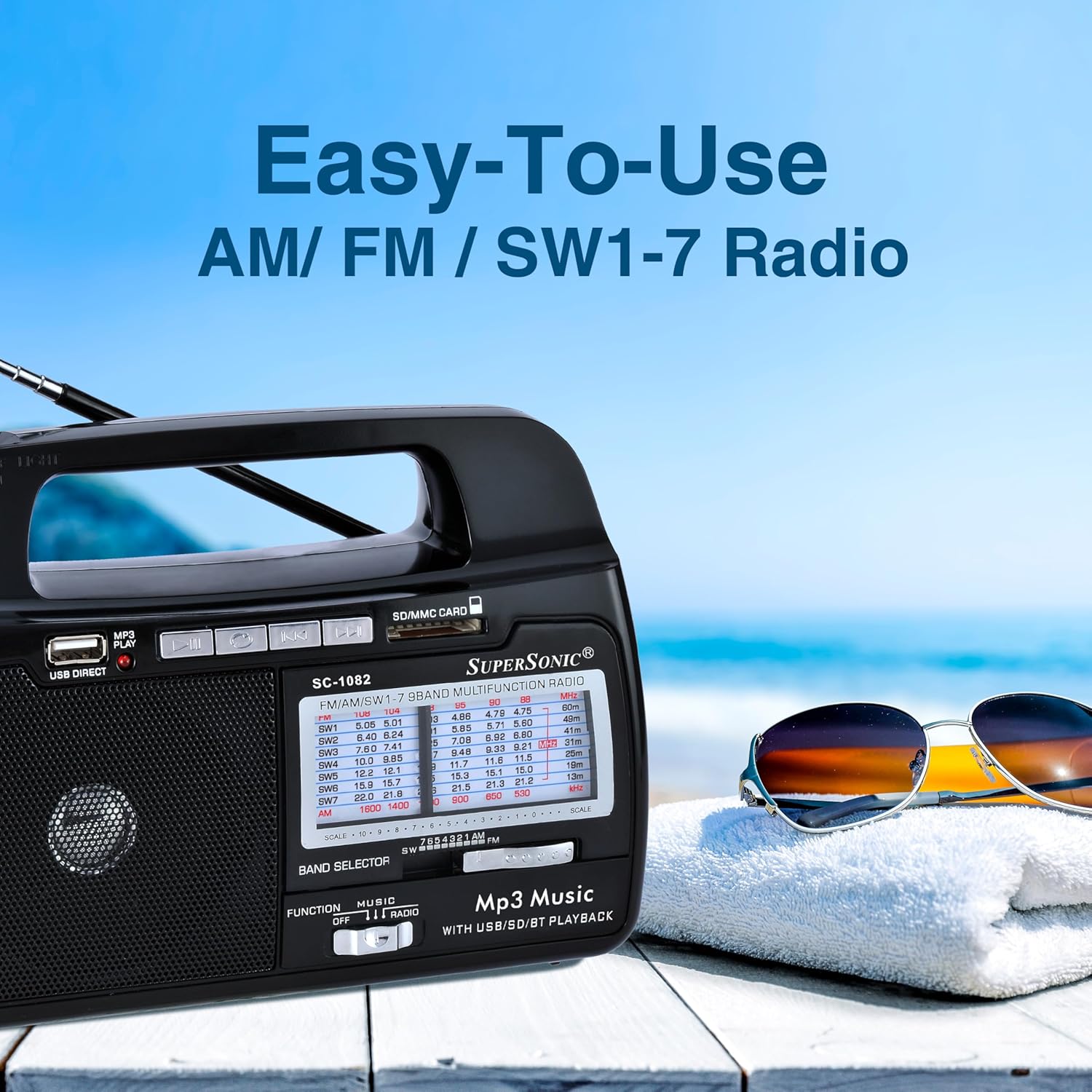
Figure 5: The SC-1082 is easy to use for radio functions.
- Power On: Slide the FUNCTION switch to the "RADIO" position.
- Select Band: Use the BAND SELECTOR switch to choose between FM, AM, or SW1-7 bands.
- Tune Station: Rotate the TUNING knob to find your desired station. The frequency dial will indicate the approximate frequency.
- Adjust Volume: Use the VOLUME knob to set the listening level.
MP3 Playback (USB/SD Card)
- Insert Media: Insert a USB flash drive into the USB port or an SD/MMC card into the SD/MMC card slot. Ensure MP3 files are stored on the media.
- Select Mode: Slide the FUNCTION switch to the "USB/SD" position. The unit will automatically begin playing MP3 files from the inserted media.
- Playback Controls:
- PLAY/PAUSE: Press to pause or resume playback.
- PREVIOUS/REWIND: Press briefly to go to the previous track. Press and hold to rewind within the current track.
- NEXT/FAST FORWARD: Press briefly to go to the next track. Press and hold to fast forward within the current track.
- REPEAT: Press to repeat the current track or all tracks.
Bluetooth Operation

Figure 6: Wirelessly stream music from any Bluetooth enabled device.
While not explicitly listed in the feature bullets, product images indicate Bluetooth functionality. If your model supports Bluetooth:
- Activate Bluetooth Mode: Slide the FUNCTION switch to the "Bluetooth" position (if available, or it might be integrated with the USB/SD mode). The radio will enter pairing mode, indicated by an audible prompt or flashing light.
- Pair Device: On your Bluetooth-enabled device (e.g., smartphone, tablet), search for available Bluetooth devices. Select "SC-1082" or a similar name from the list.
- Connect: Once paired, you can stream audio wirelessly from your device to the radio.
Torch Light Operation
The built-in torch light provides convenient illumination.
- Turn On/Off: Locate the dedicated switch for the torch light, usually on the top or side of the unit. Slide it to the "ON" position to activate the light and "OFF" to turn it off.
Maintenance
- Cleaning: Use a soft, dry cloth to clean the exterior of the radio. Do not use abrasive cleaners or solvents.
- Storage: When not in use for extended periods, store the radio in a cool, dry place. If using D cell batteries, remove them to prevent leakage.
- Battery Care: Regularly charge the internal rechargeable battery to maintain its lifespan. Avoid fully discharging the battery frequently.
Troubleshooting
| Problem | Possible Cause | Solution |
|---|---|---|
| No power | Battery depleted; AC cord not connected; D batteries inserted incorrectly or depleted. | Charge internal battery; connect AC cord; check D battery polarity and replace if necessary. |
| Poor radio reception | Antenna not extended; weak signal; interference. | Fully extend telescopic antenna; reposition the radio; try tuning to a stronger station. |
| MP3 playback issues | USB/SD card not inserted correctly; unsupported file format; corrupted files. | Ensure media is fully inserted; verify files are MP3 format; try a different USB/SD card. |
| Torch light not working | Battery depleted; light switch in OFF position. | Charge internal battery; ensure torch light switch is ON. |
Specifications
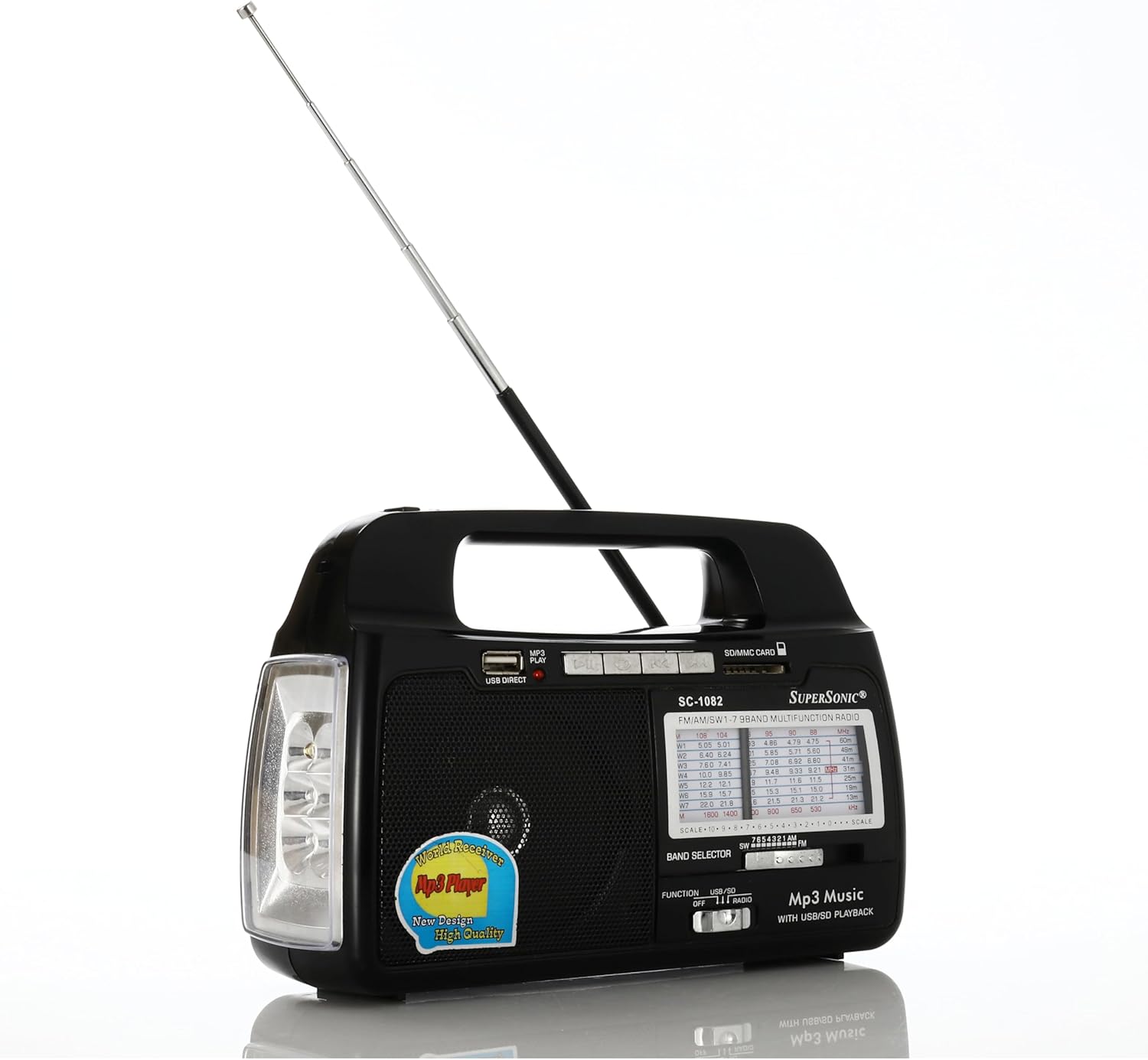
Figure 7: Product dimensions for the SC-1082 radio.
| Feature | Detail |
|---|---|
| Model Number | SC-1082 |
| Dimensions (L x W x H) | 7 x 4 x 6 inches |
| Item Weight | 1.74 pounds |
| Radio Bands Supported | AM/FM/SW 1-7 (9-Band) |
| Connectivity Technology | USB, SD Card, Bluetooth |
| Power Source | Battery Powered (1 Lithium Ion required), AC Power |
| Material | Plastic |
| Special Feature | Portable, Built-in Torch Light |
Warranty and Support
For warranty information or technical support, please refer to the contact details provided on the product packaging or visit the official Supersonic website. Keep your purchase receipt as proof of purchase for any warranty claims.
Related documentsSC-1082


Ask a question about this manual
Ask about setup, troubleshooting, compatibility, parts, safety, or missing instructions. Manuals+ will review the question and use this page’s manual context to help answer it.