
Body-Solid T50
Endurance by Body-Solid T50 Rehabilitation Walking Treadmill User Manual
Model: T50
1. Introduction
Thank you for choosing the Endurance by Body-Solid T50 Rehabilitation Walking Treadmill. This manual provides essential information for the safe and effective operation, maintenance, and troubleshooting of your new equipment. Designed for rehabilitation and low-impact walking, the T50 offers a stable and user-friendly experience.
2. Important Safety Information
Before operating the treadmill, please read and understand all safety instructions. Failure to do so may result in injury or damage to the equipment.
- Always consult with a healthcare professional before starting any new exercise program.
- Ensure the treadmill is placed on a flat, stable surface with adequate clearance around it.
- Keep children and pets away from the treadmill during operation.
- Always attach the safety key/tether to your clothing before beginning a workout. In case of an emergency, the safety key will immediately stop the treadmill.
- Use the full-length padded handrails for support and balance, especially when starting or stopping the treadmill.
- Do not step on or off the treadmill while the belt is moving.
- Wear appropriate athletic footwear.
- Unplug the treadmill from the power outlet when not in use or before cleaning/maintenance.
3. Product Overview
The Body-Solid T50 Treadmill is engineered for safe and effective rehabilitation and low-impact walking. Key features include:
- 1.5 HP Motor: Provides smooth and consistent power for walking.
- Wide Walking Pad: Spacious 18.9" x 53.0" orthopedic walking belt for comfort and stability.
- Full-Length Padded Handrails: 2-inch padded handrails extend the full length of the treadmill for enhanced support.
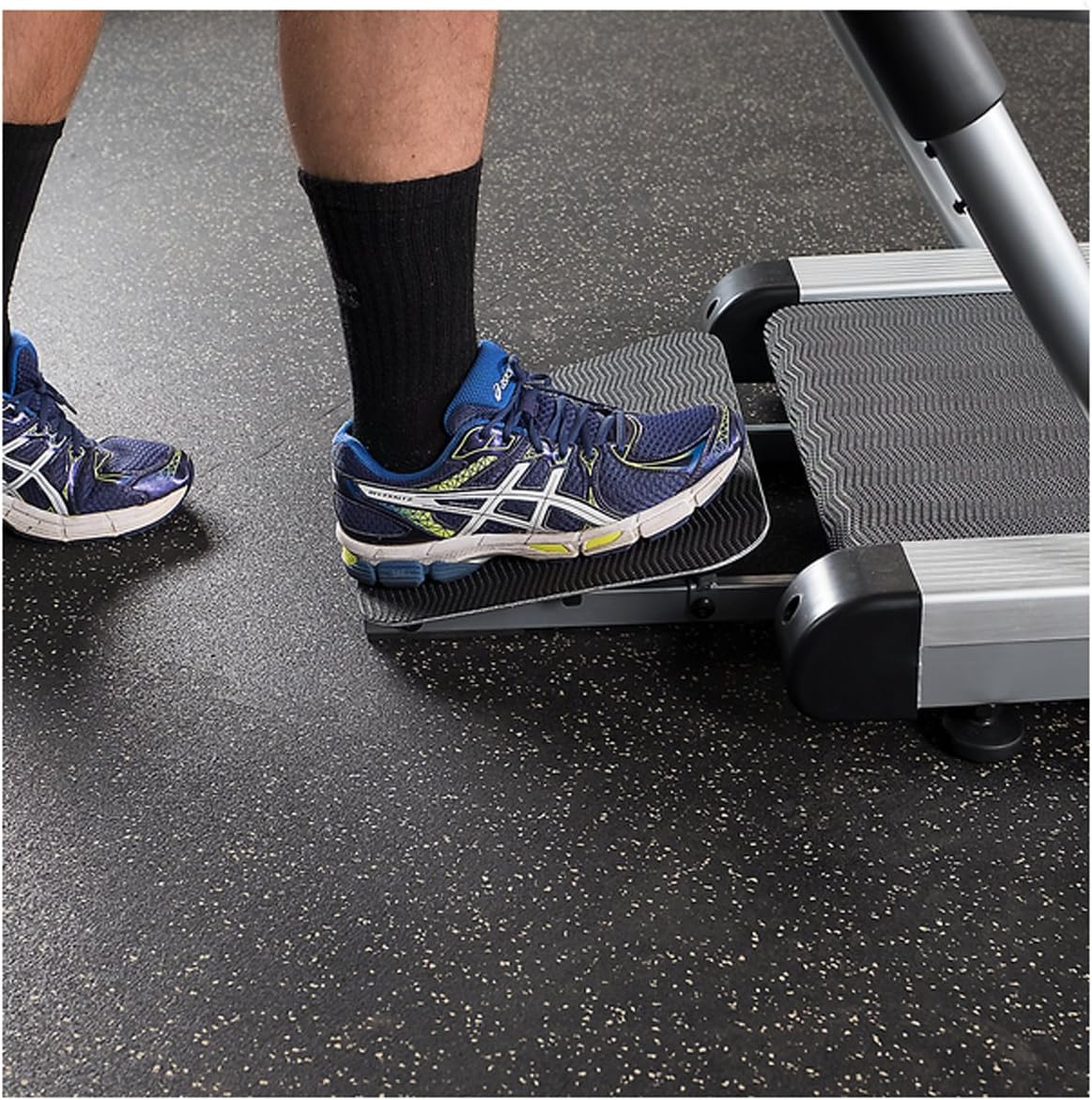
- Easy-Access Rear Entry Ramp: Facilitates safe and easy access to the walking surface.
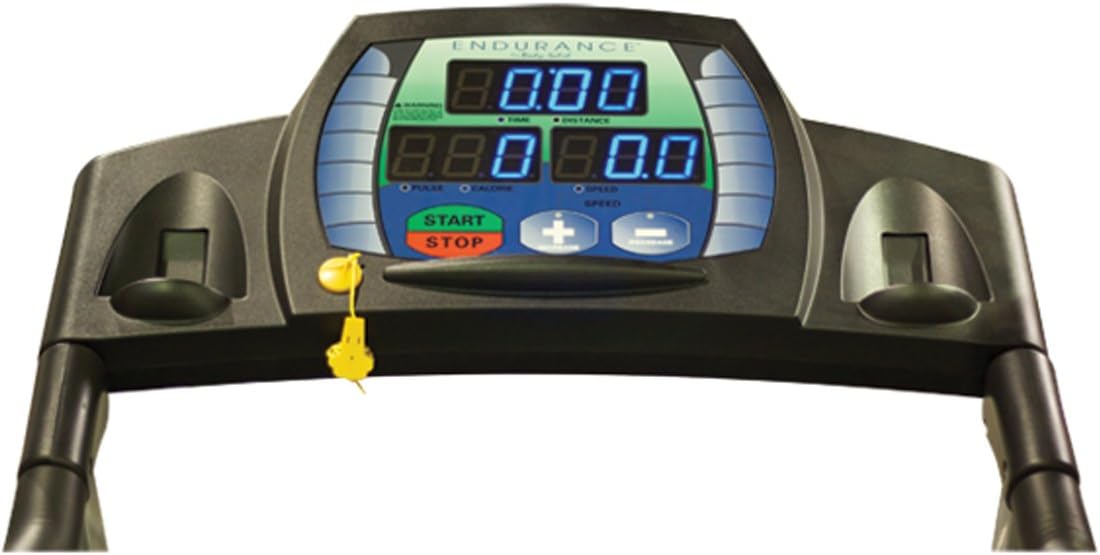
- LED Display: Easy-to-read blue LED display with jumbo 1.75-inch information windows.
- Simple Controls: Oversized buttons for easy adjustment of settings.
- Speed Range: Adjustable from 0.1 mph to 5 mph in 0.1 mph increments.
- Contact Heart Rate Monitor: Ergonomically positioned for convenient heart rate tracking.
Product Components



4. Setup
The Body-Solid T50 Treadmill comes largely pre-assembled. Follow these steps for initial setup:
- Unpacking: Carefully remove all packaging materials. Retain packaging for future transport or storage.
- Placement: Position the treadmill on a firm, level surface. Ensure there is at least 6 feet (1.8 meters) of clear space behind the treadmill and 2 feet (0.6 meters) on each side.
- Power Connection: Plug the power cord into a grounded electrical outlet. Do not use extension cords.
- Safety Key: Locate the safety key and ensure it is properly inserted into the console. The treadmill will not operate without the safety key in place.
5. Operating Instructions
The T50 treadmill is designed for straightforward operation.
Getting Started
- Step On: Use the rear entry ramp to safely step onto the walking belt. Hold onto the padded handrails for support.
- Attach Safety Key: Clip the safety key tether to your clothing.
- Start Treadmill: Press the START button on the console. The belt will begin moving at a very low speed (0.1 mph).
- Adjust Speed: Use the + (Increase Speed) and - (Decrease Speed) buttons to adjust your walking pace. Speed can be adjusted in 0.1 mph increments, from 0.1 mph up to 5 mph.
Monitoring Your Workout
The LED display provides real-time feedback on your workout:
- Time/Distance: Tracks the duration of your workout and the distance covered.
- Speed: Displays your current walking speed.
- Heart Rate/Calories: Shows your heart rate (when holding the contact sensors) and estimated calories burned.
Stopping the Treadmill
- Normal Stop: Press the STOP button on the console. The belt will gradually slow down and come to a complete stop.
- Emergency Stop: Pull the safety key from the console. The treadmill will stop immediately.
6. Maintenance
Regular maintenance ensures the longevity and optimal performance of your treadmill.
- Cleaning: Wipe down the treadmill surfaces with a damp cloth after each use. Do not use abrasive cleaners or solvents.
- Belt Cleaning: Periodically clean the walking belt and the area beneath it to prevent dust and debris buildup.
- Belt Lubrication: The walking belt may require lubrication over time. Refer to the separate lubrication guide or contact customer support for instructions and recommended lubricants.
- Inspection: Regularly inspect all nuts, bolts, and moving parts for tightness and wear. Tighten any loose fasteners.
- Power Cord: Check the power cord for any damage. If damaged, contact customer support for replacement.
7. Troubleshooting
This section addresses common issues you might encounter with your treadmill.
| Problem | Possible Cause | Solution |
|---|---|---|
| Treadmill does not power on. | Power cord not plugged in; circuit breaker tripped; safety key not inserted. | Ensure power cord is securely plugged in. Check household circuit breaker. Verify safety key is fully inserted into the console. |
| Walking belt stops or slips. | Belt tension too loose; belt requires lubrication. | Adjust belt tension (refer to maintenance section or contact support). Lubricate the walking belt if needed. |
| Display not working correctly. | Loose cable connection; console malfunction. | Check all cable connections to the console. If problem persists, contact customer support. |
If you encounter an issue not listed here, or if the suggested solutions do not resolve the problem, please contact Body-Solid Customer Support.
8. Specifications
| Feature | Detail |
|---|---|
| Brand | Body-Solid |
| Model Name | T50 |
| Product Dimensions (L x W x H) | 77"D x 30"W x 54"H |
| Item Weight | 155 Pounds |
| Maximum User Weight | 310 lbs (140 Kilograms) |
| Motor Horsepower | 1.5 HP |
| Maximum Speed | 5 Miles per Hour |
| Speed Increments | 0.1 mph |
| Deck Length | 52 Inches |
| Walking Belt Dimensions | 18.9" x 53.0" |
| Display Type | LED |
| Metrics Measured | Distance, Heart Rate, Time, Calories Burned, Speed |
| Frame Material | Aluminum |
| Power Source | Corded Electric |
| Product Grade | Light Commercial |
9. Warranty and Support
The Endurance by Body-Solid Rehabilitation Treadmill (T50) is backed by a comprehensive warranty:
- In-Home Use: Lifetime warranty on the frame, five years on parts, and one year on labor.
- Commercial Use: Three years on frame and parts, and one year on labor.
For warranty claims, technical assistance, or to purchase replacement parts, please contact Body-Solid Customer Support. Have your model number (T50) and proof of purchase ready when contacting support.
Visit the official Body-Solid website for additional resources and contact information: Body-Solid Store
Related documentsT50


Ask a question about this manual
Ask about setup, troubleshooting, compatibility, parts, safety, or missing instructions. Manuals+ will review the question and use this page’s manual context to help answer it.