
Introduction
This manual provides essential information for the proper setup, operation, and maintenance of your Seismic Audio SAEM-12x4x25 12 Channel XLR Snake Cable. Designed for professional audio applications, this 25-foot snake cable facilitates efficient signal routing between a stage or performance area and a mixing console. Adhering to these instructions will ensure optimal performance and longevity of your equipment.
Product Features
- Model Number: SAEM-12x4x25 (12 Channel Snake Cable) 25 feet
- Sends: 12 XLR Male Connectors
- Returns: 4 XLR Female Connectors
- Stage Box: Numerically labeled with a white surface for self-labeling each channel. Constructed from heavy-duty steel with a handle.
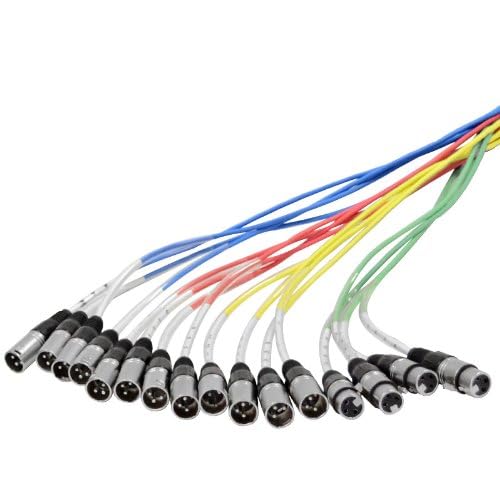
- Fantail: Color-coded and numerically labeled for easy identification.
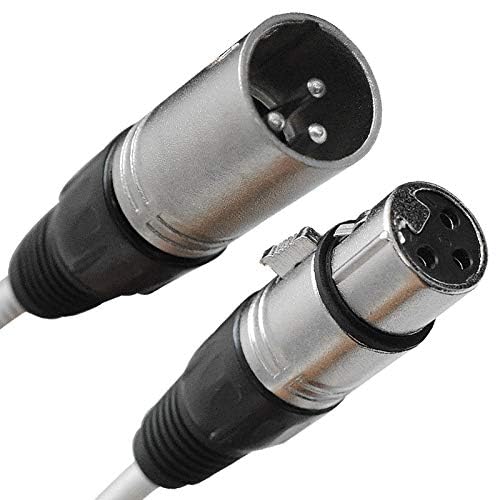
- Connectors: High-quality XLR connectors at both ends.
- Cable Construction: 100% individually shielded pairs, 22 gauge heavy-duty conductors for crystal clear sound and noise rejection.
- Strain Relief: Heavy-duty strain relief at both ends for enhanced durability.
Setup
Proper setup is crucial for optimal performance and to prevent damage to the cable or connected equipment.
- Unpack the Snake Cable: Carefully remove the snake cable from its packaging. Inspect for any visible damage.
- Position the Stage Box: Place the heavy-duty steel stage box (the end with multiple female XLR inputs) on the stage or near the sound sources. Ensure it is in a stable location where it will not be tripped over or damaged. The stage box features 12 XLR female inputs for microphones or instruments and 4 XLR male outputs for monitor sends or other returns.


- Route the Cable: Carefully uncoil the main cable run and route it from the stage box to the mixing console location. Avoid sharp bends, kinks, or placing the cable where it can be pinched or walked on excessively.
- Connect the Fantail to the Mixer: At the mixing console end, you will find the fantail, which consists of 12 XLR male connectors (sends) and 4 XLR female connectors (returns). These are color-coded and numerically labeled.
- Connect Inputs (Sends): Plug your microphones or instrument direct boxes into the corresponding XLR female inputs on the stage box.
- Connect Outputs (Returns): Connect the 12 XLR male connectors (sends) from the fantail into the microphone/line inputs of your mixing console.
- Connect Returns: Connect the 4 XLR female connectors (returns) from the fantail to the desired outputs on your mixing console (e.g., monitor sends, effects sends). Then, connect the corresponding XLR male outputs on the stage box to your stage monitors or other return devices.
Operating Instructions
Once the snake cable is properly set up, follow these guidelines for operation:
- Signal Flow: Signals from microphones and instruments on stage travel through the 12 'send' channels (XLR female inputs on the stage box to XLR male outputs on the fantail) to your mixing console.
- Return Signals: Signals from your mixing console (e.g., monitor mixes) travel back to the stage through the 4 'return' channels (XLR female inputs on the fantail to XLR male outputs on the stage box).
- Labeling: Utilize the white surface on the stage box to clearly label each channel's input for quick identification during a performance or recording session. The color-coded and numerically labeled fantail also aids in organization at the mixer.
- Secure Connections: Ensure all XLR connections are fully seated and locked to prevent signal interruption or accidental disconnection.
- Power Down Before Connecting/Disconnecting: Always power down your audio equipment (mixers, amplifiers, active speakers) before connecting or disconnecting XLR cables to prevent loud pops or potential damage to speakers.
Maintenance and Care
To ensure the longevity and reliable performance of your snake cable, follow these maintenance tips:
- Coiling: Always coil the cable properly after use. Avoid wrapping it tightly around your elbow or creating sharp kinks, which can damage internal conductors. Use the 'over-under' coiling method for best results.
- Cleaning: Wipe down the cable and connectors with a clean, dry cloth to remove dust and debris. Avoid using harsh chemicals or abrasive cleaners.
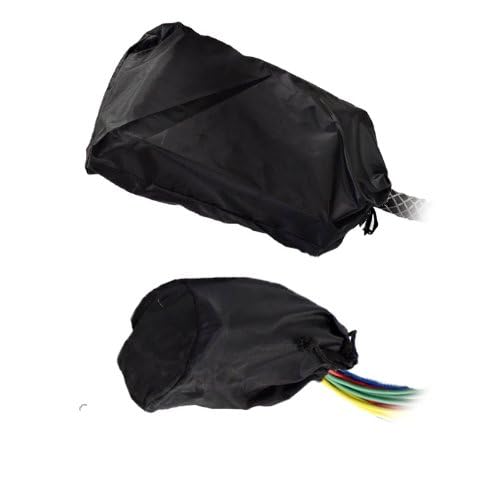
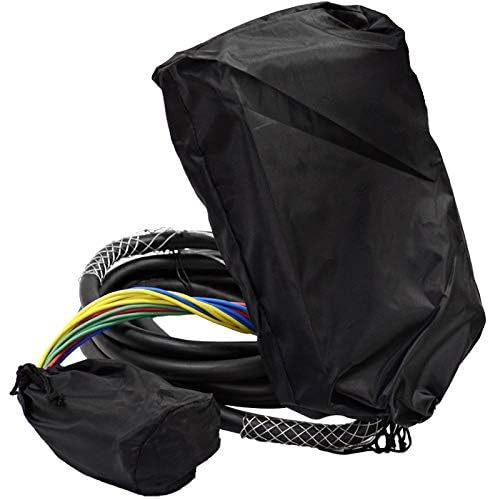
- Storage: Store the snake cable in a cool, dry place, away from extreme temperatures and direct sunlight. Using a cable bag or case can protect it from physical damage during transport and storage.
- Inspection: Periodically inspect the cable for any signs of wear, such as frayed jackets, bent pins on connectors, or loose connections. Address any issues promptly to prevent further damage.
Troubleshooting
If you encounter issues with your snake cable, consider the following troubleshooting steps:
- No Signal:
- Ensure all connections are secure at both the stage box and the mixing console.
- Verify that the microphone/instrument is working and properly connected to the stage box input.
- Check the corresponding input channel on your mixing console for proper gain staging and mute status.
- Test the individual cable runs if possible, by connecting a known working microphone directly to the mixer.
- Intermittent Signal or Noise:
- Check for loose connections at any point in the signal chain.
- Ensure the cable is not running parallel to power cables for long distances, which can induce hum or noise.
- Inspect connectors for bent pins or debris.
- The individual shielding of each pair in the snake cable is designed to minimize noise; however, external electromagnetic interference can still occur in extreme environments.
- Damaged Connectors: If an XLR connector is visibly damaged (e.g., bent pins, broken latch), it may need repair or replacement. Do not force connections.
Specifications
| Feature | Detail |
|---|---|
| Model Name | SAEM-12x4x25 |
| Brand | Seismic Audio |
| Connector Type | XLR |
| Cable Type | XLR |
| Compatible Devices | Speaker (and other professional audio equipment) |
| Special Feature | Tangle Free, Heavy Duty Strain Relief |
| Connector Gender | Male-to-Female (overall snake), Male (sends), Female (returns) |
| Number of Pins | 3 |
| Gauge | 22 AWG |
| Connectivity Technology | XLR |
| Recommended Uses | Professional audio applications, live performances, studio recordings, sound reinforcement |
| Indoor/Outdoor Usage | Indoor, Outdoor |
| Unit Count | 1 Count |
| Item Weight | 13 Pounds |
| UPC | 847861005979 |
Warranty and Support
This Seismic Audio SAEM-12x4x25 snake cable comes with a One Year Warranty covering labor and parts. For warranty claims or technical support, please contact Seismic Audio Speakers, Inc. directly. Keep your purchase receipt as proof of purchase for warranty validation.