
1. Introduction
The Aeon Labs DSC06106-ZWUS Z-wave Smart Energy Switch is a device designed to provide both on/off control and energy monitoring capabilities for connected appliances. It integrates into a Z-Wave network, allowing for remote management and data collection. This manual provides essential information for the safe and effective use of your Smart Energy Switch.
2. Safety Information
- Electrical Safety: Always ensure the device is properly plugged into a grounded outlet. Do not exceed the maximum load rating of 15A or 1875W.
- Indoor Use Only: This device is intended for indoor use in dry locations. Avoid exposure to moisture or extreme temperatures.
- Disconnect Power: Before cleaning or performing any maintenance, disconnect the device from the power outlet.
- Children and Pets: Keep the device out of reach of children and pets.
3. Product Overview
The Aeon Labs DSC06106-ZWUS is a compact Z-Wave enabled plug-in module. It features a standard US male plug, a central control module, and a standard US female power outlet. A manual control button is typically located on the module for local operation.
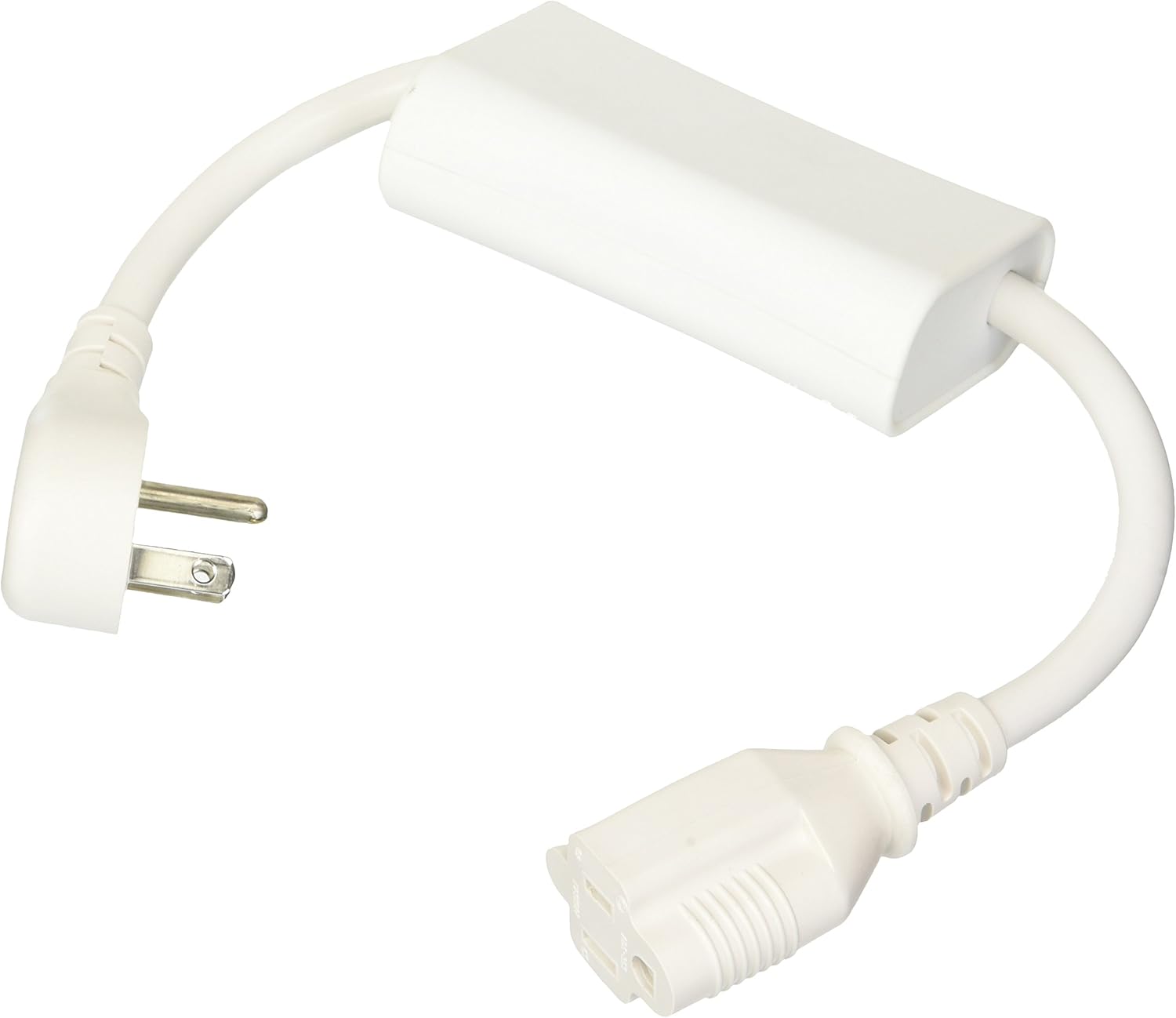
Image 1: Aeon Labs DSC06106-ZWUS Z-wave Smart Energy Switch. This image displays the complete Aeon Labs Z-wave Smart Energy Switch. It features a standard US male plug on one end, connected by a white cable to a rectangular white module, which then connects via another white cable to a standard US female power outlet. The device is designed to be plugged into a wall outlet, and an appliance is then plugged into the device.
Key Features:
- Z-Wave energy monitoring and on/off control.
- Compact design that minimizes obstruction of other outlets.
- Supports firmware updates.
- Utilizes the latest Z-Wave protocol and commands.
- Operates at 120V 60Hz input with a maximum output of 1875W or 15A.
4. Setup
4.1 Physical Installation
- Plug the Aeon Labs Smart Energy Switch into a standard 120V 60Hz wall outlet.
- Plug the appliance you wish to control and monitor into the female outlet of the Smart Energy Switch. Ensure the appliance's power consumption does not exceed 15A or 1875W.
4.2 Z-Wave Network Inclusion (Pairing)
To integrate the Smart Energy Switch into your Z-Wave network, follow these steps:
- Place your Z-Wave controller (hub) into inclusion mode. Refer to your Z-Wave controller's manual for specific instructions on how to do this.
- Press the action button on the Aeon Labs Smart Energy Switch. This button is typically located on the side or front of the main module.
- The Smart Energy Switch should now be recognized and included in your Z-Wave network. Your controller will usually confirm successful inclusion.
- If inclusion fails, try moving the switch closer to your Z-Wave controller and repeat the process.
5. Operating the Smart Energy Switch
5.1 Manual Control
The Smart Energy Switch features a manual button that allows you to toggle the connected appliance's power state directly. Pressing this button will turn the appliance on or off, overriding any Z-Wave commands until the next remote command is received.
5.2 Remote Control via Z-Wave
Once included in your Z-Wave network, you can control the Smart Energy Switch remotely using your Z-Wave controller or associated mobile application. This allows you to:
- Turn the connected appliance on or off.
- Schedule on/off times for the appliance.
- Integrate the switch into Z-Wave scenes and automations.
5.3 Energy Monitoring
The Smart Energy Switch provides real-time energy usage data for the connected appliance. This data can be viewed through your Z-Wave controller's interface or compatible applications. Information typically includes:
- Current power consumption (Watts).
- Accumulated energy usage (Kilowatt-hours).
6. Maintenance
- Cleaning: Disconnect the device from power before cleaning. Use a soft, dry cloth to wipe the exterior. Do not use liquid cleaners or aerosols.
- Firmware Updates: The device supports firmware updates. Refer to the Aeon Labs support website or your Z-Wave controller's documentation for instructions on how to perform firmware updates, if available.
7. Troubleshooting
- Device Not Responding:
- Ensure the Smart Energy Switch is securely plugged into a live power outlet.
- Verify the connected appliance is functioning correctly when plugged directly into a wall outlet.
- Check the Z-Wave network status on your controller.
- Cannot Include in Z-Wave Network:
- Ensure your Z-Wave controller is in inclusion mode.
- Try performing an exclusion process on your Z-Wave controller first, then attempt inclusion again. This can resolve issues if the device was previously paired or partially paired.
- Move the Smart Energy Switch closer to your Z-Wave controller during the inclusion process.
- Inaccurate Energy Readings:
- Ensure the connected appliance is within the specified power limits of the switch.
- Consult your Z-Wave controller's documentation for how it handles and displays energy data.
8. Specifications
| Model Number | DSC06106 |
| Brand | Aeon Labs |
| Part Number | FBA_AEDSC06106ZWUS |
| Input Voltage | 120V AC, 60Hz |
| Max Load | 15A / 1875W |
| Wireless Technology | Z-Wave |
| Item Weight | 11.2 ounces |
| Package Dimensions | 7.2 x 5.4 x 2.6 inches |
| Material | Copper (internal components) |
| Mounting Type | Wall Mount (plug-in) |
9. Warranty and Support
For warranty information, technical support, or further assistance, please contact Aeon Labs customer service or visit their official website. Keep your purchase receipt for warranty claims.


