
1. Introduction
Thank you for choosing the HAVERLAND XTAL4B Electric Towel Warmer. This manual provides essential information for the safe and efficient installation, operation, and maintenance of your new appliance. Please read these instructions carefully before use and retain them for future reference.
The HAVERLAND XTAL4B is designed to warm towels and provide supplementary heating in bathrooms. Its elegant glass design integrates seamlessly into modern bathroom environments.
2. Safety Information
Important Safety Instructions:
- Read all instructions before installing or using this appliance.
- This appliance is intended for domestic use only.
- Do not immerse the appliance in water or other liquids.
- Ensure the power supply voltage matches the rating label on the appliance.
- Keep the power cord away from heated surfaces.
- Do not operate the appliance with a damaged cord or plug, or after the appliance malfunctions or has been damaged in any manner.
- Installation must be carried out by a qualified electrician and in accordance with local wiring regulations.
- Do not cover the towel warmer with clothing or other materials, as this may cause overheating.
- This appliance is hot when in use. To avoid burns, do not let bare skin touch hot surfaces.
- Children should be supervised to ensure they do not play with the appliance.
3. Package Contents
Please check the contents of the package. If any items are missing or damaged, contact your retailer.
- HAVERLAND XTAL4B Electric Towel Warmer Unit
- Wall Mounting Brackets and Hardware
- Remote Control Unit (if applicable)
- Instruction Manual
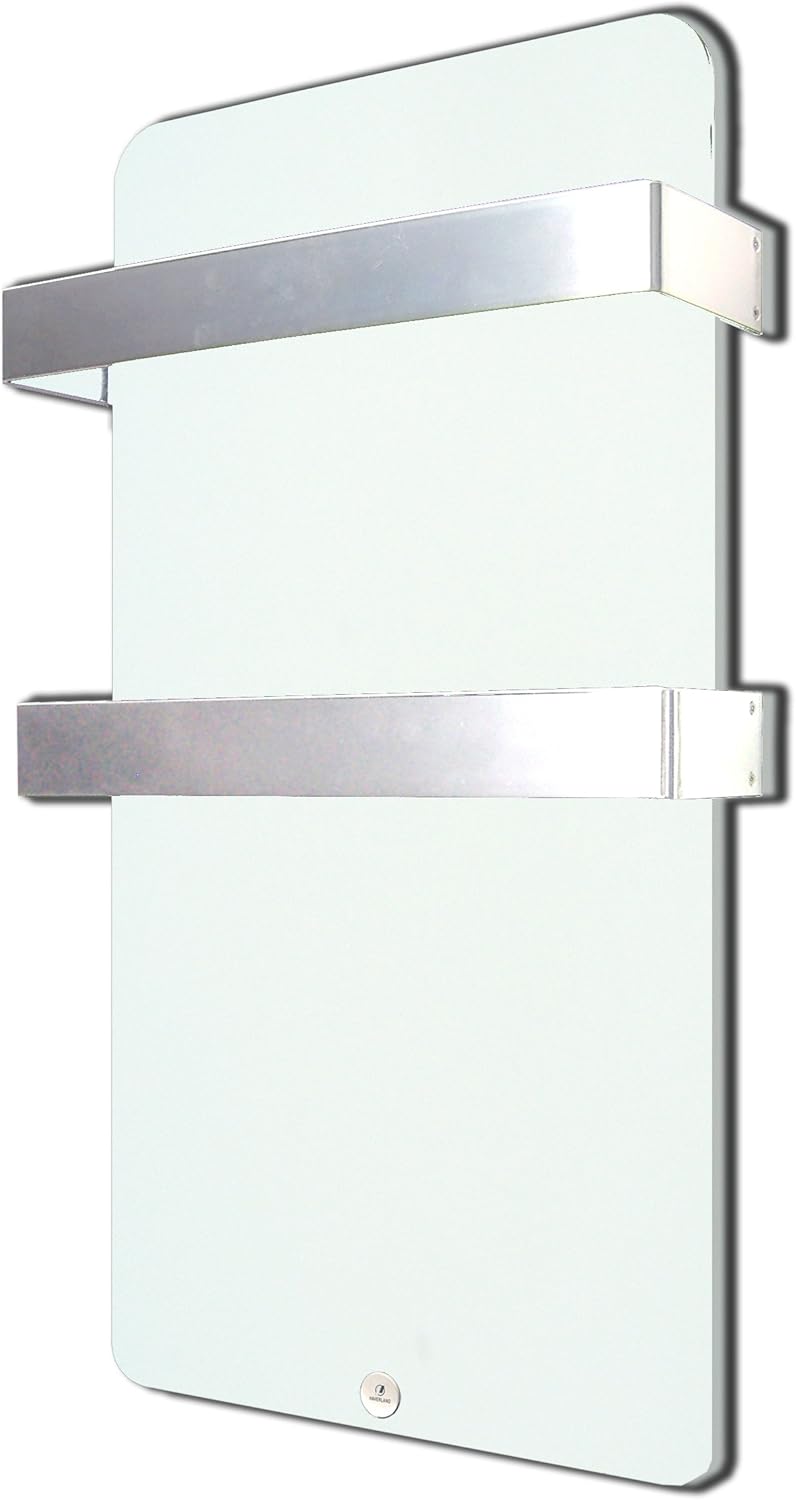
Image 3.1: Front view of the HAVERLAND XTAL4B electric towel warmer, showing its sleek white glass panel and two horizontal towel bars.
4. Setup and Installation
The HAVERLAND XTAL4B electric towel warmer is designed for wall mounting. Professional installation is recommended.
4.1 Choosing a Location
- Select a suitable wall in your bathroom, ensuring it is away from direct water spray.
- Ensure there is sufficient space around the unit for proper air circulation and access for cleaning.
- The unit should be installed at a height that allows comfortable access to the towel bars.
4.2 Mounting the Unit
- Mark the desired mounting points on the wall using the provided template or by measuring the bracket positions.
- Drill holes at the marked points and insert appropriate wall plugs.
- Secure the mounting brackets to the wall using the screws provided.
- Carefully lift the towel warmer and attach it to the wall brackets, ensuring it is securely seated.
- Tighten any securing screws on the brackets to prevent accidental dislodgement.

Image 4.1: Side view of the HAVERLAND XTAL4B electric towel warmer, illustrating the wall mounting brackets and the distance from the wall.
4.3 Electrical Connection
- The appliance must be connected to a grounded electrical outlet.
- Ensure the electrical circuit is capable of handling the 400W power consumption.
- All electrical connections must comply with local electrical codes and regulations.
5. Operating Instructions
The XTAL4B features a control unit for managing its functions.
5.1 Control Unit Overview
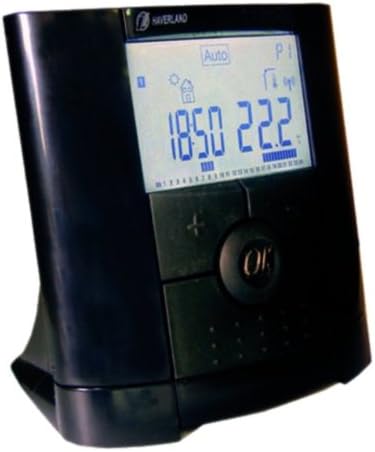
Image 5.1: The digital control unit for the HAVERLAND XTAL4B, showing the display and control buttons.
The control unit typically features a digital display showing time, temperature, and operating mode, along with buttons for navigation and setting adjustments. Refer to the specific diagrams in your physical manual for button identification.
5.2 Basic Operation
- Power On/Off: Press the designated power button or navigate through the menu to activate/deactivate the unit.
- Temperature Setting: Use the '+' and '-' buttons to adjust the desired room temperature or towel warming temperature.
- Mode Selection: Cycle through available modes such as Comfort, Eco, Anti-freeze, or Programmed mode using the mode selection button.
5.3 Programming
The XTAL4B offers advanced programming options for customized heating schedules. Due to the complexity, it is recommended to consult the detailed programming section of your physical manual for step-by-step instructions. Generally, programming involves:
- Setting the current time and day.
- Defining specific temperature settings for different time periods throughout the day and week.
- Saving your programmed schedule.
6. Maintenance
Regular maintenance ensures the longevity and efficient operation of your towel warmer.
6.1 Cleaning
- Always disconnect the appliance from the power supply before cleaning.
- Wipe the glass surface with a soft, damp cloth. Do not use abrasive cleaners, solvents, or harsh chemicals, as these can damage the finish.
- Clean the towel bars with a mild detergent and a soft cloth.
- Ensure no water enters the control unit or electrical components.
6.2 Storage
If the appliance is not going to be used for an extended period, disconnect it from the power supply and store it in a dry, dust-free environment.
7. Troubleshooting
If you encounter issues with your HAVERLAND XTAL4B, refer to the following common problems and solutions:
| Problem | Possible Cause | Solution |
|---|---|---|
| Appliance does not turn on | No power supply; Faulty connection; Unit is off | Check power outlet and circuit breaker; Ensure plug is fully inserted; Turn on the unit via the control panel. |
| Unit is not heating | Incorrect temperature setting; Programmed mode is inactive; Overheat protection activated | Increase target temperature; Check active program schedule; Allow unit to cool down, then restart. |
| Display shows an error code | Internal malfunction | Note the error code and consult the full manual or contact customer support. |
| Difficulty with programming | Complex interface; Incorrect steps followed | Refer to the detailed programming section in your physical manual. Practice the steps carefully. |
If the problem persists after attempting these solutions, please contact HAVERLAND customer support.
8. Specifications
| Feature | Detail |
|---|---|
| Brand | HAVERLAND |
| Model Number | XTAL4B |
| Color | White |
| Dimensions (L x W x H) | 48.01 x 14.5 x 84 cm |
| Power | 400 Watts |
| Voltage | 230 V |
| Material | Glass |
| Product Weight | 10 kg |
9. Warranty and Support
For warranty information, please refer to the warranty card included with your product or contact your retailer. For technical support or service inquiries, please visit the official HAVERLAND website or contact their customer service department directly. Ensure you have your model number (XTAL4B) and proof of purchase available when contacting support.