
Introduction
This instruction manual provides essential information for the safe and effective use of your PWR+ AC Power Adapter. This adapter is designed to provide reliable power to a wide range of Yamaha keyboard models, including the PA-130, PA-150, and other compatible series. Please read this manual thoroughly before use and retain it for future reference.
Product Overview
The PWR+ AC Power Adapter is a compact and efficient power supply unit. It features a durable design and an extra-long cord for convenience. A blue LED indicator light confirms power delivery.
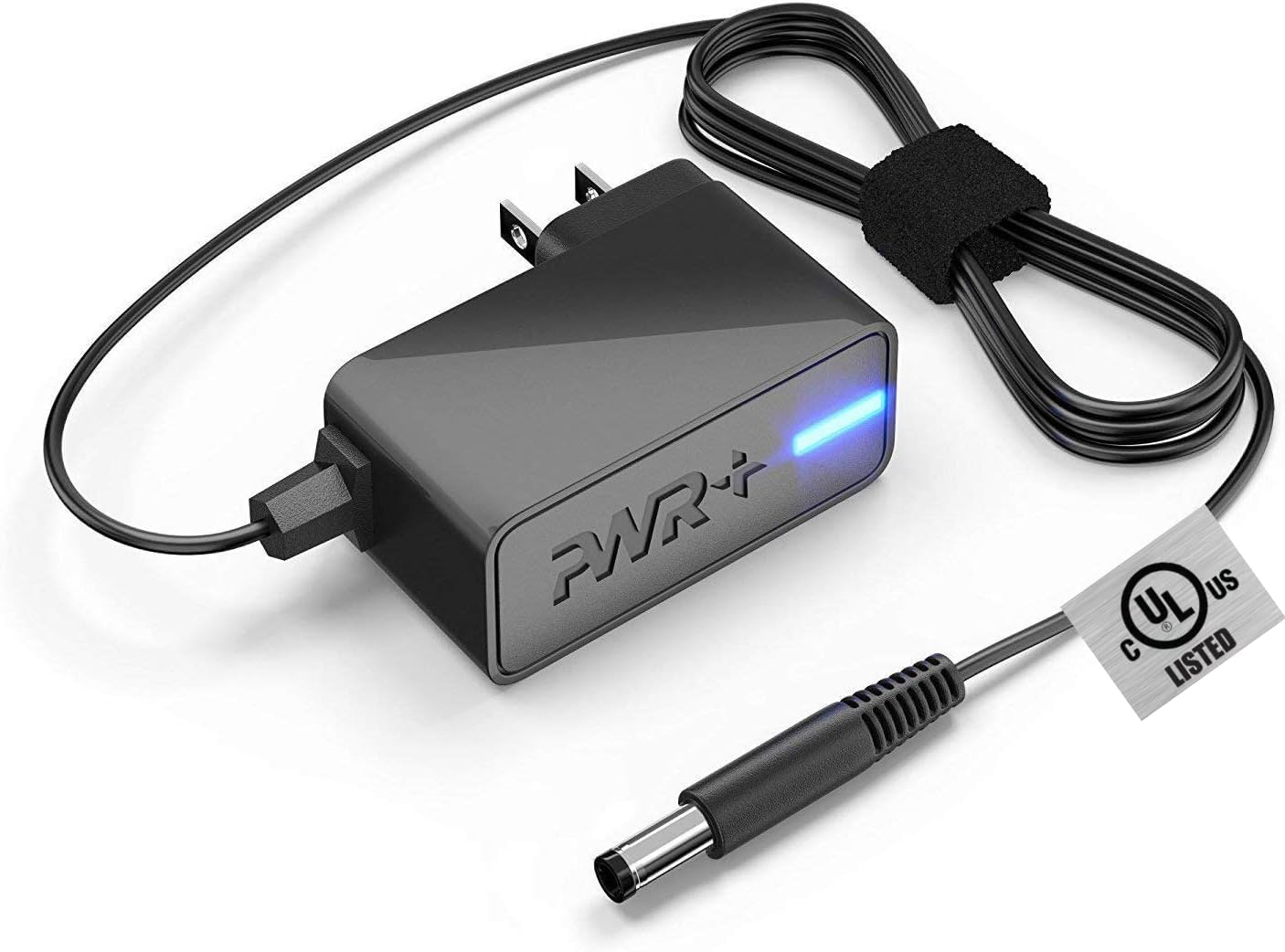
Figure 1: The PWR+ AC power adapter with its coiled cord and blue LED indicator. This adapter is designed for various Yamaha keyboard models.

Figure 2: A close-up view of the UL Listed safety certification tag on the adapter's cable, ensuring compliance with safety standards.
Setup Instructions
- Verify Compatibility: Ensure your Yamaha keyboard model is listed as compatible with this 12V 2A adapter. Refer to the 'Specifications' section or your keyboard's manual.
- Connect to Power Outlet: Plug the AC power adapter into a standard 100-240V wall outlet. The blue LED indicator on the adapter will illuminate, confirming power is being received.
- Connect to Keyboard: Locate the DC IN port on your Yamaha keyboard. Carefully insert the barrel connector of the power adapter into this port. Ensure a secure connection.
- Power On Keyboard: Once connected, power on your Yamaha keyboard using its dedicated power button.
Video 1: This video demonstrates the unboxing and physical characteristics of a 12V power adapter, highlighting its output specifications and certifications. It shows the connector type for compatibility verification.
Video 2: A video showcasing the 12V power supply adapter, demonstrating its connection to a wall outlet and then to a Yamaha keyboard, confirming its functionality.
Operating Instructions
Once the PWR+ AC Power Adapter is correctly connected to both the power outlet and your Yamaha keyboard, the keyboard should power on normally. The adapter provides a stable 12V 2A output, suitable for continuous operation of your device. Always ensure the adapter is placed in a well-ventilated area to prevent overheating.
Maintenance
- Cleaning: Disconnect the adapter from the power source and your device before cleaning. Use a soft, dry cloth to wipe the adapter. Do not use liquid cleaners or aerosols.
- Storage: When not in use, store the adapter in a cool, dry place. Avoid tightly coiling the cable to prevent damage.
- Handling: Do not expose the adapter to moisture, extreme temperatures, or direct sunlight. Avoid dropping or subjecting the adapter to strong impacts.
- Cable Care: Regularly inspect the cable for any signs of wear, cuts, or fraying. If damage is observed, discontinue use and replace the adapter.
Troubleshooting
- No Power to Keyboard:
- Check if the adapter's blue LED indicator is lit. If not, ensure the adapter is securely plugged into a working wall outlet.
- Verify the barrel connector is fully inserted into the keyboard's DC IN port.
- Confirm the keyboard's power switch is in the 'ON' position.
- Test the wall outlet with another device to ensure it is functional.
- Intermittent Power:
- Ensure all connections are firm and not loose.
- Inspect the cable for any visible damage.
- Adapter Overheating:
- Ensure the adapter is in a well-ventilated area and not covered.
- If overheating persists, discontinue use and contact support.
Specifications
| Feature | Detail |
|---|---|
| Model Number | PWR-TAH12020N |
| Input | 100-240V, 50/60Hz |
| Output | 12V, 2A (24W) |
| Cord Length | 6.5 feet (Extra Long) |
| Connector Type | Barrel Connector |
| Safety Certifications | UL Listed |
| Material | Plastic, Metal |
| Compatible Devices | Yamaha PSR, YPG, YPT, DGX, DD, EZ, P Digital Piano and Portable Keyboard Series (e.g., PA-130, PA-150, PSR-240, PSR-E253, etc.) |
Video 3: An animated video highlighting the key features of the PWR+ charger, including its UL certification, extended warranty, extra-long cord, and high-quality material construction for durability and safety.
Warranty and Support
This PWR+ AC Power Adapter comes with a 2-year extended warranty. For warranty claims, technical support, or any inquiries, please refer to the contact information provided with your product packaging or visit the official PWR+ website.


