
Behringer EP4000
Behringer EP4000 Power Amplifier User Manual
Model: EP4000
Introduction
This manual provides essential information for the safe and efficient operation of your Behringer EP4000 Power Amplifier. Please read this manual thoroughly before operating the device to ensure proper usage and to prevent damage.
The Behringer EP4000 is a professional-grade power amplifier designed for demanding audio applications, offering robust power output and reliable performance for sound reinforcement systems.
Safety Instructions
Always observe the following safety precautions to reduce the risk of electric shock, fire, or injury:
- Power Source: Connect the unit only to an AC power outlet of the specified voltage.
- Grounding: Ensure the power cord is properly grounded. Do not defeat the grounding type plug.
- Ventilation: Do not block ventilation openings. Ensure adequate airflow around the unit.
- Water and Moisture: Do not expose the unit to rain or moisture. Do not place objects filled with liquids on the unit.
- Servicing: Refer all servicing to qualified service personnel. Do not attempt to service this product yourself.
- Cleaning: Clean only with a dry cloth.
Product Overview
The Behringer EP4000 features a robust design suitable for professional audio environments. Below are images illustrating the front and rear panels of the amplifier.
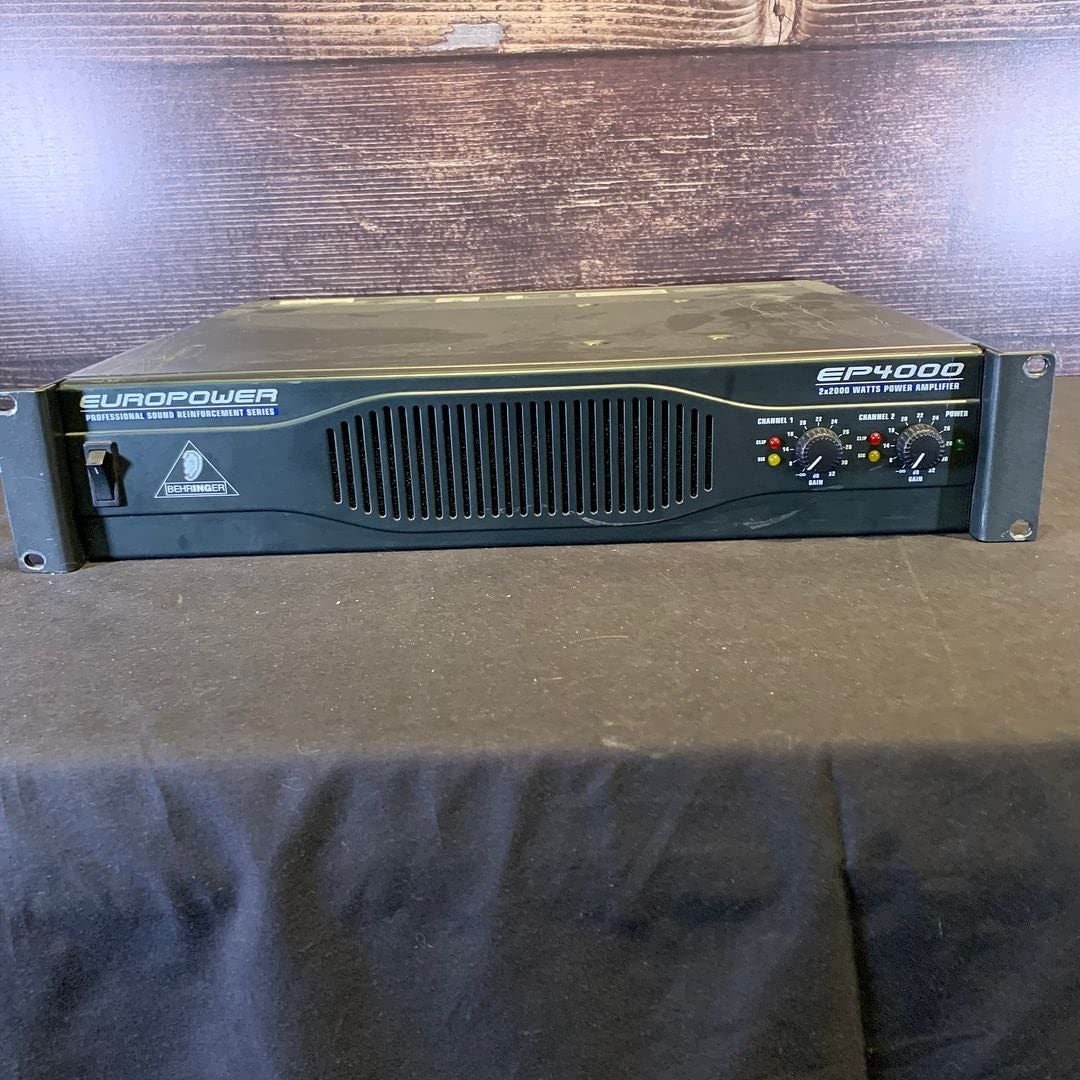
Figure 1: Front panel of the Behringer EP4000 Power Amplifier. This view shows the power switch, ventilation grille, and control knobs for Channel 1 and Channel 2, including gain controls and LED indicators for signal, clip, and protection.
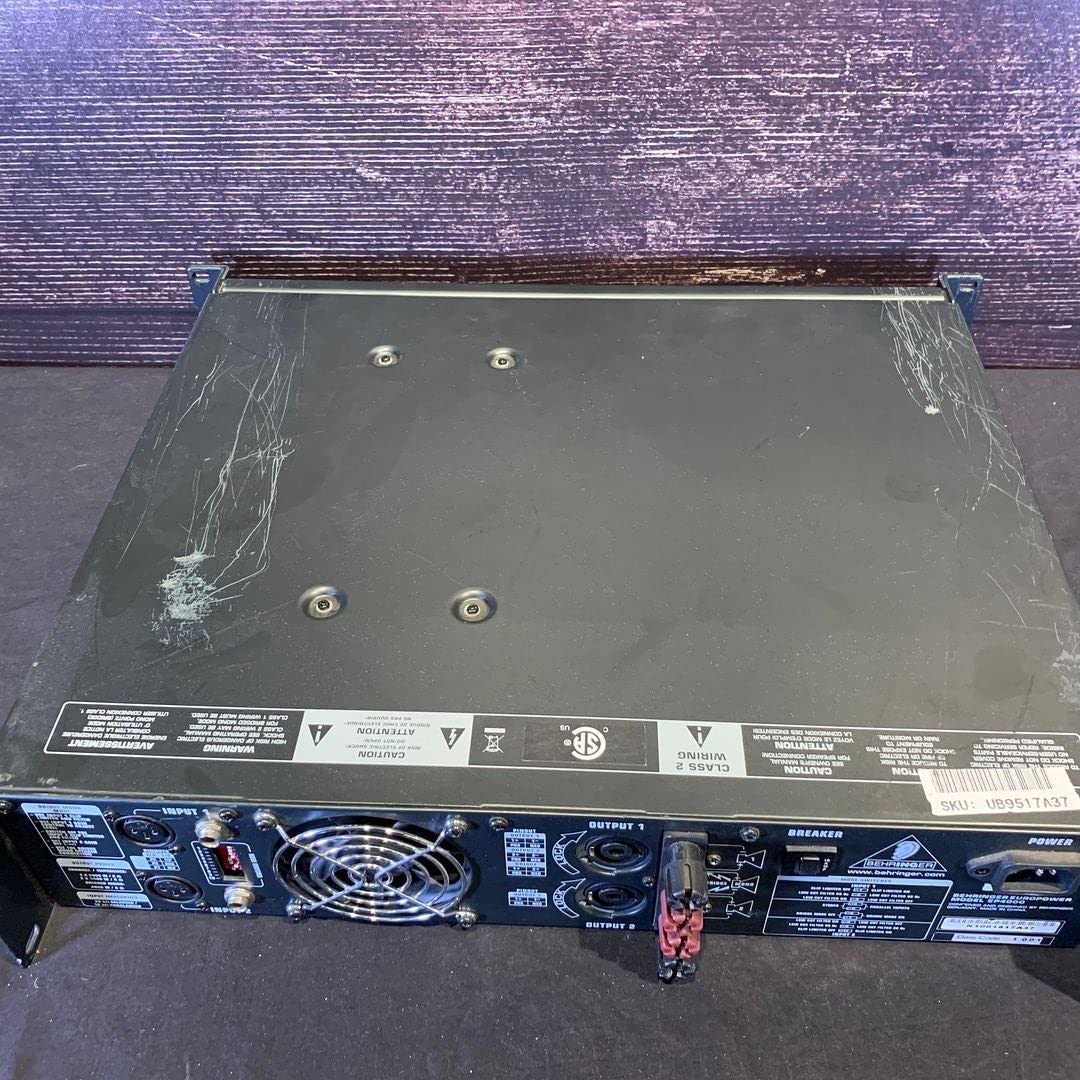
Figure 2: Rear panel of the Behringer EP4000 Power Amplifier. This view displays the input connectors (XLR and 1/4" TRS), output connectors (Speakon and binding posts), mode switches (stereo, parallel, bridge), and the power input with a circuit breaker.
Setup
- Unpacking: Carefully unpack the amplifier and inspect it for any signs of damage during transit. Retain the original packaging for future transport.
- Placement: Place the amplifier on a stable, flat surface or mount it in a standard 19-inch rack. Ensure adequate ventilation space around the unit (at least 4 inches on all sides). Do not place it near heat sources or in direct sunlight.
- Power Connection: Before connecting to power, ensure the amplifier's power switch is in the OFF position. Connect the supplied AC power cord to the amplifier's power inlet and then to a grounded electrical outlet.
- Input Connections: Connect your audio source (mixer, preamplifier, etc.) to the amplifier's input jacks (XLR or 1/4" TRS) on the rear panel. Use balanced cables for optimal performance and noise rejection.
- Output Connections: Connect your loudspeakers to the amplifier's output terminals (Speakon or binding posts). Ensure correct polarity (+ to + and - to -) for all connections. Verify that the speaker impedance matches the amplifier's specifications.
- Mode Selection: Select the desired operating mode (Stereo, Parallel, or Bridge) using the switches on the rear panel.
- Stereo Mode: Each channel operates independently, driving a separate speaker.
- Parallel Mode: Both inputs are summed, and the signal is sent to both channels, driving separate speakers. Useful for driving multiple speakers from a mono source.
- Bridge Mode: Combines the power of both channels into a single, higher-power output for a single speaker. Only use with speakers rated for the higher power and impedance.
Operating Instructions
- Power On: After all connections are made and verified, turn on your audio source first, then turn on the Behringer EP4000 Power Amplifier.
- Gain Control: Slowly turn up the gain controls for Channel 1 and Channel 2 on the front panel to the desired listening level. Start with the gain at minimum and gradually increase.
- Monitoring Indicators:
- SIGNAL LED: Illuminates when an audio signal is present.
- CLIP LED: Illuminates when the output signal is clipping (distorting). Reduce the gain immediately if this LED lights up frequently.
- PROTECT LED: Illuminates if the amplifier enters protection mode due to overheating, short circuit, or other fault conditions. The amplifier will mute its output. Turn off the unit, resolve the issue, and then power it back on.
- Power Off: When finished, turn off the Behringer EP4000 Power Amplifier first, then turn off your audio source. This prevents loud pops or thumps through your speakers.
Maintenance
Regular maintenance ensures the longevity and optimal performance of your amplifier.
- Cleaning: Dust the amplifier regularly with a soft, dry cloth. Do not use liquid cleaners or solvents. Ensure ventilation grilles are free from dust and debris.
- Ventilation: Periodically check that the cooling fans are operating correctly and that airflow is not obstructed.
- Connections: Occasionally check all cable connections for secure fit and signs of wear.
- Storage: If storing the amplifier for an extended period, keep it in a cool, dry place, ideally in its original packaging or a protective case.
Troubleshooting
| Problem | Possible Cause | Solution |
|---|---|---|
| No power | Power cord disconnected; Power outlet faulty; Amplifier circuit breaker tripped. | Check power cord connection; Test power outlet; Reset circuit breaker on rear panel. |
| No sound output | Input cables disconnected/faulty; Output cables disconnected/faulty; Speakers not connected/faulty; Amplifier in PROTECT mode; Gain controls set too low. | Check all input and output cable connections; Verify speaker functionality; Check PROTECT LED and resolve issue; Increase gain controls. |
| Distorted sound (CLIP LED on) | Input signal too high; Amplifier overloaded; Speaker impedance mismatch. | Reduce input signal level from source; Reduce amplifier gain; Verify speaker impedance matches amplifier specifications. |
| Amplifier overheats (PROTECT LED on) | Insufficient ventilation; Obstructed cooling fans; Overloaded operation. | Ensure adequate airflow around the unit; Clean ventilation grilles; Reduce load or operating time. |
Specifications
| Feature | Detail |
|---|---|
| Model | EP4000 |
| Brand | Behringer |
| Number of Channels | 2 |
| Mounting Type | Freestanding, Rack-mountable (standard 19-inch) |
| Power Output | High-power professional amplifier |
| Inputs | XLR, 1/4" TRS |
| Outputs | Speakon, Binding Posts |
| Modes | Stereo, Parallel, Bridge |
Note: Full technical specifications, including detailed power output ratings at various impedances, can be found on the official Behringer website or in the complete product datasheet.
Warranty and Support
For detailed warranty information, terms, and conditions, please refer to the warranty card included with your product or visit the official Behringer website. Technical support and service inquiries should be directed to Behringer customer service.
Behringer Official Website: www.behringer.com
Related documentsEP4000


Ask a question about this manual
Ask about setup, troubleshooting, compatibility, parts, safety, or missing instructions. Manuals+ will review the question and use this page’s manual context to help answer it.