
Fujifilm S2980
Fujifilm 14MP Digital Camera S2980 User Manual
Model: S2980
Introduction
This manual provides essential information for the safe and effective use of your Fujifilm 14MP Digital Camera S2980. Please read it thoroughly before using the camera and keep it in a safe place for future reference.
The Fujifilm S2980 features a 14-megapixel CCD sensor and an 18x optical zoom lens, equivalent to 28-504mm in 35mm format, making it suitable for a wide range of photography from landscapes to distant subjects. It incorporates Dual Image Stabilisation, combining high ISO sensitivity with sensor-shift image stabilisation to help achieve sharp images.
Package Contents
Ensure all items are present before proceeding with setup:
- Fujifilm S2980 Digital Camera Body
- 4 AA Batteries (included)
- Shoulder Strap
- Lens Cap
- USB Cable
- CD-ROM (Software and Full Manual)
Setup
1. Inserting Batteries
The Fujifilm S2980 uses four AA batteries. For optimal performance, use alkaline or Ni-MH rechargeable batteries.
- Open the battery compartment cover located at the bottom of the camera.
- Insert the four AA batteries according to the polarity indicators (+/-) inside the compartment.
- Close the battery compartment cover securely until it clicks into place.
2. Inserting a Memory Card
The camera supports SD/SDHC memory cards. A memory card is required to save photos and videos.
- Open the memory card slot cover, usually located next to the battery compartment.
- Insert the memory card with the label facing the front of the camera until it clicks into place.
- Close the memory card slot cover securely.
3. Initial Settings
Upon first power-on, you will be prompted to set the date, time, and language.
- Press the ON/OFF button to power on the camera.
- Follow the on-screen prompts to set the desired language, date, and time.
- Confirm your settings to complete the initial setup.
Operating the Camera
Camera Overview
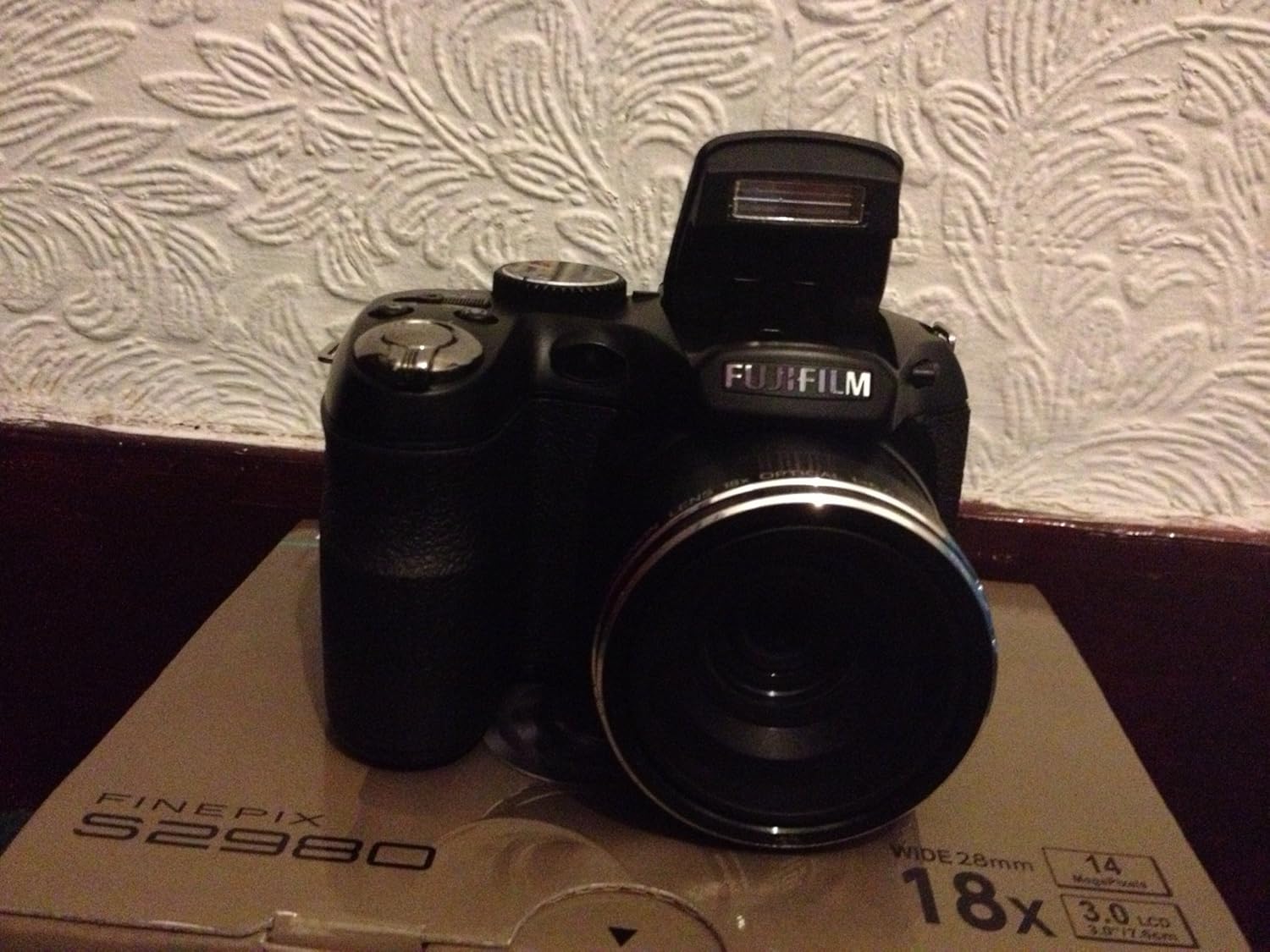
Figure 1: Front view of the Fujifilm S2980 Digital Camera. This image shows the camera's lens, built-in flash, and ergonomic grip, highlighting its compact yet capable design.

Figure 2: Rear view of the Fujifilm S2980 Digital Camera. This image displays the 3.0-inch LCD screen, electronic viewfinder (EVF), and various control buttons for navigation and settings adjustment.

Figure 3: Top view of the Fujifilm S2980 Digital Camera. This perspective highlights the mode dial, shutter button with zoom lever, and the power button, indicating key operational controls.

Figure 4: Side view of the Fujifilm S2980 Digital Camera. This image illustrates the camera's side profile, including the cover for the USB and HDMI ports, essential for data transfer and display output.
1. Taking Photos
The S2980 offers various shooting modes for different scenarios.
- Power On: Press the ON/OFF button.
- Select Mode: Rotate the mode dial to select your desired shooting mode (e.g., SR AUTO for automatic scene recognition, P for Program AE, M for Manual, Panorama for panoramic shots).
- Frame Your Shot: Use the LCD monitor or the electronic viewfinder (EVF) to compose your image.
- Zoom: Use the zoom lever around the shutter button to adjust the optical zoom.
- Focus: Press the shutter button halfway down to focus. The focus frame will turn green when focus is achieved.
- Shoot: Press the shutter button all the way down to take the picture.
2. Recording Videos
The camera can record 720p HD movies at 30 frames per second.
- Rotate the mode dial to the movie recording mode (indicated by a film camera icon).
- Press the movie recording button (usually a red dot icon) to start recording.
- Press the movie recording button again to stop recording.
3. Playback
View your captured photos and videos.
- Press the PLAY button (usually indicated by a triangle icon).
- Use the directional pad to navigate through your images and videos.
- Press the MENU/OK button to view options for the selected item.
Maintenance
Cleaning the Camera
- Camera Body: Wipe gently with a soft, dry cloth. Do not use alcohol, thinner, or other volatile chemicals.
- Lens: Use a lens blower brush to remove dust, then gently wipe with a lens cleaning cloth. Avoid touching the lens surface with your fingers.
- LCD Monitor: Use a soft, dry cloth. For stubborn smudges, a specialized LCD cleaning solution can be used sparingly.
Storage
When not in use for extended periods, store the camera in a cool, dry, well-ventilated area, away from direct sunlight and high humidity. Remove batteries before storage to prevent leakage.
Troubleshooting
| Problem | Solution |
|---|---|
| Camera does not power on. | Check if batteries are inserted correctly and fully charged. Replace with new batteries if necessary. Ensure battery compartment is securely closed. |
| "Memory Card Error" displayed. | Ensure the memory card is inserted correctly. Try reinserting the card. If the error persists, try a different memory card or format the current one (note: formatting deletes all data). |
| Images are blurry. | Ensure the lens is clean. Check focus before shooting (press shutter halfway). Use a higher shutter speed or enable image stabilization in low light. |
| Flash does not fire. | Check flash settings; ensure it's not set to "Flash Off". The flash may not fire if the subject is too close or if the battery level is low. |
| Camera freezes or becomes unresponsive. | Remove and reinsert the batteries to reset the camera. If the issue persists, contact customer support. |
Specifications
- Model Name: Fujifilm S2980
- Sensor: 14 Megapixel CCD
- Optical Zoom: 18x (28-504mm equivalent)
- Display: 3.0-inch LCD screen (230K dot resolution)
- Viewfinder: EVF (200K dot resolution)
- Video Recording: 720p HD (30 fps)
- Image Stabilization: Dual Image Stabilisation (High ISO sensitivity + sensor-shift)
- Power Source: 4 AA batteries
- Dimensions (L x W x H): 4.34 x 2.89 x 3.2 inches
- Weight: 12 ounces (approx. 341 grams)
- Features: Face Detection with Blink detection and Smile and shoot mode, Motion Panorama mode, Auto Rotate.
Warranty and Support
For warranty information and customer support, please refer to the warranty card included with your product or visit the official Fujifilm website. Keep your proof of purchase for warranty claims.
Online Resources:
- Official Fujifilm Support Page: www.fujifilm.com/us/en/consumer/support
- Product Registration: Register your product online to receive updates and support.
Related documentsS2980


Ask a question about this manual
Ask about setup, troubleshooting, compatibility, parts, safety, or missing instructions. Manuals+ will review the question and use this page’s manual context to help answer it.