
1. Introduction
This manual provides essential information for the safe and effective use of your Power4Laptops DC Adapter Laptop Car Charger, Model CAR058. This device is designed to power your laptop or charge its battery directly from a vehicle's 12V DC cigarette lighter socket. Please read these instructions carefully before use.
Key Features:
- Designed for use in vehicles with a 12V DC power outlet.
- Provides power to operate your laptop.
- Charges your laptop's battery when connected.
- Maintains battery charge when the laptop is off.
2. Setup Instructions
Connecting the Charger:
- Ensure your vehicle's engine is running or the ignition is in the 'accessory' position to provide power to the cigarette lighter socket.
- Insert the car charger's DC plug firmly into your vehicle's 12V cigarette lighter socket. A power indicator light on the charger may illuminate, indicating it is receiving power.
- Connect the output connector of the car charger to the DC input port on your laptop. Ensure the connection is secure.
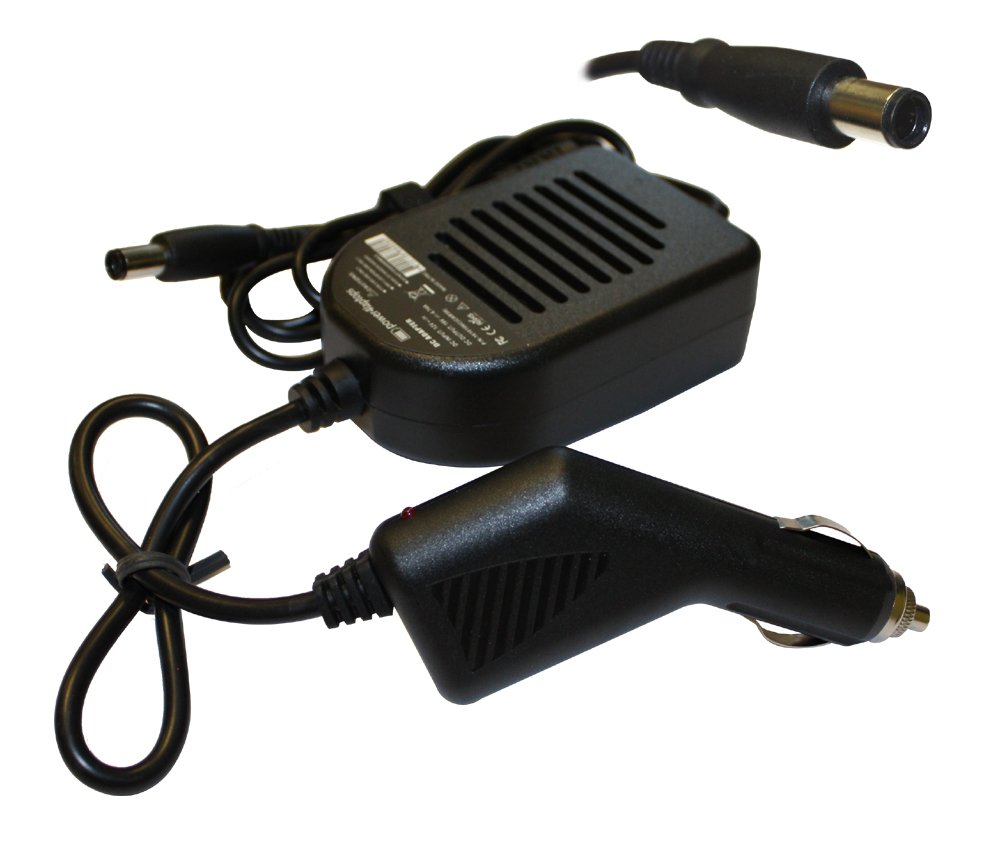
Image 2.1: The Power4Laptops DC Adapter Laptop Car Charger. This image shows the main unit with its input and output cables, ready for connection to a vehicle's 12V socket and a laptop's DC input.
3. Operating Instructions
Charging Your Laptop Battery:
Once connected, the charger will automatically begin charging your laptop's battery if it is low. The charging status is typically indicated by your laptop's battery icon or LED indicators.
Powering Your Laptop:
The car charger provides continuous power to your laptop, allowing you to operate it even when the battery is fully charged or removed. If a battery is installed, the charger will maintain its charge while the laptop is in use.
4. Maintenance
Proper care ensures the longevity and optimal performance of your car charger.
- Cleaning: Disconnect the charger from both the vehicle and the laptop before cleaning. Use a soft, dry cloth to wipe the exterior. Do not use liquid cleaners or solvents.
- Storage: Store the charger in a cool, dry place away from direct sunlight and extreme temperatures when not in use. Avoid wrapping the cables too tightly to prevent damage.
- Cable Inspection: Regularly inspect the cables and connectors for any signs of wear, fraying, or damage. Do not use the charger if any part is damaged.
5. Troubleshooting
If you encounter issues with your car charger, refer to the following table for common problems and solutions.
| Problem | Solution |
|---|---|
| Charger not powering on/no indicator light. | Ensure the vehicle's 12V socket is active (engine running or ignition on). Check the vehicle's fuse for the cigarette lighter socket. Ensure the charger is fully inserted. |
| Laptop not charging or receiving power. | Verify the charger is receiving power from the vehicle. Ensure the charger's output connector is securely plugged into the laptop's DC input. Confirm the charger's specifications (voltage, amperage, plug size) match your laptop's requirements. |
| Charger or laptop overheating. | Disconnect the charger immediately. Ensure proper ventilation around both the charger and the laptop. Do not use the charger in enclosed spaces. If overheating persists, discontinue use and contact support. |
6. Specifications
Detailed technical specifications for the Power4Laptops DC Adapter Laptop Car Charger CAR058:
| Feature | Value |
|---|---|
| Model Number | CAR058 |
| Input Voltage | 12V DC |
| Output Voltage | 19V |
| Output Amperage | 4.74A |
| Wattage | 90.00W |
| Plug Size | 7.4mm X 5.0 mm (HP Centre Pin) |
| Connector Type | Barrel Connector |
| Compatible Devices | Laptops (e.g., Compaq Presario CQ40-621LA) |
| Item Weight | 320 Grams |
| Color | Black |
7. Warranty Information
Power4Laptops products are manufactured to high-quality standards. This product is covered by a limited warranty against defects in materials and workmanship. The specific terms and duration of your warranty may vary depending on your region and point of purchase. Please retain your proof of purchase for warranty claims. For detailed warranty information, refer to the documentation provided with your purchase or visit the official Power4Laptops website.
8. Support
If you require further assistance or have questions not covered in this manual, please contact Power4Laptops customer support. You can typically find contact information on the product packaging, the official Power4Laptops website, or through your retailer.
When contacting support, please have your product model number (CAR058) and a description of the issue ready.