
1. Introduction
Thank you for purchasing the Energizer LED Lantern FFL814. This manual provides essential information for the safe and efficient operation of your lantern. Please read it thoroughly before use and retain it for future reference.
Key Features:
- Maximum brightness of 400 lumens.
- Maximum runtime of 100 hours (in low mode, using 8 AA batteries).
- Self-standing design with an integrated rear stand.
- IPX4 water-resistant rating.
- 360-degree illumination capability.
- Foldable design for easy storage and portability.
- Stepless dimming function for adjustable brightness.
2. Setup
Battery Installation
- Locate the battery compartment cover on the back of the lantern.
- Open the cover by sliding or unlatching it according to the markings.
- Insert 4 or 8 AA alkaline batteries, ensuring correct polarity (+/-) as indicated inside the compartment. For maximum performance and runtime, 8 batteries are recommended.
- Securely close the battery compartment cover.

Image: Battery compartment with 8 AA batteries. The lantern can operate with 4 or 8 AA batteries, with 8 providing optimal performance.
3. Operating Instructions
Power On/Off and Brightness Adjustment
- Power On: Press the power button once to turn on the lantern.
- Brightness Adjustment (Stepless Dimming): While the lantern is on, press and hold the power button. The brightness will gradually increase or decrease. Release the button when the desired brightness level is reached.
- Power Off: Press the power button again to turn off the lantern.

Image: Light Fusion Technology provides uniform illumination. The stepless dimming function allows precise brightness control by pressing and holding the power button.
Using the Stand and Foldable Design
- The lantern features an integrated rear stand that allows it to be self-standing on flat surfaces.
- Adjust the angle of the light panel to direct illumination as needed. The design supports 360-degree illumination.
- For storage or transport, fold the lantern flat to minimize space.

Image: The lantern can be angled to function as a stand light or area light.

Image: When folded, the lantern is easy to store and carry.
4. Maintenance
- Cleaning: Wipe the lantern with a soft, damp cloth. Do not use abrasive cleaners or solvents.
- Battery Replacement: Replace all batteries at the same time with new alkaline batteries. Do not mix old and new batteries or different battery types.
- Storage: If storing the lantern for an extended period, remove the batteries to prevent leakage and damage. Store in a cool, dry place.
5. Troubleshooting
| Problem | Possible Cause | Solution |
|---|---|---|
| Lantern does not turn on. | Batteries are depleted or incorrectly installed. | Replace batteries with new ones, ensuring correct polarity. |
| Light is dim or flickers. | Low battery power. | Replace all batteries with new ones. Ensure 8 batteries are used for optimal performance. |
| Brightness adjustment not working. | Button not held long enough or malfunction. | Ensure the button is pressed and held for continuous adjustment. If issue persists, contact support. |
6. Specifications
- Model: FFL814
- Brand: Energizer
- Light Source: LED
- Maximum Light Output: 400 lumens
- Power Source: Battery powered (4 or 8 AA alkaline batteries)
- Maximum Runtime: 100 hours (low mode, with 8 AA batteries)
- Water Resistance: IPX4
- Weight: Approximately 486 grams (product only)
- Dimensions (Packaged): 29.5 x 20 x 4 cm
- Other Features: Energy saving, Foldable design, 360-degree illumination, Stepless dimming
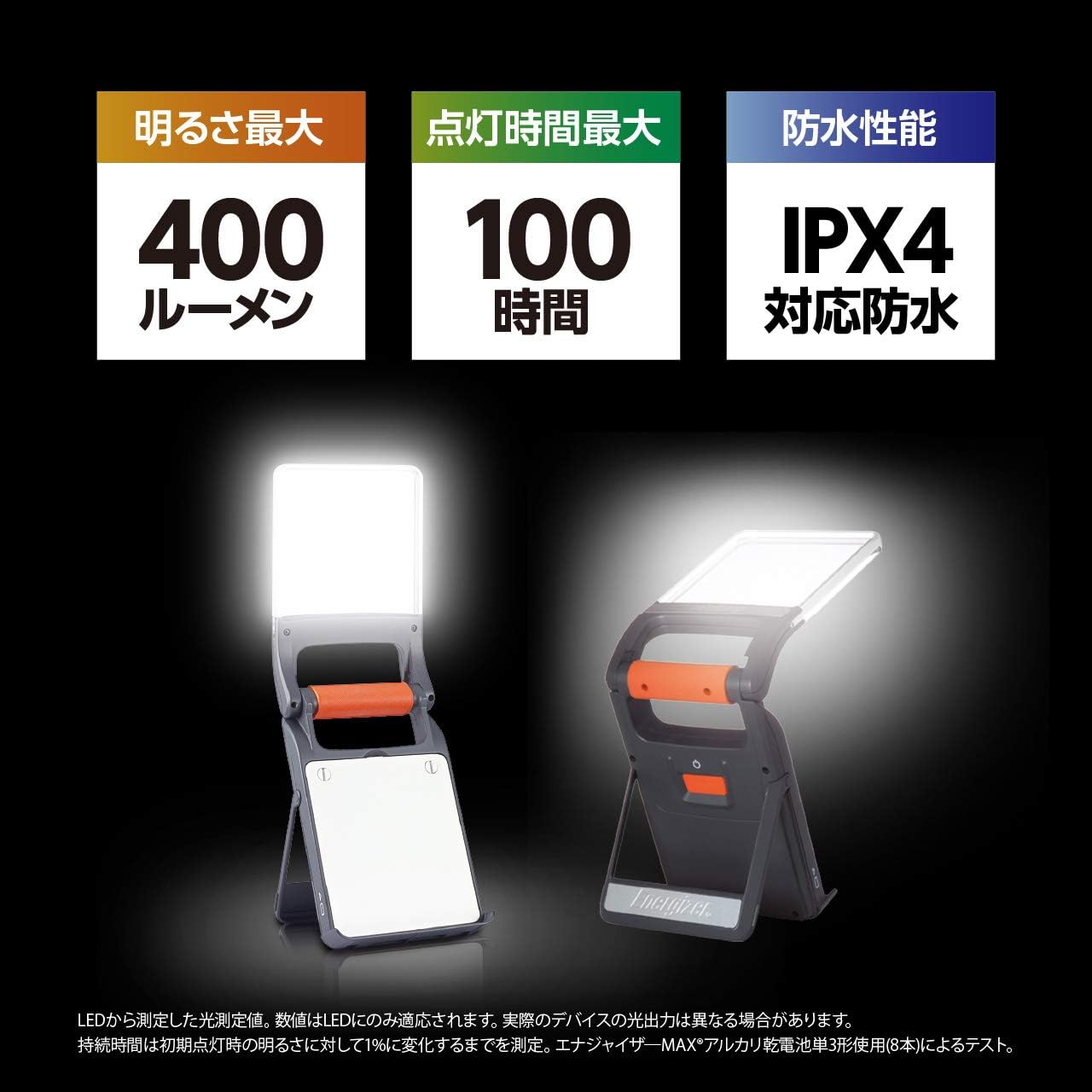
Image: Overview of key performance specifications including brightness, runtime, and water resistance.
7. Warranty and Support
Manufacturer's Warranty
This Energizer LED Lantern FFL814 comes with a manufacturer's warranty of 12 months from the date of purchase. Please retain your proof of purchase for warranty claims.
Customer Support
For technical assistance, warranty service, or general inquiries, please refer to the official Energizer website or contact their customer support channels available in your region.


