
Introduction
The Energizer FW2C LED Wearable Light is a compact and lightweight illumination device designed for various activities where hands-free lighting is beneficial. It features multiple light modes and a durable, waterproof design, making it suitable for outdoor and active use.
This manual provides essential information for the safe and effective use of your Energizer FW2C LED Wearable Light, including setup, operation, maintenance, and troubleshooting.
Safety Information
- Do not look directly into the LED light. It can cause temporary vision impairment.
- Keep out of reach of children.
- Dispose of batteries properly according to local regulations.
- Do not mix old and new batteries, or different types of batteries.
- Ensure the battery compartment is securely closed to maintain water resistance.
Package Contents
- 1 x Energizer FW2C LED Wearable Light
- 2 x CR2032 Lithium Coin Batteries (for trial purposes)
Setup: Battery Installation
The Energizer FW2C LED Wearable Light requires two CR2032 coin-shaped lithium batteries.
- Locate the battery compartment cover on the back of the light.
- Using a small coin or screwdriver, gently twist the cover counter-clockwise to unlock and remove it.
- Insert two CR2032 batteries, ensuring the positive (+) side faces upwards as indicated inside the compartment.
- Replace the battery compartment cover and twist clockwise until it is securely locked. This ensures the IPX4 water resistance is maintained.

Image: Front view of the Energizer FW2C LED Wearable Light, highlighting its compact size and dimensions (60mm height, 33mm width, 20mm depth). This image also shows icons indicating 30 lumens brightness, 3 hours 15 minutes maximum runtime, 1m impact resistance, and IPX4 water resistance.
Operating Instructions
The light features a single button for controlling its functions.
- To Turn On/Off: Press the power button once to turn the light on. Press it again to cycle through modes, and a final press to turn it off.
- Light Modes: The Energizer FW2C offers three distinct light modes:
- White Light: Provides bright, steady illumination.
- Red Light: Offers a steady red light, useful for preserving night vision or as a low-intensity signal.
- Red Flash: A flashing red light for enhanced visibility and signaling, especially in low-light conditions.

Image: Two Energizer FW2C lights side-by-side, illustrating the "High" white light mode and the "Red/Red Flash" mode. This demonstrates the visual difference between the primary white light and the red light options.
The integrated clip allows for versatile attachment to clothing, bags, or other gear, providing hands-free operation.
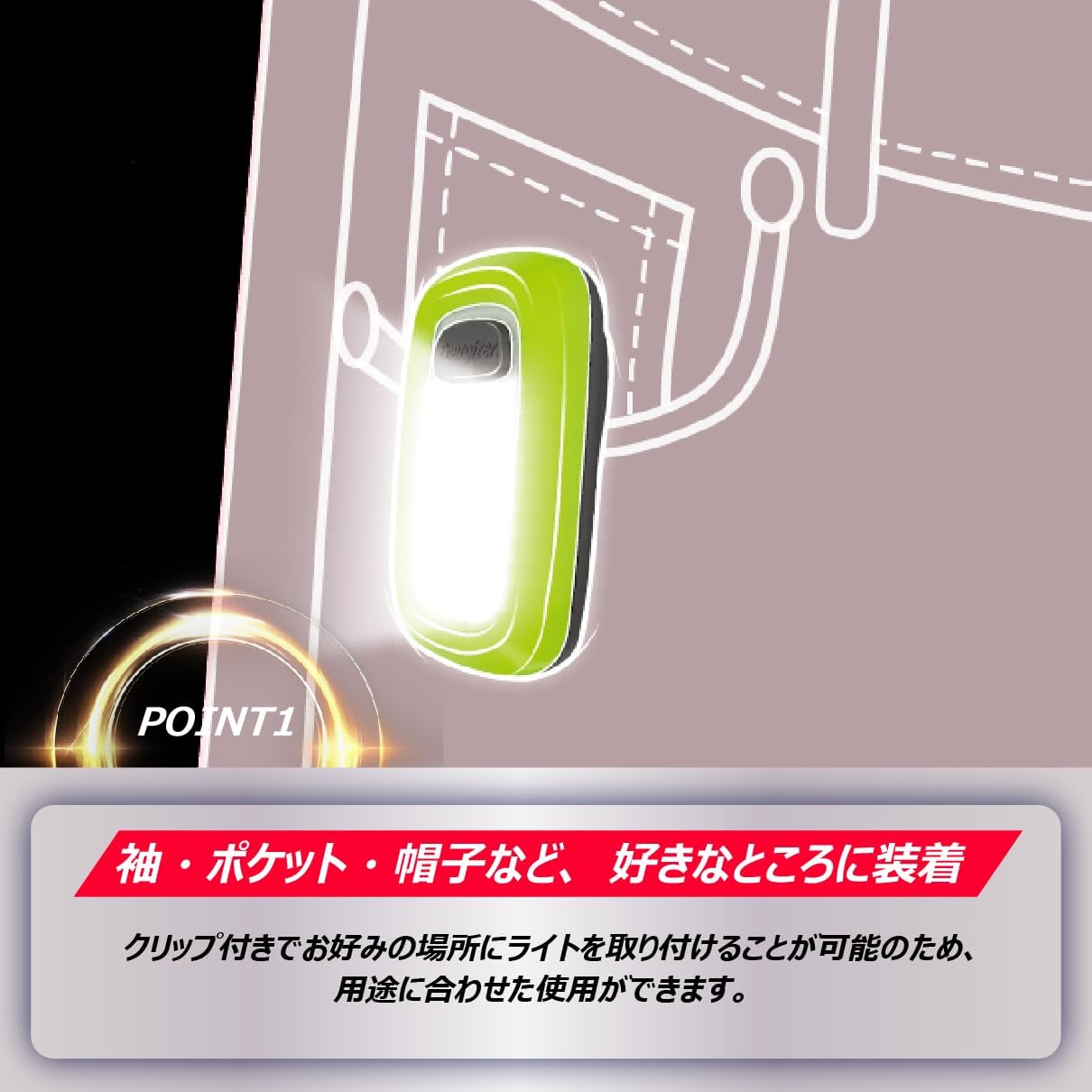
Image: An Energizer FW2C LED Wearable Light clipped onto a pocket, demonstrating its hands-free attachment capability. This highlights the product's design for convenience and portability.

Image: A person running at night with the Energizer FW2C LED Wearable Light clipped to their jacket zipper, illustrating its use during night running for visibility.
Maintenance
- Cleaning: Wipe the light with a soft, damp cloth. Do not use abrasive cleaners or solvents.
- Battery Replacement: Replace batteries when the light dims or stops functioning. Follow the "Setup: Battery Installation" steps. Always replace both batteries at the same time.
- Storage: If storing the light for an extended period, remove the batteries to prevent leakage.
Troubleshooting
| Problem | Possible Cause | Solution |
|---|---|---|
| Light does not turn on. | Dead or incorrectly inserted batteries. | Replace batteries or ensure they are inserted with correct polarity (+/-). |
| Light is dim. | Low battery power. | Replace batteries. |
| Water resistance seems compromised. | Battery compartment cover not sealed properly. | Ensure the battery compartment cover is fully closed and twisted clockwise until secure. |
Specifications
- Model: FW2C
- Maximum Brightness: 30 lumens
- Continuous Lighting Time: Up to 3 hours 15 minutes
- Light Source: LED
- Battery Type: 2 x CR2032 coin-shaped lithium batteries
- Product Dimensions (W x D x H): Approximately 28 x 20 x 60 mm (1.1 x 0.8 x 2.4 inches)
- Weight (without batteries): 18 g (0.6 oz)
- Water Resistance: IPX4 (Withstands 10 minutes of water from all directions)
- Included Components: Test Batteries

Image: A collage showing the Energizer FW2C LED Wearable Light being used in various situations: running, walking a dog, during a power outage, and hiking. This illustrates the versatility and practical applications of the light.
Warranty Information
This Energizer FW2C LED Wearable Light comes with a 1-Year Limited Warranty from the date of purchase. This warranty covers defects in materials and workmanship under normal use.
The warranty does not cover damage resulting from misuse, abuse, accident, unauthorized repair or modification, or normal wear and tear. Please retain your proof of purchase for warranty claims.
Support
For further assistance, product inquiries, or warranty claims, please contact Energizer customer support through their official website or the retailer where the product was purchased.
Please have your product model number (FW2C) and proof of purchase available when contacting support.

