
Introduction
Thank you for choosing the Bell & Howell MicroPlus Rechargeable Hearing Amplifier. This device is designed to provide up to 50 dB of sound amplification, enhancing your listening experience in various environments. Its discreet design resembles a cell phone earpiece, offering comfort and convenience. Please read this manual thoroughly before using your device to ensure proper operation and maintenance.
Important Safety Information
- Consult a medical professional if you experience sudden or rapid hearing loss, ear pain, or discharge before using this device.
- This device is not a medical hearing aid and is not intended to diagnose, treat, cure, or prevent any disease or health condition.
- Keep the device and its small parts out of reach of children and pets to prevent choking hazards.
- Avoid exposing the device to extreme temperatures, humidity, or direct sunlight.
- Do not attempt to modify or repair the device yourself. Contact customer support for assistance.
- Remove the device before showering, swimming, or engaging in water sports.
- If you experience discomfort or irritation, discontinue use and consult a medical professional.
Package Contents
Please check the package for the following items:
- Bell & Howell MicroPlus Rechargeable Hearing Amplifier
- 3 Silicone Ear Tips (various sizes)
- Charging Cable
- User Manual (this document)
Product Features
- Up to 50 dB sound amplification.
- Adjustable volume control for personalized listening.
- Rechargeable battery providing approximately 10 hours of continuous operation.
- Discreet, micro-sized design.
- Flexible ear hook for comfortable fit on either ear.
- Includes three different sizes of silicone ear tips for optimal comfort and sound delivery.
Setup
1. Charging the Device
Before first use, fully charge the hearing amplifier. Connect the charging cable to the device and plug it into a suitable power source. The charging indicator light (if present) will typically show the charging status. A full charge provides approximately 10 hours of continuous use.
Note: Some models may also support an optional AA battery for extended use or when an AC power source is unavailable. Refer to your device for specific battery compartment details.
2. Selecting and Attaching Ear Tips
Choose the silicone ear tip that provides the most comfortable and secure fit in your ear canal. A proper fit is crucial for optimal sound quality and to prevent feedback. Gently push the selected ear tip onto the sound output nozzle of the amplifier.
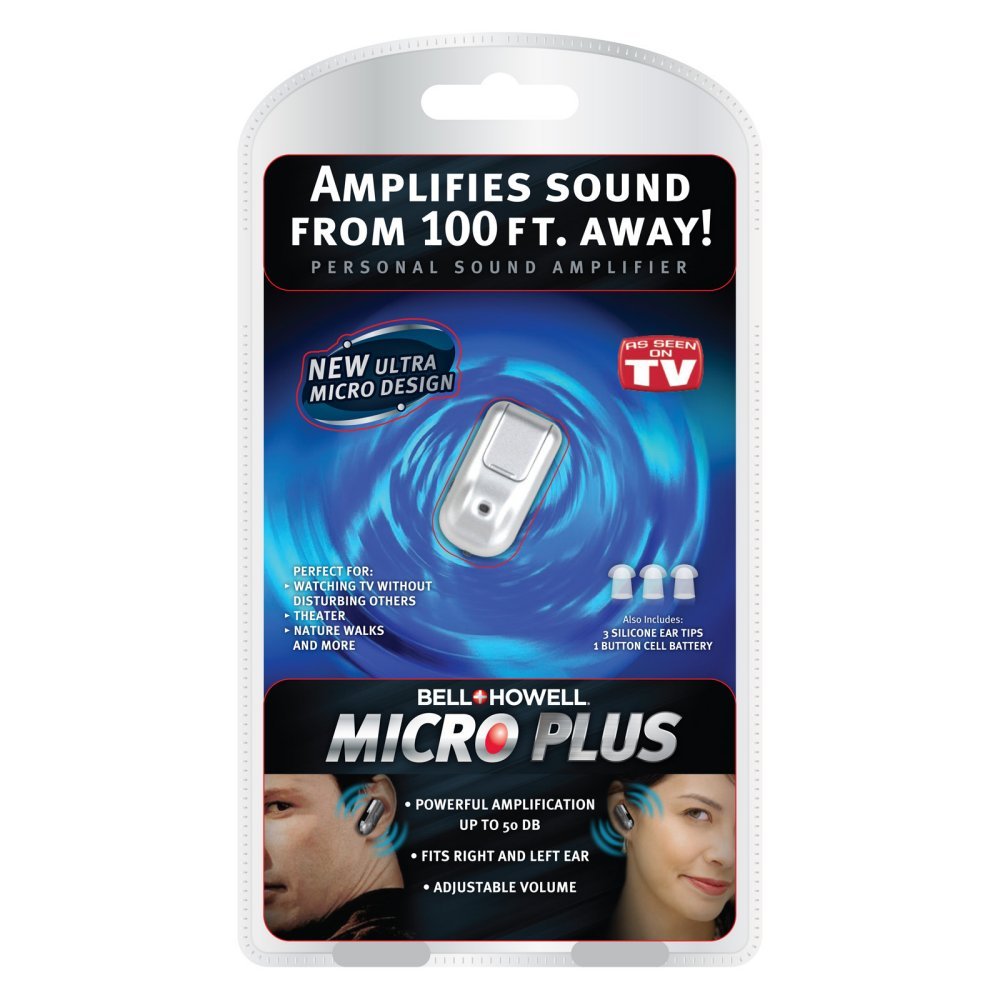
Image: The Bell & Howell MicroPlus Rechargeable Hearing Amplifier. This image shows the compact, silver and black device with a flexible ear hook. The volume control wheel and the ON/OFF switch are clearly visible on the side, along with a small microphone opening.
3. Wearing the Amplifier
Place the flexible ear hook over the top of your ear. Gently insert the ear tip into your ear canal. Adjust the position until the device feels secure and comfortable. The ear hook is designed to be reversible for use on either the left or right ear.
Operating Instructions
1. Powering On/Off
Locate the ON/OFF switch on the side of the amplifier. Slide the switch to the "ON" position to power on the device. Slide it to the "OFF" position when not in use to conserve battery life.
2. Adjusting Volume
The amplifier features a volume control wheel. Rotate the wheel upwards to increase the amplification level and downwards to decrease it. Start with a low volume setting and gradually increase it to a comfortable level. Avoid excessively high volumes to prevent potential hearing discomfort.
Maintenance
Cleaning the Device
- Regularly clean the ear tips with a soft, damp cloth. Ensure they are completely dry before reattaching.
- Wipe the main body of the amplifier with a dry, soft cloth. Do not use abrasive cleaners or immerse the device in water.
- Periodically check the sound output nozzle for any wax buildup and gently clean it with the provided cleaning tool (if included) or a small brush.
Storage
When not in use, store the amplifier in a cool, dry place, away from direct sunlight and extreme temperatures. Keep it in its original case or a protective pouch to prevent damage.
Troubleshooting
| Problem | Possible Cause | Solution |
|---|---|---|
| No sound or weak sound |
|
|
| Feedback/Whistling sound |
|
|
| Distorted sound |
|
|
Specifications
- Model Number: 4332463549
- Brand: Bell+Howell
- Dimensions: 5.75 x 4.5 x 2 inches
- Weight: 6.88 ounces
- Power Source: Battery Powered (Rechargeable)
- Amplification: Up to 50 dB
- Operating Time: Approximately 10 hours (continuous max operation)
- Fit Type: Behind-the-Ear
- Control Type: Button Control (Volume, On/Off Switch)
- Strap Type: Flexible Ear Hook
- Noise Control: Sound Isolation
- Material: Silicone (ear tips)
- Color: Beige
- UPC: 080313083983
Warranty and Support
For warranty information or technical support, please refer to the documentation included with your purchase or contact Bell & Howell customer service. Keep your proof of purchase for warranty claims.
Online Support: Visit the Bell+Howell Store on Amazon