
1. Introduction
This manual provides essential instructions for the setup, operation, and maintenance of your Squire CP40/2.5 Heavy Duty 4-Wheel Combination Padlock. Designed for durability and security, this padlock features a recodeable combination mechanism and is constructed from alloy steel for corrosion resistance, making it suitable for various outdoor and indoor applications.
2. Product Overview
The Squire CP40/2.5 padlock is engineered for robust security and ease of use. Key features include:
- Hardened Steel Shackle: Provides excellent anti-cut resistance.
- Four Large Combination Wheels: Offers 10,000 possible combinations for enhanced security and ease of dialing.
- Recodeable Mechanism: Allows for easy resetting of the combination without the need for keys.
- Alloy Steel Construction: Ensures corrosion resistance and durability in harsh environments.
- Extended Shackle Height: Measures 2 1/2-inches for versatile locking options.
- Industrial Design: Optimized for user-friendly operation.

Image 2.1: Front view of the Squire CP40/2.5 padlock, showing the four combination wheels and the extended shackle.

Image 2.2: Diagram illustrating key features such as the hardened 2.5-inch long shackle, push button for opening, and industrial design for easy dialing.

Image 2.3: Technical drawing showing the dimensions of the CP40/2.5 padlock, including body width (40mm/1.6in), shackle height (112mm/4.40in), and shackle thickness (6mm/0.2in).
3. Setting the Combination
Your Squire CP40/2.5 padlock comes with a factory preset combination, typically 0-0-0-0. Follow these steps to set your personal combination:
- Open the Padlock: Dial the factory preset combination (0-0-0-0) or your current combination. Press the release button (if present) or pull the shackle to open the lock.
- Locate the Reset Mechanism: On the side or bottom of the padlock body, you will find a small screw or button. This is the combination reset mechanism.
- Engage Reset Mode: Use a small screwdriver or pointed object to turn the screw 90 degrees clockwise, or press and hold the reset button. Refer to the specific instructions included with your padlock for the exact method.
- Set New Combination: While the reset mechanism is engaged, dial your desired new 4-digit combination on the wheels. Ensure the numbers are clearly aligned with the indicator marks.
- Disengage Reset Mode: Release the reset button or turn the screw back 90 degrees counter-clockwise to its original position.
- Test New Combination: Scramble the wheels. Then, dial your new combination and press the release button or pull the shackle to confirm it opens. If it does not open, repeat the steps carefully.
Important: Remember your new combination. There is no master key or override code if you forget it.
4. Operating the Padlock
4.1. Opening the Padlock
- Align the four combination wheels to your set code.
- Press the release button located at the bottom of the padlock body. The shackle will spring open.
4.2. Closing and Securing the Padlock
- With the shackle open, insert it into the desired locking position (e.g., through a hasp or chain).
- Push the shackle firmly back into the padlock body until it clicks into place.
- Scramble the combination wheels to a random set of numbers to secure the lock.
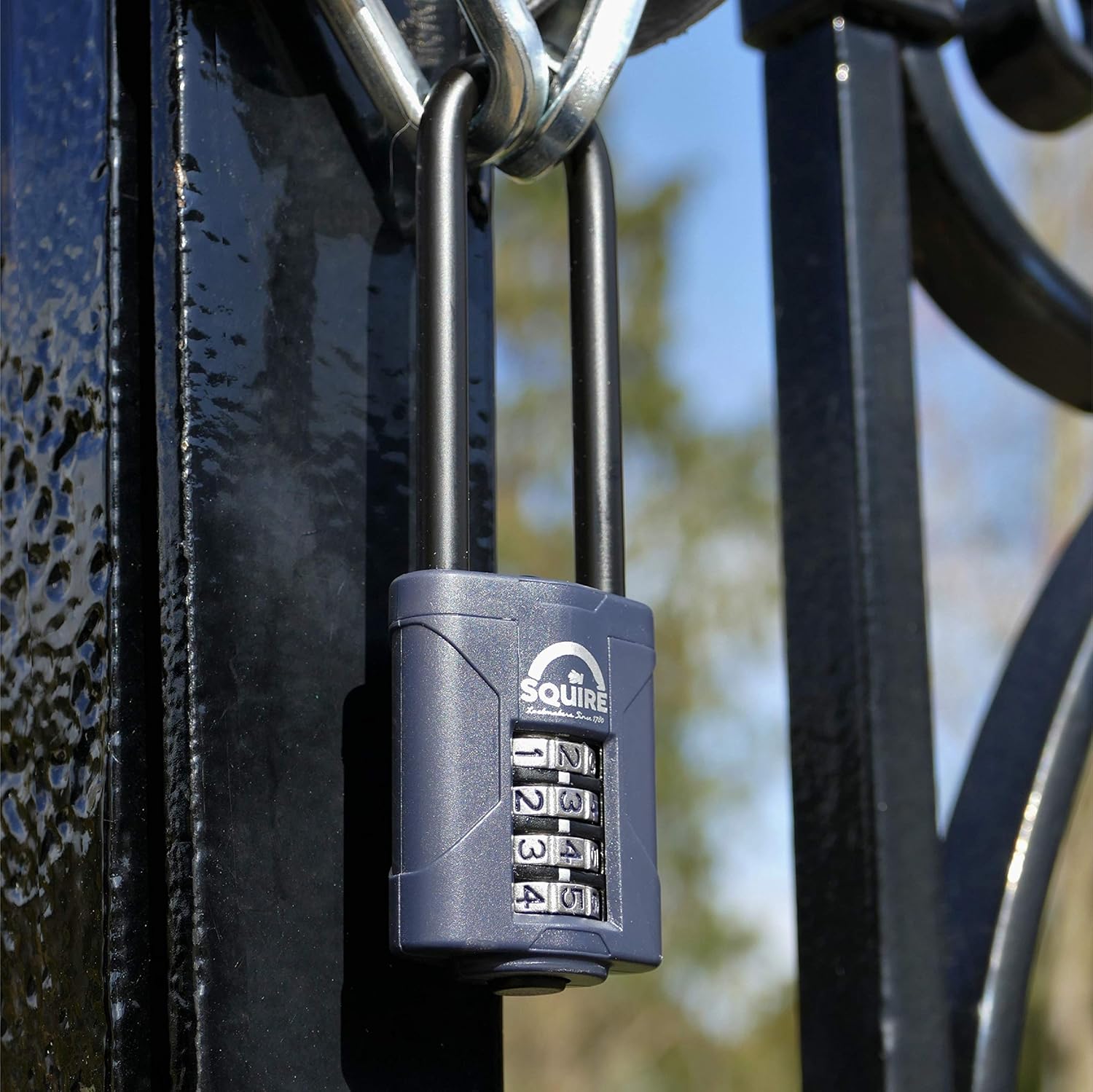
Image 4.1: The Squire CP40/2.5 padlock shown in use, securing a gate with a chain.
5. Maintenance
Proper maintenance ensures the longevity and reliable operation of your padlock.
- Cleaning: Periodically wipe the padlock body and shackle with a clean, damp cloth to remove dirt and grime. Avoid harsh chemicals that may damage the finish.
- Lubrication: For optimal performance, especially in outdoor or harsh environments, apply a small amount of silicone-based lubricant to the shackle mechanism and combination wheels once or twice a year. Do not use oil-based lubricants as they can attract dirt.
- Inspection: Regularly check the shackle and padlock body for any signs of wear, damage, or corrosion. Address any issues promptly to maintain security.
6. Troubleshooting
- Padlock will not open with the correct combination:
- Ensure all numbers are perfectly aligned with the indicator marks.
- The combination wheels might be stiff. Try wiggling them gently while dialing the code.
- If recently reset, double-check that you are using the new combination.
- Shackle is difficult to close or does not latch:
- Ensure the shackle is properly aligned with the opening in the padlock body.
- Check for any obstructions or debris within the shackle opening.
- Apply a small amount of silicone lubricant to the shackle mechanism.
7. Specifications
| Brand | Squire |
| Model Name | CP40/2.5 |
| Lock Type | Combination Lock |
| Special Feature | Heavy Duty |
| Material | Alloy Steel, Zinc |
| Item Dimensions (L x W x H) | 1.57 x 0.87 x 4.41 inches |
| Item Weight | 141 Grams (5 ounces) |
| Number of Pieces | 1 |
| Shackle Height | 2 1/2-Inch (Extended) |
8. Official Product Video
Video 8.1: An official video from Squire Locks demonstrating the features and durability of their heavy-duty recodeable combination padlocks, including the CP range.
9. Warranty and Support
Squire Locks designs its products for confidence and reliability. This product comes with a 10-year guarantee. With appropriate maintenance and normal use, the manufacturer guarantees this product for 10 years from the date of purchase.
For further assistance, troubleshooting, or warranty claims, please refer to the contact information provided with your product packaging or visit the official Squire Locks website.
