
1. Introduction
This manual provides essential information for the safe and efficient use of your Philips GoGear Vibe SA3VBE04KP/94 4GB MP4 Player. Please read these instructions carefully before using your device.
The Philips GoGear Vibe is a portable media player designed for enjoying music, videos, and FM radio on the go. It features a 1.8-inch full-color display, 4GB of internal storage, and supports MP3, MP4, and WMA audio formats.
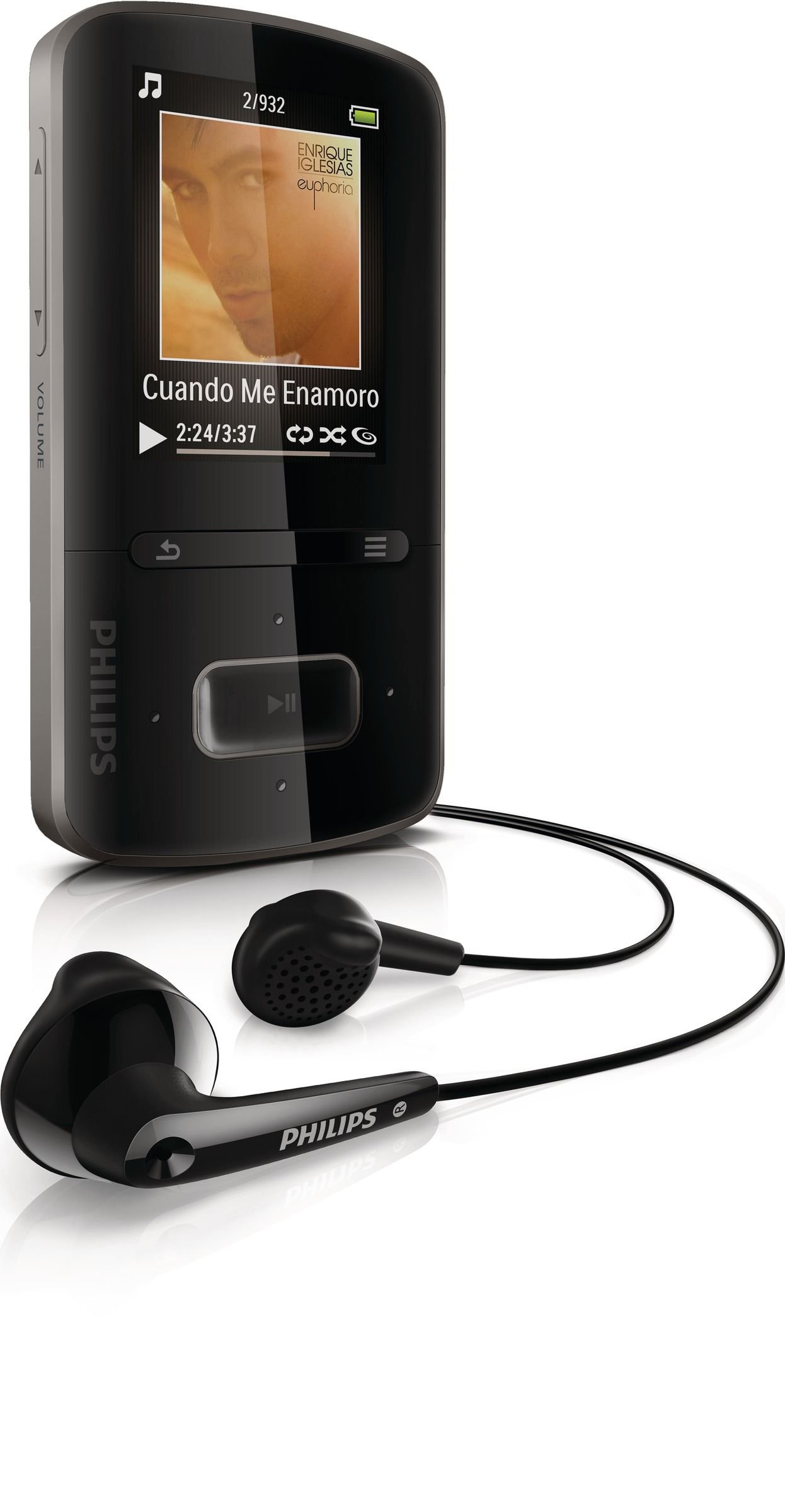
Image 1.1: Philips GoGear Vibe SA3VBE04KP/94 MP4 Player. This image displays the front view of the black MP4 player, highlighting its screen and navigation controls.
2. Setup
2.1 Charging the Device
Before first use, fully charge your GoGear Vibe. Use the provided USB power adaptor and cable to connect the player to a power source. A full charge provides up to 25 hours of music playback or 5 hours of video playback. A quick 5-minute charge can provide up to 90 minutes of playback.
- Connect the small end of the USB cable to the player's USB port.
- Connect the large end of the USB cable to the USB power adaptor.
- Plug the USB power adaptor into a wall outlet.
- The battery indicator on the screen will show charging status.
2.2 Connecting to a Computer
To transfer music and video files, connect your GoGear Vibe to a computer using the supplied USB cable.
- Connect the small end of the USB cable to the player's USB port.
- Connect the large end of the USB cable to an available USB port on your computer.
- The player will appear as a removable disk drive on your computer.
- Use Philips Songbird software (available for download from the Philips website) to manage and sync your media files efficiently.
3. Operating Instructions
3.1 Power On/Off
Press and hold the power button for a few seconds to turn the device on or off.
3.2 Navigation
The GoGear Vibe features an easy and intuitive user interface with a 1.8-inch full-color display. Use the navigation buttons to browse menus and select options.
- Up/Down/Left/Right: Navigate through menu options.
- Center Button: Select an option or play/pause media.
- Back Button: Return to the previous menu or screen.
3.3 Music Playback
Access the "Music" menu to browse your audio files. The device supports MP3, MP4, and WMA formats and features Fullsound technology for enhanced audio quality.
- Browse by artist, album, genre, or use the "Folder view" to navigate your file structure.
- "LikeMusic" feature can create playlists of songs that sound similar.
- Connect the soft rubber earbuds for comfortable listening.
3.4 Video Playback
Select the "Video" menu to watch your stored video content. The player supports MP4 video format.
3.5 FM Radio
The integrated FM radio with RDS allows you to listen to your favorite stations. It supports up to 30 presets.
- Access the "FM Radio" menu.
- Use the navigation buttons to tune to stations.
- Save preferred stations as presets for quick access.
4. Maintenance
4.1 Cleaning
To clean your GoGear Vibe, use a soft, dry cloth. Do not use liquid or aerosol cleaners, as they may damage the device.
4.2 Battery Care
To prolong battery life:
- Avoid exposing the device to extreme temperatures.
- Do not allow the battery to fully discharge frequently.
- Charge the device regularly, even if not in use for extended periods.
5. Troubleshooting
If you encounter issues with your Philips GoGear Vibe, refer to the following common solutions:
- Device does not turn on: Ensure the battery is charged. Connect to a power source and try again.
- No sound: Check the volume level. Ensure headphones are properly connected. Test with different headphones if possible.
- Cannot transfer files: Ensure the USB cable is securely connected to both the player and the computer. Try a different USB port or cable. Restart your computer and the player.
- FM radio not working: Ensure you are in an area with good signal reception. The headphones act as an antenna, so ensure they are plugged in.
- Device freezes: Press and hold the power button for approximately 10 seconds to perform a hard reset.
For further assistance, visit the official Philips support website.
6. Specifications
| Feature | Specification |
|---|---|
| Model Number | SA3VBE04KP/94 |
| Memory Storage Capacity | 4 GB |
| Display | 1.8-inch full color display |
| Supported Audio Formats | MP3, MP4, WMA |
| Supported Video Formats | MP4 |
| Tuner Technology | FM with RDS |
| FM Presets | 30 |
| Connectivity Technology | USB |
| Compatible Devices | Earphone, Laptop, Personal Computer |
| Battery Life (Music) | Up to 25 hours |
| Battery Life (Video) | Up to 5 hours |
| Color | Black |
7. Warranty and Support
Your Philips GoGear Vibe SA3VBE04KP/94 is covered by a manufacturer's warranty. For detailed information regarding warranty terms, conditions, and duration, please refer to the warranty card included with your product or visit the official Philips support website.
For technical support, frequently asked questions, and software updates, please visit www.philips.com/support.


