
Polk Audio PAD1000.1
Polk Audio PA D1000.1 Monoblock Mobile Audio Amplifier User Manual
Model: PAD1000.1 | Brand: Polk Audio
Introduction
The Polk Audio PA D1000.1 is a high-performance Class D monoblock amplifier designed for mobile audio systems. It delivers substantial power output, capable of driving subwoofers with impedances as low as 1 ohm. Its compact design allows for flexible installation in various vehicle types. This manual provides essential information for the proper installation, operation, and maintenance of your amplifier.
Key Features
- Premium Class D car audio amplifier designed to be super-efficient and run much cooler than conventional amps.
- High-speed MOSFET switched keeps power supply stable with outputs into 1 Ohm loads at 1200 watts.
- Thermal, DC offset, reverse polarity, and short circuit protection provide added safety and longevity for lasting performance.
- Included level control adjusts the gain of the channel to match the output voltage from your head unit; Remote gain control included.
- Includes mono subwoofer, remote bass level control and 17-ft cable, (6) 40 amp ATO fuses (3 installed), (4) 1-inch self-tapping screws, and manual.
Important Safety Information
Please read all instructions carefully before installing and operating the amplifier. Failure to do so may result in personal injury or damage to the amplifier or other equipment. Always disconnect the vehicle's battery before making any electrical connections. Ensure proper ventilation around the amplifier to prevent overheating. This product contains chemicals known to the State of California to cause cancer and birth defects or other reproductive harm (Proposition 65 warning).
Setup and Installation
Unpacking
Carefully remove the amplifier and all accessories from the packaging. Verify that all items listed in the 'Key Features' section are present.
Mounting Considerations
The compact size of the PA D1000.1 (approximately 13-3/4"W x 1-13/16"H x 6-3/4"D) allows for versatile mounting options. Choose a location that provides adequate ventilation and is protected from moisture and direct sunlight. Ensure the mounting surface is sturdy enough to support the amplifier's weight (4.4 pounds).
Wiring Recommendations
For optimal performance and safety, it is recommended to use 4-gauge power and ground leads. The amplifier requires a fuse rating of 40A x 3. Wiring and additional hardware are not included with the amplifier.
Connections
Connect your audio source to the amplifier's preamp inputs. If you are daisy-chaining multiple amplifiers, use the preamp outputs. The wired remote level control connects to its dedicated port for convenient bass adjustment from the driver's seat.
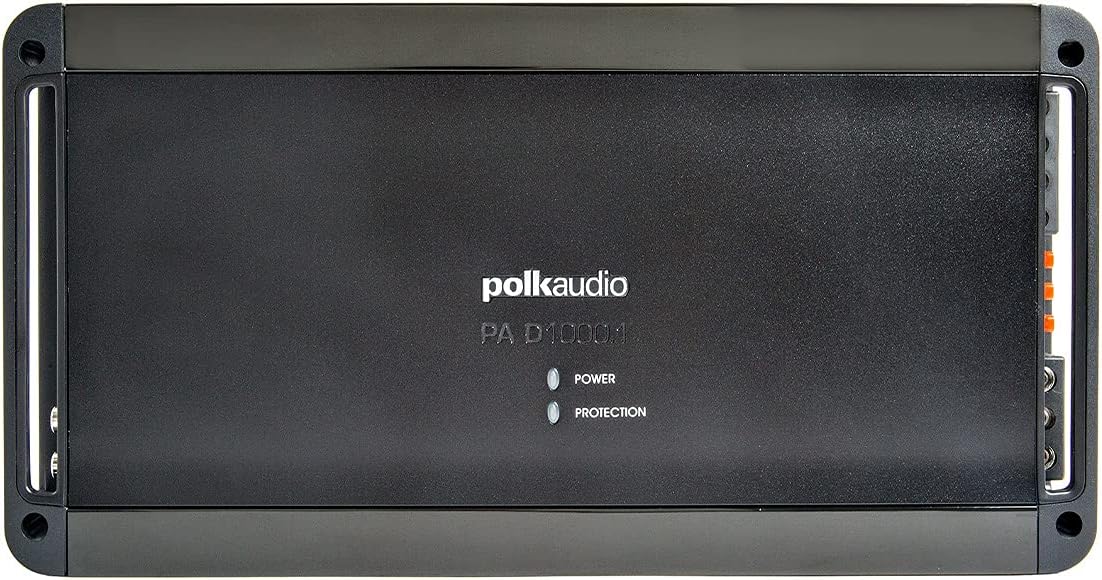
Figure 1: Top view of the Polk Audio PA D1000.1 amplifier, highlighting the brand logo and status indicators.
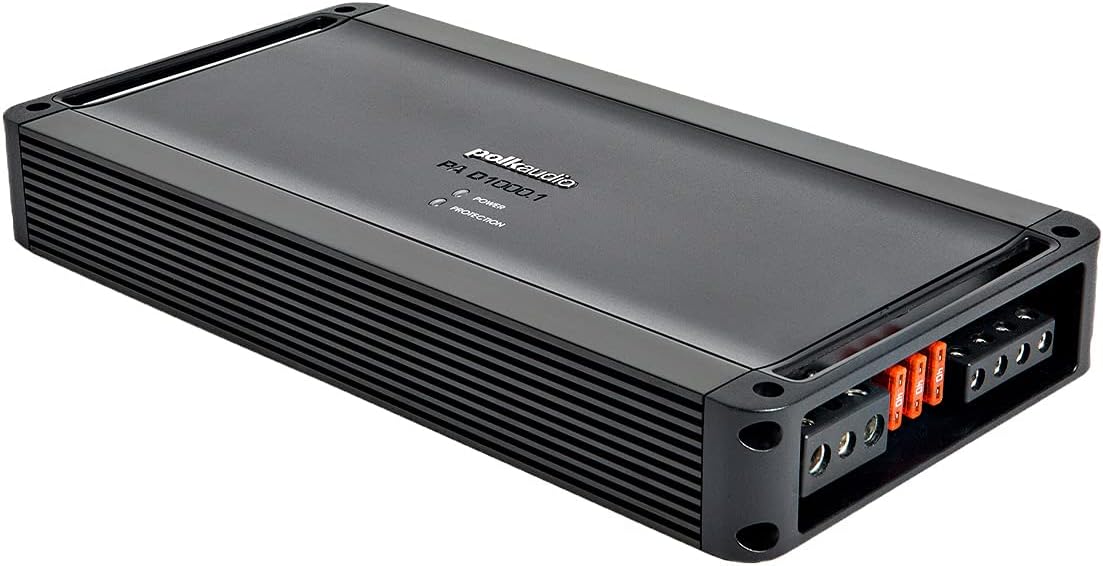
Figure 2: Angled view of the amplifier, illustrating its compact form factor and heat dissipation fins.

Figure 3: Horizontal view of the amplifier's rear panel, detailing all connection ports and audio adjustment controls.
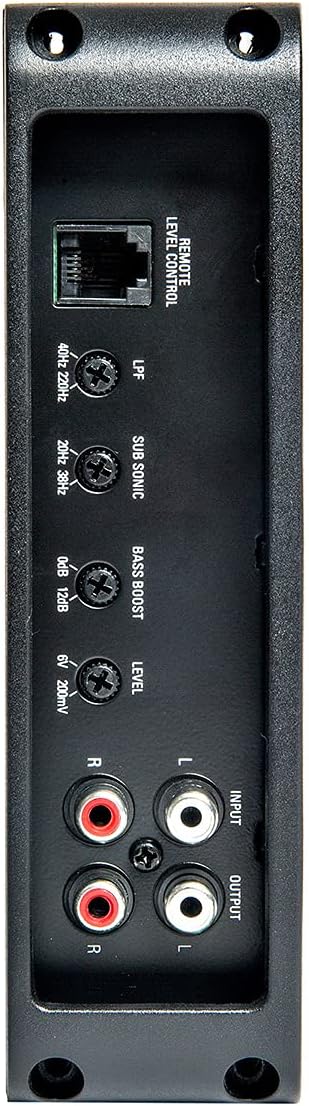
Figure 4: Vertical view of the amplifier's rear panel, providing a clear perspective of the control and connection layout.
Operating Instructions
Control Panel Overview
The amplifier features several adjustable controls on its rear panel to fine-tune your audio output:
- LPF (Low-Pass Filter): Variable from 40-220 Hz, 12 dB per octave. This filter allows only frequencies below the set point to pass through to the subwoofer.
- Subsonic Filter: Variable from 20-38 Hz, 12 dB per octave. This filter removes extremely low frequencies that are inaudible and can cause damage to subwoofers.
- Bass Boost: Variable from 0-12 dB at 44 Hz. Adjusts the bass output level at a specific frequency.
- Level: Adjusts the input sensitivity (gain) of the amplifier to match the output voltage of your head unit.
- Remote Level Control Port: Connects the included wired remote for convenient bass level adjustment.
Indicator Lights
The amplifier features two LED indicators on its top panel:
- POWER: Illuminates when the amplifier is receiving power and operating normally.
- PROTECTION: Illuminates when the amplifier detects a fault (e.g., overheating, short circuit, low voltage) and enters protection mode to prevent damage.
Maintenance
To ensure long-lasting performance, keep the amplifier clean and free of dust. Use a soft, dry cloth for cleaning. Do not use harsh chemicals or solvents. Ensure proper ventilation is maintained around the amplifier at all times.
Troubleshooting
| Problem | Possible Cause | Solution |
|---|---|---|
| No Power / No Sound | Blown fuse; Improper power/ground connection; Remote turn-on issue. | Check and replace fuses; Verify all power and ground connections; Ensure remote wire is connected and receiving 12V. |
| Protection Light On | Overheating; Speaker short circuit; Low impedance load. | Allow amplifier to cool; Check speaker wiring for shorts; Ensure speaker impedance matches amplifier's capabilities (1 ohm minimum). |
| Distorted Sound | Gain set too high; Improper filter settings; Poor ground connection. | Adjust gain (Level) control; Re-evaluate LPF and Subsonic filter settings; Verify ground connection is secure. |
| No Bass from Remote Control | Remote cable disconnected or damaged. | Check remote cable connection at both ends; Inspect cable for damage. |
Technical Specifications
| Specification | Value |
|---|---|
| Output Power (RMS) | 500 watts x 1 at 4 ohms, 800 watts x 1 at 2 ohms, 1200 watts x 1 at 1 ohm |
| Number of Channels | 1 (Mono) |
| Low-Pass Filter | Variable 40-220 Hz, 12 dB/octave |
| Subsonic Filter | Variable 20-38 Hz, 12 dB/octave |
| Bass Boost | Variable 0-12 dB at 44 Hz |
| Fuse Rating | 40A x 3 |
| Dimensions (L x W x H) | 13.75" x 1.81" x 6.75" (approx. 34.9cm x 4.6cm x 17.1cm) |
| Item Weight | 4.4 pounds (approx. 2 kg) |
| Voltage | 12 Volts (DC) |
| Mounting Type | Surface Mount |
| Manufacturer | Polk Audio |
Warranty and Support
Polk Audio products are manufactured to the highest quality standards. For specific warranty details and duration, please refer to the warranty card included with your product or visit the official Polk Audio website. Keep your proof of purchase for warranty claims. For technical support or service inquiries, please contact Polk Audio customer service through their official website or the contact information provided in your product packaging.
Ask a question about this manual
Ask about setup, troubleshooting, compatibility, parts, safety, or missing instructions. Manuals+ will review the question and use this page’s manual context to help answer it.