
Introduction
This manual provides essential instructions for the safe and effective use of your Corning Ware Microwave Plus Square Browning Grill, model MW-85. Please read all instructions carefully before first use and retain this manual for future reference.
The Corning Ware Microwave Plus Square Browning Grill MW-85 is designed to brown and crisp foods in a microwave oven. It is constructed from glass and features a non-stick finish.
Important Safety Information
- Always use oven mitts or pot holders when handling the hot browning grill. The grill becomes extremely hot during microwave use.
- Do not place the hot browning grill directly on unprotected countertops or surfaces. Use a heat-resistant trivet or pad.
- Avoid sudden temperature changes. Do not add cold liquids to a hot grill, as this may cause the glass to shatter.
- Ensure the browning grill is clean and dry before each use.
- This product is designed for microwave oven use. It is also oven safe.
- Do not use on stovetops or under broiler elements.
- Keep out of reach of children.
Setup
Before first use, wash the Corning Ware Microwave Plus Square Browning Grill MW-85 thoroughly with warm, soapy water. Rinse and dry completely.
Inspect the grill for any signs of damage or cracks. Do not use if damaged.
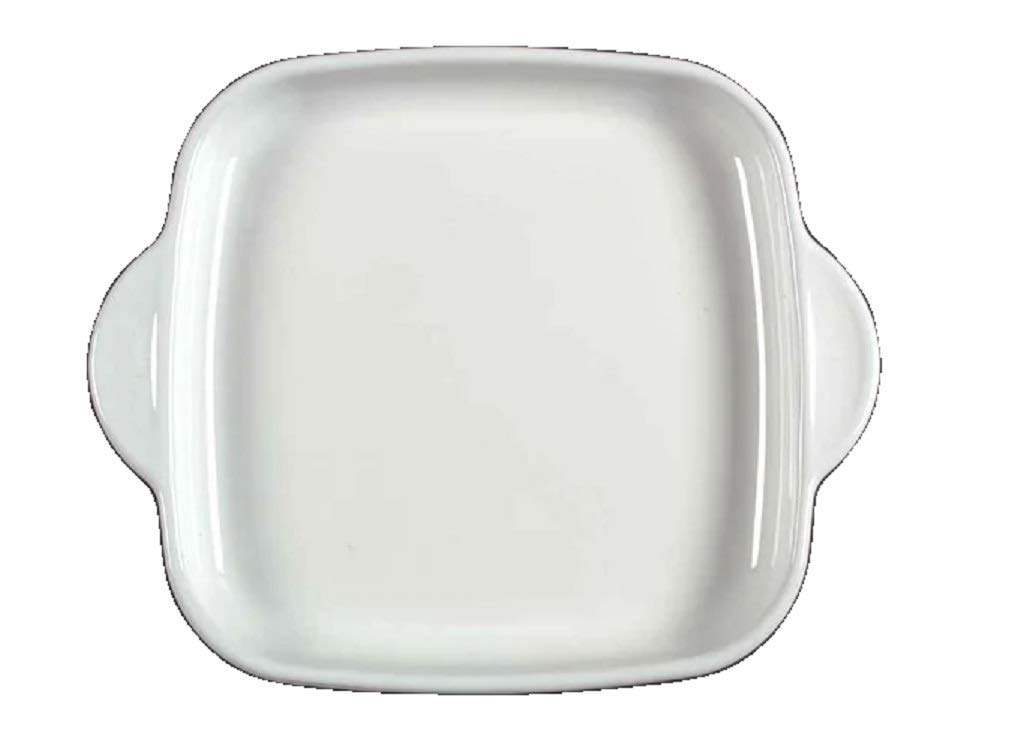
Image: The Corning Ware Microwave Plus Square Browning Grill MW-85. This image shows the square glass browning grill with its non-stick surface.
Operating Instructions
Preheating the Grill
- Place the empty browning grill in your microwave oven.
- Microwave on high power for the recommended preheating time. Preheating times may vary depending on your microwave's wattage and the desired browning level. Start with 3-5 minutes and adjust as needed. The grill should be very hot.
- Carefully remove the hot grill from the microwave using oven mitts.
Cooking Food
- Place the food directly onto the hot browning surface of the grill.
- Return the grill with food to the microwave oven.
- Cook on high power for the recommended time for your specific food item. Cooking times will vary. Monitor food closely to prevent overcooking.
- For even browning, some foods may require flipping halfway through the cooking process. Use appropriate utensils to turn food carefully.
- When cooking is complete, carefully remove the grill and food from the microwave using oven mitts.
Note: The browning grill is designed to achieve a browned or crisped surface. For foods that require thorough cooking, ensure they are fully cooked to safe internal temperatures.
Care and Maintenance
Cleaning
- Allow the browning grill to cool completely before cleaning.
- The grill is dishwasher safe. For best results, place it on the top rack.
- Alternatively, wash by hand with warm, soapy water and a non-abrasive sponge or cloth.
- Do not use abrasive cleaners, scouring pads, or metal utensils, as these can damage the non-stick finish.
- For stubborn food residue, soak the grill in warm, soapy water before cleaning.
Storage
Store the clean and dry browning grill in a safe place where it will not be chipped or broken.
Troubleshooting
| Problem | Possible Cause | Solution |
|---|---|---|
| Food is not browning sufficiently. | Grill not preheated long enough or microwave wattage is low. | Increase preheating time. Ensure microwave is on high power. |
| Food is overcooked or dry. | Cooking time too long. | Reduce cooking time. Monitor food closely. |
| Grill is difficult to clean. | Food residue has dried on. | Soak the grill in warm, soapy water before cleaning. Avoid abrasive cleaners. |
| Grill appears damaged (cracked/chipped). | Impact or sudden temperature change. | Discontinue use immediately. Do not attempt to repair. |
Specifications
- Model: MW-85
- Brand: Corning
- Material: Glass
- Color: White
- Finish Type: Non-Stick
- Product Care: Microwave Safe, Oven Safe, Dishwasher Safe
- Lid: No (Product does not include a lid)
- ASIN: B005W2YUPC
Warranty and Support
For warranty information or product support, please refer to the official Corning website or contact their customer service directly. Keep your purchase receipt for warranty claims.
Note: Specific warranty terms may vary by region and purchase date.

