
1. Introduction
The ZIPRO Boost Gold stationary exercise bike is designed to provide perfect conditions for an effective home workout. This ergometer bike allows you to enthusiastically work towards your fitness goals. Its magnetic resistance system enables precise adjustment of workout intensity, helping you track and achieve satisfying progress.
2. Safety Information
- Consult a physician before starting any exercise program.
- Keep children and pets away from the equipment during use.
- Place the exercise bike on a flat, stable surface with adequate clearance around it.
- Wear appropriate exercise attire and footwear.
- Do not exceed the maximum user weight of 120 kg.
- Inspect the bike for loose or worn parts before each use.
- Stop exercising immediately if you feel faint, dizzy, or experience pain.
3. Package Contents
Please check that all components are present before assembly:
- Main Frame Assembly
- Handlebar Post and Handlebars
- Seat Post and Seat
- Pedals (Left and Right)
- Front and Rear Stabilizers
- Digital Computer Console
- Water Bottle Holder
- Assembly Hardware Kit (bolts, washers, nuts, tools)
- User Manual
4. Setup and Assembly
Follow these general steps for assembly. Refer to the included assembly diagram for detailed instructions.
- Attach Stabilizers: Secure the front and rear stabilizers to the main frame using the provided bolts and washers. Ensure they are firmly tightened for stability.
- Install Pedals: Attach the left and right pedals to the crank arms. Note that the left pedal is reverse-threaded. Tighten securely.
- Mount Seat Post and Seat: Insert the seat post into the main frame and secure it at the desired height. Attach the seat to the seat post and adjust its position.
- Install Handlebar Post and Handlebars: Insert the handlebar post into the main frame. Attach the handlebars to the post and secure them.
- Connect Computer Console: Connect the sensor wires from the main frame and handlebars to the back of the computer console. Mount the console onto the handlebar post.
- Attach Water Bottle Holder: Secure the water bottle holder to the designated spot on the main frame.
- Final Check: Ensure all bolts and nuts are tightened and the bike is stable before first use.

The Zipro Boost Gold Exercise Bike, showcasing its sleek black and gold design, adjustable seat, handlebars, and integrated water bottle holder.

This image illustrates the compact dimensions of the Zipro Boost Gold Exercise Bike, measuring 107 cm in length, 47 cm in width, and 141 cm in height, making it suitable for home use.
5. Operating Instructions
5.1 Adjusting Resistance
The Zipro Boost Gold features an 8-step magnetic resistance system. To adjust the resistance, turn the knob located on the main frame below the handlebars. Turn clockwise to increase resistance and counter-clockwise to decrease it. Levels 1-3 are for easy workouts, 4-6 for medium intensity, and 7-8 for hard, challenging sessions.

Detail of the magnetic resistance adjustment knob, offering 8 distinct levels from 1-3 (easy), 4-6 (medium), to 7-8 (hard), allowing users to customize their workout intensity.
5.2 Adjusting Seat and Handlebars
For optimal comfort and effective training, adjust the seat height, horizontal position, and handlebar angle to fit your body. Loosen the adjustment knobs, set to your preferred position, and tighten securely.
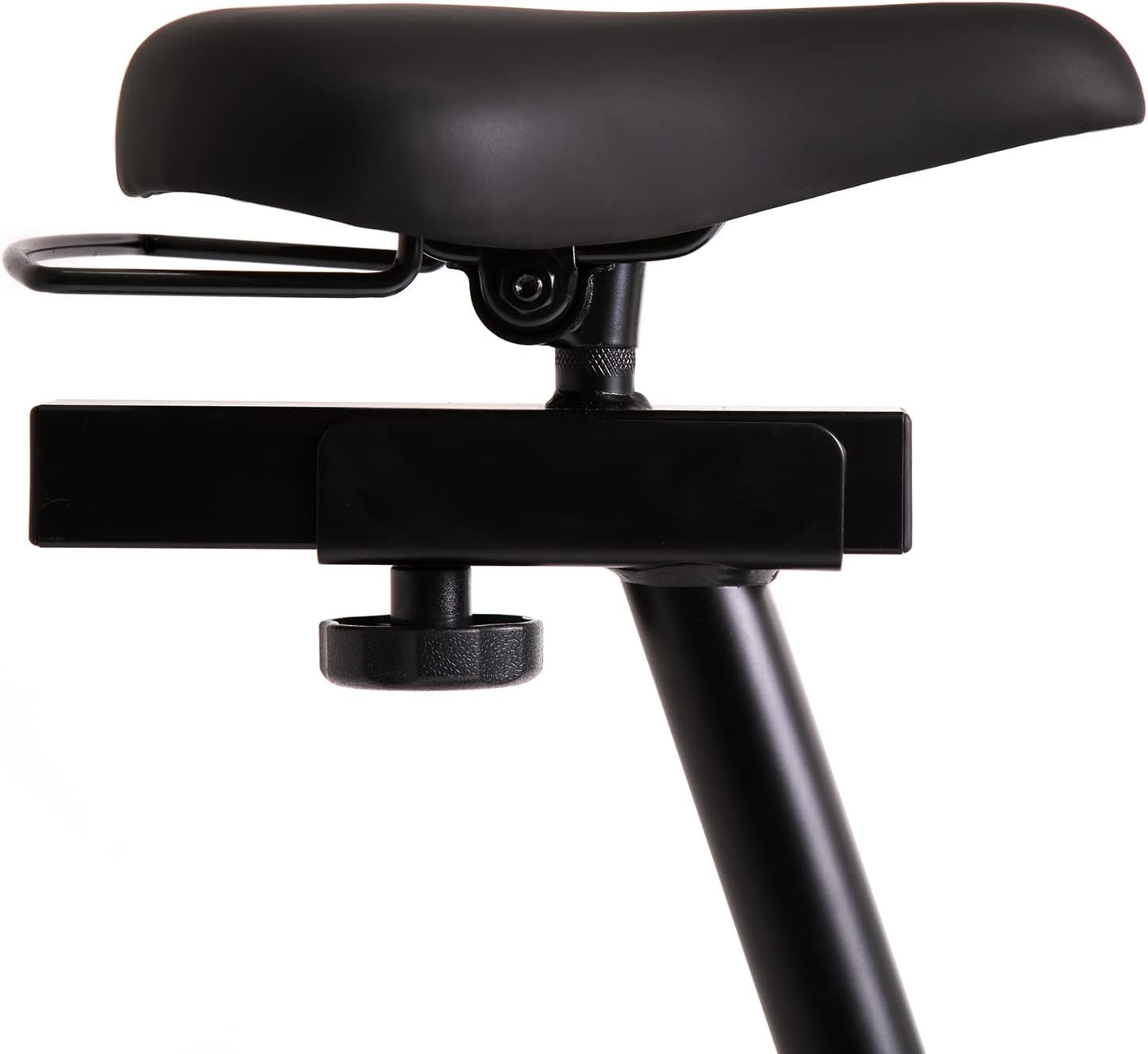
This image highlights the robust adjustment mechanism for the seat, allowing for precise positioning to optimize comfort and biomechanics during exercise.
5.3 Using the Computer Console
The modern computer console tracks your workout data. It typically displays:
- TIME: Duration of your workout.
- CALORIES: Estimated calories burned.
- SPEED: Your current speed.
- PULSE: Your heart rate (measured via handlebar sensors).
Use the 'MODE' button to cycle through display functions, 'RESET' to clear data, and 'SET' for specific settings if available.

The modern computer display provides essential workout data, including elapsed time, calories burned, current speed, and pulse rate, to help track progress.
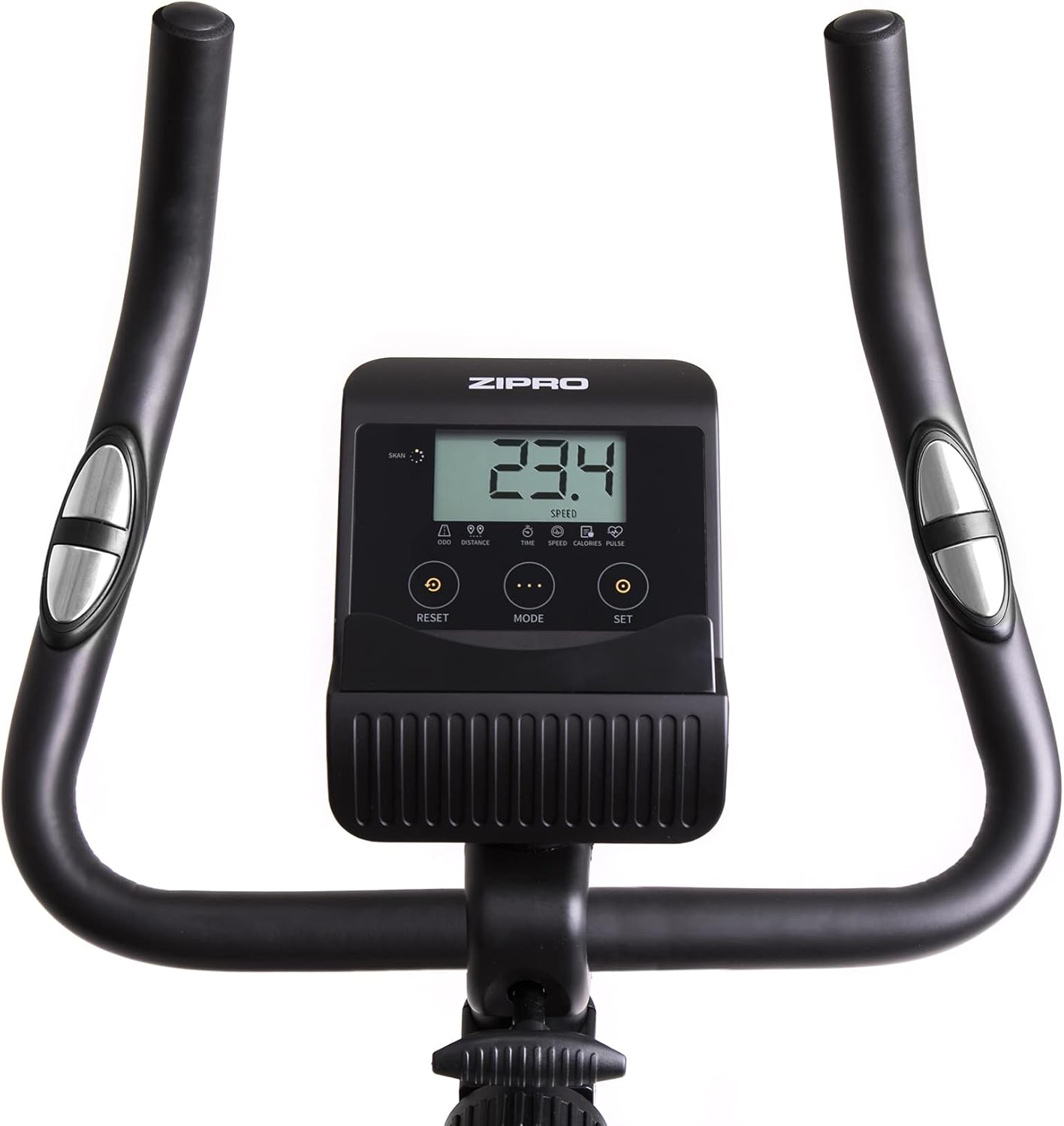
A closer look at the exercise bike's computer, displaying various metrics and featuring intuitive buttons for 'RESET', 'MODE', and 'SET' to navigate and control workout data.
5.4 Smartphone/Tablet Holder
The integrated holder allows you to place your smartphone or tablet for entertainment or to follow fitness apps during your workout.

A convenient stand for mobile devices is integrated into the handlebars, enabling users to enjoy their favorite digital content, such as music or videos, while exercising.
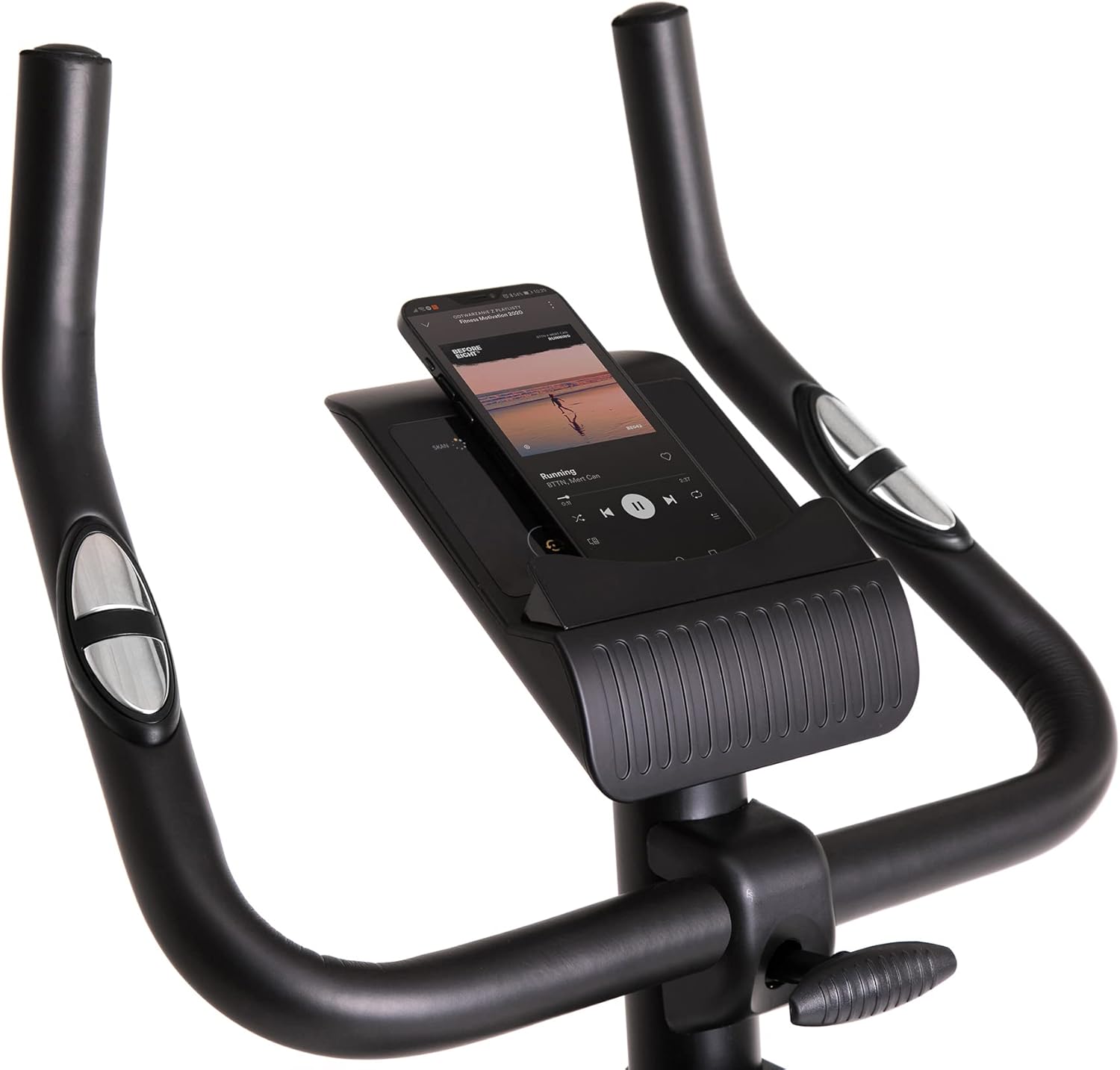
Demonstrates a smartphone securely placed in the integrated holder, ready for entertainment or fitness app use during a workout session.
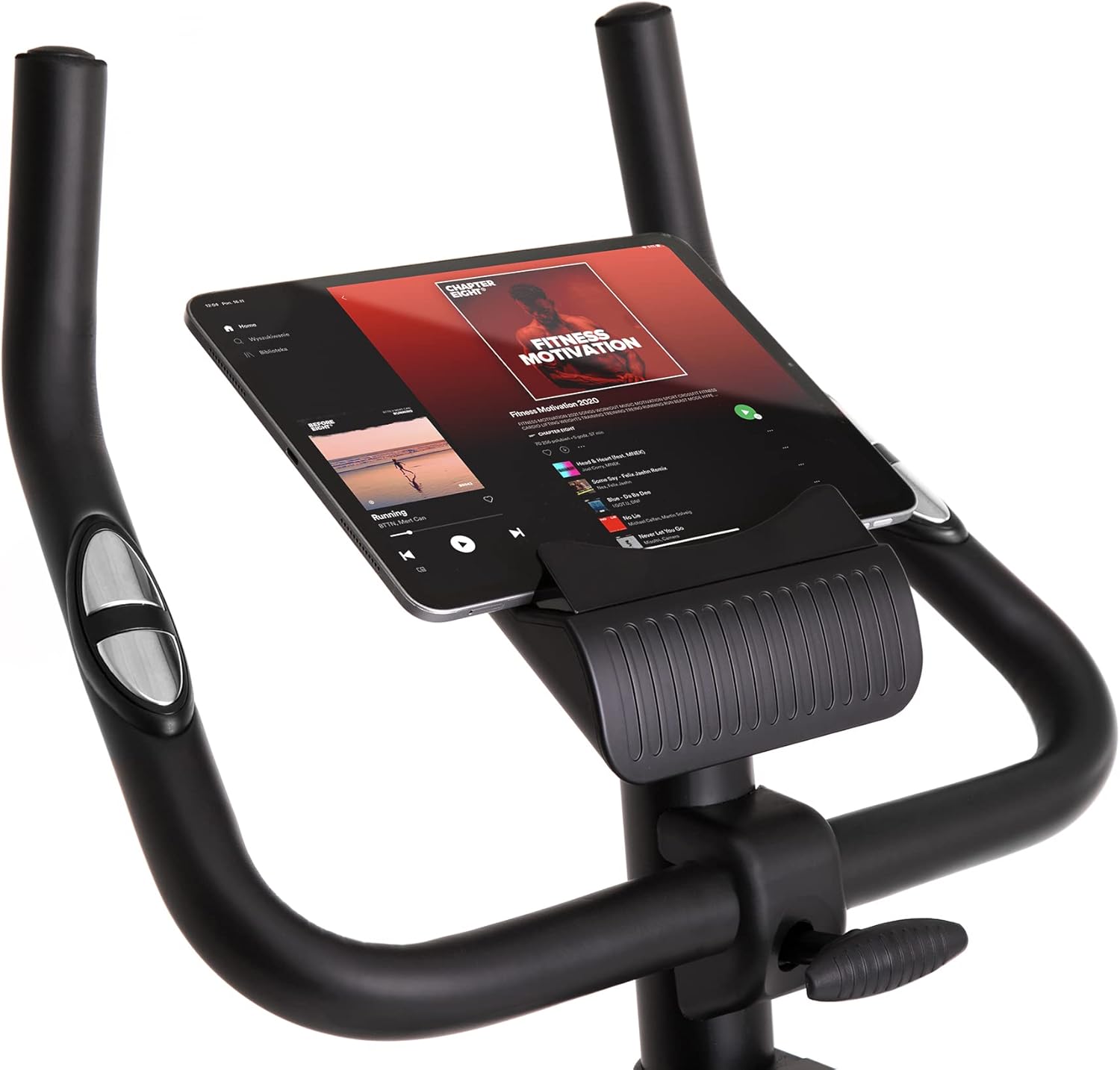
Shows a larger tablet device fitting comfortably in the holder, providing a wider screen for viewing media or following guided workouts.
6. Maintenance
- Cleaning: Wipe down the bike with a damp cloth after each use to remove sweat and dust. Do not use abrasive cleaners.
- Lubrication: Periodically check and lubricate moving parts as recommended in the full manual (if applicable).
- Inspection: Regularly inspect all bolts, nuts, and moving parts for tightness and wear. Tighten any loose fasteners.
- Storage: Store the bike in a dry, cool place away from direct sunlight and extreme temperatures. Use the transport wheels for easy relocation.
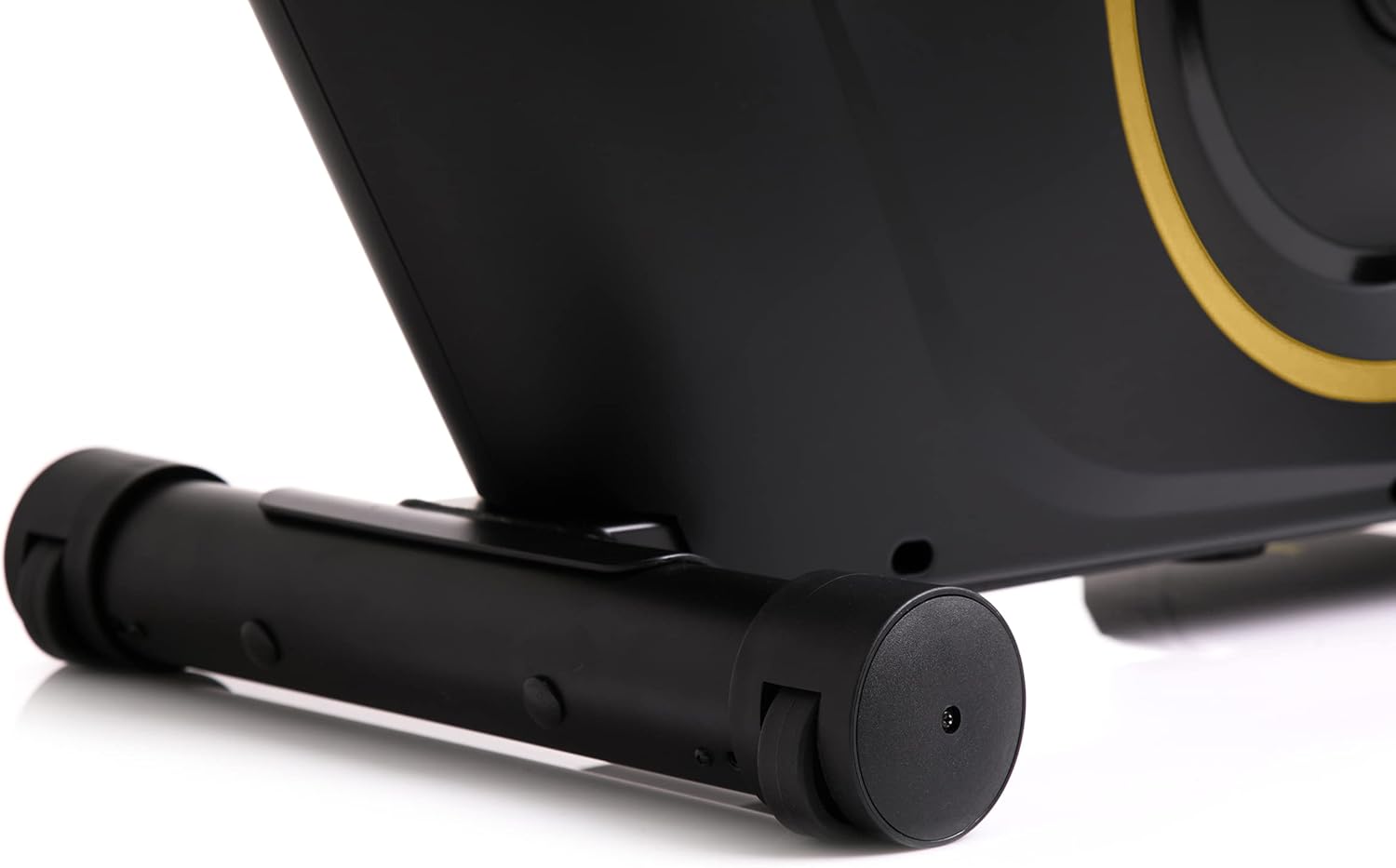
The front stabilizer features integrated transport wheels, making it easy to move the exercise bike around your home for convenient storage or placement.

A practical water bottle holder is positioned on the main frame, ensuring hydration is always within reach during your workout.
7. Troubleshooting
| Problem | Possible Cause | Solution |
|---|---|---|
| Computer display not working | Loose cable connection, dead batteries | Check all cable connections. Replace batteries in the computer console. |
| Unusual noise during operation | Loose parts, friction | Check all bolts and nuts for tightness. Ensure no parts are rubbing against each other. |
| Bike feels unstable | Uneven surface, loose stabilizers | Place the bike on a flat, level surface. Tighten bolts on front and rear stabilizers. |
| Resistance not changing | Resistance mechanism issue | Ensure the resistance knob is turning freely. If the issue persists, contact customer support. |
8. Specifications
| Feature | Detail |
|---|---|
| Model Color | Black/Gold |
| Style | Boost Gold |
| Drive System | Belt |
| Main Material | Plastic, Metal, Polyethylene |
| Power Source | Battery Powered |
| Max Weight Capacity | 120 Kilograms |
| Manufacturer | Morele.net Sp. z o.o. |
| Item Model Number | 5944584 |
| Product Dimensions (L x W x H) | 107 x 47 x 141 cm |
| Item Weight | 23 Kilograms |
| Resistance Mechanism | Magnetic |
| Recommended Uses | Home, Gym, Studio, Indoor |
9. Product Video
This video provides a general presentation of the ZIPRO product range, showcasing various fitness equipment designed for home use. While not specific to the Boost Gold model, it highlights the brand's commitment to quality and home fitness solutions.
10. Warranty and Support
For warranty information and customer support, please refer to the documentation included with your purchase or visit the official ZIPRO website. Keep your proof of purchase for any warranty claims.


