
1. Introduction
Thank you for choosing the ZIPRO Pacemaker Gold Folding Treadmill. This manual provides essential information for the safe and effective assembly, operation, and maintenance of your new fitness equipment. Please read this manual thoroughly before using the treadmill and keep it for future reference.
2. Important Safety Information
To ensure your safety and prolong the life of your treadmill, please observe the following precautions:
- Read all instructions in this manual before use.
- Consult a physician before starting any exercise program.
- Keep children and pets away from the treadmill during operation.
- Wear appropriate exercise clothing and athletic shoes.
- Place the treadmill on a solid, level surface with at least 2 meters of clear space behind it and 0.6 meters on each side.
- Always use the safety key. Attach the clip to your clothing before starting your workout.
- Do not exceed the maximum user weight of 150 kg.
- If you feel faint, dizzy, or experience pain, stop exercising immediately.
3. Product Overview and Features
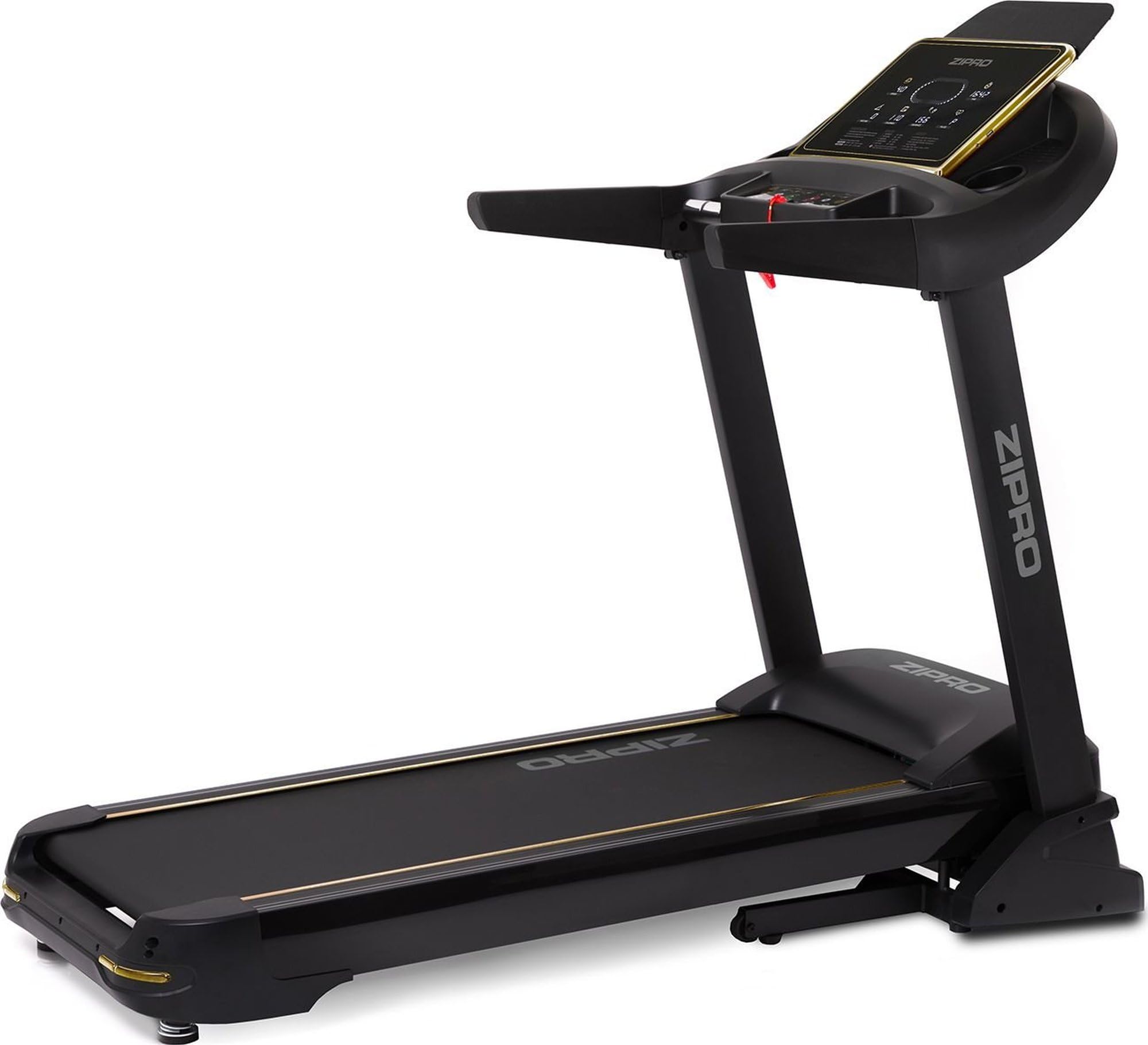
The ZIPRO Pacemaker Gold Treadmill is designed for home use, offering a comprehensive workout experience with advanced features.
Key Features:
- Secure Home Training: Supports speeds from 1 to 22 km/h and a maximum user weight of 150 kg, suitable for walking, jogging, and running.
- Extensive Programs: Includes 99 pre-set training programs and 3 user-defined profiles for personalized workouts.
- Optimal Cushioning: Equipped with the Comfort+ Protect cushioning system to reduce impact on joints.
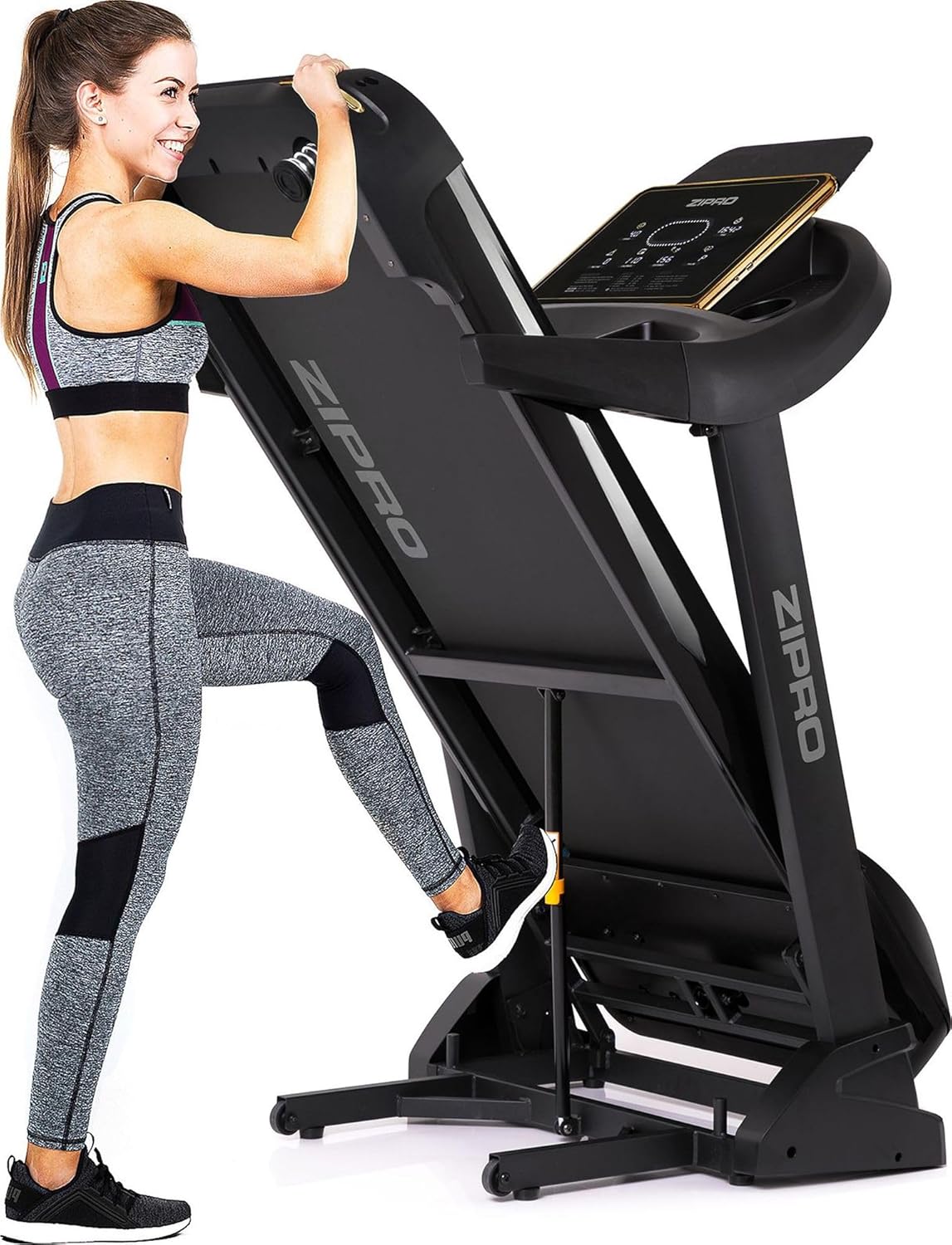
- Space-Saving Design: Features a quick and secure folding mechanism with transport wheels for easy storage in compact spaces.
- Modern Connectivity: Compatible with iConsole+ and Kinomap applications, includes USB and MP3 ports, and a mobile device holder.
- Adjustable Incline: Offers 20 levels of adjustable incline for varied intensity workouts.
Components:
Familiarize yourself with the main parts of your treadmill:


4. Setup Instructions
4.1 Unpacking
Carefully remove all components from the packaging. Inspect for any damage during transit. Retain packaging for future transport or storage.
4.2 Assembly
While specific assembly steps are detailed in the included assembly guide, general steps involve:
- Attach the uprights to the base frame.
- Secure the console to the uprights.
- Connect all necessary cables as indicated in the assembly guide.
- Ensure all bolts and nuts are tightened securely.
4.3 Placement
Choose a location that is flat, stable, and provides adequate clearance around the treadmill for safe operation and access. Ensure the power cord is not obstructed or placed in a high-traffic area.
5. Operating Instructions
5.1 Powering On/Off
Connect the power cord to a grounded outlet. Flip the main power switch located near the front base of the treadmill to the 'ON' position. To turn off, flip the switch to 'OFF' and unplug the unit.
5.2 Using the Console
The console displays various workout metrics such as speed, time, distance, calories burned, and pulse. Use the control buttons to adjust speed and incline, select pre-set programs, or start/stop your workout.

5.3 Emergency Stop
The safety key is a critical safety feature. In case of an emergency, pulling the safety key from the console will immediately stop the treadmill. Always attach the safety key clip to your clothing before beginning your workout.
5.4 Programs and User Profiles
Select from 99 pre-set programs designed for various fitness goals. You can also create and save up to 3 personalized user profiles to store your preferred settings and track progress.
5.5 App Connectivity
The treadmill is compatible with iConsole+ and Kinomap applications. Download the apps to your mobile device and connect via Bluetooth for interactive training experiences, virtual routes, and advanced workout tracking.


5.6 Media Ports
Use the integrated USB port to charge your mobile device or connect a USB drive for media playback. The MP3 port allows you to connect an external audio device.
6. Maintenance
Regular maintenance ensures optimal performance and longevity of your treadmill.
6.1 Cleaning
Wipe down the console and exterior surfaces with a damp cloth after each use. Avoid using abrasive cleaners or solvents. Keep the area around the treadmill clean and free of dust.
6.2 Lubrication
The running belt requires periodic lubrication to reduce friction and wear. Refer to your assembly guide for specific instructions on how and when to lubricate the belt. Use only silicone-based treadmill lubricant.
6.3 Belt Tension and Alignment
Periodically check the running belt for proper tension and alignment. If the belt feels loose or drifts to one side, consult your assembly guide for instructions on how to adjust it using the rear rollers.
7. Troubleshooting
If you encounter issues with your treadmill, refer to the following common problems and solutions:
| Problem | Possible Cause | Solution |
|---|---|---|
| Treadmill does not power on. | Power cord unplugged, main switch off, circuit breaker tripped. | Check power connection, ensure main switch is ON, reset circuit breaker if necessary. |
| Running belt stops suddenly. | Safety key removed, motor overload. | Re-insert safety key. Reduce load or allow motor to cool down. |
| Running belt slips or hesitates. | Belt too loose, insufficient lubrication. | Adjust belt tension (refer to assembly guide), lubricate belt. |
| Unusual noise during operation. | Loose parts, worn components, motor issue. | Check all bolts and nuts for tightness. If noise persists, contact customer support. |
For issues not listed here or if solutions do not resolve the problem, please contact ZIPRO customer support.
8. Specifications
| Specification | Value |
|---|---|
| Model Number | 5943078 |
| Item Weight | 81 Kilograms |
| Product Dimensions (L x W x H) | 188 x 82 x 151 cm |
| Maximum Speed | 22 Kilometers per hour |
| Maximum User Weight | 150 kg |
| Incline Levels | 20 |
| Programs | 99 |
| Connectivity Technology | Bluetooth, USB |
| Material | Polyethylene (PE) Plastic, Metal |
| Color | Black |
| Manufacturer | Morele sp. z o.o |
| Languages (Manual) | German, English, Spanish, French, Italian |
9. Warranty and Support
Your ZIPRO Pacemaker Gold Treadmill comes with a manufacturer's warranty. Please refer to the warranty card included in your product packaging for specific terms and conditions. For technical support, spare parts, or service inquiries, please contact ZIPRO customer service. Information regarding spare parts availability is currently unavailable through this document.
10. Brand Overview
This video provides a general overview of the ZIPRO brand and its range of fitness equipment. While not specific to the Pacemaker Gold Treadmill, it showcases the brand's commitment to home fitness solutions.


