
Introduction
This manual provides detailed instructions for the proper use and care of your Fujifilm FinePix S3300 Digital Camera. The FinePix S3300 is a 14-megapixel digital camera featuring a wide-angle 26x optical zoom lens, designed for capturing high-quality still images and videos. Please read this manual thoroughly to ensure optimal performance and longevity of your device.
Product Overview
The Fujifilm FinePix S3300 is equipped with advanced features for versatile photography. Key components and features include:
- 14.0 million pixels for high-resolution images.
- 1/2.3-inch CCD with primary color filter.
- 3.0-inch, approx. 230,000 dots, TFT color LCD monitor with approx. 97% coverage.
- 26x optical zoom lens with a focal length range of 4.6mm (wide-angle) to 27.6mm (telephoto).
- Optical Image Stabilization for reduced blur.

Figure 1: Front View of the FinePix S3300. This image displays the camera from the front-right, highlighting the lens with its protective cap, the Fujifilm branding, and the ergonomic grip.

Figure 2: Side View of the FinePix S3300. This perspective shows the camera's robust hand grip and the placement of some side-mounted control buttons, emphasizing its design for comfortable handling.

Figure 3: Rear View of the FinePix S3300. The back of the camera is visible, featuring the large LCD screen and the array of navigation and function buttons essential for camera operation.
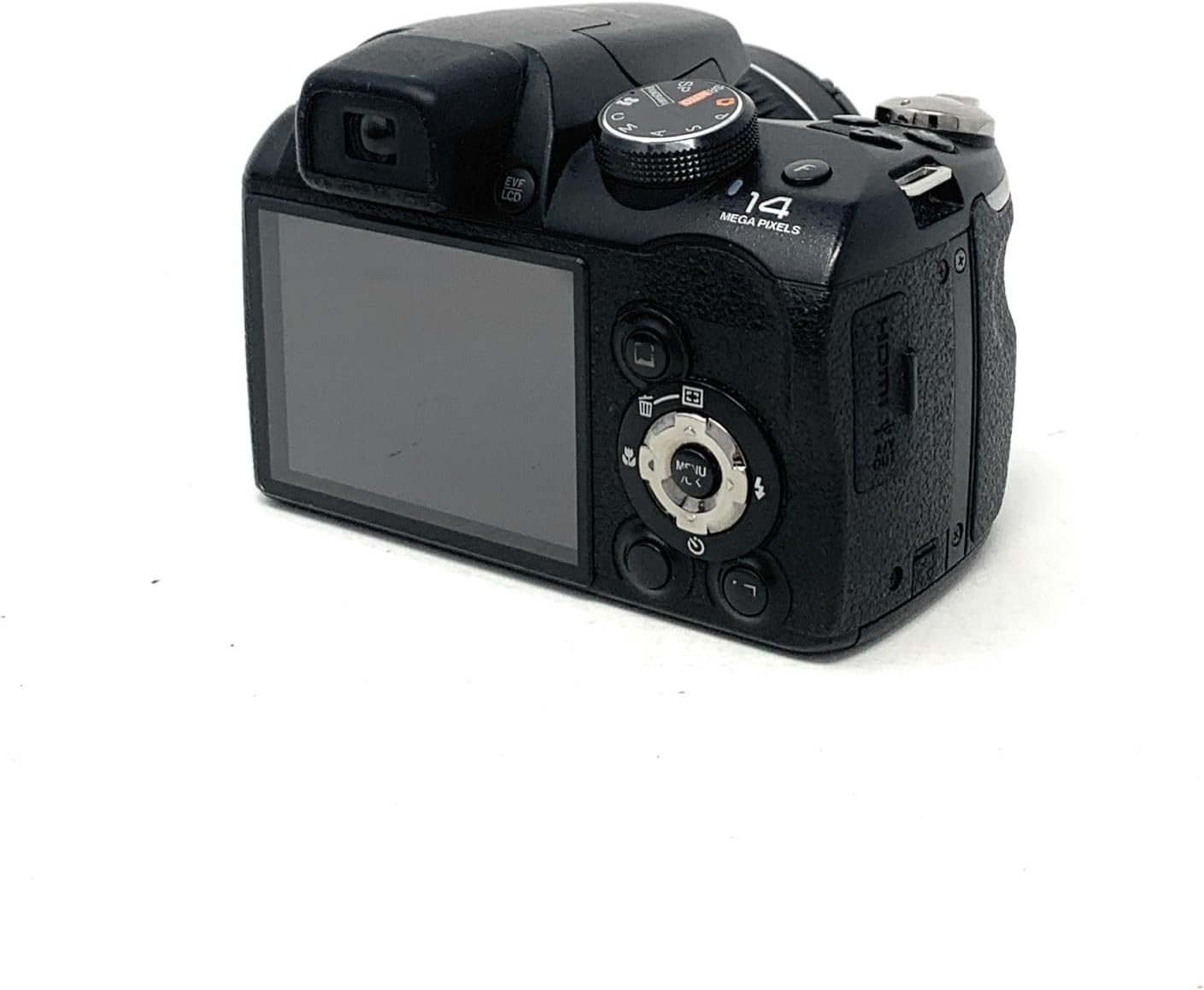
Figure 4: Angled Rear View of the FinePix S3300. This image provides a slightly different angle of the camera's rear, emphasizing the LCD screen, the mode dial on the top, and other accessible controls.

Figure 5: FinePix S3300 with Accessories. The camera is shown alongside its retail box, the included neck strap, and a printed instruction manual, illustrating the complete product package.
Setup
1. Installing Batteries
The FinePix S3300 operates on four (4) AA batteries. For best performance and battery life, it is recommended to use NiMH rechargeable batteries. Alkaline batteries can be used but may offer shorter operational times.
- Open the battery compartment cover located on the bottom of the camera.
- Insert four AA batteries, ensuring correct polarity (+/-) as indicated inside the compartment.
- Close the battery compartment cover securely until it clicks into place.
2. Inserting a Memory Card
The camera supports SD/SDHC memory cards for storing photos and videos.
- Locate the memory card slot, typically adjacent to the battery compartment or on the side of the camera.
- Insert the memory card with the label facing the correct direction until it clicks into place.
- To remove, gently push the card in until it springs out.
Operating the Camera
1. Powering On/Off
Press the ON/OFF button to power the camera on or off. The lens will extend when powered on.
2. Basic Photography
To take a picture in automatic mode:
- Turn the mode dial to the AUTO setting.
- Frame your shot using the LCD monitor or electronic viewfinder.
- Press the shutter button halfway down to focus. The focus frame will turn green when focus is achieved.
- Press the shutter button fully down to capture the image.
3. Using the Zoom
The camera features a 26x optical zoom and a 6.7x digital zoom. Use the zoom lever located around the shutter button to adjust the focal length. Push the lever towards W for wide-angle and towards T for telephoto.
4. Flash Modes
The built-in flash can be manually popped up. Available flash modes include Auto, On, Off, and Slow Synchro. Access flash settings via the camera's menu or dedicated flash button.
5. Video Recording
The FinePix S3300 can record videos in 1080p resolution at 30 frames per second, saved in MP4 format.
- Turn the mode dial to the movie recording setting (usually indicated by a film camera icon).
- Press the dedicated video record button to start and stop recording.
Advanced Features
1. Manual Mode (M)
In Manual mode, you have greater control over exposure settings. While shutter speed can be set from 1/2000 seconds down to 8 seconds, the camera provides a choice of two or three aperture values for a given scene.
2. ISO Sensitivity
The camera offers an ISO range from 100 to 3200. Higher ISO settings increase sensitivity to light, useful in low-light conditions, but may introduce digital noise.
3. White Balance
The automatic white balance setting is designed to accurately reproduce colors under most lighting conditions. Manual white balance options may also be available for specific lighting scenarios.
4. Self-Timer
A 10-second self-timer function is available for group photos or to prevent camera shake during long exposures.
Maintenance
1. Cleaning the Camera
- Lens: Use a soft, lint-free cloth specifically designed for camera lenses. Avoid touching the lens surface with your fingers.
- Body: Wipe the camera body with a soft, dry cloth. For stubborn dirt, slightly dampen the cloth with water. Do not use organic solvents.
- LCD Screen: Use a soft, dry cloth. Avoid pressing hard on the screen.
2. Battery Care
- Remove batteries when the camera will not be used for an extended period.
- Store batteries in a cool, dry place.
- If using rechargeable batteries, follow the manufacturer's charging instructions.
3. Storage
Store the camera in a dry, well-ventilated area, away from direct sunlight, high temperatures, and humidity. Use a camera bag to protect it from dust and physical impact.
Troubleshooting
This section addresses common issues you might encounter with your FinePix S3300.
| Problem | Possible Cause | Solution |
|---|---|---|
| Camera does not power on | Dead or incorrectly inserted batteries | Replace batteries with fresh ones or ensure correct polarity. |
| "Read Error" message | Memory card issue (corrupted, full, or incompatible) | Try a different memory card. Format the card (this will erase all data). Ensure the card is compatible. |
| Images are blurry | Camera shake, out of focus, or low light | Hold the camera steady, use optical image stabilization, ensure proper focus, or use flash in low light. |
| Flash does not fire | Flash is set to 'Off' or not popped up | Manually pop up the flash. Check flash settings and set to 'Auto' or 'On'. |
| Long delay when taking a picture | Slow shutter speed in low light, or processing time | Increase ISO, use flash, or ensure sufficient lighting. This model may have inherent processing delays. |
Specifications
Detailed technical specifications for the Fujifilm FinePix S3300 Digital Camera:
| Feature | Specification |
|---|---|
| Model Name | FinePix S3300 |
| Effective Still Resolution | 14 MP |
| Photo Sensor Size | 1/2.3-inch |
| Photo Sensor Technology | CCD |
| Optical Zoom | 26x |
| Digital Zoom | 6.7x |
| Minimum Focal Length | 4.6 Millimeters |
| Maximum Focal Length | 27.6 Millimeters |
| Maximum Aperture | F3.5 Millimeters |
| Image Stabilization | Optical |
| Screen Size | 3 Inches |
| Display Type | LCD (230,000 dots) |
| Video Resolution | 1080p |
| Frame Rate | 30 FPS |
| Video Capture Format | MP4 |
| Supported File Format | JPEG, RAW |
| Expanded ISO Range | 100 - 3200 |
| Minimum Shutter Speed | 1/2000 Seconds |
| Self Timer | 10 Seconds |
| Battery Type | 4 AA batteries required (Alkaline recommended) |
| Connectivity Technology | USB |
| Item Weight | 540 Grams |
Support & Warranty
For technical support, service, or warranty information regarding your Fujifilm FinePix S3300 Digital Camera, please refer to the official Fujifilm website or contact their customer service directly. Specific warranty terms and conditions may vary by region and purchase date. Please retain your proof of purchase for warranty claims.
No official product videos were available for embedding in this manual.


