
1. Introduction
Thank you for purchasing the Tangent EVO E10 SUB 150W Subwoofer. This manual provides essential information for the safe and efficient installation, operation, and maintenance of your new subwoofer. Please read these instructions thoroughly before using the product and retain them for future reference.
The Tangent EVO E10 SUB is designed to enhance your audio system by reproducing low-frequency sounds, adding depth and impact to music, movies, and games. Its powerful 150W amplifier and 10-inch driver deliver robust bass performance.
2. Important Safety Instructions
- Power Source: Connect the subwoofer only to an AC power outlet of the voltage specified on the rear panel.
- Ventilation: Ensure adequate ventilation around the unit. Do not block ventilation openings. Avoid placing the subwoofer in an enclosed cabinet without proper airflow.
- Water and Moisture: Do not expose the subwoofer to rain, moisture, dripping, or splashing. Do not place objects filled with liquids, such as vases, on the unit.
- Heat: Keep the subwoofer away from heat sources such as radiators, heat registers, stoves, or other apparatus (including amplifiers) that produce heat.
- Cleaning: Unplug the unit from the wall outlet before cleaning. Use a soft, dry cloth only. Do not use liquid cleaners or aerosol cleaners.
- Servicing: Do not attempt to service this product yourself. Refer all servicing to qualified service personnel.
- Placement: Place the subwoofer on a stable, level surface to prevent it from falling. Avoid placing it near strong magnetic fields.
- Power Cord Protection: Protect the power cord from being walked on or pinched, particularly at plugs, convenience receptacles, and the point where they exit from the apparatus.
3. Package Contents
Please check that all items are present in the packaging:
- Tangent EVO E10 SUB Subwoofer Unit
- Power Cable
- User Manual (this document)
If any items are missing or damaged, please contact your retailer immediately.
4. Product Overview
The Tangent EVO E10 SUB features a robust enclosure housing a 10-inch driver and a powerful amplifier. The front panel is typically covered by a removable grille, protecting the speaker cone. The rear panel contains all input/output connections and control knobs.
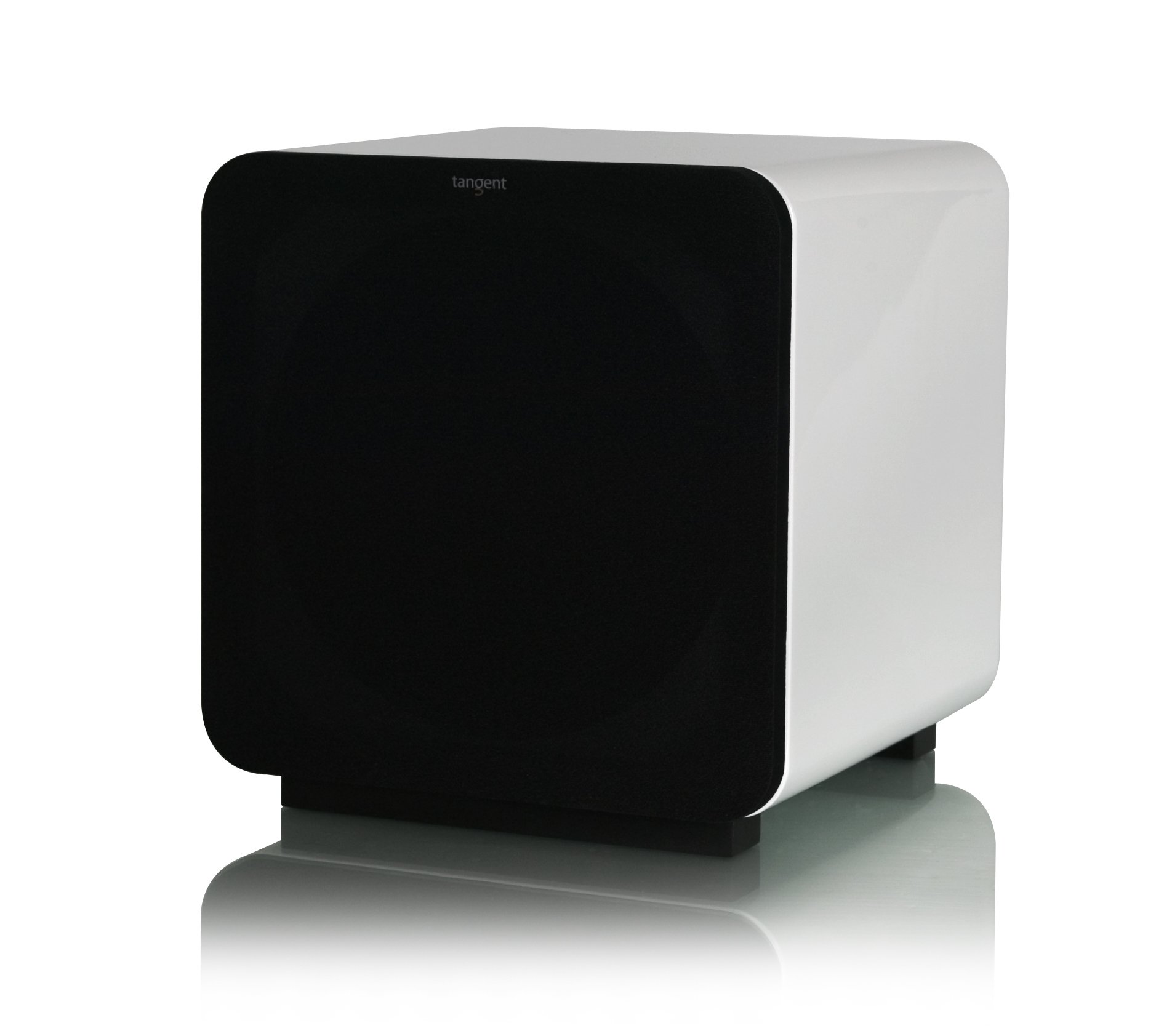
Front view of the Tangent EVO E10 SUB subwoofer, showcasing its compact design and speaker grille.
Rear Panel Controls and Connections:
- LINE IN (L/R): RCA inputs for connecting to your amplifier or receiver's subwoofer output.
- VOLUME: Adjusts the overall output level of the subwoofer.
- CROSSOVER: Adjusts the upper frequency limit of the subwoofer. This determines where the subwoofer takes over from your main speakers.
- PHASE: A switch (0°/180°) to adjust the phase of the subwoofer output relative to your main speakers.
- POWER Switch: Turns the subwoofer on or off.
- POWER Inlet: Connection for the supplied AC power cable.
5. Setup
5.1 Placement
The placement of your subwoofer significantly impacts its performance. Experiment with different locations to find the best sound in your room. Common placement options include:
- Corner Placement: Often provides the most bass output due to room acoustics, but can sometimes sound boomy.
- Near Front Speakers: Can help blend the subwoofer's sound with your main speakers more seamlessly.
- Mid-Wall Placement: May offer a more balanced bass response.
Ensure the subwoofer is placed on a stable, level surface and has adequate space for ventilation.
5.2 Connections
- Ensure all audio equipment, including the subwoofer, is turned off and unplugged from the power outlet before making any connections.
- Connect an RCA cable from the subwoofer output (often labeled 'SUB OUT' or 'LFE') on your amplifier or AV receiver to the LINE IN (L) or both LINE IN (L/R) inputs on the Tangent EVO E10 SUB. If your receiver has a single LFE output, connect it to the L input on the subwoofer.
- Once audio connections are made, connect the supplied power cable to the POWER Inlet on the subwoofer and then to a suitable AC wall outlet.
6. Operating Instructions
6.1 Powering On/Off
After all connections are secure, flip the POWER Switch on the rear panel to the 'ON' position. The subwoofer is now ready for operation. To turn off, flip the switch to 'OFF'.
6.2 Initial Adjustments
Start with the following settings and fine-tune them to match your main speakers and room acoustics:
- VOLUME: Begin with the volume knob set to its minimum position. Gradually increase it until the bass output blends seamlessly with your main speakers without overpowering them.
- CROSSOVER: Set the crossover frequency based on the low-frequency capabilities of your main speakers. If your main speakers are small, start with a higher crossover frequency (e.g., 80-100 Hz). For larger speakers, a lower frequency (e.g., 60-80 Hz) might be appropriate. The goal is to have the subwoofer handle frequencies below your main speakers' effective range.
- PHASE: Experiment with the 0° and 180° phase settings. Choose the setting that provides the most impactful and coherent bass response when listening from your primary seating position. This often involves listening to a bass-heavy track and switching between the two settings to hear which one sounds fuller and more integrated.
Refer to your amplifier or receiver's manual for specific settings related to subwoofer integration, such as LFE level and speaker size settings.
7. Maintenance
7.1 Cleaning
To clean the subwoofer, first unplug it from the power outlet. Use a soft, dry, lint-free cloth to wipe down the cabinet. Do not use abrasive cleaners, waxes, or solvents, as these can damage the finish. Avoid spraying liquids directly onto the unit.
7.2 Storage
If you need to store the subwoofer for an extended period, unplug it from the power source and store it in a cool, dry place, away from direct sunlight and extreme temperatures. It is recommended to keep the original packaging for safe storage and transport.
8. Troubleshooting
If you encounter issues with your Tangent EVO E10 SUB, please refer to the following common problems and solutions:
| Problem | Possible Cause | Solution |
|---|---|---|
| No sound from subwoofer |
|
|
| Distorted or boomy sound |
|
|
| Humming or buzzing noise |
|
|
| Bass is weak or lacking impact |
|
|
If the problem persists after trying these solutions, please contact your retailer or authorized service center.
9. Specifications
The following specifications are typical for the Tangent EVO E10 SUB subwoofer:
| Feature | Specification |
|---|---|
| Brand | Tangent |
| Model Name | EVO E10 SUB |
| Model Number | T-EVOE10/WH |
| Speaker Type | Subwoofer |
| Speaker Size | 10 Inches |
| Max Speaker Output Power | 300 Watts |
| Max Product Power | 300 Watts |
| Mounting Type | Table Mount |
| Power Source | Electric Cable |
| Compatible Devices | Home Cinema, Television, Karaoke Machine |
| Audio Driver Type | Dynamic |
| Waterproof | No |
| International Article Code (EAN) | 05703959105103 |
| ASIN | B005P47ACW |
10. Warranty and Support
Tangent products are manufactured to the highest quality standards. For information regarding warranty terms and conditions, please refer to the warranty card included with your product or visit the official Tangent website. For technical support or service inquiries, please contact your authorized Tangent dealer or distributor.


