
Introduction
This manual provides detailed instructions for the safe and efficient operation of your Hisonic LK1652 Powered PA Speaker. The LK1652 is a versatile 300-watt (peak) 2-way speaker system featuring a 12-inch woofer and 1.35-inch titanium compression driver, designed for various audio applications. It includes integrated USB and SD card interfaces, an iPod/iPhone dock, and multiple input options for microphones and line-level devices. Please read this manual thoroughly before using the product to ensure proper setup and performance.
Safety Information
Always observe the following safety precautions to prevent electric shock, fire, or injury:
- Power Source: Connect the speaker only to a power supply of the type described in this manual or marked on the unit. Ensure the voltage selector is set correctly for your region (110V or 220V).
- Grounding: The speaker must be properly grounded. Do not defeat the safety purpose of the polarized or grounding-type plug.
- Ventilation: Do not block any ventilation openings. Install in accordance with the manufacturer's instructions.
- Water and Moisture: Do not expose this apparatus to rain or moisture. Do not use near water.
- Heat: Do not install near any heat sources such as radiators, heat registers, stoves, or other apparatus (including amplifiers) that produce heat.
- Servicing: Do not attempt to service this product yourself. Refer all servicing to qualified service personnel.
- Cleaning: Unplug this apparatus during lightning storms or when unused for long periods of time. Clean only with a dry cloth.
- Overloading: Do not overload wall outlets or extension cords as this can result in a risk of fire or electric shock.
Product Features
The Hisonic LK1652 Powered PA Speaker offers a range of features for enhanced audio performance:
- Powerful 300 Watts Peak Power output.
- Equipped with a 12-inch Woofer and a 1.35-inch Titanium Compression Driver.
- Multiple input options: XLR, 1/4" (TRS), and RCA auxiliary input.
- XLR and 1/4" outputs for system expansion.
- Integrated USB and SD card interfaces for direct media playback.
- Dedicated iPod/iPhone docking station.
- Remote control for convenient media playback management.
- Switchable 110V/220V AC power requirements.
Setup
1. Unpacking
Carefully remove the speaker from its packaging. Retain the packaging materials for future transport or storage. Inspect the unit for any signs of damage that may have occurred during shipping. If damage is found, contact your dealer immediately.
2. Placement
Place the speaker on a stable, flat surface or a compatible speaker stand. Ensure adequate space around the unit for ventilation. Avoid placing the speaker in direct sunlight or near heat sources.
3. Power Connection
- Voltage Selector: Before connecting the power cord, ensure the VOLTAGE SELECTOR switch on the rear panel is set to the correct voltage for your region (110V or 220V). Incorrect voltage selection can cause severe damage to the unit.
- Connect the supplied AC power cord to the AC INPUT on the rear panel of the speaker.
- Plug the other end of the power cord into a grounded electrical outlet.
- Ensure the POWER switch is in the OFF position before plugging in.
4. Initial Connections
Before powering on, connect any microphones, line-level devices, or media players you intend to use. Refer to the "Operating Instructions" section for details on input/output connections.
Operating Instructions
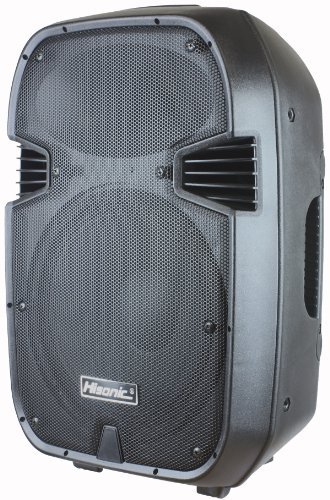
Figure 1: Rear Panel Overview. This image displays the rear panel of the Hisonic LK1652 speaker. Visible components include the MP3 Player section with an LCD screen, control buttons, USB port, and SD card slot. To the right are rotary knobs for iPod, MP3, Mic, Line, Master, Treble, and Bass volume/tone adjustments. Below the MP3 Player is an iPod/iPhone docking station. The lower right section features various audio inputs: Mic Input (1/4" and XLR), Line Input (1/4", XLR, and RCA), and a Line Out (XLR). The bottom section includes the AC power input, fuse holder, power switch, power/clip indicator LEDs, and a voltage selector switch (110V/220V).
1. Powering On/Off
- Ensure all volume controls are set to their minimum position before powering on.
- Flip the POWER switch on the rear panel to the ON position. The POWER indicator LED will illuminate.
- To power off, set all volume controls to minimum and then flip the POWER switch to the OFF position.
2. Controls (Refer to Figure 1)
- iPod Volume Knob: Adjusts the playback volume for devices connected to the iPod/iPhone dock.
- MP3 Volume Knob: Controls the volume for media played via the USB or SD card interface.
- MIC Volume Knob: Adjusts the input level for microphones connected to the MIC INPUTs.
- LINE Volume Knob: Controls the input level for devices connected to the LINE INPUTs.
- MASTER Volume Knob: Overall volume control for the entire speaker output.
- TREBLE Knob: Adjusts the high-frequency response of the speaker.
- BASS Knob: Adjusts the low-frequency response of the speaker.
- CLIP LED: Illuminates when the input signal is too high, indicating potential distortion. Reduce input levels if this LED lights up frequently.
3. Inputs and Outputs (Refer to Figure 1)
- MIC INPUT (XLR & 1/4"): Connect dynamic microphones using either an XLR cable or a 1/4" TS/TRS cable. Adjust volume with the MIC Volume knob.
- LINE INPUT (XLR, 1/4" & RCA): Connect line-level audio sources such as mixers, instruments, or media players. Use XLR, 1/4" TS/TRS, or dual RCA cables. Adjust volume with the LINE Volume knob.
- LINE OUT (XLR): Provides an XLR output for connecting to another powered speaker or a recording device, allowing for system expansion.
- iPod/iPhone Dock: Insert your compatible iPod or iPhone into the dock for audio playback. Control volume with the iPod Volume knob.
4. Media Playback (USB/SD Card)
- Insert a USB flash drive into the USB port or an SD card into the SD card slot.
- The MP3 Player will automatically detect the media and begin playback.
- Use the MP3 Player control buttons (Play/Pause, Stop, Next, Previous, Mode, Repeat) or the included remote control to manage playback.
- Adjust the playback volume using the MP3 Volume knob.
Maintenance
1. Cleaning
Clean the exterior of the speaker with a soft, dry cloth. Do not use abrasive cleaners, waxes, or solvents. Ensure the unit is unplugged before cleaning.
2. Storage
When not in use for extended periods, store the speaker in a cool, dry place, away from direct sunlight and extreme temperatures. It is recommended to use the original packaging for storage and transport.
3. Fuse Replacement
If the speaker does not power on, check the fuse located near the AC INPUT. To replace, unplug the unit, carefully remove the fuse holder, and replace with a fuse of the exact same type and rating. Consult a qualified technician if unsure.
Troubleshooting
| Problem | Possible Cause | Solution |
|---|---|---|
| No power | Power cord not connected; Power switch off; Blown fuse; Incorrect voltage selector setting. | Ensure power cord is securely connected. Turn power switch ON. Check and replace fuse if necessary. Verify voltage selector is set correctly. |
| No sound output | Volume controls too low; Incorrect input selected; Cables not connected properly; Source device issues. | Increase MASTER, input-specific, and source device volumes. Check all cable connections. Ensure the correct input source is active (e.g., MP3 for USB/SD, iPod for dock). |
| Distorted sound | Input levels too high (CLIP LED on); Speaker overloaded; Damaged cables. | Reduce input volume levels (MIC, LINE, MP3, iPod) until the CLIP LED no longer illuminates. Lower MASTER volume. Check and replace any damaged cables. |
| USB/SD playback not working | Incorrect file format; USB drive/SD card not inserted correctly; Corrupted media. | Ensure media files are in a supported format (e.g., MP3). Reinsert the USB drive or SD card. Try a different USB drive or SD card. |
Specifications
The following are the technical specifications for the Hisonic LK1652 Powered PA Speaker:
- Model: LK1652
- Rated Power (RMS): 150 Watts
- Peak Power: 300 Watts
- Speaker Type: 2-Way, Woofer
- Woofer Size: 12 inches
- Compression Driver: 1.35 inches Titanium
- Sensitivity: 115 dB
- Frequency Response: 45 Hz – 20 kHz
- Line Inputs (2): 1/4" unbalanced, dual RCA jacks (summing L+R), XLR
- Mic Input: Lo-Z, unbalanced, 1/4"-phone, XLR
- Line Output: XLR
- Connectivity Technology: Auxiliary, RCA, USB, XLR, 1/4" (TRS)
- Media Playback: USB, SD Card, iPod/iPhone Dock
- Control Method: Remote Control, Manual Knobs
- AC Power Requirements: 110/220V 50/60 Hz switchable
- Product Dimensions: 13.5" X 11.25" X 19" (34.29 x 48.26 x 28.58 cm)
- Item Weight: 29 lbs (13.15 kg)
- Color: Black
- Mounting Type: Floor Standing
- Manufacturer: Hisonic
Warranty and Support
Warranty Information
The Hisonic LK1652 Powered PA Speaker comes with a 1-year limited warranty from the date of purchase. This warranty covers manufacturing defects in materials and workmanship. It does not cover damage caused by misuse, abuse, accident, unauthorized modifications, or normal wear and tear. Please retain your proof of purchase for warranty claims.
Additionally, a 30-day money-back guarantee may apply, subject to the terms and conditions of your retailer.
Customer Support
For technical assistance, warranty service, or general inquiries, please contact Hisonic customer support or your authorized dealer. Have your model number (LK1652) and proof of purchase ready when contacting support.