
Introduction
The Anker A7726121 Ultra-Slim Bluetooth Keyboard is designed to provide a comfortable and efficient typing experience across various devices. Its compact and lightweight design makes it ideal for portability, while its low-profile keys ensure quiet and comfortable use. This manual provides instructions for setting up, operating, maintaining, and troubleshooting your keyboard.

Image: Anker A7726121 Ultra-Slim Bluetooth Keyboard shown alongside a tablet, demonstrating its compact size and compatibility.
Package Contents
- Anker Ultra-Slim Bluetooth Keyboard
- Welcome Guide
Note: Two AAA batteries are required for operation and are not included in the package.
Setup
1. Battery Installation
- Locate the battery compartment on the underside of the keyboard.
- Open the battery compartment cover.
- Insert two AAA batteries, ensuring correct polarity (+/-).
- Close the battery compartment cover securely.
2. Bluetooth Pairing
- Turn on the keyboard using the power switch, typically located on the bottom or side.
- Press the Bluetooth pairing button (often labeled with a Bluetooth symbol or 'Connect') on the keyboard. The indicator light should begin to flash, indicating it is in pairing mode.
- On your device (tablet, smartphone, computer), navigate to the Bluetooth settings.
- Ensure Bluetooth is enabled on your device.
- Search for available Bluetooth devices. The keyboard should appear as "Anker A7726".
- Select "Anker A7726" from the list of available devices.
- If prompted, enter the pairing code displayed on your device using the Anker keyboard and press Enter.
- Once paired, the indicator light on the keyboard will stop flashing and remain solid or turn off, depending on the model. Your keyboard is now ready for use.
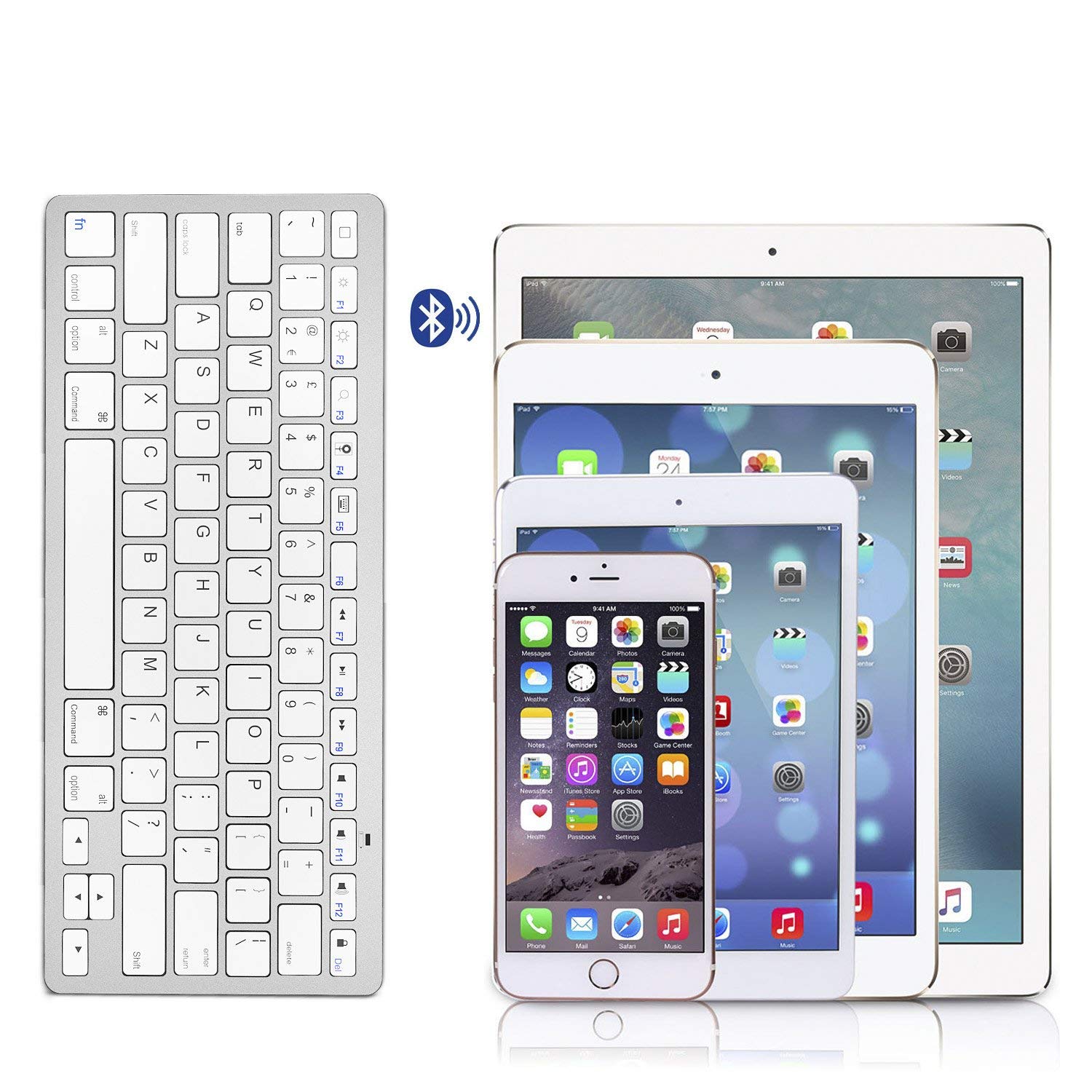
Image: The Anker A7726121 keyboard shown wirelessly connected to an iPad, iPhone, and iPad Mini, illustrating its multi-device compatibility.
Operating Instructions
Compatibility
The Anker A7726121 keyboard is cross-compatible with a wide range of operating systems and devices:
- iOS: iPad, iPhone, iPod Touch (Bluetooth 3.0 and above)
- Android: Smartphones or tablets (Android 3.0 and above)
- Mac: iMac/Macbooks (Mac OS X 10.2.8 or above). Note: Not compatible with Mac Mini.
- Windows: Bluetooth-enabled PCs or Laptops (Windows XP/Vista/7/8)
- Windows Mobile: 5.0 and above
Note: Some exceptions may apply. Not compatible with Moto RAZR.
Function Keys and Shortcuts
The keyboard features dedicated hotkeys for various functions across different operating systems. These keys provide quick access to media controls and system functions.

Image: A close-up view of the Anker A7726121 keyboard keys, highlighting the layout and function key labels.
Power Management
The keyboard is designed for ultra-low power consumption, allowing for extended use. It features an automatic sleep mode to conserve battery life:
- Automatic Sleep Mode: If the keyboard is inactive for a period, it will automatically enter sleep mode to save power.
- Waking the Keyboard: To wake the keyboard, simply press any key. It may take a few seconds to reconnect to your device.
- Battery Life: With typical usage (approximately two hours per day), the keyboard can last over three months between battery changes.
Maintenance
Cleaning
To maintain the keyboard's appearance and functionality:
- Ensure the keyboard is turned off before cleaning.
- Use a soft, lint-free cloth slightly dampened with water or a mild cleaning solution.
- Avoid using harsh chemicals, abrasive cleaners, or excessive moisture.
- For cleaning between keys, use compressed air or a soft brush.
Battery Replacement
When the keyboard's performance degrades or it fails to connect, it may be time to replace the batteries. Follow the battery installation steps outlined in the Setup section.
Troubleshooting
If you encounter issues with your Anker A7726121 keyboard, refer to the following common solutions:
- Keyboard not connecting or frequently disconnecting:
- Ensure the keyboard is turned on and has fresh batteries.
- Verify Bluetooth is enabled on your device.
- Try re-pairing the keyboard with your device (unpair and then pair again).
- Move the keyboard closer to your device to rule out range issues or interference.
- Restart both the keyboard and your device.
- Keys are unresponsive or typing incorrectly:
- Check battery levels and replace if necessary.
- Ensure the keyboard is properly paired.
- Clean the keyboard to remove any debris that might be obstructing keys.
- Test the keyboard with another compatible device to determine if the issue is with the keyboard or the original device.
- Keyboard enters sleep mode too frequently:
- This is a power-saving feature. Press any key to wake the keyboard.
- Ensure your device's Bluetooth settings are stable and not causing frequent disconnections.
Specifications
| Feature | Detail |
|---|---|
| Model Number | AK-A7726121 |
| Connectivity Technology | Bluetooth 3.0 |
| Operating System Compatibility | iOS, Android, Mac OS X, Windows, Windows Mobile |
| Power Source | 2 x AAA Batteries (not included) |
| Estimated Battery Life | Over 3 months (based on 2 hours/day use) |
| Dimensions (LxWxH) | 28.5 x 11.99 x 0.61 cm (11.2 x 4.7 x 0.2 inches) |
| Item Weight | 191 g (6.7 oz) |
| Color | White |

Image: Technical diagram showing the precise dimensions of the Anker A7726121 Ultra-Slim Bluetooth Keyboard.
Warranty and Support
Anker provides an 18-month worry-free warranty for this product. For any questions, issues, or support needs, please refer to the contact information provided in your welcome guide or visit the official Anker support website.