
1. Introduction
The Pronomic Stage XFXM-10 is a professional-grade XLR microphone cable designed for reliable and high-quality audio signal transmission. Engineered with robust components and a flexible design, it is suitable for various audio applications, from stage performances to home studio setups. This manual provides essential information for the proper setup, operation, maintenance, and troubleshooting of your XFXM-10 cable.
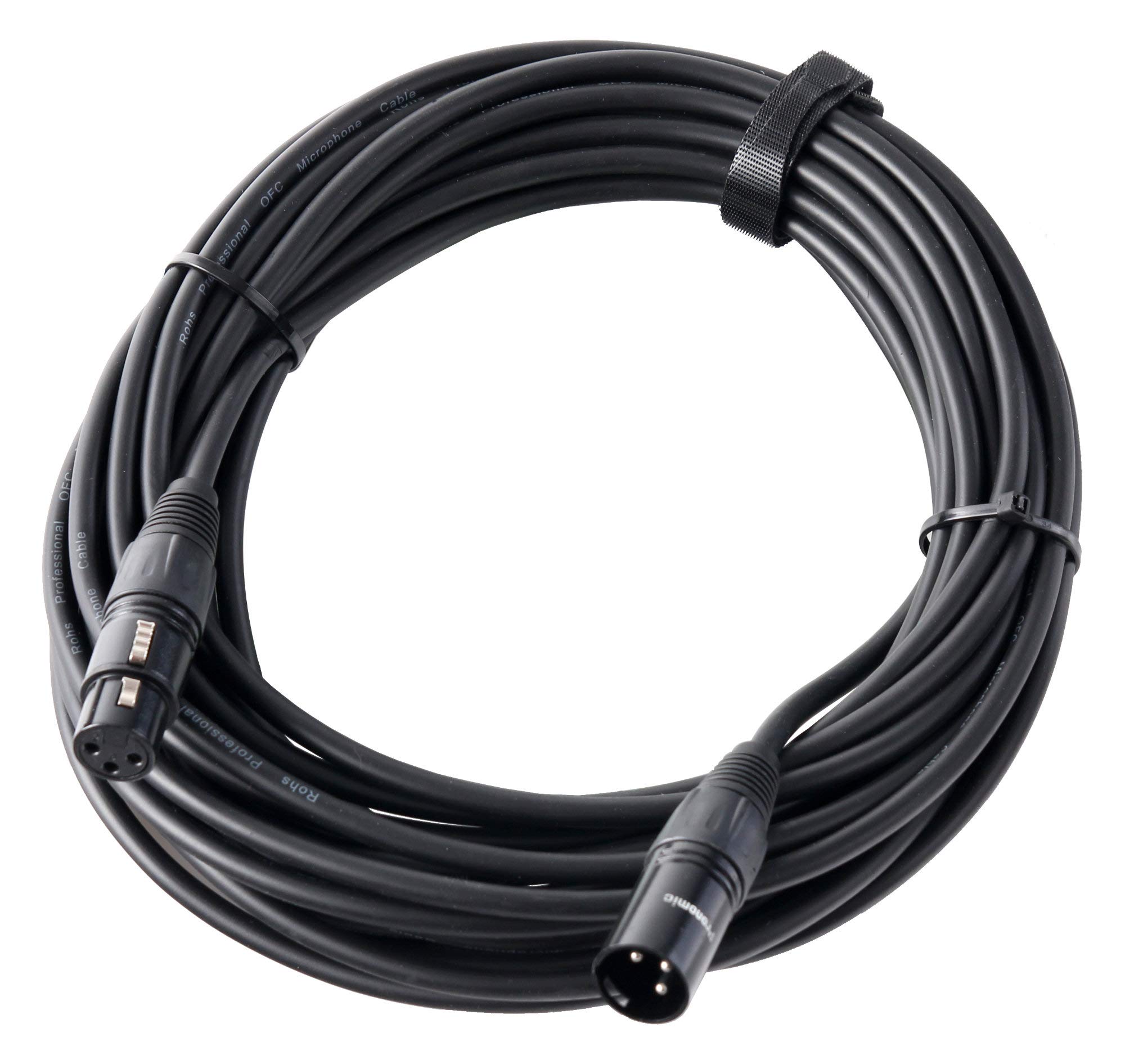
Image 1.1: Pronomic Stage XFXM-10 Microphone Cable showing XLR male and female connectors.
2. Key Features
- Professional Balanced XLR Cables: Ensures optimal audio signal integrity and noise rejection.
- Connectors: XLR female (3-pole) to XLR male (3-pole) for standard microphone and audio equipment connections.
- Length: 10 meters (approximately 32.8 feet) for extended reach.
- Color: Black, for a discreet and professional appearance.
- Oxygen-Free Copper (OFC): Utilizes OFC conductors for low conductor capacity and extremely clear sound transmission.
- High-Density Copper Shield: Effectively protects the audio signal from hum and electromagnetic interference from power sources and other cables.
- Flexible and Robust Outer Jacket: Designed for durability and resistance to tangling, suitable for demanding environments.
- Hand-Soldered Connectors: Ensures secure and reliable connections.
- Chuck-Type Strain Relief: Protects solder joints from stress, enhancing cable longevity.
- Environmentally Conscious Packaging: Supplied in plastic-free packaging from low-emission production.
3. Setup and Connection
The Pronomic Stage XFXM-10 cable is designed for straightforward connection between audio devices equipped with standard XLR inputs and outputs. Follow these steps for proper setup:
- Identify Connectors: The cable features one XLR female connector and one XLR male connector. The female connector typically connects to a microphone or the output of a device, while the male connector connects to an input (e.g., on a mixer, audio interface, or amplifier).
- Connect to Source Device: Gently insert the XLR female connector into the corresponding XLR output port of your microphone, audio interface, or other source device. Ensure it clicks securely into place.
- Connect to Destination Device: Insert the XLR male connector into the XLR input port of your mixer, amplifier, powered speaker, or other destination device. Ensure a secure connection.
- Verify Connection: After connecting both ends, gently tug on the connectors to ensure they are firmly seated and locked. The self-locking design helps maintain a stable connection.
This cable is widely compatible with various audio equipment, including sound cards, mixers, electric organs, microphones, speakers, and effect processors.
Video 3.1: An overview demonstrating the durability, flexibility, and wide compatibility of XLR microphone cables, including connection examples with various audio devices.
4. Operating Guidelines
The Pronomic Stage XFXM-10 cable is a passive component designed to transmit audio signals. Proper handling during operation ensures optimal performance and longevity:
- Avoid Excessive Bending: While the cable is flexible, avoid sharp bends or kinks, especially near the connectors, to prevent internal damage.
- Secure Connections: Always ensure connectors are fully inserted and locked to prevent signal drops or intermittent audio.
- Cable Management: When used in a setup with multiple cables, use cable ties or wraps to keep the cable organized and prevent tripping hazards or accidental disconnections.
- Unplugging: To disconnect, grasp the connector housing firmly and press the release tab (if present on the male connector) before pulling straight out. Do not pull by the cable itself.
5. Care and Maintenance
Regular care will extend the life and maintain the performance of your Pronomic Stage XFXM-10 microphone cable:
- Cleaning: Wipe the cable and connectors with a soft, dry, lint-free cloth. For stubborn dirt, a slightly damp cloth can be used, ensuring the cable is completely dry before storage or use. Do not use harsh chemicals or abrasive cleaners.
- Storage: Coil the cable loosely in a figure-eight pattern to prevent kinks and tangles. Store it in a cool, dry place away from direct sunlight and extreme temperatures. Avoid wrapping it tightly around objects.
- Inspection: Periodically inspect the cable for any signs of wear, cuts, or damage to the outer jacket or connectors. If damage is observed, consider replacing the cable to prevent potential audio issues or safety hazards.

Image 5.1: Exploded view of an XLR connector, highlighting the internal components and strain relief mechanism.
6. Troubleshooting
If you experience issues with your Pronomic Stage XFXM-10 cable, refer to the following common troubleshooting steps:
| Problem | Possible Cause | Solution |
|---|---|---|
| No sound or intermittent audio | Loose connection, faulty cable, incorrect input/output selection on devices. | Ensure both XLR connectors are fully seated and locked. Test with another known working cable. Verify correct input/output settings on all connected audio equipment. |
| Humming or buzzing noise | Ground loop, electromagnetic interference, damaged shielding. | Ensure all equipment is properly grounded. Keep audio cables away from power cables. Test with another cable to rule out cable damage. |
| Distorted audio | Overloaded input, damaged cable, impedance mismatch. | Check input levels on your mixer/interface. Test with another cable. Ensure connected devices have compatible impedance. |
7. Technical Specifications
| Feature | Detail |
|---|---|
| Manufacturer | Pronomic |
| Model Number | 00026591 |
| ASIN | B005MZ3S3Y |
| Connector Type | XLR (3-pin) |
| Connector Gender | Female to Male |
| Cable Type | Microphone Cable |
| Length | 10 meters |
| Color | Black |
| Conductor Material | Oxygen-Free Copper (OFC) |
| Shielding | High-density copper braid |
| Compatible Devices | Amplifiers, Mixers, Microphones, Audio Interfaces, Powered Speakers |
| Recommended Uses | Audio Signal Transmission |
| Shipping Dimensions | 21.4 x 19.6 x 4.9 cm; 510 grams |
8. Warranty Information
Warranty information for the Pronomic Stage XFXM-10 Microphone Cable is not specified in the provided product details. Please refer to the manufacturer's official website or contact your retailer for specific warranty terms and conditions.
9. Customer Support
Customer support contact information for the Pronomic Stage XFXM-10 Microphone Cable is not specified in the provided product details. For technical assistance, product inquiries, or support, please visit the official Pronomic website or contact the retailer from whom you purchased the product.