
1. Introduction
This manual provides essential information for the proper use and care of your INNOVA DX Cheetah disc golf driver. Please read these instructions carefully to ensure optimal performance and longevity of your disc. The INNOVA DX Cheetah is designed for disc golf enthusiasts of all skill levels, offering a reliable flight path for straight, long shots.
2. Product Overview
The INNOVA DX Cheetah is a versatile disc golf driver known for its predictable stability at lower speeds and a slight turnover at higher speeds. It is an excellent choice for players seeking a disc that can achieve straight, long throws, making it particularly suitable for beginners and younger disc golfers.
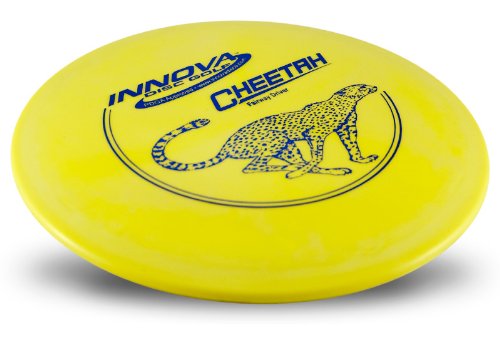
Figure 1: INNOVA DX Cheetah Disc Golf Driver. This image shows the top view of the disc, highlighting its design and branding.
Key Features:
- Flight Characteristics: Predictably stable at lower speeds, slight turnover at higher speeds.
- Ideal for: Straight line drives, first driver for new players, tight fairways.
- Material: DX Plastic.
- Diameter: 21.2 cm.
- Weight Range: 145-175g (specific disc weight may vary).
3. Setup
The INNOVA DX Cheetah disc golf driver requires no assembly or complex setup. It is ready for immediate use upon receipt.
- Unpack: Remove the disc from its packaging.
- Inspect: Visually inspect the disc for any manufacturing defects or damage. If any issues are found, refer to the "Warranty and Support" section.
- Ready to Play: Your DX Cheetah is now ready for your next disc golf round.
4. Operating the Disc
Understanding the flight characteristics of your DX Cheetah will help you achieve better results on the course.
Throwing Techniques:
- For Straight Shots: The Cheetah excels at straight line drives. For optimal straight flight, aim to release the disc flat with moderate power.
- For Turnover Shots: When thrown with higher arm speed, the DX Cheetah will exhibit a slight "turnover" (move to the right for a right-hand backhand thrower) before fading back. This can be utilized for shaping shots around obstacles.
- Beginner Friendly: Its forgiving flight path makes it an excellent choice for new players learning to control their throws.
Experiment with different release angles and power levels to discover the full potential of your DX Cheetah.
5. Maintenance
Proper care will extend the life and maintain the performance of your disc.
- Cleaning: After use, especially in dirty or muddy conditions, clean your disc with mild soap and water. Rinse thoroughly and dry with a soft cloth.
- Storage: Store your disc flat in a cool, dry place away from direct sunlight or extreme temperatures. Avoid storing it in a way that could warp its shape.
- Avoid Abrasives: Do not use abrasive cleaners or materials that could scratch the disc surface, as this can affect its flight characteristics.
6. Troubleshooting
If you encounter issues with your DX Cheetah, consider the following:
- Disc Not Flying Straight:
- Check Release Angle: Ensure you are releasing the disc flat. An anhyzer (nose up) or hyzer (nose down) release will alter the flight path.
- Power Level: Too much or too little power can affect stability. The Cheetah is designed for moderate power for straight flights.
- Wind Conditions: Strong winds can significantly impact disc flight. Adjust your throw accordingly.
- Disc Appears Damaged:
- Inspect for cracks, deep gouges, or warping. Minor scuffs are normal with use. Significant damage may affect flight.
- If damage occurred during shipping or is a manufacturing defect, refer to the "Warranty and Support" section.
7. Specifications
| Brand | INNOVA |
| Model | DX Cheetah |
| Plastic Type | DX |
| Diameter | 21.2 cm |
| Weight Range | 145-175g |
| Best Use | Straight line driver, First driver, Tight fairways |
| ASIN | B005M14PZI |
8. Warranty and Support
INNOVA Discs are manufactured to high-quality standards. For specific warranty information regarding manufacturing defects or product issues, please contact INNOVA customer support directly through their official website or the retailer from whom you purchased the disc. Please retain your proof of purchase for any warranty claims.
For additional support, tips, or to explore other INNOVA products, visit the official INNOVA Discs website: www.innovadiscs.com