
Introduction
The Wiha Multi-Bit Driver Model 38015 is a versatile hand tool designed for various fastening applications. This standard six-in-one magnetic bit holding handle provides convenience and efficiency for both professional and home use. Its robust construction ensures durability and reliable performance.
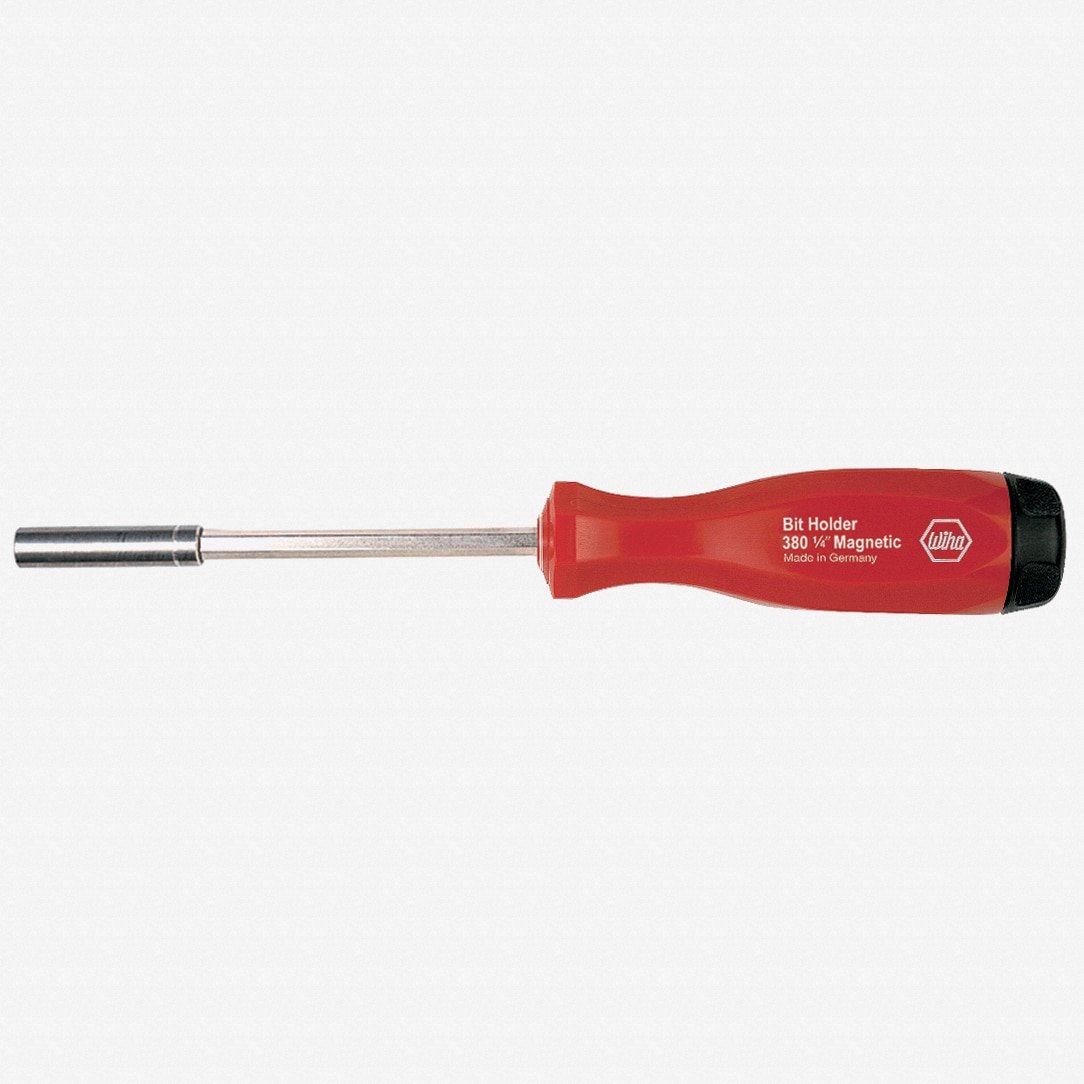
Image: Wiha Multi-Bit Driver Model 38015. This image displays the multi-bit driver with its handle and the bit holder section.
Setup
- Accessing the Bit Cavity: The driver features a chambered bit holder within the handle. To access the bit cavity, gently pull or twist the snap-lock rotatable cap at the end of the handle.
- Inserting Bits: Select up to six 1/4" bits suitable for your task. Insert them into the designated slots within the handle's cavity. The transparent selector aids in easy bit selection.
- Securing the Cap: Once bits are stored, firmly push or twist the snap-lock rotatable cap back into place until it is securely seated.
- Attaching a Working Bit: Insert the desired 1/4" bit into the stainless steel, magnetic bit holder at the tip of the driver shaft. The magnetic holder will secure the bit in place.
Operating Instructions
The Wiha Multi-Bit Driver is designed for manual fastening and unfastening of screws. Follow these guidelines for optimal use:
- Bit Selection: Choose the correct bit type and size for the screw head to prevent damage to both the screw and the bit.
- Secure Grip: Hold the Powerhandle firmly. The impact-resistant handle provides a comfortable and secure grip during operation.
- Application: Apply steady, downward pressure while turning the driver clockwise for tightening or counter-clockwise for loosening. The magnetic bit holder assists in holding the screw in place during initial engagement.
- Bit Storage: Utilize the internal cavity for convenient storage of frequently used bits, allowing for quick changes between tasks.
Maintenance
- Cleaning: Wipe the driver clean with a dry or slightly damp cloth after each use to remove dirt, grease, or debris. Avoid using harsh chemicals or abrasive cleaners.
- Storage: Store the multi-bit driver in a dry environment to prevent rust or corrosion, especially on the steel components.
- Bit Inspection: Regularly inspect the bits for wear or damage. Replace worn bits to ensure effective fastening and prevent damage to screw heads.
- Magnetic Holder: Ensure the magnetic bit holder remains free of metallic debris that could reduce its holding strength.
Troubleshooting
- Issue: End cap is difficult to open or close.
- Solution: The snap-lock cap may be stiff when new. With repeated use, it should loosen. If it remains excessively tight, ensure no debris is obstructing the mechanism. Avoid forcing it with excessive leverage to prevent damage.
- Issue: End cap comes off too easily.
- Solution: Ensure the cap is fully engaged and snapped into place. If the issue persists, inspect the cap and handle for any signs of wear or damage that might prevent a secure fit. This tool is primarily designed for workbench use where the cap is less likely to be dislodged compared to a toolbelt environment.
- Issue: Bit is not securely held by the magnetic holder.
- Solution: Check if the bit is a standard 1/4" size. Ensure the magnetic holder is clean and free of metal shavings or other obstructions that could weaken the magnetic force. If the magnet appears to have lost strength, contact Wiha support.
Specifications
| Feature | Detail |
|---|---|
| Brand | Wiha |
| Model Number | 38015 (WIH-38015) |
| Bit Holder Size | 1/4 inch |
| Bit Storage Capacity | Up to 6 bits |
| Shaft Material | CVM Steel |
| Bit Holder Material | Stainless Steel, Magnetic |
| Handle Features | Impact resistant Powerhandle, Snap-lock rotatable cap, Chambered bit holder with transparent selector |
| Overall Material | Alloy Steel, Stainless Steel |
Warranty Information
The Wiha Multi-Bit Driver Model 38015 is backed by a Lifetime Warranty. This warranty covers defects in material and workmanship under normal use. For specific terms and conditions, or to initiate a warranty claim, please refer to the official Wiha website or contact their customer support directly.
Support
For further assistance, technical support, or inquiries regarding your Wiha Multi-Bit Driver, please visit the official Wiha website or contact their customer service department. Contact information can typically be found on the manufacturer's website or product packaging.
Official Wiha Website: www.wiha.com