
1. Introduction
Thank you for choosing the San Jamar Classic Element Paper Towel Dispenser. This manual provides essential information for the safe and efficient installation, operation, and maintenance of your new dispenser. Designed for high-capacity paper towel needs in various commercial settings, this wall-mounted unit offers reliable performance and ease of use.
2. Safety Information
- Read all instructions before installation and use.
- Ensure the dispenser is securely mounted to a stable wall surface to prevent injury or damage.
- Keep hands clear of internal mechanisms during paper loading and maintenance.
- Use only appropriate paper towel rolls as specified to ensure proper function and prevent jamming.
- Do not attempt to modify the dispenser. Any modifications may void the warranty and create safety hazards.
- Keep out of reach of small children if not installed in a supervised commercial environment.
3. Package Contents
Verify that all components are present before beginning installation:
- San Jamar Classic Element Paper Towel Dispenser (Model T950TBK)
- Mounting hardware (screws and anchors may not be included, refer to installation for details)
- Key for dispenser access
4. Specifications
| Feature | Specification |
|---|---|
| Model Number | T950TBK |
| Brand | San Jamar |
| Material | Plastic |
| Color | Black Pearl |
| Mounting Type | Wall Mount |
| Item Weight | 3.84 Pounds |
| Product Dimensions | 12.75"L x 12.5"W |
| Roll Capacity | Standard 800’ 8” roll towel; accommodates all core sizes (coreless, solid, centerpull) |
| Dispensing Mechanism | Ergonomic Lever (Manual Push) |
Dimensions Diagram

Figure 1: Product dimensions showing length and width.
5. Setup
5.1 Mounting the Dispenser
The San Jamar Classic Element Paper Towel Dispenser is designed for easy wall mounting. Ensure you select a sturdy wall surface capable of supporting the dispenser's weight when full.
- Choose Location: Select a suitable location on a wall, ensuring it is at an accessible height and clear of obstructions.
- Open Dispenser: Use the provided key to open the dispenser cover.
- Mark Mounting Points: Hold the dispenser against the wall at the desired height. Mark the five mounting points on the back plate with a pencil.
- Drill Holes: Drill pilot holes at the marked locations. Use appropriate drill bits and wall anchors if mounting into drywall.
- Secure Dispenser: Align the dispenser with the drilled holes and secure it to the wall using screws (not always included). Ensure it is firmly attached.
Mounting Points Diagram

Figure 2: Back view of the dispenser highlighting the mounting points.
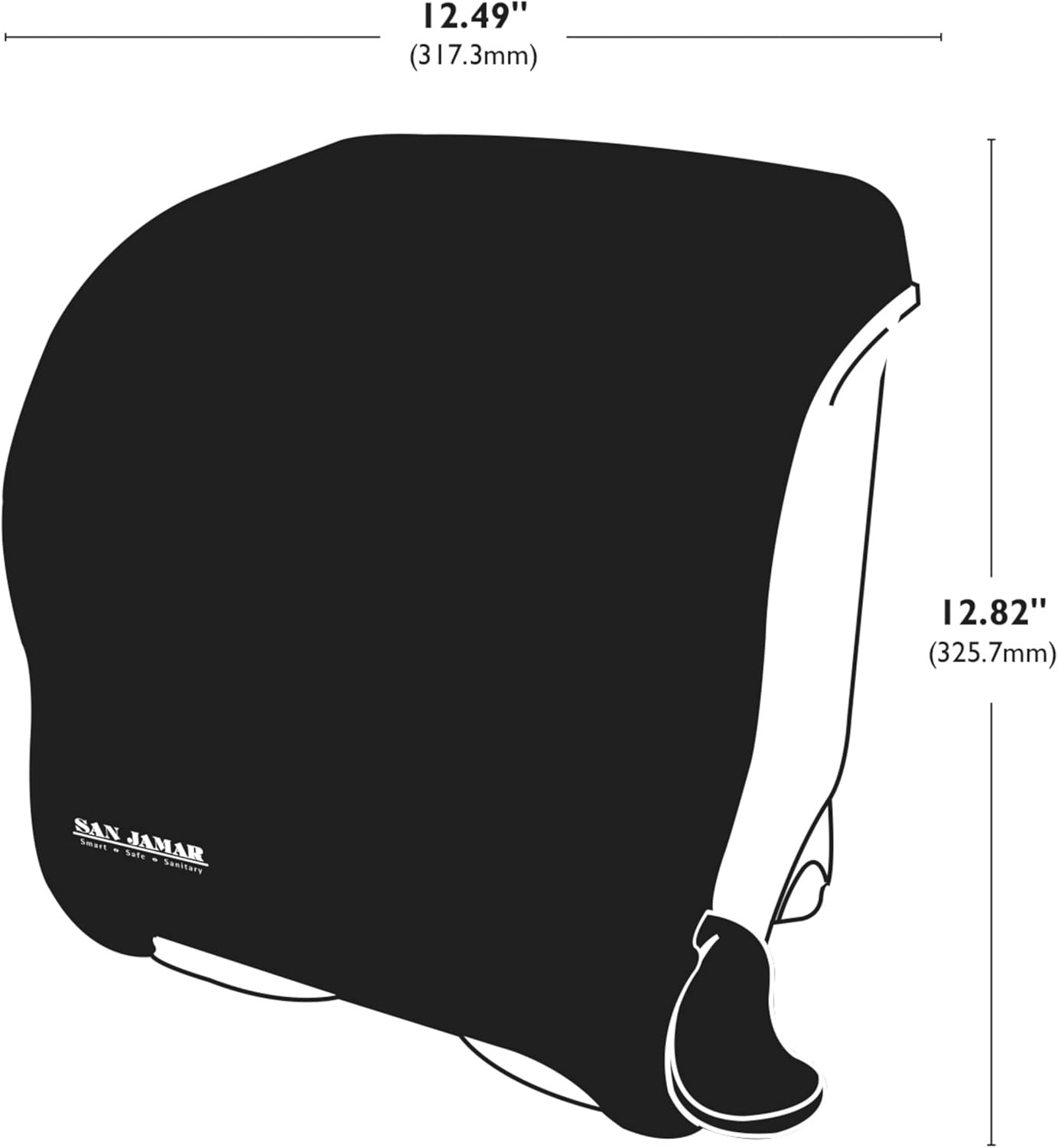
Figure 3: Detailed diagram indicating the five screw locations for secure wall mounting.
5.2 Loading Paper Towel Rolls
This dispenser accommodates standard 800’ 8” roll towels and is compatible with various core sizes, including coreless, solid, and centerpull rolls.
- Open Dispenser: Unlock and open the dispenser cover.
- Insert Roll: Place the new paper towel roll onto the internal roll holders. Ensure the paper feeds from the bottom of the roll.
- Feed Paper: Pull the leading edge of the paper towel down through the dispensing mechanism until it is visible below the dispenser opening.
- Close Cover: Close the dispenser cover and lock it securely.
Paper Loading Illustration

Figure 4: Step-by-step visual guide for inserting a new paper towel roll.

Figure 5: Diagram showing the proper feeding path of the paper towel through the dispenser mechanism.
Official Product Video: Loading and Features
Video 1: This official San Jamar video demonstrates the loading process and highlights key features of the lever roll towel dispenser.
6. Operating Instructions
The San Jamar Classic Element Dispenser features an ergonomic lever for simple and efficient paper towel dispensing.
- Dispense Paper: Gently push down on the ergonomic lever located on the side of the dispenser.
- Retrieve Towel: A section of paper towel will be dispensed. Pull the paper towel downwards to tear it off.
- Monitor Paper Levels: The dispenser features a transparent cover, allowing for easy monitoring of paper towel levels to anticipate refills.
Lever Operation

Figure 6: Close-up view of the ergonomic lever, designed for comfortable and efficient dispensing.
Paper Level Monitoring

Figure 7: The transparent cover allows for quick visual inspection of remaining paper towel, aiding in timely refills.
7. Maintenance
Regular maintenance ensures the longevity and hygienic operation of your San Jamar dispenser.
- Cleaning: Wipe the exterior of the dispenser with a soft, damp cloth and mild soap. Avoid abrasive cleaners that may scratch the surface.
- Internal Cleaning: Periodically open the dispenser and wipe down internal surfaces to remove any paper dust or debris.
- Mechanism Check: Inspect the lever and internal rollers for any signs of wear or damage. The low-maintenance design with minimal internal parts simplifies this process.
- Roll Replacement: Replace paper rolls promptly when empty to ensure continuous service.
8. Troubleshooting
Refer to the table below for common issues and their solutions:
| Problem | Possible Cause | Solution |
|---|---|---|
| Paper not dispensing | Empty roll; paper jammed; incorrect paper loading | Replace roll; clear jam; re-load paper correctly (feeding from bottom) |
| Paper tears unevenly | Dull cutting edge; paper quality issue | Inspect cutting edge for damage; try a different paper roll type |
| Lever is stiff or stuck | Debris in mechanism; damaged lever | Open and clean internal mechanism; contact support if damaged |
| Dispenser not securely mounted | Loose screws; inadequate anchors | Tighten screws; use appropriate wall anchors for your wall type |
9. Warranty and Support
For warranty information, technical support, or to order replacement parts, please contact San Jamar customer service. Keep your purchase receipt and model number (T950TBK) handy for faster service.
Visit sanjamar.com for more information.
