
1. Introduction
The Ozeri CardioTech Premium Series Digital Blood Pressure Monitor is an advanced wrist monitor designed for accurate and convenient blood pressure measurement at home. Utilizing scientifically proven technology, this device is compact, portable, and user-friendly. It incorporates Measurement While Inflating (MWI) technology for efficient and precise readings.

Figure 1: Ozeri BP2M CardioTech Blood Pressure Monitor, showing the main unit, wrist cuff, and protective carrying case.
Key Features:
- Portable, accurate, and easy-to-use wrist cuff design with clinically proven technology.
- Advanced hypertension color indicator that color-codes systolic and diastolic readings according to green (normal), orange (pre-hypertension), and red (hypertension) levels.
- Stores 1197 blood pressure readings (399 x 3 users) with date and time records.
- New MWI (Measurement While Inflating) technology automatically inflates to the appropriate level (no adjustments required) and reduces measurement time.
- Automatic irregular heartbeat (arrhythmia) detection and new button access to average blood pressure readings.
2. Setup
2.1 Battery Installation
The monitor requires 2 AAA batteries (included). To install:
- Locate the battery compartment on the back of the monitor.
- Slide open the battery cover.
- Insert the 2 AAA batteries, ensuring correct polarity (+ and -).
- Close the battery cover securely.
2.2 Applying the Wrist Cuff
Proper cuff placement is crucial for accurate readings.
- Sit comfortably with your arm resting on a flat surface, palm facing up.
- Slide the monitor onto your left wrist with the display facing up. The bottom edge of the monitor should be approximately 1-2 cm (0.4-0.8 inches) from your palm.
- Wrap the cuff snugly around your wrist. Ensure it is not too tight or too loose.
- Position your wrist at heart level. This can be achieved by resting your elbow on a table and supporting your wrist with your other hand or a cushion.
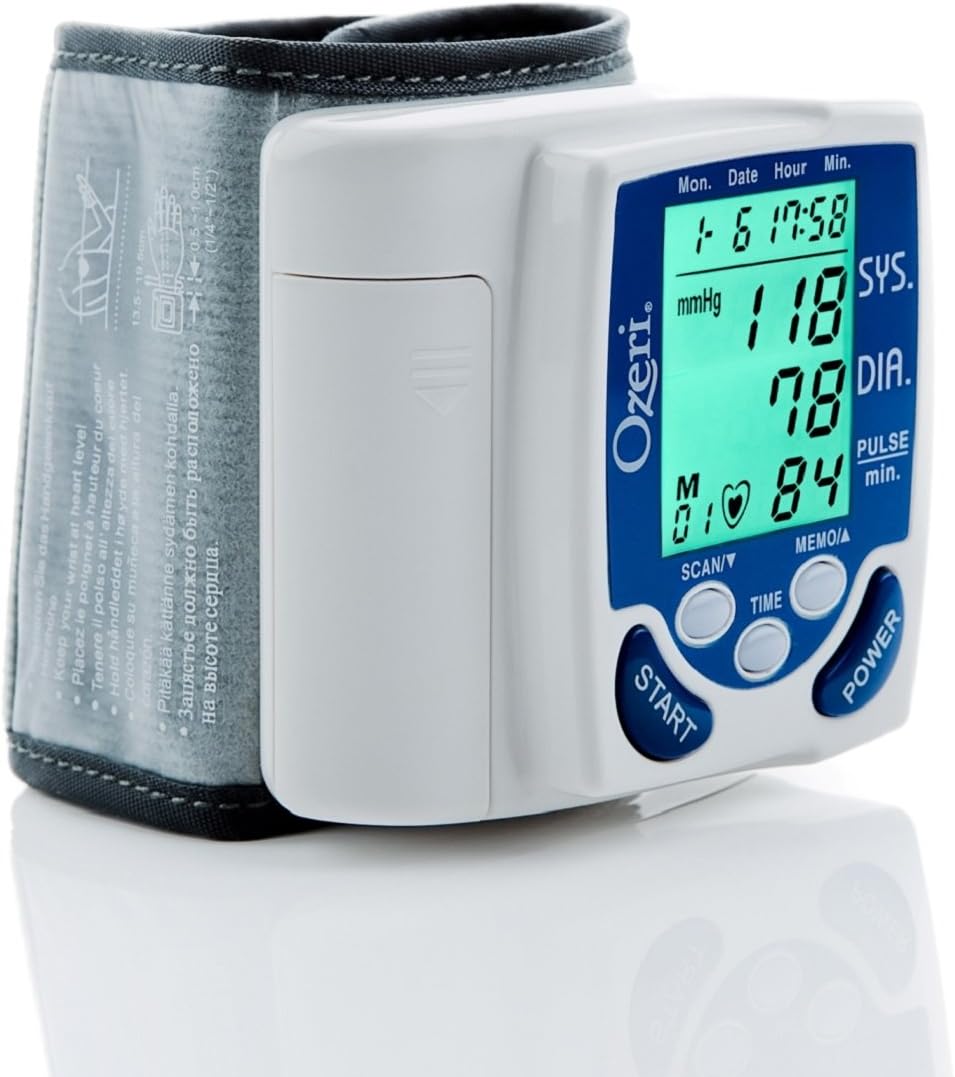
Figure 2: Proper placement of the Ozeri BP2M monitor on the wrist, showing a green display indicating normal blood pressure.
3. Operating Instructions
3.1 Taking a Measurement
Before taking a measurement, ensure you are relaxed and have been resting for at least 5 minutes. Avoid talking or moving during the measurement.
- Press the POWER button to turn on the monitor.
- Press the START button. The cuff will automatically inflate to the appropriate level using MWI technology.
- Remain still and quiet until the measurement is complete. The monitor will display your systolic pressure (SYS), diastolic pressure (DIA), and pulse rate.
- The monitor will automatically store the reading with the date and time.
3.2 Understanding Your Readings (Hypertension Color Alert)
The Ozeri BP2M features a color-coded display to help you easily interpret your blood pressure readings according to World Health Organization (WHO) guidelines:
- Green Display: Indicates normal blood pressure.
- Orange Display: Indicates pre-hypertension.
- Red Display: Indicates hypertension.
Figure 3: Normal Blood Pressure (Green)

Figure 4: Pre-Hypertension (Orange)

Figure 5: Hypertension (Red)
3.3 Memory Function and User Selection
The monitor can store up to 1197 readings, divided among 3 users (399 readings per user). To access stored readings or switch users:
- Press the MEMO/▲ button to cycle through user profiles (U1, U2, U3) and view their stored readings.
- Press the SCAN/▼ button to scroll through individual readings within a user profile.
- The monitor also calculates the average of the 3 most recent readings for better health insight.
3.4 Irregular Heartbeat Detection
The monitor is equipped with an irregular heartbeat (arrhythmia) detection feature. If an irregular heartbeat is detected during measurement, a special symbol will appear on the display. If this symbol appears frequently, consult your physician.
4. Maintenance
4.1 Cleaning and Storage
- Clean the monitor and cuff with a soft, dry cloth. Do not use abrasive cleaners or immerse the unit in water.
- Store the monitor in its protective carrying case in a cool, dry place, away from direct sunlight and extreme temperatures.
4.2 Battery Replacement
When the battery indicator appears on the display, replace both AAA batteries promptly to ensure accurate readings. Follow the battery installation steps in Section 2.1.
5. Troubleshooting
| Problem | Possible Cause | Solution |
|---|---|---|
| Monitor does not turn on. | Batteries are dead or incorrectly inserted. | Check battery polarity or replace batteries. |
| Error message (e.g., "Err") on display. | Cuff not applied correctly, excessive movement during measurement, or irregular pulse. | Reapply cuff, remain still and quiet, or consult a physician if irregular pulse persists. |
| Readings seem inaccurate. | Improper cuff placement, incorrect body position, or recent physical activity/stress. | Ensure proper cuff placement and body position. Rest for 5 minutes before measurement. Take multiple readings and average them. |
| Cuff does not inflate or inflates too little/much. | Air leakage from cuff, or MWI technology adjusting pressure. | Ensure cuff is securely fastened. Allow the MWI technology to complete its inflation cycle. |
6. Specifications
| Specification | Detail |
|---|---|
| Model | BP2M |
| Brand | Ozeri |
| Weight | 130 Grams |
| Units | 1 unit |
| Power Source | Batteries (2 x AAA) |
| Display Type | Digital LCD with Color Alert |
| Memory Capacity | 1197 readings (399 for 3 users) with date/time |
| Measurement Method | Oscillometric, Measurement While Inflating (MWI) |
| Irregular Heartbeat Detection | Yes |
| UPC | 885159987378, 815817010407 |
7. Warranty and Support
7.1 Product Warranty
The Ozeri BP2M CardioTech Premium Series Digital Blood Pressure Monitor is covered by a 5-year warranty from the date of purchase. This warranty covers defects in materials and workmanship under normal use. Please retain your proof of purchase for warranty claims.
7.2 Customer Support
For any questions, technical assistance, or warranty inquiries, please refer to the contact information provided on the product packaging or the official Ozeri website. Do not attempt to repair the device yourself, as this may void the warranty.
