1. Introduction
The VOLTCRAFT BS-1000T is a high-quality endoscope base unit designed for detailed visual inspection in various applications. It operates with a rechargeable battery and features a mini USB interface, a large 8.89 cm (3.5 inch) 320 x 240 pixel screen, an SD card slot, and a TV output. This base unit is compatible with various endoscope cameras, allowing for flexible use.
Key features include:
- 8.89 cm (3.5 inch) LCD screen
- Digital zoom function
- TV output for external display
- Video and photo recording capabilities
- Continuous brightness adjustment for the camera light
- Integrated LiPo battery for up to 4 hours of operation
- SD card support for media storage
- Tripod mounting thread for stable positioning
The VOLTCRAFT BS-1000T endoscope base unit, an SD card, and various accessories neatly organized within a black, hard-shell protective carrying case.
2. Safety Instructions
Please read and understand all safety instructions before operating the device. Failure to follow these instructions may result in electric shock, fire, or serious injury.
- Keep the device away from water and moisture.
- Do not attempt to open or modify the device. Refer all servicing to qualified personnel.
- Use only the specified power adapter for charging the integrated LiPo battery.
- Avoid exposing the device to extreme temperatures or direct sunlight.
- Ensure the endoscope camera probe is clean and undamaged before insertion into any area.
- Do not use the device in environments with explosive gases or vapors.
- Keep out of reach of children.
3. Product Components
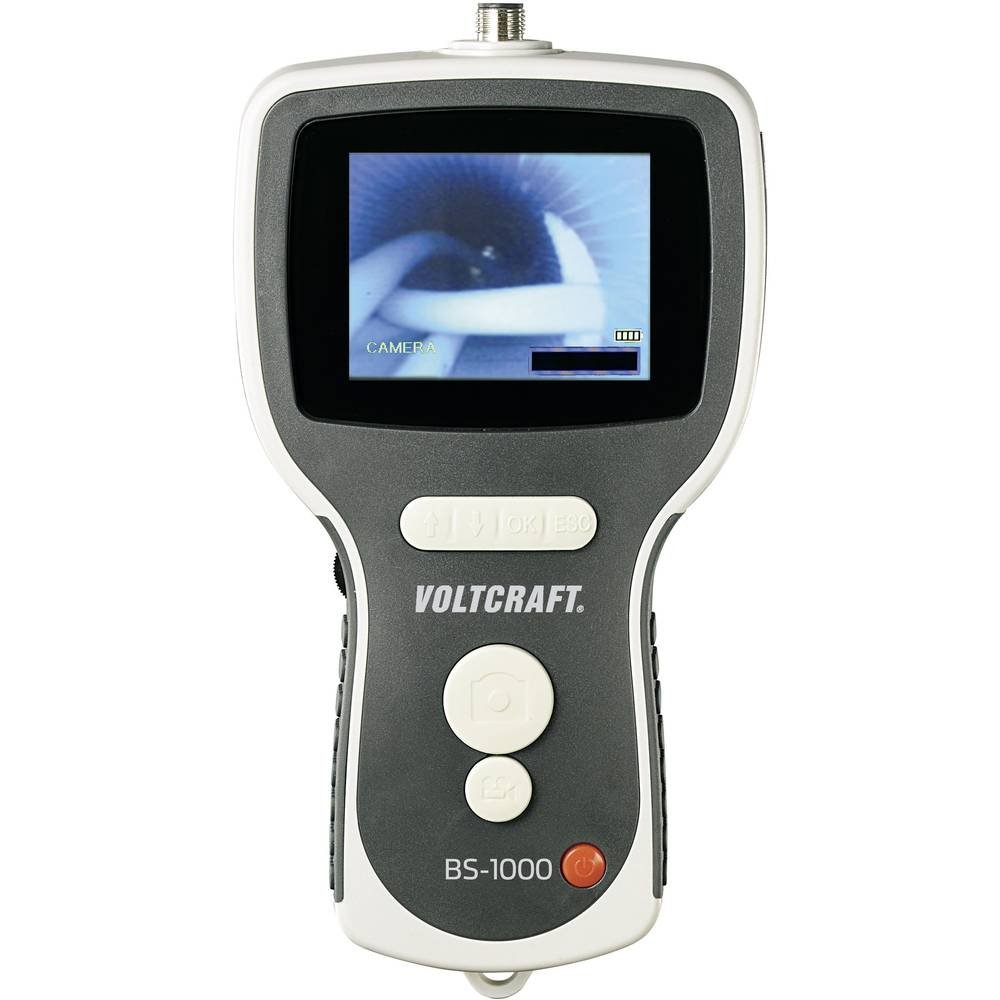
The BS-1000T endoscope base unit consists of the main display unit, control buttons, and connection ports. It is designed to be used with a compatible endoscope camera probe (sold separately or included in specific kits).
Main Unit Features:
- 3.5-inch LCD Screen: Displays live video feed and recorded media.
- Control Buttons: For power, menu navigation, zoom, brightness, and recording functions.
- Mini USB Port: For charging and data transfer to a computer.
- SD Card Slot: For storing videos and images.
- AV Output: For connecting to an external display (e.g., TV).
- Camera Connector: For attaching the flexible endoscope camera probe.
- Tripod Thread: Located at the bottom for mounting on a tripod.

The VOLTCRAFT BS-1000T endoscope base unit held in hand, with a flexible camera probe extending from its top. The unit's screen shows a live feed from the camera.
4. Setup
4.1. Charging the Battery
- Connect the provided USB cable to the mini USB port on the BS-1000T unit.
- Connect the other end of the USB cable to a suitable USB power adapter (not included) or a computer's USB port.
- The charging indicator will illuminate. A full charge provides up to 4 hours of operation.
4.2. Inserting the SD Card
- Locate the SD card slot on the side of the BS-1000T unit.
- Insert a compatible SD card (up to 32GB, Class 10 recommended) into the slot with the metal contacts facing down until it clicks into place.
- To remove, gently push the SD card until it springs out.
4.3. Connecting the Endoscope Camera
- Ensure the BS-1000T unit is powered off.
- Align the connector of the endoscope camera probe with the camera connector port on the top of the BS-1000T unit.
- Gently push and twist the connector to secure the camera probe. Do not force the connection.
5. Operation
5.1. Powering On/Off
- To power on, press and hold the Power button until the screen illuminates.
- To power off, press and hold the Power button until the screen turns off.
5.2. Video Recording
- With the unit powered on and camera connected, press the Video Record button to start recording. A recording indicator will appear on the screen.
- Press the Video Record button again to stop recording. The video file will be saved to the inserted SD card.
5.3. Image Capture
- During live view or video playback, press the Photo Capture button to take a still image.
- The image file will be saved to the inserted SD card.
5.4. Zoom Function
- Press the Zoom button to digitally magnify the image on the screen.
- Repeated presses will cycle through different zoom levels.
5.5. Brightness Adjustment
- Use the Brightness control buttons to adjust the intensity of the camera's LED lights.
- This allows for optimal illumination in various inspection environments.
5.6. Image Mirroring
- The device supports mirroring the displayed image. This feature is useful when using mirror attachments on the camera probe to correct the visual orientation.
- Refer to the on-screen menu for mirroring options.
5.7. TV Output
- Connect an AV cable (not included) from the AV output port on the BS-1000T unit to the AV input of a television or external monitor.
- The live feed or recorded media will be displayed on the external screen.

A close-up shot of the VOLTCRAFT BS-1000T endoscope's color LCD screen, showing a detailed image captured by the connected camera.

A person is shown holding the VOLTCRAFT BS-1000T endoscope base unit, with its flexible camera probe inserted into a sink drain for inspection. The unit's screen displays the live view from inside the drain.
6. Maintenance
6.1. Cleaning
- Wipe the main unit with a soft, dry cloth. Do not use abrasive cleaners or solvents.
- For the camera probe, gently clean the lens with a lens cleaning cloth. If necessary, use a slightly damp cloth and ensure it is completely dry before storage.
6.2. Storage
- Store the BS-1000T unit and its accessories in a cool, dry place, away from direct sunlight and extreme temperatures.
- If storing for an extended period, ensure the battery is partially charged (around 50%) to prolong its lifespan.
7. Troubleshooting
If you encounter issues with your VOLTCRAFT BS-1000T, please refer to the following common problems and solutions:
| Problem | Possible Cause | Solution |
|---|---|---|
| Device does not power on. | Battery is depleted. | Charge the device using the USB cable. |
| No image on screen. | Camera probe not connected properly or faulty. | Ensure the camera probe is securely connected. Test with another compatible probe if available. |
| Cannot record video or capture images. | SD card is full, not inserted, or faulty. | Check if the SD card is inserted correctly. Delete old files or replace the SD card. Ensure the card is not write-protected. |
| Image is blurry or unclear. | Camera lens is dirty or focus is incorrect. | Clean the camera lens. Adjust the focus type (manual focus for this model). |
| No output on external TV. | AV cable not connected correctly or TV input not selected. | Verify AV cable connection. Select the correct AV input source on your television. |
8. Technical Specifications
| Feature | Specification |
|---|---|
| Brand | VOLTCRAFT |
| Model | BS-1000T |
| Color | Black |
| Screen Size | 8.89 cm (3.5 inches) |
| Video Resolution | 320 x 240 pixels |
| Connectivity Technology | USB |
| Supported Formats | Video, Image |
| Compatible Devices | Endoscope cameras |
| Product Dimensions (L x W x H) | 42 x 34 x 12 cm |
| Item Weight | 450 Grams |
| Zoom Type | Digital |
| Focus Type | Manual |
| Effective Still Resolution | 320 Pixels |
9. Warranty and Support
VOLTCRAFT products are designed for reliability and performance. For information regarding spare parts availability, please note that spare parts are guaranteed for 1 year from the date of purchase within the EU.
For further assistance, technical support, or warranty claims, please contact your retailer or visit the official VOLTCRAFT website for contact information.


