
1. Introduction
This manual provides essential instructions for the safe installation, operation, and maintenance of your Crabtree 4015/31 20A Double Pole Water Heater Switch. This switch is designed for controlling water heaters and similar high-power electrical appliances. Please read this manual thoroughly before installation and use, and retain it for future reference.
2. Safety Information
WARNING: Electrical installation and wiring should only be performed by a qualified electrician or competent person. Incorrect installation can lead to electric shock, fire, or serious injury.
- Always disconnect the main power supply at the consumer unit/fuse box before commencing any electrical work.
- Verify that the power is off using a suitable voltage tester before touching any wires.
- Ensure all wiring connections are secure and correctly terminated.
- This switch is rated for 20 Amps and is suitable for water heaters and other appliances within this current rating. Do not exceed the specified current.
- Ensure the product is installed in a dry environment, away from direct water exposure, unless specifically rated for such conditions (IP54 rating indicates protection against dust and splashing water, but not immersion).
- Do not attempt to modify the switch.
3. Product Overview
The Crabtree 4015/31 is a double pole (DP) push-button switch designed for wall mounting. It features a clear ON/OFF indication and an integrated neon indicator light to show when the switch is in the 'ON' position.
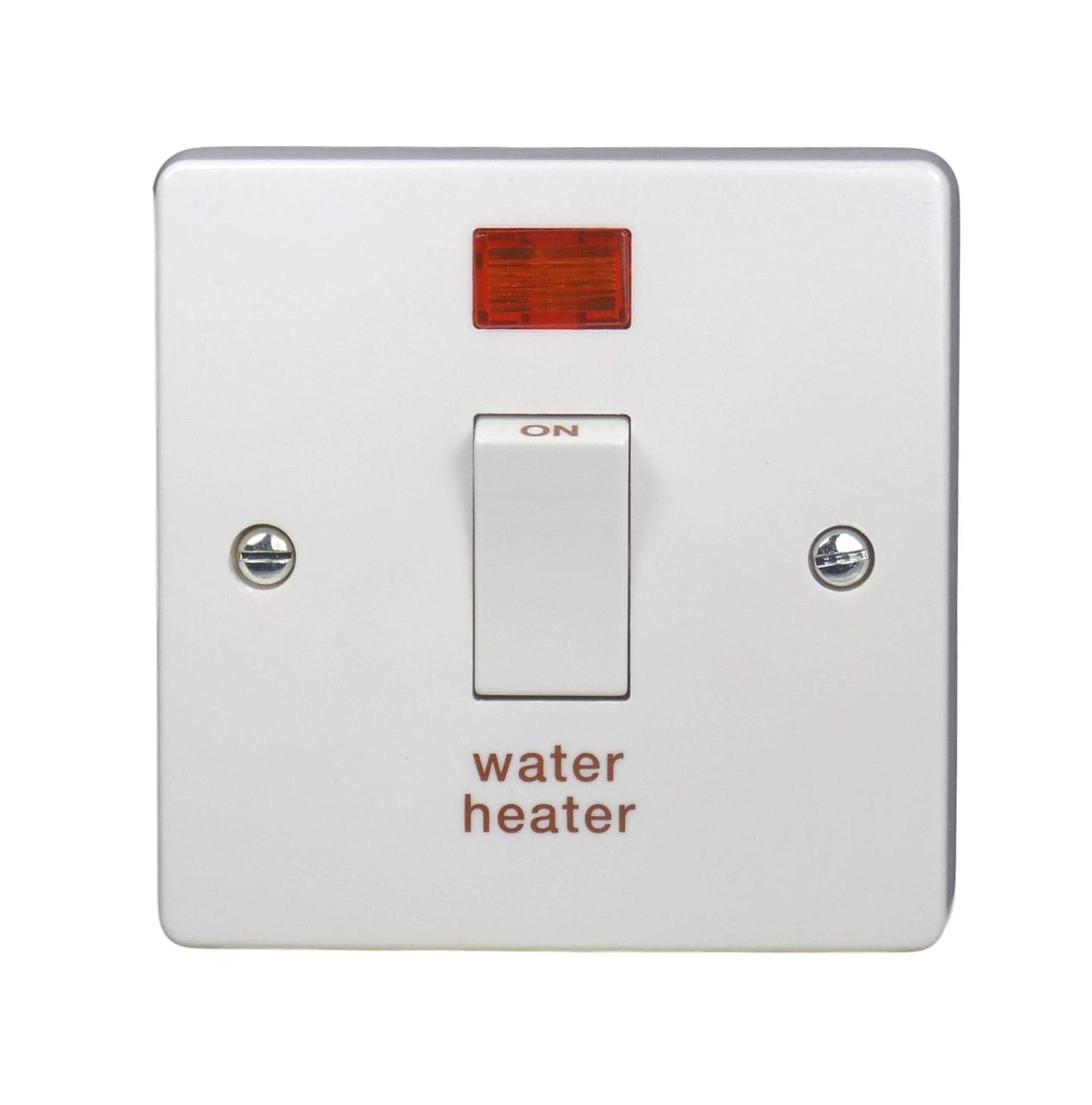
Figure 1: Front view of the Crabtree 4015/31 Water Heater Switch. It shows a white square faceplate with two visible screw heads, a central push-button switch labeled 'ON' at the top, and 'water heater' printed below. Above the switch is a rectangular red neon indicator light.
Key Components:
- Push Button Actuator: For switching the connected appliance ON or OFF.
- Neon Indicator Light: Illuminates when the switch is in the 'ON' position, indicating power is supplied to the appliance.
- Terminal Connections: Screw terminals for secure wiring of live, neutral, and earth conductors.
- Faceplate: Durable white or gray finish for wall mounting.
4. Installation
IMPORTANT: Installation must be carried out by a qualified electrician in accordance with local wiring regulations and safety standards.
- Power Disconnection: Before starting, ensure the main electrical supply to the circuit is completely disconnected at the consumer unit/fuse box. Use a voltage tester to confirm no power is present at the installation site.
- Mounting Location: Choose a suitable wall-mounted location, ensuring it is accessible and away from potential water splashes, unless the IP rating is specifically for such conditions.
- Wiring:
- Connect the incoming Live (L) wire to the 'IN L' terminal.
- Connect the outgoing Live (L) wire (to the appliance) to the 'OUT L' terminal.
- Connect the incoming Neutral (N) wire to the 'IN N' terminal.
- Connect the outgoing Neutral (N) wire (to the appliance) to the 'OUT N' terminal.
- Connect the Earth (E) wire to the Earth terminal.
- Ensure all screw terminals are tightened securely to prevent loose connections and overheating.
- Mounting the Switch: Secure the switch unit to the wall box using the provided screws. Ensure the faceplate is flush with the wall surface.
- Testing: Once installation is complete, restore the main power supply. Test the switch by pressing the button to turn the connected appliance ON and OFF. Observe the neon indicator light.
5. Operating Instructions
Operating the Crabtree 4015/31 switch is straightforward:
- To Turn ON: Press the push button. The switch will latch into the 'ON' position, and the red neon indicator light will illuminate, indicating power is being supplied to the connected water heater or appliance.
- To Turn OFF: Press the push button again. The switch will return to the 'OFF' position, and the red neon indicator light will turn off, indicating power to the appliance has been disconnected.
6. Maintenance
The Crabtree 4015/31 switch requires minimal maintenance. Follow these guidelines to ensure its longevity and safe operation:
- Cleaning: Periodically wipe the surface of the switch with a soft, dry cloth. Do not use abrasive cleaners, solvents, or excessive moisture, as these can damage the finish or internal components.
- Inspection: Regularly inspect the switch for any signs of damage, such as cracks in the faceplate, discoloration, or loose mounting. If any damage is observed, disconnect power and have the switch inspected and replaced by a qualified electrician.
- No User Serviceable Parts: There are no user-serviceable parts inside the switch. Do not attempt to open or repair the unit.
7. Troubleshooting
If you encounter issues with your Crabtree 4015/31 switch, refer to the following common problems and solutions:
| Problem | Possible Cause | Solution |
|---|---|---|
| Switch does not turn ON/OFF appliance. | No power to the circuit; faulty wiring; faulty appliance; internal switch fault. | Check circuit breaker/fuse. Verify main power supply. Inspect wiring connections (with power off). Test appliance separately. If issues persist, consult a qualified electrician. |
| Neon indicator light does not illuminate when ON. | Faulty neon indicator; no power to the switch; switch not fully engaged. | Ensure switch is fully pressed to 'ON'. Check power supply. If power is present and switch is ON, but light is off, the neon may be faulty. The switch may still function correctly, but replacement is recommended for full functionality. |
| Switch feels loose or makes unusual noises. | Loose mounting screws; internal damage. | Disconnect power and check mounting screws. If internal damage is suspected, replace the switch immediately. Consult a qualified electrician. |
For any issues not covered here, or if you are unsure about any troubleshooting steps, always contact a qualified electrician.
8. Specifications
| Feature | Detail |
|---|---|
| Model Number | 4015/31 |
| Item Model Number | JN14 |
| Operation Mode | ON-OFF Push Button |
| Current Rating | 20 Amps |
| Voltage Rating | Standard household voltage (typically 230-240V AC, specific to region) |
| Contact Type | Double Pole (DP), Normally Open |
| Connector Type | Screw Terminals |
| Actuator Type | Push Button |
| Contact Material | Alloy Steel |
| International Protection (IP) Rating | IP54 (Protected from dust and splashing water) |
| Number of Positions | 2 (ON/OFF) |
| Control Type | Manual |
| Compatible Devices | Electrical appliances (water heaters, boilers, etc.) with compatible wattage and current rating |
| Color | White or Gray |
| Dimensions (approx.) | 9.7 x 8.7 x 3.2 cm |
| Item Weight | 110 g |
| Manufacturer | Crabtree |
9. Warranty and Support
For information regarding the warranty period and terms for your Crabtree 4015/31 Water Heater Switch, please refer to the documentation provided at the point of purchase or contact your retailer. You may also visit the official Crabtree website for product support and contact information.
For technical assistance or inquiries, please contact Crabtree customer service or a qualified electrician.