
1. Product Overview
The Behringer EUROLIVE F1320D is a high-power 300-Watt 2-way active monitor speaker system designed for both live performance and playback applications. It delivers exceptional sound quality with a wide frequency bandwidth and dynamic range, making it suitable for various audio environments.
Key features include revolutionary Class-D amplifier technology for enormous power and super-light weight, an adjustable feedback filter, and an integrated limiter for ultimate system control and speaker protection. An integrated sound processor further enhances system control and speaker protection.

Figure 1: Front angled view of the Behringer EUROLIVE F1320D monitor speaker.
2. Safety Instructions
Before operating your EUROLIVE F1320D, please read and follow all safety instructions to prevent electric shock, fire, or injury. Keep this manual for future reference.
- Power Source: Connect the unit only to the specified voltage and frequency as indicated on the rear panel.
- Grounding: Ensure the unit is properly grounded to prevent electric shock. Do not defeat the grounding type plug.
- Ventilation: Do not block ventilation openings. Install in accordance with the manufacturer’s instructions.
- Water and Moisture: Do not expose this apparatus to rain or moisture. Do not use near water.
- Heat: Do not install near any heat sources such as radiators, heat registers, stoves, or other apparatus (including amplifiers) that produce heat.
- Cables: Protect the power cord from being walked on or pinched. Use only attachments/accessories specified by the manufacturer.
- Servicing: Refer all servicing to qualified service personnel. Do not attempt to service this product yourself.
3. Package Contents
Upon unpacking your Behringer EUROLIVE F1320D, please ensure all listed components are present and in good condition:
- 1 x EUROLIVE F1320D Active 300W 2-Way 12" Monitor Speaker System
- 1 x Power Cable
- 1 x User Manual (this document)
If any items are missing or damaged, please contact your dealer immediately.
4. Setup
Proper setup ensures optimal performance and longevity of your monitor speaker.
4.1 Placement
The EUROLIVE F1320D is designed for versatile placement:
- Floor Monitor: Position the speaker on the floor in front of the performer, angled upwards for direct sound projection.
- Pole Mount: For use as a main PA speaker or elevated monitor, the unit features a standard pole mount socket on its base. Ensure the pole stand is stable and rated for the speaker's weight.
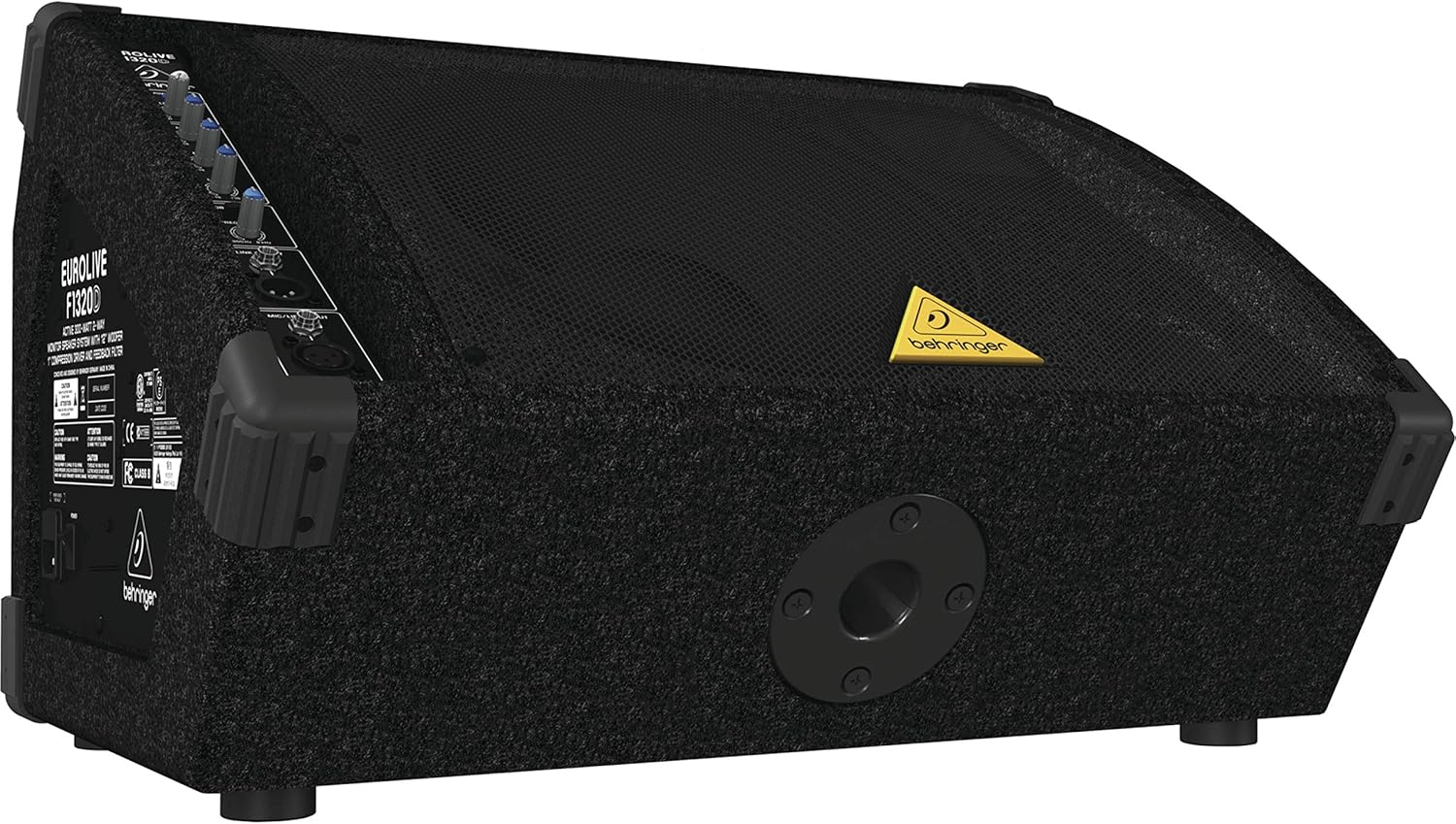
Figure 2: Rear angled view highlighting the pole mount socket for elevated placement.
4.2 Power Connection
- Ensure the power switch on the rear panel is in the OFF position.
- Connect the supplied power cable to the AC inlet on the rear of the speaker.
- Plug the other end of the power cable into a suitable grounded AC power outlet.
- Flip the power switch to the ON position. The power LED on the control panel will illuminate.
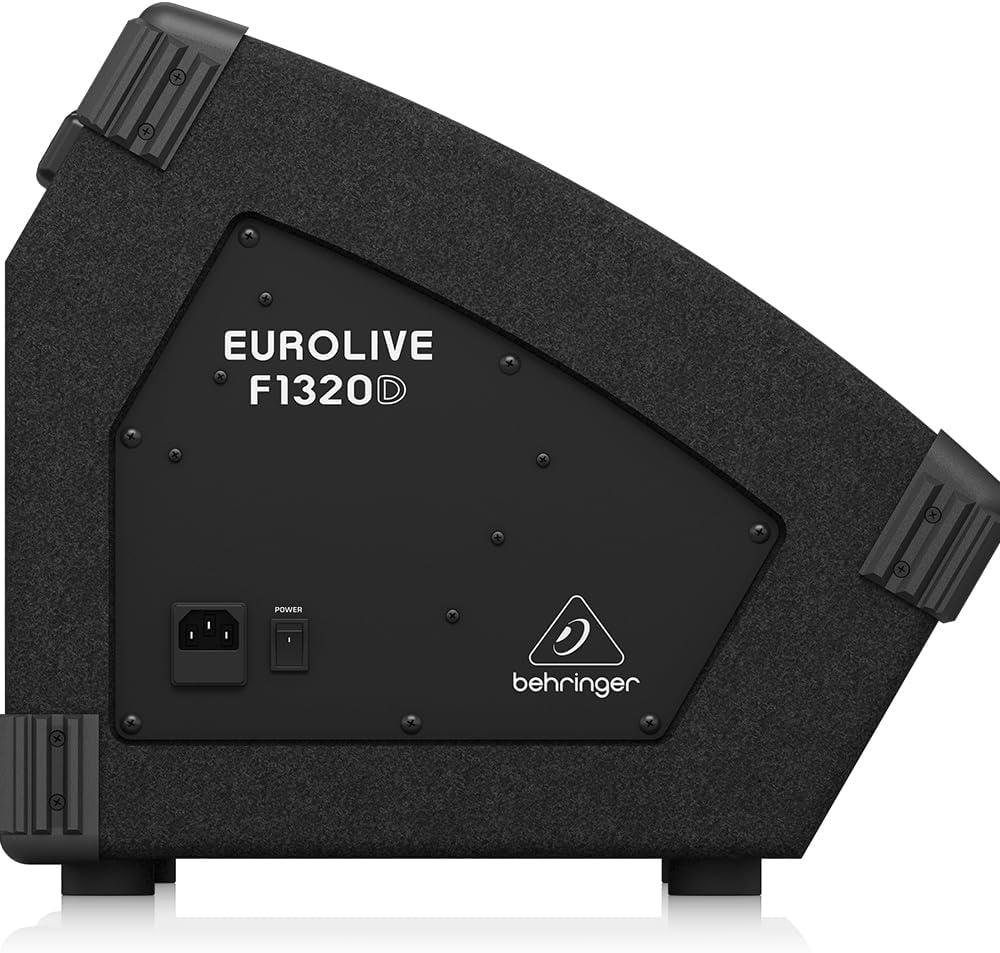
Figure 3: Side view of the speaker showing the power switch and AC inlet.
4.3 Audio Connections
The EUROLIVE F1320D offers flexible input and output options:
- Mic/Line Input: Use an XLR or 1/4-inch TRS cable to connect a microphone, mixer output, or other line-level audio source.
- Link Output: This XLR output allows you to send the mixed signal from this monitor to another EUROLIVE F1320D unit or another active speaker, creating a daisy-chain setup.
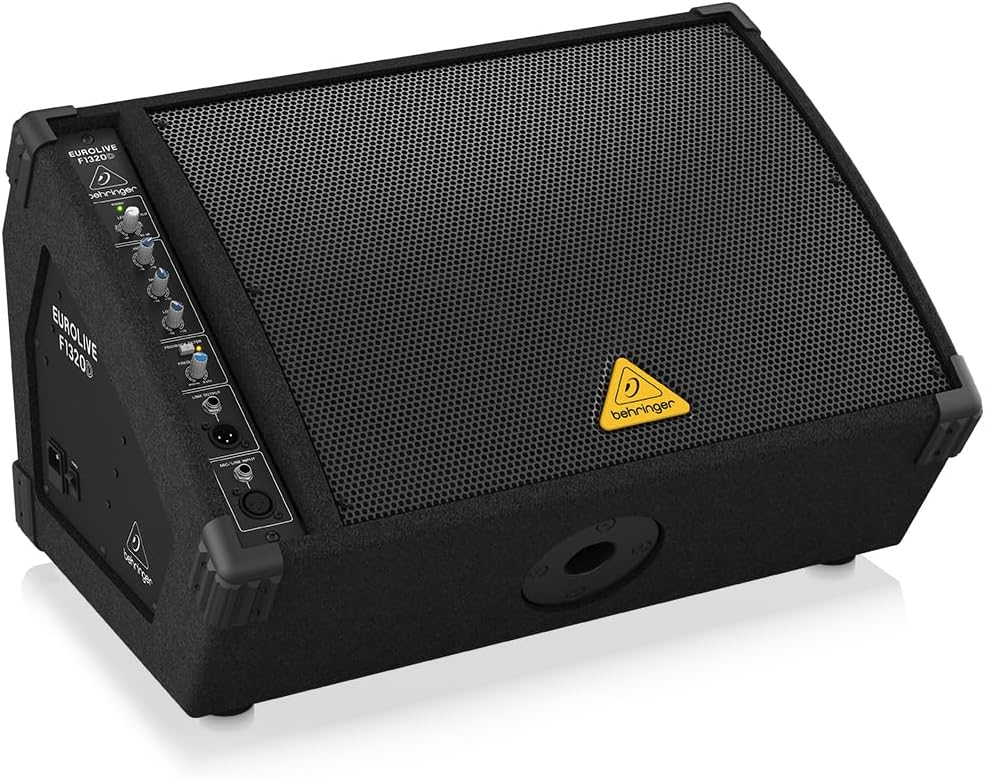
Figure 4: Close-up of the control panel, detailing the Mic/Line Input and Link Output connections.
5. Operating the EUROLIVE F1320D
The control panel provides intuitive adjustments for your audio.
5.1 Controls
- Level: This knob controls the overall output volume of the monitor. Adjust it to achieve the desired loudness without clipping (indicated by the CLIP LED).
- High EQ: Adjusts the high-frequency content (treble) of the sound. Turn clockwise to boost, counter-clockwise to cut.
- Mid EQ: Adjusts the mid-range frequency content of the sound. Turn clockwise to boost, counter-clockwise to cut.
- Low EQ: Adjusts the low-frequency content (bass) of the sound. Turn clockwise to boost, counter-clockwise to cut.
- Feedback Filter: This control helps eliminate unwanted audio feedback. Rotate the FREQUENCY knob to pinpoint the problematic frequency, then adjust the DEPTH to reduce it.

Figure 5: Detailed view of the EQ and Feedback Filter controls.
5.2 Basic Operation
- Connect your audio source to the Mic/Line Input.
- Ensure the Level knob is set to its minimum position before powering on.
- Power on the unit.
- Gradually increase the Level knob to the desired volume. Monitor the CLIP LED; if it flashes frequently, reduce the input level from your source or the speaker's Level knob to prevent distortion.
- Adjust the High, Mid, and Low EQ controls to tailor the sound to your preference and environment.
- If feedback occurs, engage the Feedback Filter and carefully adjust the FREQUENCY and DEPTH knobs until the feedback is minimized or eliminated.
6. Maintenance
To ensure the longevity and optimal performance of your EUROLIVE F1320D, follow these maintenance guidelines:
- Cleaning: Use a soft, dry cloth to clean the exterior of the unit. Do not use liquid cleaners or solvents.
- Storage: When not in use, store the speaker in a dry, dust-free environment.
- Inspection: Periodically check cables and connections for any signs of wear or damage.
- Ventilation: Ensure the ventilation grilles are free from dust and debris to prevent overheating.
7. Troubleshooting
If you encounter issues with your EUROLIVE F1320D, refer to the following common problems and solutions:
| Problem | Possible Cause | Solution |
|---|---|---|
| No sound output |
|
|
| Distorted sound |
|
|
| Feedback (howling sound) |
|
|
If the problem persists after trying these solutions, please contact qualified service personnel.
8. Specifications
| Feature | Specification |
|---|---|
| Model Name | F1320D |
| Speaker Type | Active 2-Way Monitor Speaker |
| Output Wattage | 300 Watts |
| Woofer Diameter | 12 Inches |
| Tweeter Diameter | 1 Inch |
| Frequency Response | 80 Hz (minimum specified) |
| Signal-to-Noise Ratio | 94 dB |
| Connectivity Technology | Auxiliary (XLR, 1/4-inch TRS) |
| Product Dimensions (D x W x H) | 15.98" x 22.83" x 14.17" |
| Item Weight | 33.1 Pounds |
| Material | Stainless Steel (grille/components), Carpeted enclosure |
| Color | Black |
| Power Source | Corded Electric |
| Mounting Type | Floor Standing, Pole Mount |
9. Warranty
The Behringer EUROLIVE F1320D comes with a limited warranty. Please refer to the warranty card included with your product or visit the official Behringer website for detailed terms and conditions regarding warranty coverage, duration, and service procedures.
10. Support
For technical assistance, product registration, or further inquiries, please visit the official Behringer support website or contact their customer service department. You can find contact information and FAQs on their website.


