
1. Introduction
This manual provides detailed instructions for the assembly, operation, and maintenance of your Sauder Palladia Computer Desk. Designed to enhance your home office or workspace, this desk features a spacious top surface, a large drawer/shelf with a flip-down panel for a keyboard/mouse, two small storage drawers, and a lower file drawer for letter-size hanging files. Its elegant design and Select Cherry finish complement various decor styles.
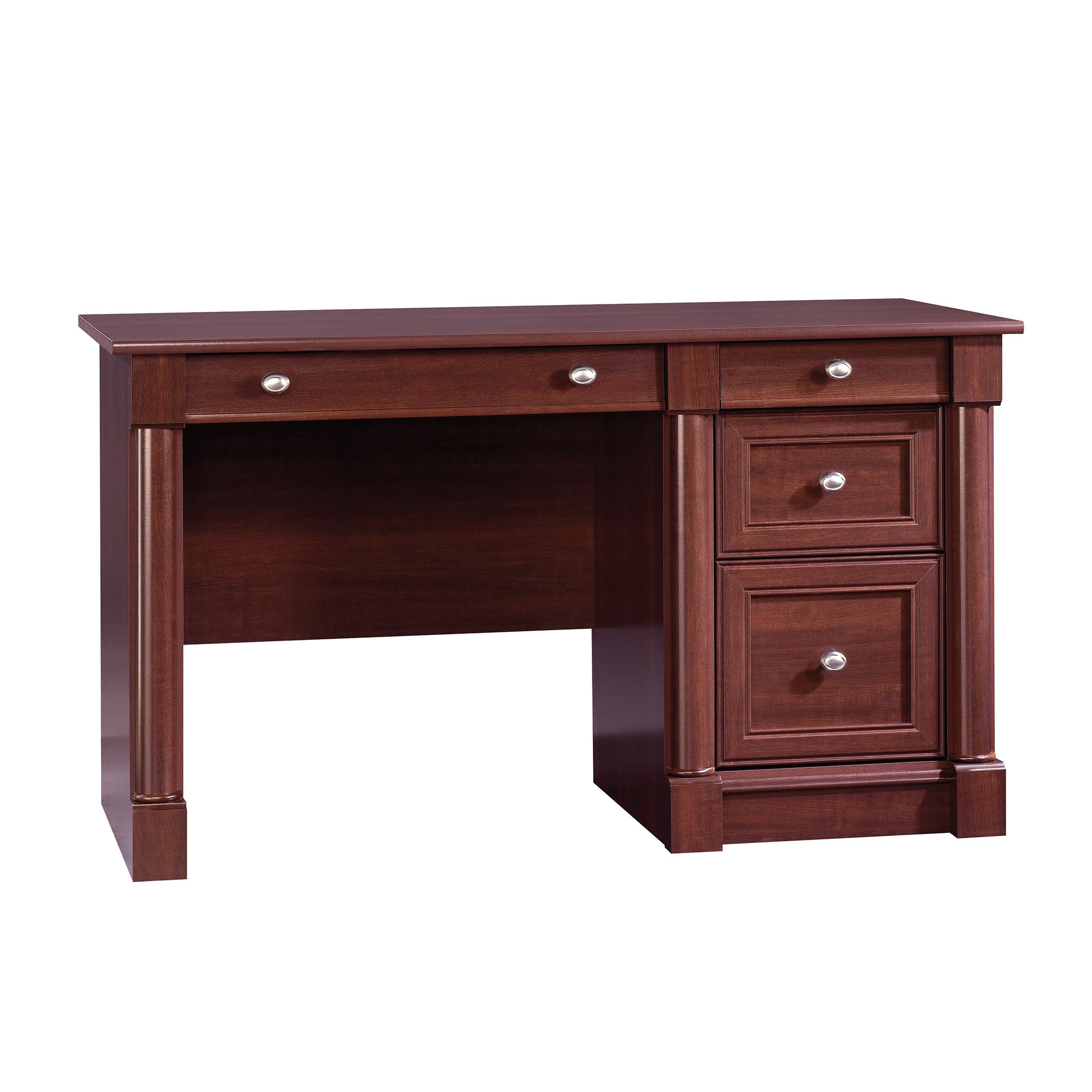
Image 1: The Sauder Palladia Computer Desk in Select Cherry finish, showcasing its classic design and functional layout.
Video 1: A brief overview of the Sauder Palladia Computer Desk, highlighting its features and aesthetic appeal.
2. Safety Information
- Always assemble the unit on a carpeted floor or on the empty carton to prevent scratching the unit or the floor.
- Do not stand your unit upright without the back attached. The unit may collapse. A properly attached back will ensure squareness, stability, and strength.
- Ensure all fasteners are securely tightened before use. Periodically check and re-tighten as necessary.
- Keep small parts and hardware away from children during assembly.
- Do not overload drawers. Distribute weight evenly.
3. Package Contents
Your Sauder Palladia Computer Desk package includes:
- All necessary furniture panels (engineered wood, Select Cherry finish).
- Hardware kit (screws, cam dowels, cam locks, drawer slides, handles).
- Assembly Instructions booklet.
- All required assembly tools (typically a Phillips screwdriver and hammer are needed, though some kits may include basic tools).
4. Setup (Assembly Instructions)
Follow these steps carefully for proper assembly. It is recommended that two people assemble this unit.
4.1. Assembling T-Slot Box Drawers
The T-slot drawer system allows for quick and easy assembly. Ensure the drawer bottom inserts into the drawer front groove.
Video 2: Step-by-step guide on how to assemble a T-Slot Box Drawer, demonstrating the insertion of the drawer bottom and tightening of screws.
4.2. Identifying and Attaching Drawer Rails
Proper identification and attachment of drawer rails (cabinet left/right, drawer left/right) are crucial for smooth drawer operation. Pay attention to the large flange and roller orientation.
Video 3: Instructions on how to correctly identify and attach the various drawer rails (cabinet left/right, drawer left/right) to the desk components.
4.3. Assembling with Cam & Dowel Fasteners
Cam and dowel fasteners are used for strong, secure connections. Ensure the cam dowels are fully inserted and the hidden cams are turned 210 degrees to lock.
Video 4: Demonstrates the correct method for assembling components using cam and dowel fasteners, including proper alignment and locking techniques.
4.4. Separating Slides from Extension Rails
Before installing drawers, the slides must be separated from the extension rails. This video shows how to do this for both slide-lever and push-lever rail types.
Video 5: Guide on how to separate the slides from the extension rails, a necessary step before installing drawers into the desk frame.
4.5. Attaching the Back Panel
The back panel is crucial for the unit's stability and squareness. Ensure the unit is 'squared up' before fastening the back panel with nails or screws as indicated in your specific assembly booklet.
Video 6: Instructions for attaching the back panel to the desk unit, emphasizing the importance of squaring the unit for stability.
5. Operating Instructions
5.1. Keyboard/Mouse Tray
The large center drawer features a flip-down panel, allowing it to function as a convenient keyboard and mouse tray. Simply pull the drawer out and lower the front panel for access.

Image 2: The keyboard tray pulled out with its front panel flipped down, ready for use.

Image 3: A close-up view of a keyboard and mouse positioned on the pull-out tray.
5.2. Storage Drawers
The desk includes two small storage drawers for miscellaneous office items. These drawers operate on smooth metal runners with safety stops.
5.3. File Cabinet Drawer
The lower drawer is designed to hold letter-size hanging files. It features full extension slides for easy access to all your documents.

Image 4: The lower drawer configured as a file cabinet, showing hanging files in place.
6. Maintenance
To maintain the appearance and longevity of your Sauder Palladia Computer Desk, please refer to the specific product care instructions provided in your assembly booklet. Generally, clean surfaces with a soft, damp cloth and avoid harsh chemicals or abrasive cleaners. Protect the finish from direct sunlight and extreme temperature changes.
7. Troubleshooting
7.1. Drawer Front Alignment
If your T-slot drawer fronts appear misaligned after assembly, they can often be adjusted. This video demonstrates how to loosen and re-tighten screws to achieve proper alignment.
Video 7: Instructions on how to adjust T-Slot Drawer Fronts to ensure they are straight and properly aligned with the desk frame.
7.2. Sticky or Catching Drawers
If drawers are not sliding smoothly, ensure that the drawer slides are correctly installed and lubricated. Check for any obstructions within the drawer tracks. Sometimes, loosening the screws holding the slide and adjusting slightly can resolve the issue.
8. Specifications

Image 5: Detailed diagram showing the dimensions of the Sauder Palladia Computer Desk, including drawer sizes.
| Feature | Detail |
|---|---|
| Brand | Sauder |
| Model Number | 412116 |
| Dimensions (D x W x H) | 23.47"D x 53.15"W x 30.04"H |
| Color | Select Cherry |
| Material Type | Engineered Wood |
| Item Weight | 136 Pounds |
| Maximum Weight Recommendation | 144 Pounds |
| Number of Drawers | 2 (plus 1 keyboard tray and 1 file drawer) |
| Special Features | Keyboard Tray Included, File Cabinet Storage, Cable Management |
| Required Assembly | Yes |
| Recommended Number of People for Assembly | 2 |
9. Warranty and Support
This Sauder product comes with a 5-year parts manufacturer warranty. For warranty claims, replacement parts, or assembly assistance, please contact Sauder customer support.
You can visit the official Sauder website for more information and support resources: Sauder Store on Amazon

Image 6: Sauder's domestic call center is ready to assist with any product inquiries or support needs.