
Introduction
This manual provides comprehensive instructions for the installation, operation, and maintenance of the Delta Faucet RP53458 Classic Hot/Cold Indicator Button. This genuine Delta repair part is designed to clearly indicate hot and cold water temperatures on compatible faucet handles.
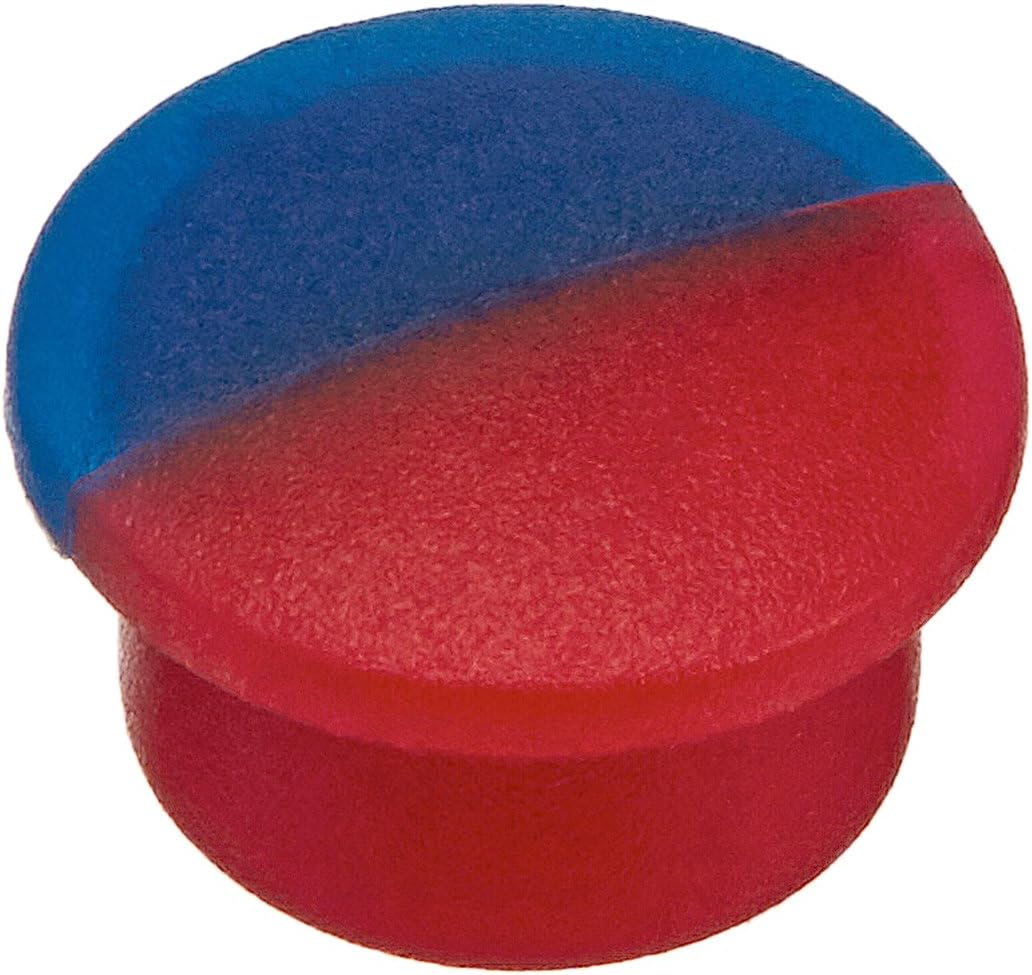
Image: The Delta Faucet RP53458 Classic Hot/Cold Indicator Button, featuring a distinct blue section for cold and a red section for hot, designed for clear temperature identification on faucet handles.
Setup and Installation
The RP53458 indicator button is designed for easy installation into compatible Delta faucet handles. Ensure the faucet handle is clean and free of debris before installation.
Installation Steps:
- Identify the Faucet Handle: Locate the handle on your Delta faucet where the indicator button is missing or needs replacement.
- Clean the Opening: Gently clean the circular opening on the faucet handle where the button will be inserted. Remove any old adhesive, dirt, or residue.
- Orient the Button: Position the RP53458 button so that the blue half aligns with the cold water side and the red half aligns with the hot water side of the faucet's operation.
- Insert the Button: Carefully align the button with the opening and apply gentle, even pressure to push it into place. The button should snap securely into the handle. Avoid excessive force to prevent damage to the button or the faucet handle.
- Verify Secure Fit: Once inserted, ensure the button is flush with the handle surface and does not wobble or easily come out.
Note: This product is a genuine Delta repair part and is intended for use with specific Delta faucet models. Compatibility is crucial for proper fit and function.
Operation
The Delta Faucet RP53458 indicator button serves as a visual cue for water temperature. The red portion of the button indicates the hot water side of the faucet, while the blue portion indicates the cold water side. This allows users to quickly identify the temperature setting without needing to test the water flow.
The button itself does not control water flow or temperature; its function is purely indicative.
Maintenance
Maintaining your Delta Faucet RP53458 indicator button is simple and helps preserve its appearance and functionality.
- Cleaning: Use a soft, damp cloth to wipe the surface of the button. For stubborn spots, a mild soap solution can be used. Avoid abrasive cleaners, harsh chemicals, or scouring pads, as these can scratch or damage the finish and color of the button.
- Inspection: Periodically check the button for any signs of looseness or damage. If the button becomes loose, it may need to be re-seated or replaced if damaged.
Troubleshooting
While the RP53458 indicator button is designed for straightforward installation, some common issues may arise. Here are solutions to address them:
- Button Does Not Fit:
Issue: The button is too large or too small for the opening in the faucet handle.
Solution: Verify that your faucet model is compatible with the Delta RP53458 part. This button is specifically designed for certain Delta models. If the fit is slightly tight, some users have reported carefully trimming the plastic with a utility knife to achieve a secure fit. However, exercise extreme caution to avoid damaging the button or the faucet handle. If the button is too small, it is likely the incorrect part for your faucet.
- Button Falls Out Easily:
Issue: The button does not stay securely in the handle.
Solution: Ensure the opening is clean and free of debris that might prevent a snug fit. Apply firm, even pressure during installation to ensure it snaps into place. If the button is damaged or worn, it may not hold properly and should be replaced.
- Color Fading or Discoloration:
Issue: The red or blue color on the button appears faded or discolored.
Solution: This can occur over time due to exposure to harsh cleaning agents or prolonged sunlight. Ensure you are using only mild cleaners as recommended in the Maintenance section. If the fading is significant, replacing the button is the only solution.
Specifications
| Brand | DELTA |
| Model Number | RP53458 |
| Part Number | RP53458 |
| UPC | 034449584722 |
| Color | Red/Blue (Indicator) |
| Exterior Finish | Chrome (referring to faucet handle it fits into) |
| Item Weight | 10 Grams (0.353 ounces) |
| Special Feature | Easy to Install |
| Included Components | Installation Hardware (button itself) |
| Date First Available | February 2, 2011 |
Warranty Information
Delta Faucet Company stands behind its products. For specific warranty details regarding the RP53458 Classic Hot/Cold Indicator Button, please refer to the official Delta Faucet website or the warranty documentation included with your original faucet purchase. Generally, genuine Delta repair parts are covered under the broader faucet warranty.
You can find detailed warranty information by visiting the Delta Faucet Warranty Page.
Customer Support
If you require further assistance with the Delta Faucet RP53458 Classic Hot/Cold Indicator Button, or have questions not covered in this manual, please contact Delta Faucet customer support.
For support, visit the official Delta Faucet website or use the contact information provided on their site:
- Website: www.deltafaucet.com
- Phone Support: Refer to the website for current contact numbers and hours of operation.
When contacting support, please have your product model number (RP53458) and any relevant purchase information ready.


