Product Overview
The Kato HO UNITRACK HV4 Interchange Track Set is designed to expand your model train layout, providing a crossover space for transitioning between two parallel tracks using #6 electric turnouts. This set is an ideal expansion from base Master (HM) and Variation (HV) sets, offering an easy-to-use and reliable snap track system for both temporary and permanent layouts. It includes all necessary track pieces, a #24-827 3-way extension cord, and a turnout control switch.
Package Contents
- HO UNITRACK track pieces for an interchange layout
- #6 Electric Turnouts (left and right)
- #24-840 Turnout Control Switch
- #24-827 3-Way Extension Cord
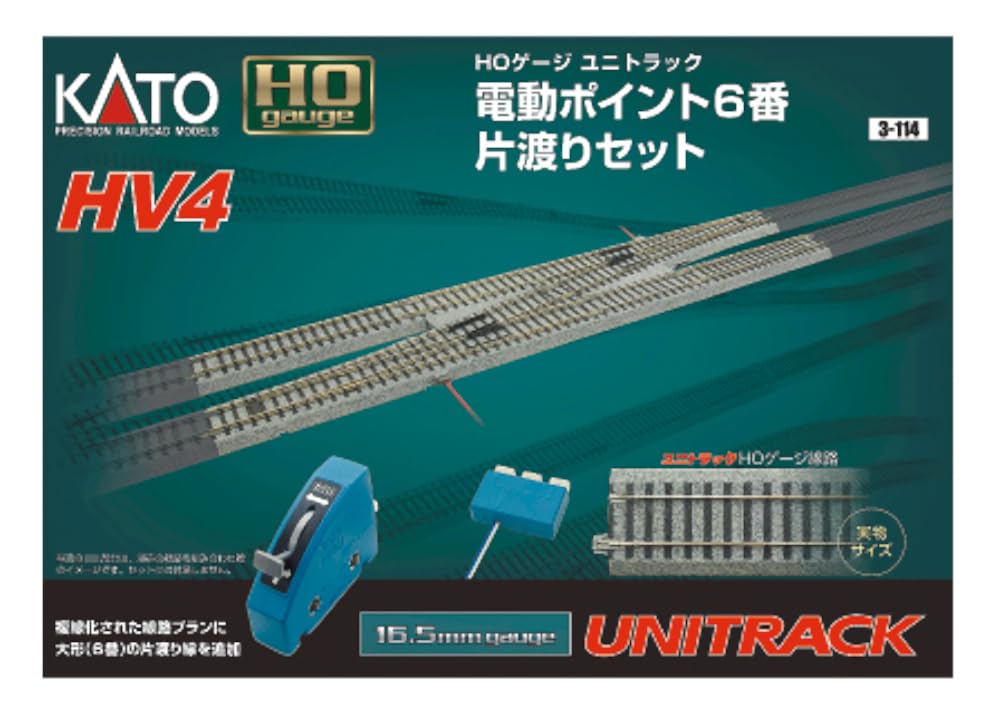
Image: The packaging for the Kato HO UNITRACK HV4 Interchange Track Set, showing the track pieces, electric turnouts, and control accessories included in the set.
Setup Instructions
- Prepare Your Layout Area: Ensure a clean, flat, and stable surface for your model train layout.
- Assemble Main Track Sections: Connect the straight and curved UNITRACK pieces to form your primary parallel tracks. The snap track system allows for easy assembly.
- Integrate the Interchange Track: Position the HV4 interchange track set between your two parallel tracks. Ensure the #6 electric turnouts are correctly oriented to allow trains to switch between tracks.
- Connect Turnout Control Switch: Plug the #24-840 Turnout Control Switch into the designated port on each electric turnout. Use the #24-827 3-Way Extension Cord if needed to reach multiple turnouts or your power pack.
- Connect Power: Ensure your power pack is connected to the main track. The turnouts receive power through the track connections.
- Verify Connections: Double-check all track connections for a secure fit to ensure proper electrical contact and smooth train operation.
Operating Instructions
The #6 electric turnouts allow for remote control of track switching, enabling dynamic train operations on your layout.
- Power On: Turn on your model train power pack.
- Switching Turnouts: Use the #24-840 Turnout Control Switch to change the direction of the electric turnouts. Pressing the switch button will move the turnout points, directing the train to the desired track.
- Running Trains: Place your train on the track and adjust the power pack throttle to control its speed. Observe the train as it approaches and passes through the turnouts to ensure smooth transitions.
Video: A demonstration of the Kato HO UNITRACK electric turnouts in operation, showing trains smoothly transitioning between parallel tracks.
Maintenance
- Track Cleaning: Regularly clean the track rails with a track cleaning tool or a soft cloth dampened with track cleaning fluid to ensure good electrical conductivity.
- Turnout Inspection: Periodically inspect the electric turnouts for any debris or obstructions that might hinder their movement. Keep the moving parts clean.
- Connection Check: Ensure all track connections remain tight and secure. Loose connections can lead to intermittent power or derailments.
- Storage: When not in use for extended periods, store track components in a clean, dry environment away from direct sunlight and extreme temperatures.
Troubleshooting
- Train Not Moving or Intermittent Power:
- Check all track connections for tightness.
- Ensure rails are clean and free of dirt or oxidation.
- Verify the power pack is functioning correctly and connected to the track.
- Turnout Not Switching:
- Ensure the turnout control switch is properly connected to the turnout and the 3-way extension cord (if used).
- Check for any physical obstructions preventing the turnout points from moving.
- For DCC (Digital Command Control) or DC/power routing, ensure the jumpers on the side of the turnout are correctly placed. For DCC, jumpers should be in the middle posts. For DC/power routing, jumpers should be at the end posts.
- Derailments on Turnouts:
- Ensure the turnout points are fully thrown to one direction before a train passes.
- Check that the track pieces leading into and out of the turnout are perfectly aligned and securely connected.
- Slow down trains when approaching turnouts.
Specifications
| Product Dimensions | 20 x 4 x 2 inches |
| Item Weight | 14.9 ounces |
| Item Model Number | 3-114 |
| Manufacturer Recommended Age | 14 months and up |
| Manufacturer | Kato Trains |
| Date First Available | December 2, 2011 |
Warranty and Support
Kato products are known for their quality and reliability. For specific warranty information or technical support, please refer to the official Kato USA website or contact their customer service directly. Keep your purchase receipt as proof of purchase for any warranty claims.