
1. Product Overview
The GE 24-hour Plug-in Basic Timer (Model 15131) is designed to automate the operation of electrical devices by turning them on and off at pre-set times over a 24-hour cycle. This timer is suitable for various applications, such as controlling lights, fans, or other appliances, helping to conserve energy and enhance convenience. It features a simple mechanical design for reliable performance.
This product is provided as a 2-pack.
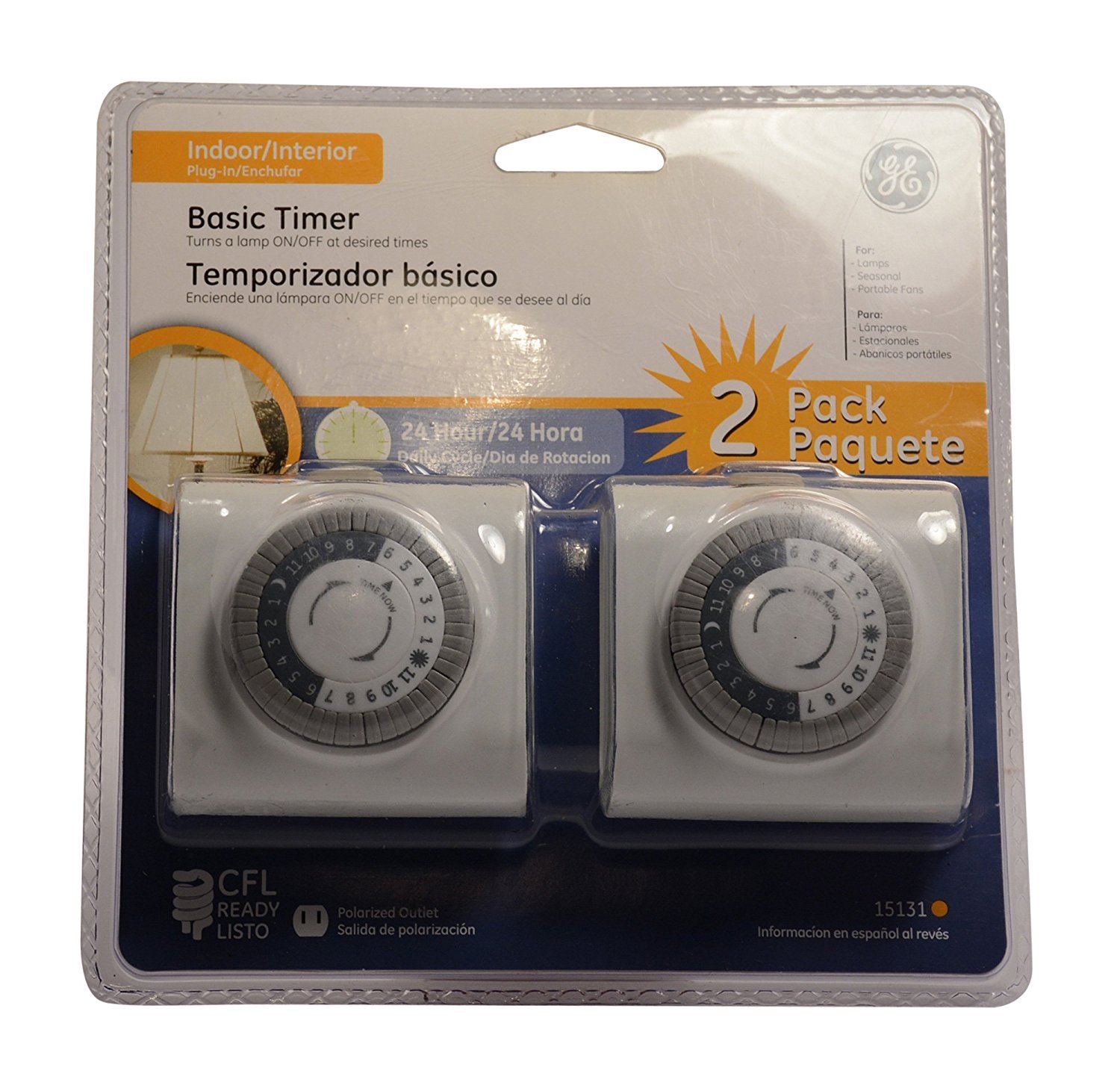
Image 1.1: Front view of the GE 24-hour Plug-in Basic Timer, illustrating the circular dial with time segments and adjustable pins.
2. Setup Instructions
Follow these steps to set up your GE 24-hour Plug-in Basic Timer:
- Understand the Dial: The timer features a circular dial with 48 small levers around its perimeter. Each lever represents a 30-minute time segment.
- Initial Lever Position: For initial setup, ensure all 48 levers are in the "up" position.
- Set "ON" Times: For the periods you want the connected device to be "on," push the corresponding 30-minute levers "down." For example, if you want a device to be on for 2 hours, push down four consecutive levers.
- Set "OFF" Times: For the periods you want the connected device to be "off," leave the corresponding 30-minute levers in the "up" position.
- Rotate to Current Time: Once all desired "on" and "off" times are set, carefully rotate the entire dial clockwise until the current time aligns with the arrow or marker on the timer's face. Ensure AM/PM is correctly observed if applicable (the dial typically shows 24 hours).
- Plug In: Plug the timer into a standard 120V AC wall outlet. Then, plug your appliance into the timer's outlet.
Note: The timer will activate or deactivate the connected device each time there is a change in the lever position (from up to down, or down to up) as the dial rotates past the current time marker.
3. Operating Instructions
Once the timer is set up, it will automatically control the connected device according to your programmed schedule. No further action is typically required for daily operation.
Manual Override Switch
The timer includes a manual override switch, usually located on the side or top of the unit. This switch allows you to temporarily bypass the programmed schedule:
- "ON" Position: Keeps the connected device continuously on, regardless of the programmed settings.
- "OFF" Position: Keeps the connected device continuously off, regardless of the programmed settings.
- "TIMER" Position: Returns control to the programmed schedule.
Always ensure the override switch is in the "TIMER" position for automatic operation.
4. Maintenance
The GE 24-hour Plug-in Basic Timer requires minimal maintenance:
- Cleaning: Disconnect the timer from the power outlet before cleaning. Wipe the exterior with a soft, dry cloth. Do not use liquid cleaners or immerse the timer in water.
- Storage: Store the timer in a cool, dry place when not in use.
- Inspection: Periodically inspect the timer and its cord for any signs of damage. Discontinue use if damage is observed.
5. Troubleshooting
| Problem | Possible Cause | Solution |
|---|---|---|
| Device does not turn on/off at programmed times. |
|
|
| Timer makes a buzzing sound. | Normal operational noise for some mechanical timers. | This is often a characteristic of mechanical timers and may not indicate a fault. If the buzzing is excessively loud or accompanied by other issues, discontinue use and contact support. |
| Connected device remains continuously on or off. | Manual override switch is engaged. | Ensure the manual override switch is set to the "TIMER" position for automatic operation. |
6. Specifications
- Model Number: 15131
- Brand: GE
- Color: White
- Material: Tungsten (likely referring to internal contacts or components)
- Power Rating: Standard 120V AC (implied by plug-in nature, typical for such timers)
- Timer Type: 24-hour mechanical plug-in
- Segments: 48 x 30-minute segments
- Manufacturer: Jasco Products Company
- UPC: 043180151315
- ASIN: B0055RD6CC
7. Warranty and Support
For warranty information or technical support regarding your GE 24-hour Plug-in Basic Timer, please contact Jasco Products Company, the manufacturer. Refer to the packaging or the manufacturer's official website for the most current contact details and warranty terms.
Manufacturer: Jasco Products Company
Please retain your purchase receipt for warranty purposes.


