
1. Product Overview
The RCA VH127R is a 75-foot antenna rotator cable designed to connect an outdoor antenna rotator to its indoor base control unit. This cable facilitates the transmission of control signals from the indoor unit to the outdoor rotator, allowing for precise adjustment of your outdoor VHF, UHF, or FM antenna's direction.
Key features of this cable include:
- Length: 75 feet (approximately 22.86 meters)
- Conductors: 3 conductors, 22 gauge
- Design: Flat cable construction
- Purpose: Connects outdoor antenna rotator to indoor base unit
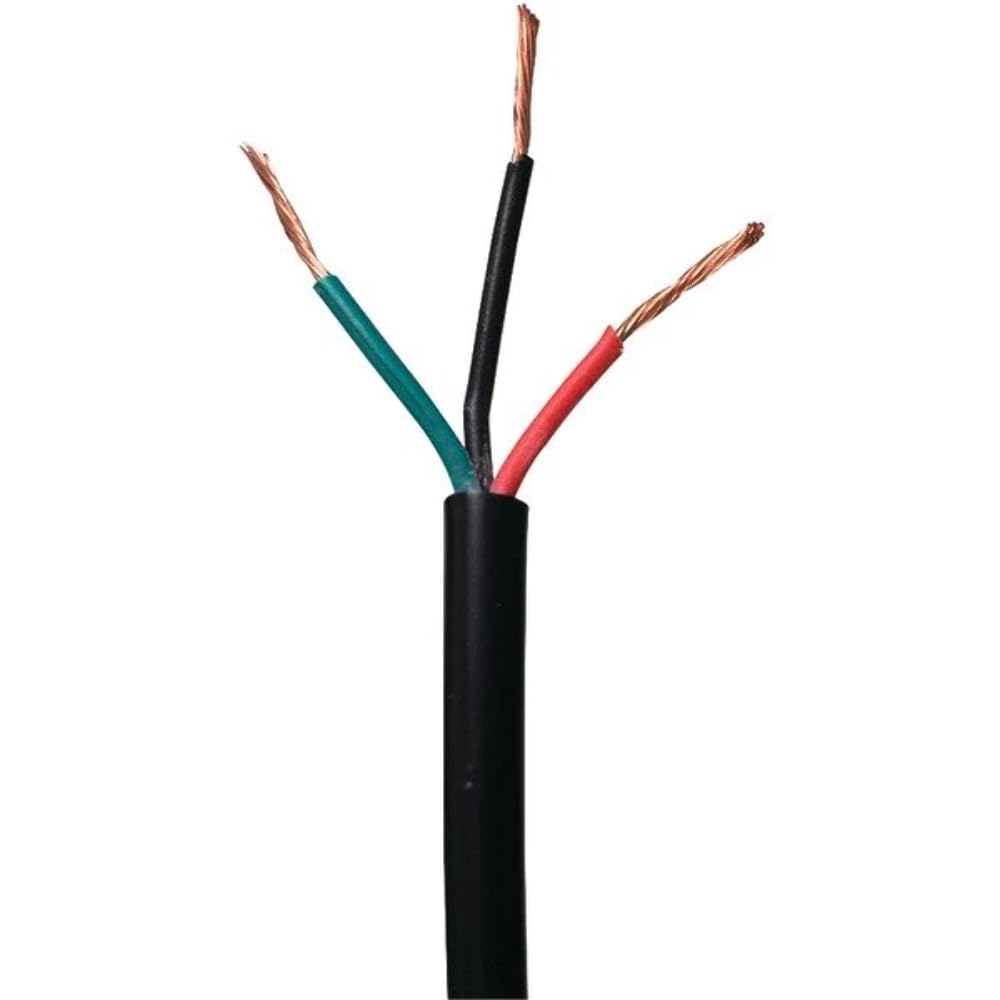
An image showing the RCA VH127R Antenna Rotator Cable, a flat black cable coiled for packaging.
2. Setup and Installation
Proper installation of the RCA VH127R cable is crucial for the reliable operation of your antenna rotator system. Follow these general guidelines:
- Preparation: Ensure both your outdoor antenna rotator and indoor control unit are powered off before beginning installation. Consult the specific instruction manual for your antenna rotator for detailed connection points.
- Routing the Cable: Carefully route the 75-foot cable from the outdoor rotator location to the indoor control unit. Avoid sharp bends, kinks, or placing the cable where it can be pinched or damaged. Use appropriate cable clips or ties to secure the cable along its path, protecting it from environmental elements and physical stress.
- Outdoor Connection: Connect one end of the VH127R cable to the designated terminal block or connector on your outdoor antenna rotator. Ensure each of the 3 conductors is securely attached to its corresponding terminal as specified by your rotator's manual.
- Indoor Connection: Connect the other end of the VH127R cable to the terminal block or connector on your indoor rotator control unit. Verify that the conductors are matched correctly to ensure proper signal transmission.
- Testing: Once all connections are secure, power on your indoor rotator control unit and test the rotator's functionality. Ensure the antenna rotates smoothly and responds accurately to commands.
Note: This cable is designed for antenna rotator control signals and is not intended for coaxial signal transmission from the antenna itself. A separate coaxial cable is required for antenna signal transmission.
3. Operating
The RCA VH127R cable acts as the communication link between your antenna rotator and its control unit. Once properly installed, the cable enables the indoor control unit to send commands to the outdoor rotator, allowing you to adjust the direction of your antenna. There are no direct operational steps for the cable itself; its function is passive, ensuring reliable signal transfer.
Refer to your specific antenna rotator's user manual for instructions on how to operate the rotator and adjust your antenna's direction.
4. Maintenance
To ensure the longevity and optimal performance of your RCA VH127R antenna rotator cable, consider the following maintenance tips:
- Regular Inspection: Periodically inspect the entire length of the cable, especially sections exposed to the elements, for any signs of wear, cracks, fraying, or damage.
- Secure Connections: Ensure that all connections at both the outdoor rotator and indoor control unit remain tight and free from corrosion. Loose connections can lead to intermittent operation or signal loss.
- Environmental Protection: While the cable is designed for outdoor use, protecting it from extreme weather conditions (e.g., direct prolonged sunlight, standing water, ice buildup) can extend its lifespan. Ensure proper drip loops are formed where the cable enters a building to prevent water from tracking along the cable into the structure.
- Pest Control: Protect the cable from potential damage by rodents or other pests by ensuring it is not easily accessible or by using protective conduits where necessary.
- Avoid Stress: Do not hang heavy objects from the cable or subject it to excessive tension, which can stretch or break the internal conductors.
5. Troubleshooting
If you experience issues with your antenna rotator system, the RCA VH127R cable might be a factor. Here are some common troubleshooting steps related to the cable:
- Rotator Not Responding:
- Check all cable connections at both the outdoor rotator and indoor control unit. Ensure they are secure and correctly wired according to your rotator's manual.
- Inspect the cable for visible damage (cuts, kinks, severe wear). A damaged cable may prevent control signals from reaching the rotator.
- If possible, test the continuity of each conductor in the cable using a multimeter to identify any breaks.
- Intermittent Operation:
- Loose or corroded connections are often the cause of intermittent issues. Clean and re-secure all terminals.
- Minor damage to the cable's insulation might allow moisture ingress, leading to intermittent shorts or signal degradation.
- Incorrect Rotation:
- Verify that the conductors are connected to the correct terminals on both ends. Incorrect wiring can lead to reversed or erratic rotation.
If troubleshooting steps do not resolve the issue, consult the manual for your antenna rotator or contact a qualified technician.
6. Specifications
| Model: | VH127R |
| Brand: | RCA |
| Cable Length: | 75 feet (approx. 22.86 meters) |
| Number of Conductors: | 3 |
| Conductor Gauge: | 22 gauge |
| Cable Type: | Flat |
| Color: | Black |
| Material: | Plastic |
| Item Weight: | 1.8 Pounds (approx. 0.82 kg) |
| UPC: | 044476067655 |
7. Warranty and Support
The RCA VH127R Antenna Rotator Cable comes with a 90-day warranty from the date of purchase. This warranty covers defects in materials and workmanship under normal use.
For warranty claims or technical support, please refer to the contact information provided with your original purchase documentation or visit the official RCA support website. When contacting support, please have your product model (VH127R) and proof of purchase readily available.
Please note that this warranty typically does not cover damage resulting from improper installation, misuse, accidents, unauthorized repairs, or normal wear and tear.