
Introduction
This manual provides comprehensive instructions for the setup, operation, and maintenance of your Timex Intelligent Quartz Adventure Series Altimeter Watch, Model T2N729. This timepiece combines classic analog display with advanced digital altimeter functionality, designed for outdoor enthusiasts.
Product Overview
The Timex T2N729 features a black ion-plated stainless steel case, a black silicone strap, and a black dial with skeleton hands and index hour markers. It includes an Indiglo night-light, date display, and two dedicated displays for altimeter readings and unit conversion.
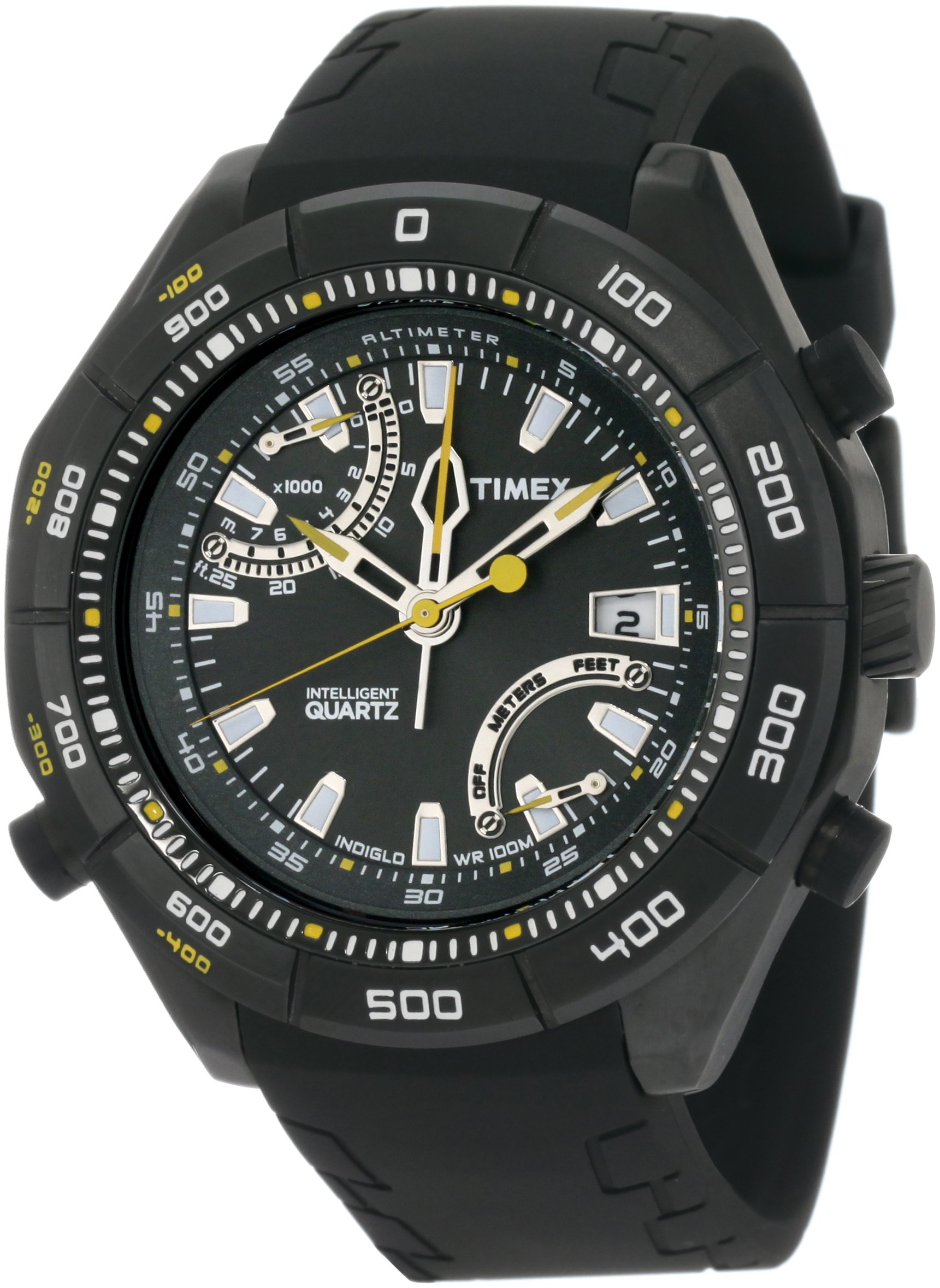
Image: Front view of the Timex T2N729 Intelligent Quartz Adventure Series Altimeter Watch, showcasing its black dial, hands, and case.

Image: The Timex T2N729 watch displayed on a wrist, illustrating its size and fit.
Setup
1. Initial Power-Up and Time Setting
Your watch comes with a battery installed. To activate, remove any plastic battery tab if present. Set the current time by pulling out the crown and rotating it. Push the crown back in to start the watch.
2. Date Setting
The date display is located at the 3 o'clock position. Refer to the full instruction manual for specific crown positions and rotations to adjust the date without affecting the time.
3. Altimeter Calibration
For accurate altitude readings, the altimeter must be calibrated to a known elevation. This should be done regularly, especially when significant weather changes occur or when moving to a new location with a known altitude reference point. Consult the detailed manual for precise calibration steps using the watch's controls.
Operating Instructions
1. Indiglo Night-Light
Press the crown to activate the Indiglo night-light, illuminating the dial for visibility in low-light conditions.
2. Altimeter Functionality
- Altimeter Range: The digital altimeter sensor operates within a range of -400 feet to 25,000 feet (-120 meters to 7,600 meters).
- Min/Max Altitude Recall: The watch can recall the minimum and maximum altitudes recorded during a session. Refer to the full manual for instructions on accessing and resetting this feature.
- Feet/Meter Conversion: The watch supports conversion between feet and meters for altitude readings. Use the designated controls to switch between units as needed.
- Accuracy: Altimeter readings are based on atmospheric pressure. Changes in weather patterns (e.g., approaching low-pressure systems) can affect readings. Regular calibration to a known elevation is crucial for maintaining accuracy.
3. Water Resistance
This watch is water resistant to 100 meters (330 feet). It is suitable for snorkeling and swimming. It is not suitable for diving. Avoid operating the crown or pushers while the watch is wet or submerged to prevent water ingress.
Maintenance
1. Cleaning
Clean your watch regularly with a soft, damp cloth. For the silicone strap, mild soap and water can be used. Ensure the watch is completely dry before storage.
2. Battery Replacement
The watch requires 1 'A' type battery (included). When the battery needs replacement, it is recommended to have it done by a qualified watch technician to ensure proper sealing and maintain water resistance.
3. Storage
Store your watch in a cool, dry place away from direct sunlight and extreme temperatures. Avoid exposing the watch to strong magnetic fields.
Troubleshooting
- Inaccurate Altimeter Readings: The altimeter relies on atmospheric pressure. If readings are inconsistent, recalibrate the altimeter to a known elevation. Significant weather changes can cause fluctuations.
- Watch Not Keeping Time: Check if the crown is fully pushed in. If the watch stops or runs intermittently, the battery may need replacement.
- Indiglo Not Working: Ensure the battery has sufficient power. If the battery is low, the Indiglo feature may be affected before the timekeeping stops.
- Water Inside Watch: If moisture appears inside the watch, immediately take it to a qualified service center. Do not attempt to open the watch yourself.
Specifications
| Model Number | T2N729DH |
| Brand | TIMEX |
| Movement Type | Quartz |
| Display Type | Analog |
| Case Material | Stainless Steel (Black ion-plated) |
| Case Diameter | 48 mm |
| Case Thickness | 16 mm |
| Band Material | Silicone (Black) |
| Water Resistance Depth | 100 meters (330 feet) |
| Crystal Material | Mineral |
| Special Features | Indiglo Night-Light, IQ Altimeter, Date Display, Min/Max Altitude Recall |
| Altimeter Range | -120 to 7600 Meters (-400 to 25,000 Feet) |
| Battery | 1 A battery (included) |

Image: A visual guide illustrating various watch case sizes, including the 44-48mm range relevant to this model.
Warranty and Support
For warranty information and support, please contact the seller of record or refer to the official Timex website for customer service details. Keep your purchase receipt as proof of purchase.
For further assistance or detailed instructions on specific features, please consult the complete user manual provided with your watch or available on the manufacturer's website.


