
Introduction
The SKYLINK LX-318 is a compact, remote-controllable receiver designed to convert a standard light bulb socket into a wireless lighting control point. This device allows for both on/off and dimmable operations (with compatible dimmable light bulbs), integrating seamlessly into your home automation system without complex wiring. It offers an easy DIY installation process, providing convenient control over your lighting.
Product Overview
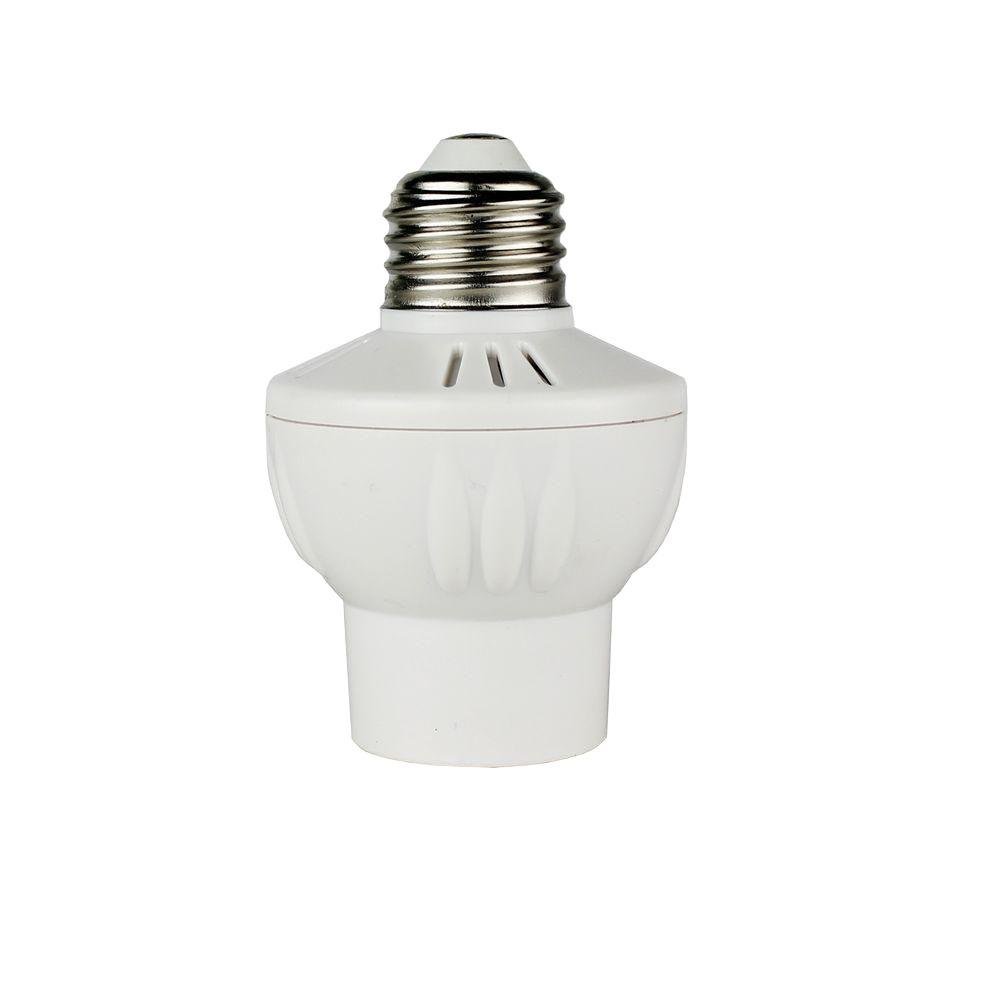
Figure 1: The SKYLINK LX-318 Mini Screw-In Light Bulb Socket Dimmer Receiver. This image shows the compact white device with a standard E26 screw-in base at the top, designed to fit into a light fixture, and a socket at the bottom for a light bulb.
The LX-318 receiver is designed to be miniature, allowing it to fit into most standard light sockets. It functions as an intermediary between your light fixture and the light bulb, enabling wireless control from a compatible SKYLINK remote or transmitter.
Setup and Installation
- Power Off: Before installation, ensure the power to the light fixture is turned off at the circuit breaker to prevent electrical shock.
- Screw In Receiver: Carefully screw the SKYLINK LX-318 receiver into your existing standard E26 light bulb socket. Ensure it is securely tightened.
- Insert Light Bulb: Screw your light bulb (incandescent, CFL, or LED) into the LX-318 receiver's socket. For dimming functionality, ensure you are using a dimmable light bulb.
- Power On: Restore power to the light fixture from the circuit breaker.
- Pairing (Refer to Transmitter Manual): The LX-318 needs to be paired with a compatible SKYLINK remote control or transmitter. Please refer to the specific instructions provided with your SKYLINK transmitter for pairing procedures. Typically, this involves putting the receiver into a learning mode and activating the transmitter.
Note: The miniature design is intended to fit most standard fixtures, but verify clearance before final installation, especially in enclosed fixtures.
Operating Instructions
- On/Off Control: Once paired, use your SKYLINK remote control to turn the connected light bulb on or off.
- Dimming Control: If using a dimmable light bulb and a compatible SKYLINK dimming transmitter, you can adjust the brightness level. Follow the instructions of your specific transmitter for dimming operations.
- Operating Range: The receiver operates effectively up to 500 feet in an open area. Environmental factors and obstructions may reduce this range.
- Power Outage Behavior: In the event of a power outage, the device may default to an "on" state when power is restored.
Maintenance
The SKYLINK LX-318 receiver requires minimal maintenance. Keep the device clean and free from dust. Do not expose it to excessive moisture or extreme temperatures. Ensure the light bulb is securely screwed into the receiver and the receiver into the fixture socket.
Troubleshooting
- Light Does Not Turn On/Off:
- Ensure the light fixture has power.
- Verify the light bulb is functional and securely screwed into the LX-318.
- Confirm the LX-318 is securely screwed into the fixture socket.
- Re-check pairing with your SKYLINK transmitter. Refer to your transmitter's manual for pairing instructions.
- Dimming Function Does Not Work:
- Ensure you are using a dimmable light bulb. The LX-318 can only dim dimmable bulbs.
- Verify your SKYLINK transmitter is capable of sending dimming commands.
- Some dimmable LED bulbs may behave inconsistently with certain dimmers. If issues persist, try a different brand or type of dimmable bulb.
- Limited Operating Range:
- Obstructions like walls, metal objects, or other electronic devices can interfere with the wireless signal. Try operating the transmitter closer to the receiver.
- Ensure the transmitter's battery is not low.
- Device Does Not Fit in Fixture:
- The LX-318 has a compact design, but some enclosed or small fixtures may not provide adequate space. Verify dimensions before purchase or installation.
- Device Failure / Burning Smell:
- If you experience a burning smell or the device fails prematurely, immediately disconnect power and cease use. Contact customer support for assistance.
Specifications
| Model Number | LX-318 |
| Brand | SKYLINK |
| Light Type Compatibility | Incandescent, CFL, LED (dimming with dimmable bulbs only) |
| Maximum Load | 60 Watts (120V AC) |
| Voltage | 120 Volts |
| Frequency | 60 Hertz |
| Bulb Base | E26 (Standard) |
| Operating Range | Up to 500 feet (open area) |
| Control Method | Remote (via compatible SKYLINK transmitters) |
| Indoor/Outdoor Usage | Indoor |
| Material | Copper (internal components) |
| Item Weight | 9.07 g |
Warranty and Support
Warranty: This product comes with a 1-year manufacturer's warranty. Please retain your proof of purchase for warranty claims.
Customer Support: For technical assistance, troubleshooting, or warranty inquiries, please contact SKYLINK customer support. Refer to the SKYLINK official website for current contact information.


